
Introduction
Thank you for choosing the Legami Super Fast Wireless Charger with Stand. This manual provides essential information for the safe and efficient use of your device. Please read these instructions carefully before use and retain them for future reference.
Product Overview and Features
The Legami Super Fast Wireless Charger with Stand is designed to provide convenient and efficient wireless charging for compatible smartphones. Its versatile design allows for both vertical and horizontal phone placement.
- Qi Technology Compatibility: Supports smartphones equipped with Qi wireless charging technology.
- Dual Charging Coil: Allows charging in both vertical and horizontal orientations without interrupting use.
- LED Indicator: Provides visual feedback on correct phone placement and charging status.
- Non-slip Base: Ensures secure placement of the charger and your device.
- Case Compatibility: Works with non-metallic phone cases up to 3 mm thick. Cases with magnetic parts are not supported.
- Included Cable: Comes with a USB/Micro USB charging cable for connection to a power source.

Image: Product features diagram highlighting 10W power, included USB/USB-C cable, smartphone compatibility, and non-slip surface.
Setup Instructions
- Connect the Cable: Insert the Micro USB end of the included charging cable into the port on the back of the wireless charger.
- Connect to Power: Plug the USB-A end of the cable into a compatible USB power adapter (not included) or a powered USB port. Ensure the power adapter provides sufficient wattage (e.g., 10W or higher for optimal performance).
- Placement: Place the wireless charger on a stable, flat surface, such as a desk or nightstand.
Operating Instructions
Once the charger is set up and connected to power, you can begin charging your compatible smartphone.
- Position Your Device: Place your Qi-compatible smartphone directly onto the charging stand. The dual charging coils allow you to position your phone vertically or horizontally.
- Observe LED Indicator: The LED indicator on the charger will illuminate to confirm that the phone is correctly positioned and charging has begun. If the LED does not light up, adjust the phone's position.
- Charging Status: Your phone's screen will typically display a charging icon or notification.
- Case Considerations: For optimal charging, ensure your phone case is non-metallic and no thicker than 3 mm. Remove any cases with magnetic components or excessive thickness.
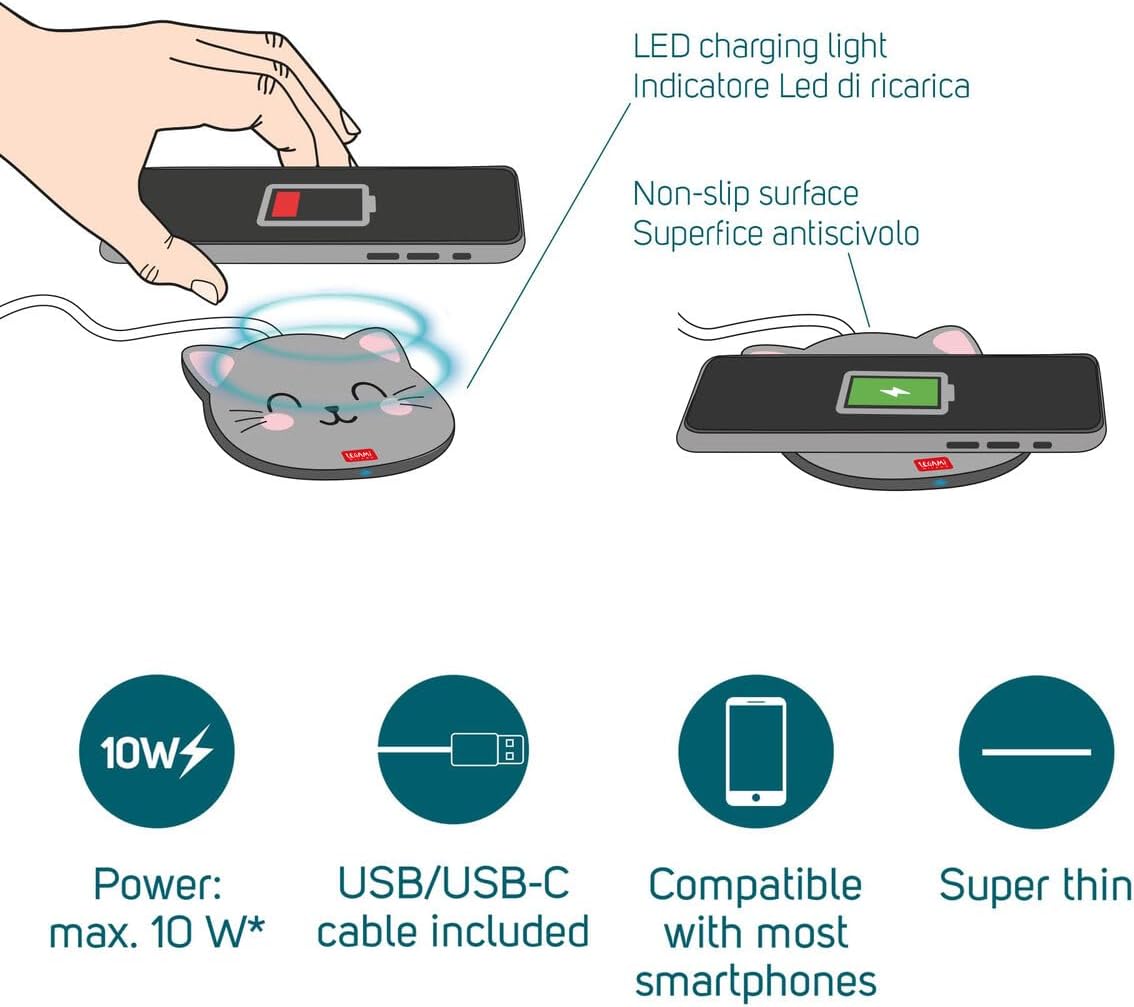
Image: A smartphone placed vertically on the Legami wireless charging stand, indicating active charging.

Image: A close-up of a smartphone charging horizontally on the Legami wireless charger, showing the charging status.
Compatibility
This wireless charger is compatible with smartphones that support Qi wireless charging technology. Specific compatible models include, but are not limited to:
- Apple: iPhone 8 and newer models.
- Samsung: Galaxy S6 and newer models.
- Xiaomi: MIx 2S and newer models.
- Huawei: Mate 20 Pro / Mate RS Porsche Design and newer models.
- Nokia: Lumia 1520 and newer models.
- LG: V30 / G2 / Lucid 2 and newer models.
If your device is not listed, please check its specifications to confirm Qi wireless charging compatibility.
Maintenance
To ensure the longevity and optimal performance of your wireless charger, follow these simple maintenance guidelines:
- Cleaning: Disconnect the charger from the power source before cleaning. Use a soft, dry, lint-free cloth to wipe the surface. Do not use abrasive cleaners, solvents, or harsh chemicals.
- Storage: Store the charger in a cool, dry place away from direct sunlight and extreme temperatures when not in use.
- Avoid Liquids: Keep the charger away from water and other liquids.
- Handle with Care: Avoid dropping or subjecting the charger to strong impacts.
Troubleshooting
If you encounter issues with your Legami Wireless Charger, refer to the following common problems and solutions:
| Problem | Possible Cause | Solution |
|---|---|---|
| Phone not charging / LED not lighting up |
|
|
| Slow charging |
|
|
| Charger or phone gets warm | Normal during wireless charging | Slight warmth is normal. If it becomes excessively hot, discontinue use and contact support. Ensure proper ventilation around the charger. |
Specifications
| Feature | Specification |
|---|---|
| Brand | Legami |
| Model Number | WCHAR0008 |
| Wattage | 10 watts |
| Power Source Type | AC adapter (not included) |
| Connector Type | USB (Micro-USB input on charger) |
| Compatible Devices | Cellular Phones with Qi wireless charging |
| Special Features | Wireless charging, dual charging coil, compatibility with non-metallic cases up to 3mm |
| Item Dimensions (L x W x H) | 13.8 x 12.6 x 2.6 cm |
| Item Weight | 130 g |
| Included Components | USB/Micro-USB charging cable |
Warranty and Support
For warranty information and customer support, please refer to the documentation provided with your purchase or visit the official Legami website. Keep your proof of purchase for any warranty claims.
If you require further assistance or have questions not covered in this manual, please contact Legami customer service through their official channels.