
1. Introduction
Thank you for choosing the Sethruki T-1 Portable Charger. This ultra-slim and lightweight power bank is designed for convenient on-the-go charging of your mobile devices. Featuring built-in cables for both iPhone (Lightning) and Android (USB-C) devices, it eliminates the need for carrying extra charging cords. With a 6000mAh capacity, it provides reliable power to keep your devices charged throughout the day. Please read this manual carefully to ensure proper use and maintenance of your portable charger.
2. Product Overview
2.1 Package Contents
- 1 x Sethruki T-1 6000mAh Portable Charger
- 1 x USB Charging Cable (for recharging the power bank)
- User Manual
2.2 Key Features
- Built-in Cables: Integrated Lightning and USB-C cables for direct charging of compatible devices.
- Compact Design: Ultra-slim and lightweight, similar to a credit card in size, making it highly portable.
- 6000mAh Capacity: Provides sufficient power for multiple charges of smartphones and other small electronic devices.
- Fast Recharge: The power bank itself can be fully recharged in approximately 3 hours using a 5V/2A adapter.
- Intelligent Safety Protection: Equipped with multi-protect microchips to prevent over-charge, over-discharge, over-voltage, over-current, and short-circuit.
- LED Indicators: Four LED lights indicate the remaining battery level.
2.3 Product Diagram and Components

Figure 1: Sethruki T-1 Portable Charger with built-in cables, shown next to a modern smartphone, highlighting its compact size and integrated design.

Figure 2: The portable charger positioned alongside a smartphone and a credit card, demonstrating its ultra-small and lightweight form factor for easy portability.
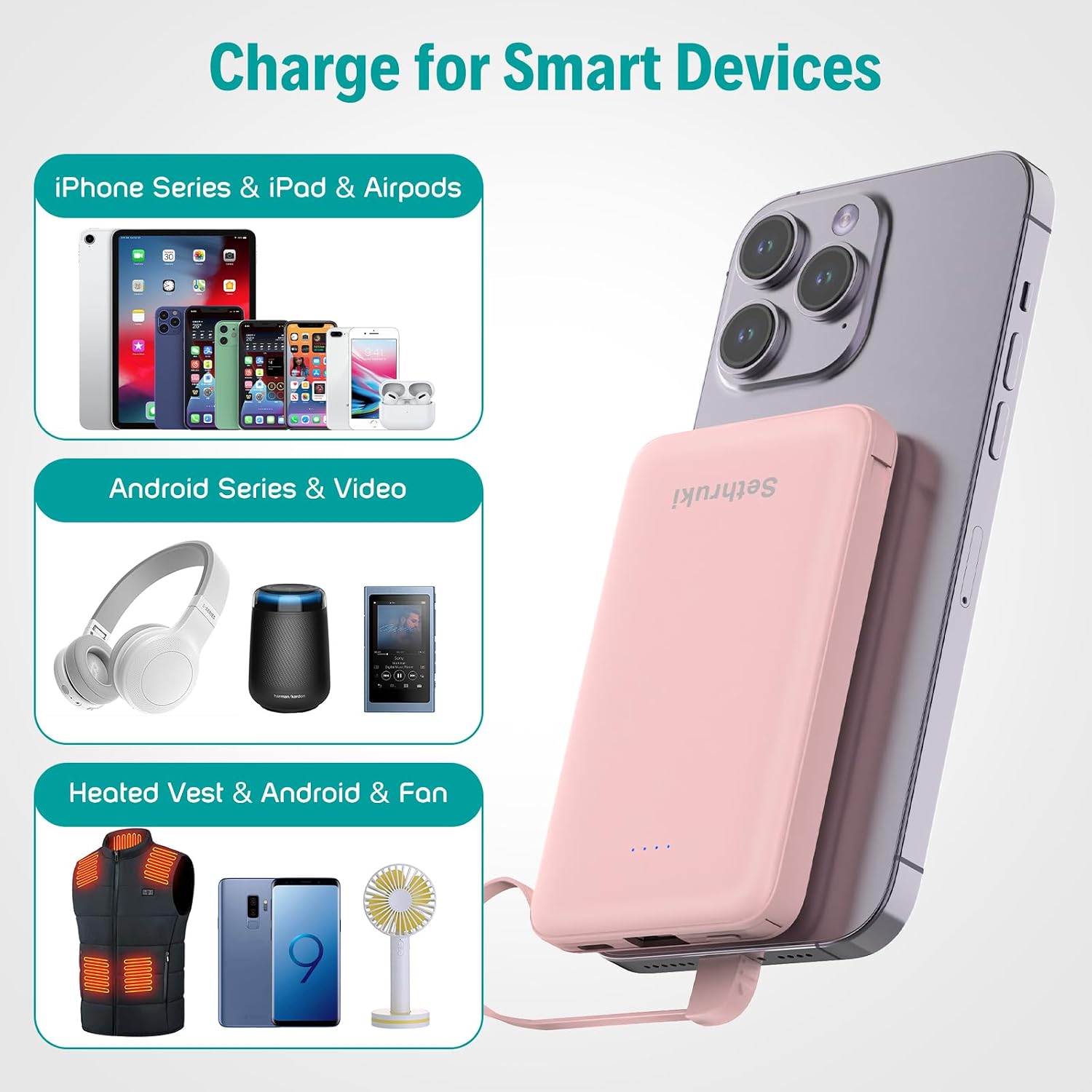
Figure 3: An illustration showing the Sethruki T-1 Portable Charger connected to a smartphone, with icons representing its compatibility with iPhone, iPad, AirPods, Android devices, and other USB-powered gadgets like heated vests or portable fans.

Figure 4: The power bank actively charging two devices simultaneously: a smartphone via its built-in USB-C cable and wireless earbuds via its built-in Lightning cable, demonstrating its multi-device charging capability.

Figure 5: A close-up view of the four blue LED indicator lights on the portable charger, showing how they represent the remaining battery capacity in 25% increments (0-25%, 25-50%, 50-75%, 75-100%).
3. Setup
3.1 Initial Charging
Before first use, it is recommended to fully charge your Sethruki T-1 Portable Charger. This ensures optimal battery performance and longevity.
- Connect the provided USB charging cable to the USB-C input port on the portable charger.
- Connect the other end of the USB charging cable to a 5V/2A (or higher) USB wall adapter (not included) or a computer's USB port.
- The LED indicator lights will illuminate and blink during charging. All four lights will remain solid when the power bank is fully charged.

Figure 6: The portable charger connected to a wall adapter via its USB-C input port and the included USB charging cable, illustrating the recharging process.
4. Operating Instructions
4.1 Charging Your Devices
The Sethruki T-1 Portable Charger features two built-in cables for direct device charging.
- Identify the correct built-in cable for your device: the Lightning cable for Apple devices (iPhone, iPad, AirPods) or the USB-C cable for Android devices and other USB-C compatible electronics.
- Gently pull out the desired built-in cable from its storage slot on the side of the power bank.
- Connect the cable's connector firmly into your device's charging port.
- The power bank will automatically begin charging your device. The LED indicators on the power bank will show its remaining battery level.
- To stop charging, simply disconnect the cable from your device.
- When not in use, carefully reinsert the built-in cables into their designated slots to prevent damage.

Figure 7: A close-up view of the built-in Lightning cable connected to an iPhone's charging port, demonstrating how to charge Apple devices.

Figure 8: A close-up view of the built-in USB-C cable connected to an Android phone's charging port, demonstrating how to charge USB-C compatible devices.
4.2 Checking Battery Level
The four LED indicator lights on the power bank display the remaining battery capacity:
- 4 LEDs solid: 75% - 100% charged
- 3 LEDs solid: 50% - 75% charged
- 2 LEDs solid: 25% - 50% charged
- 1 LED solid: 0% - 25% charged (recharge soon)
- No LEDs: Power bank is depleted or off.
5. Maintenance
- Cleaning: Use a soft, dry cloth to clean the surface of the power bank. Do not use liquid cleaners or abrasive materials.
- Storage: Store the power bank in a cool, dry place away from direct sunlight, extreme temperatures, and humidity.
- Battery Care: To prolong battery life, fully charge the power bank at least once every three months if not in regular use. Avoid completely draining the battery frequently.
- Handling: Do not drop, disassemble, or attempt to repair the power bank yourself. This can void the warranty and cause damage.
6. Troubleshooting
| Problem | Possible Cause | Solution |
|---|---|---|
| Power bank not charging | Charging cable faulty; Wall adapter insufficient; Loose connection. | Try a different USB charging cable. Ensure the wall adapter is 5V/2A or higher. Check all connections are secure. |
| Device not charging from power bank | Built-in cable not fully inserted; Power bank depleted; Device incompatible. | Ensure the built-in cable is fully inserted into your device. Recharge the power bank. Verify your device is compatible with Lightning or USB-C. |
| Slow charging | Device drawing high power; Cable resistance; Power bank low on charge. | Ensure your device is not running power-intensive applications. Fully charge the power bank before use. |
| LED indicators not working | Power bank completely discharged; Internal fault. | Attempt to recharge the power bank for several hours. If still unresponsive, contact customer support. |
7. Specifications
| Feature | Detail |
|---|---|
| Model Number | T-1 |
| Battery Capacity | 6000mAh |
| Product Dimensions | 3.58 x 2.44 x 0.47 inches |
| Item Weight | 3.53 ounces (100g) |
| Input | 5V/2A (USB-C) |
| Output | 5V/2A Max (Built-in Lightning, Built-in USB-C) |
| Battery Type | Lithium Polymer |
| Special Features | Built-in Cables, Fast Charging, Lightweight, Pocket Size, Slim |
8. Warranty and Support
Sethruki is committed to providing high-quality products and excellent customer service. Your Sethruki T-1 Portable Charger comes with a standard manufacturer's warranty against defects in materials and workmanship under normal use.
For any questions, concerns, or technical support, please contact Sethruki customer service through the platform where you purchased the product (e.g., Amazon's messaging system) or visit the official Sethruki brand store for contact information. Please have your order number and product model (T-1) ready when contacting support.
We value your feedback and are here to assist you.