1. Product Overview
The Maclean MC-455 is a Bauhaus-style TV floor stand designed to support LED, LCD, OLED, and QLED televisions ranging from 37 to 75 inches. It features a robust and stable construction with two integrated wooden shelves, providing an elegant solution for organizing your entertainment area. This stand is capable of holding TVs weighing up to 40 kg and is compatible with various VESA mounting patterns.
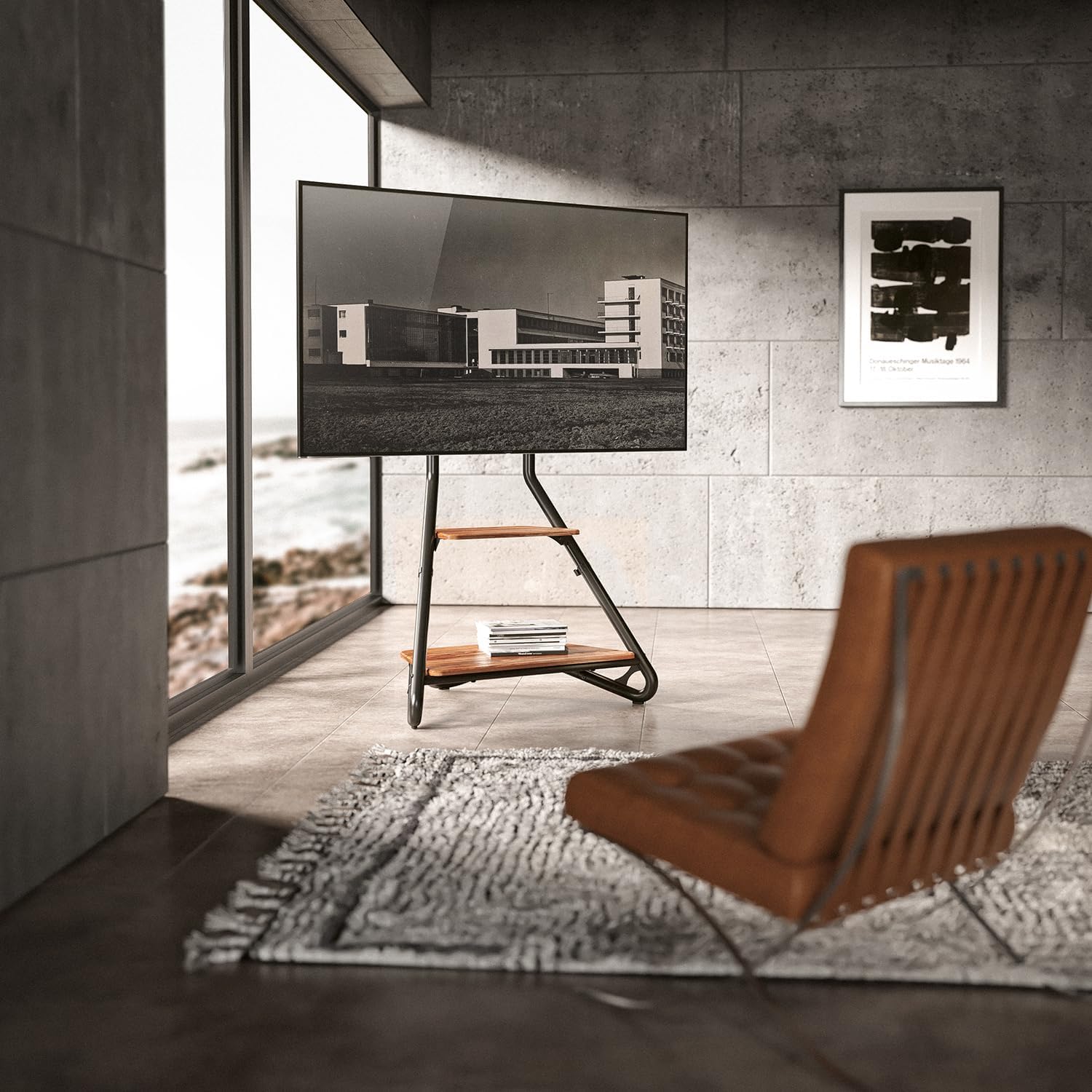
Figure 1.1: The Maclean MC-455 TV stand with a television mounted, positioned in a contemporary living space with large windows.
2. Safety Information
- Read all instructions carefully before assembly and use. Failure to do so may result in personal injury or property damage.
- Do not exceed the maximum weight capacity of 40 kg (88 lbs). Overloading can cause instability and potential injury.
- Ensure your TV's VESA pattern is compatible with the stand (200x200, 300x200, 400x300, 400x400, 600x400).
- Use only the provided hardware. If any parts are missing or damaged, contact customer support.
- Assemble the stand on a soft, clean surface to prevent scratches.
- Keep children and pets away during assembly. Small parts can be a choking hazard.
- Place the stand on a stable, level surface to prevent tipping.
- Do not hang or climb on the stand.
3. Package Contents
Please verify that all components are present and undamaged before beginning assembly. If any parts are missing or defective, please contact your retailer for assistance.
- Base Frame Components
- Upright Support Columns
- TV Mounting Bracket
- Wooden Shelves (2x)
- Hardware Kit (screws, washers, spacers, Allen keys)
- Cable Management Clips
- Instruction Manual
4. Setup and Assembly
Follow these steps carefully to assemble your Maclean MC-455 TV stand. It is recommended to have two people for certain assembly steps, especially when mounting the television.
- Unpack and Identify Parts: Carefully remove all components from the packaging. Lay them out on a soft, clean surface and compare them against the package contents list to ensure everything is present.
- Assemble the Base Frame: Connect the base frame components using the provided screws and tools. Ensure all connections are secure.
- Attach Upright Support Columns: Secure the upright support columns to the assembled base frame. Pay attention to the orientation of the columns as indicated in the diagrams.
- Install Wooden Shelves: Mount the two wooden shelves onto the support columns at the desired heights. Ensure they are level and firmly attached.
- Attach TV Mounting Bracket: Secure the TV mounting bracket to the top of the upright support columns. This bracket will hold your television.
- Prepare Your Television: Attach the vertical TV brackets to the back of your television using the appropriate screws, washers, and spacers from the hardware kit. Ensure the screws are tightened securely but do not overtighten.
- Mount the Television: With assistance, carefully lift your television and hook the attached vertical TV brackets onto the TV mounting bracket on the stand. Ensure the TV is securely seated and locked into place.
- Cable Management: Use the provided cable management clips to route and organize your TV and media device cables along the stand's central column for a neat appearance.

Figure 4.1: Front view of the Maclean MC-455 TV stand, showing the universal TV mounting bracket and two integrated wooden storage shelves.
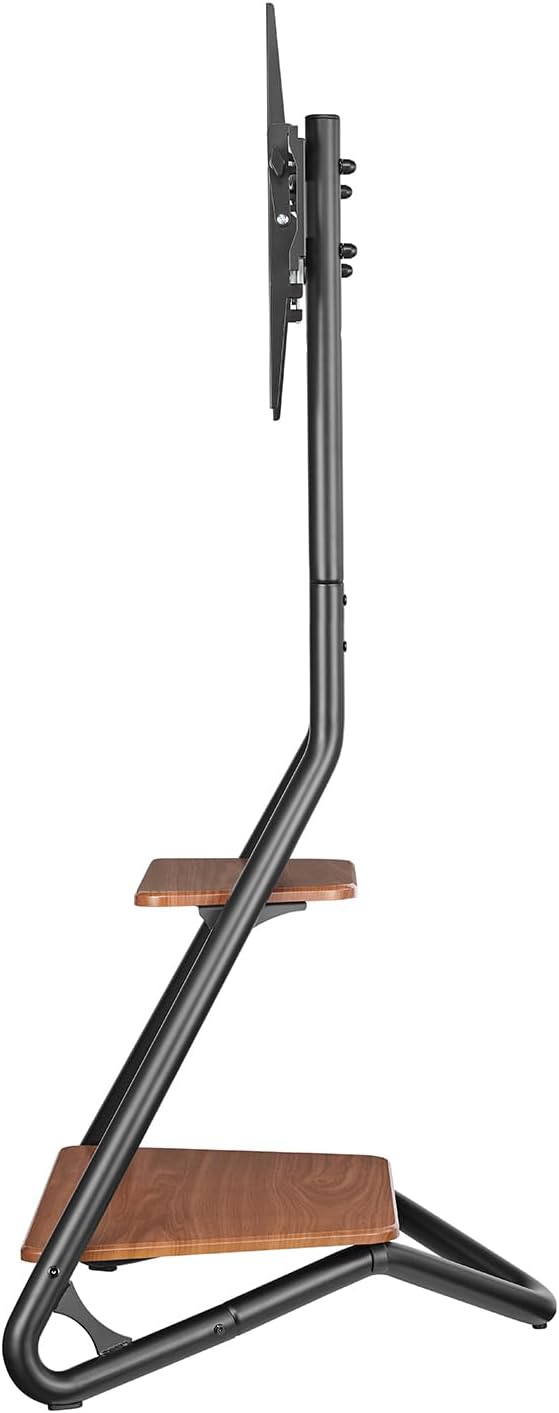
Figure 4.2: Side view of the TV stand, showcasing its angled metal frame and two wooden shelves.
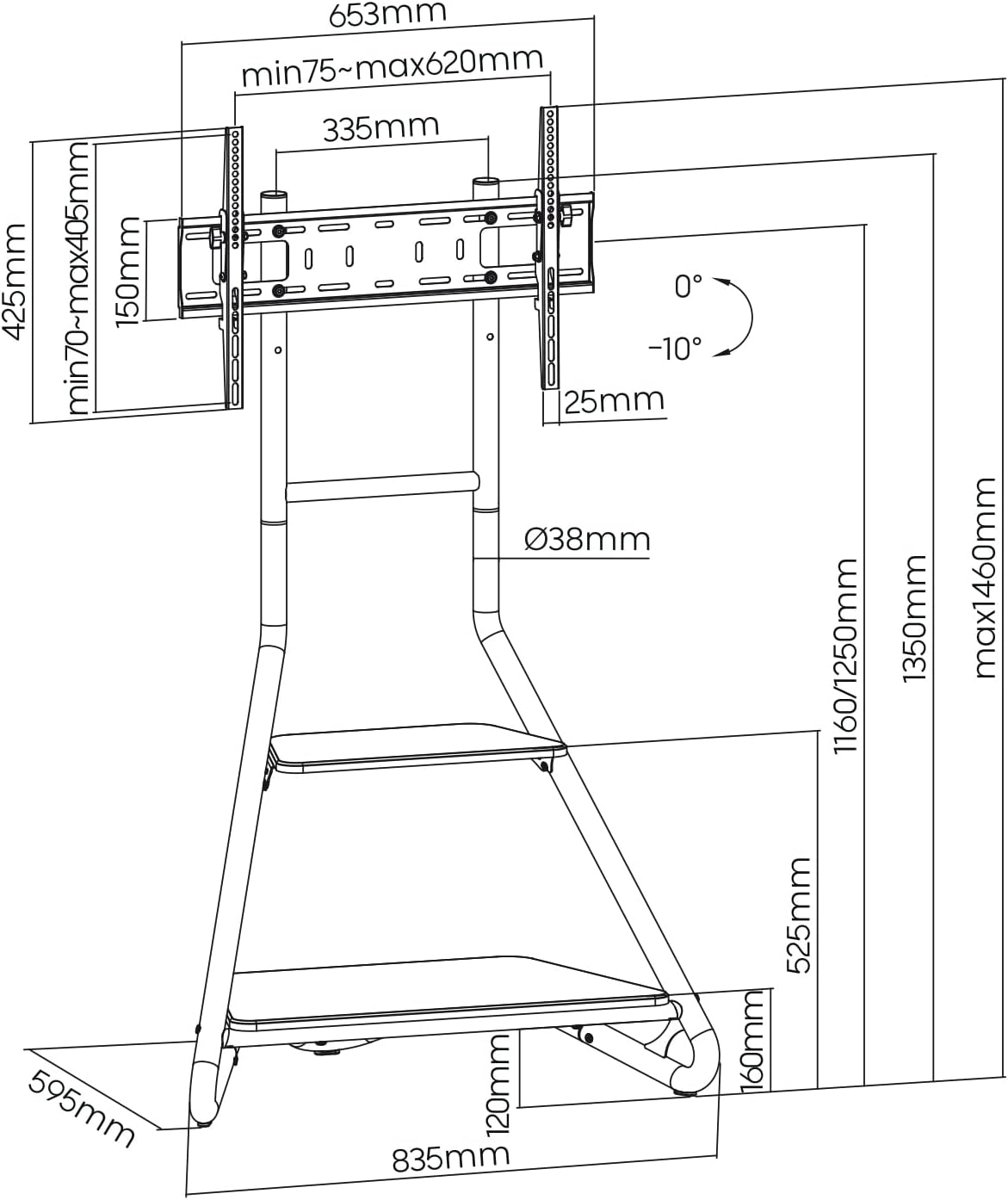
Figure 4.3: This diagram provides precise measurements of the TV stand, including height, width, depth, and VESA mounting hole patterns, along with tilt angles.

Figure 4.4: A detailed view of the TV stand's central column, highlighting the integrated clips designed for organizing and concealing cables.
5. Operating Instructions
The Maclean MC-455 TV stand is designed for fixed placement. Once assembled and the television is mounted, no further adjustments are typically required for daily operation.
- Placement: Position the stand on a flat, stable surface in your desired viewing area.
- Shelf Use: Utilize the two wooden shelves to place media devices such as soundbars, gaming consoles, or streaming boxes. Ensure devices do not exceed the shelf's weight capacity.
- Cable Management: Regularly check and adjust cables within the cable management clips to maintain a tidy and safe setup.

Figure 5.1: A front view of the assembled TV stand with a television, demonstrating the functional wooden shelves for media devices.
6. Maintenance
Regular maintenance will help ensure the longevity and safe operation of your TV stand.
- Cleaning: Wipe the metal frame with a soft, damp cloth. For the wooden shelves, use a dry or slightly damp cloth. Avoid harsh chemicals or abrasive cleaners.
- Check Connections: Periodically check all screws and bolts to ensure they remain tight. Retighten if necessary, but do not overtighten.
- Inspect for Damage: Regularly inspect the stand for any signs of wear, damage, or instability. If any issues are found, discontinue use and contact customer support.
7. Troubleshooting
If you encounter any issues with your Maclean MC-455 TV stand, refer to the following common problems and solutions:
- Stand is wobbly or unstable:
- Ensure all screws and bolts are securely tightened.
- Verify the stand is placed on a flat, level surface.
- Check that the TV weight does not exceed the maximum capacity.
- TV does not fit the mounting bracket:
- Confirm your TV's VESA pattern is within the supported range (200x200 to 600x400 mm).
- Ensure you are using the correct screws and spacers for your TV model.
- Missing parts:
- Contact your retailer or Maclean customer support for replacement parts.
8. Specifications
| Brand | Maclean |
| Model Number | MC-455 |
| Color | Natural Brown |
| Material | Wood, Metal |
| Compatible TV Sizes | 37 - 75 inches |
| Maximum Weight Capacity | 40 kg (88 lbs) |
| VESA Compatibility | 200x200, 300x200, 400x300, 400x400, 600x400 mm |
| Mounting Type | Freestanding |
| Movement Type | Fixed |
| Number of Shelves | 2 |
9. Warranty and Support
This Maclean MC-455 TV stand comes with a 2-year manufacturer's warranty. This warranty covers defects in materials and workmanship under normal use.
For warranty claims, technical support, or inquiries regarding missing/damaged parts, please contact your point of purchase or Maclean customer service directly. Please have your model number (MC-455) and proof of purchase ready when contacting support.


