
1. Introduction
Thank you for choosing the Tronsmart T7 Portable Bluetooth Speaker. This manual provides detailed instructions on how to set up, operate, and maintain your speaker to ensure optimal performance and longevity. The Tronsmart T7 delivers a powerful 360-degree surround sound experience with enhanced bass, features Bluetooth 5.3 connectivity, and is IPX7 waterproof, making it ideal for various environments.
2. Package Contents
Please check the package for the following items:
- 1 x Tronsmart T7 Portable Bluetooth Speaker
- 1 x Type-C Charging Cable
- 1 x Lanyard
- 1 x User Manual
- 1 x Warranty Card
3. Product Overview
3.1 Internal Components for 360° Sound

This image illustrates the internal acoustic design of the Tronsmart T7 speaker, highlighting its components: a central woofer for deep bass, two mid-tweeters for clear highs and mids, and two passive radiators to enhance bass response. This configuration delivers a comprehensive 360-degree sound experience.
3.2 Control Buttons and Ports

This image displays the Tronsmart T7 speaker from the front, clearly showing the power button, play/pause, track skip buttons, and the intuitive rotary volume control located at the top. These controls allow for easy management of playback and volume.
The Tronsmart T7 features an intuitive layout of buttons and ports for easy control:
- Power Button: Press and hold to power on/off.
- Play/Pause Button: Press to play or pause music. Double-press to activate voice assistant.
- Volume Wheel: Rotate clockwise to increase volume, counter-clockwise to decrease. Press to switch light modes.
- Previous Track Button: Press to go to the previous track.
- Next Track Button: Press to go to the next track.
- SoundPulse®/EQ Button: Press to activate SoundPulse® mode for enhanced bass.
- Mode Button: Press to switch between Bluetooth, Micro SD/TF card modes.
- Type-C Charging Port: For charging the speaker.
- Micro SD/TF Card Slot: For playing music directly from a memory card.
4. Setup
4.1 Charging the Speaker
Before first use, fully charge your Tronsmart T7 speaker. Connect the provided Type-C charging cable to the speaker's charging port and a compatible USB power adapter (not included). The charging indicator light will show the charging status. A full charge typically takes approximately 3 hours.
4.2 Power On/Off
- To Power On: Press and hold the Power Button for 2-3 seconds until you hear an audible prompt and the indicator lights illuminate.
- To Power Off: Press and hold the Power Button for 2-3 seconds until you hear an audible prompt and the indicator lights turn off.
5. Operating Instructions
5.1 Bluetooth Pairing
- Ensure the speaker is powered on and in Bluetooth pairing mode (the indicator light will flash blue).
- On your device (smartphone, tablet, laptop), enable Bluetooth and search for new devices.
- Select "Tronsmart T7" from the list of available devices.
- Once paired, the indicator light will turn solid blue, and you will hear a confirmation sound. The speaker supports Bluetooth 5.3 for a stable connection up to 18 meters (59 feet).
5.2 True Wireless Stereo (TWS) Pairing

This image depicts two Tronsmart T7 speakers set up for True Wireless Stereo (TWS) pairing, positioned on either side of a television. This setup creates a wider, more immersive 60W stereo sound experience, ideal for home entertainment.
To achieve a 60W true stereo sound experience, you can pair two Tronsmart T7 speakers:
- Ensure both T7 speakers are powered on and not connected to any other Bluetooth device.
- On one speaker (this will be the primary speaker), press the Bluetooth button twice. The speaker will enter TWS pairing mode.
- The two speakers will automatically connect to each other. Once connected, the primary speaker's indicator light will flash blue, and the secondary speaker's light will be solid blue.
- Now, connect your device to the primary speaker via Bluetooth as described in section 5.1.
5.3 Custom EQ via Tronsmart App

This image shows the Tronsmart T7 speaker alongside a smartphone running the Tronsmart application. The app's screen displays the custom equalizer settings, allowing users to select from six different audio modes or create their own personalized sound profile.
Download the official Tronsmart App from your device's app store to customize your audio experience. The app allows you to:
- Select from 6 preset equalizer modes.
- Create and save your own custom sound profiles.
- Adjust volume and lighting settings.
5.4 Volume Control and Light Modes
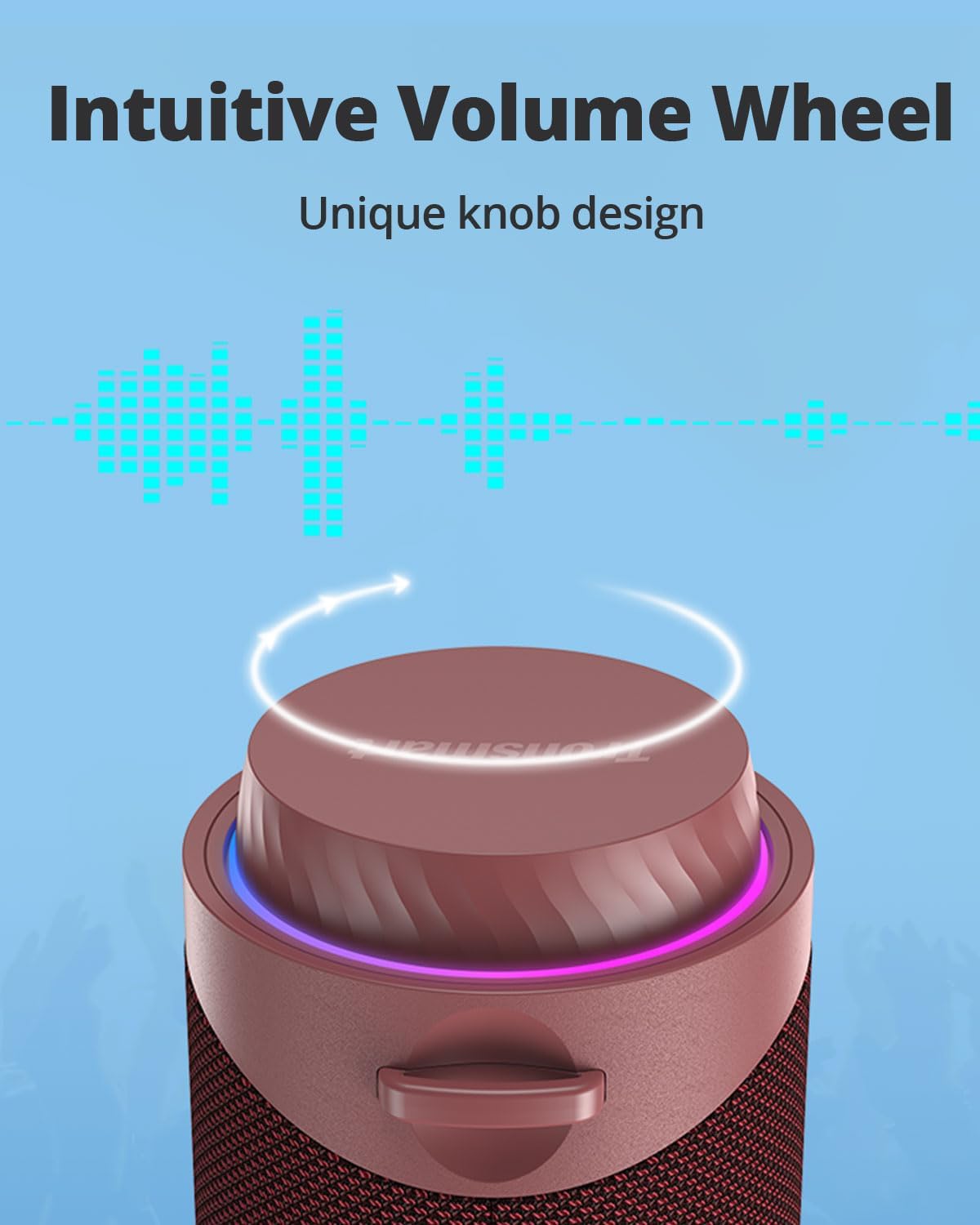
A detailed view of the Tronsmart T7's unique rotary volume wheel, located at the top of the speaker. This design provides precise and easy volume adjustment, complemented by an illuminated ring that adds to its aesthetic and functional appeal.
- Volume Adjustment: Rotate the top wheel clockwise to increase volume and counter-clockwise to decrease it.
- Light Modes: The speaker features a colorful ring light with 7 adjustable colors and 4 movement modes. Press the volume wheel to cycle through the different light modes. The lights will flash with the rhythm of the music.
5.5 Hands-Free Calls
When connected to your smartphone via Bluetooth, you can use the Tronsmart T7 for hands-free calls. Double-press the Play/Pause button to activate voice assistants such as Siri or Google Assistant.
5.6 Micro SD/TF Card Playback
Insert a Micro SD/TF card loaded with music files into the designated slot. The speaker will automatically switch to Micro SD/TF card mode and begin playback. Use the track skip buttons to navigate your music.
6. Maintenance
6.1 IPX7 Waterproof Rating

This image shows the Tronsmart T7 speaker submerged in water, illustrating its IPX7 waterproof capability. The speaker is designed to withstand immersion in water up to 1 meter (3.2 feet) for 30 minutes, making it suitable for use near water.
The Tronsmart T7 speaker is rated IPX7 waterproof, meaning it can be immersed in water up to 1 meter (3.2 feet) for 30 minutes. This makes it suitable for use by the pool, at the beach, or in rainy conditions. Ensure the charging port cover is securely closed before exposing the speaker to water.
6.2 Cleaning and Storage
- Clean the speaker with a soft, damp cloth. Do not use abrasive cleaners or solvents.
- Store the speaker in a cool, dry place away from direct sunlight and extreme temperatures.
- If not used for extended periods, charge the speaker at least once every three months to maintain battery health.
7. Troubleshooting
- Speaker does not power on:
Ensure the battery is charged. Connect the speaker to a power source using the Type-C cable and try again after a few minutes. - Cannot pair with Bluetooth device:
Ensure the speaker is in pairing mode (flashing blue light). Turn off Bluetooth on your device and turn it back on. Clear the Bluetooth pairing list on your device and try searching again. Move the speaker closer to your device. - Sound distortion at high volume:
For certain music genres, especially those with heavy bass, distortion may occur at volumes above 50%. Try reducing the volume or adjusting the equalizer settings via the Tronsmart app. - Poor sound quality:
Ensure the speaker is within the Bluetooth range (18 meters/59 feet) of your device. Check for any obstructions between the speaker and your device. Try playing music from a different source or file to rule out issues with the audio file itself. - TWS pairing fails:
Ensure both speakers are fully charged and not connected to any other Bluetooth device. Power off both speakers and try the TWS pairing process again.
8. Specifications
| Brand | Tronsmart |
| Model | T7 |
| Speaker Output Power | 30W (Single Speaker), 60W (TWS Paired) |
| Connectivity Technology | Bluetooth 5.3 |
| Bluetooth Range | Up to 18 meters (59 feet) |
| Waterproof Rating | IPX7 |
| Battery Capacity | 2000 mAh |
| Charging Time | Approximately 3 hours |
| Input Voltage | 5V (DC) |
| Control Method | App, Voice, Buttons |
| Dimensions (D x W x H) | 7.8 x 7.8 x 21.6 cm (3.07 x 3.07 x 8.5 inches) |
| Material | Plastic |
9. Warranty and Support
9.1 Warranty Information
Your Tronsmart T7 speaker comes with a warranty card included in the package. Please refer to the warranty card for detailed terms and conditions regarding your product's warranty coverage. Keep your proof of purchase for warranty claims.
9.2 Customer Support
For further assistance, technical support, or inquiries, please visit the official Tronsmart website or contact their customer service directly. Contact information can typically be found on the Tronsmart website or on the warranty card.


