
Introduction
The BSIDE S5X Smart Multimeter Pen is a versatile and compact digital multimeter designed for electrical testing. It features automatic range detection, non-contact voltage (NCV) detection, capacitance and diode measurement, and a VFC mode for variable frequency voltage testing. This manual provides essential information for safe and effective use of your device.
Safety Information
Warning: Always exercise extreme caution when working with electricity. Failure to follow safety precautions can result in serious injury or death.
- Read and understand all instructions before using the multimeter.
- Do not use the device if it appears damaged or if the test leads are compromised.
- Ensure your hands are dry and you are standing on an insulated surface when taking measurements.
- Do not exceed the maximum input values specified for each function.
- Always disconnect power to the circuit before making resistance, capacitance, or continuity measurements.
- Use appropriate personal protective equipment (PPE), such as safety glasses and insulated gloves.
- The device is designed for indoor use and should not be exposed to moisture.
Package Contents
Verify that all items are present in the package:
- BSIDE S5X Smart Multimeter Pen
- Test Leads
- Charging Cable
- Carrying Case
- User Manual (English)

Product Features
- Automatic Measurement: Automatically measures AC/DC voltage, resistance, and continuity without manual range adjustment.
- Large Color VFD Display: Features a large, clear color display with big digits, 3-color analog bars, auto-off symbol, and low battery indication.
- Non-Contact Voltage (NCV) Detection: Adjustable sensitivity (12V-1000V / 90V-1000V) for detecting live wires in walls or complex wiring.
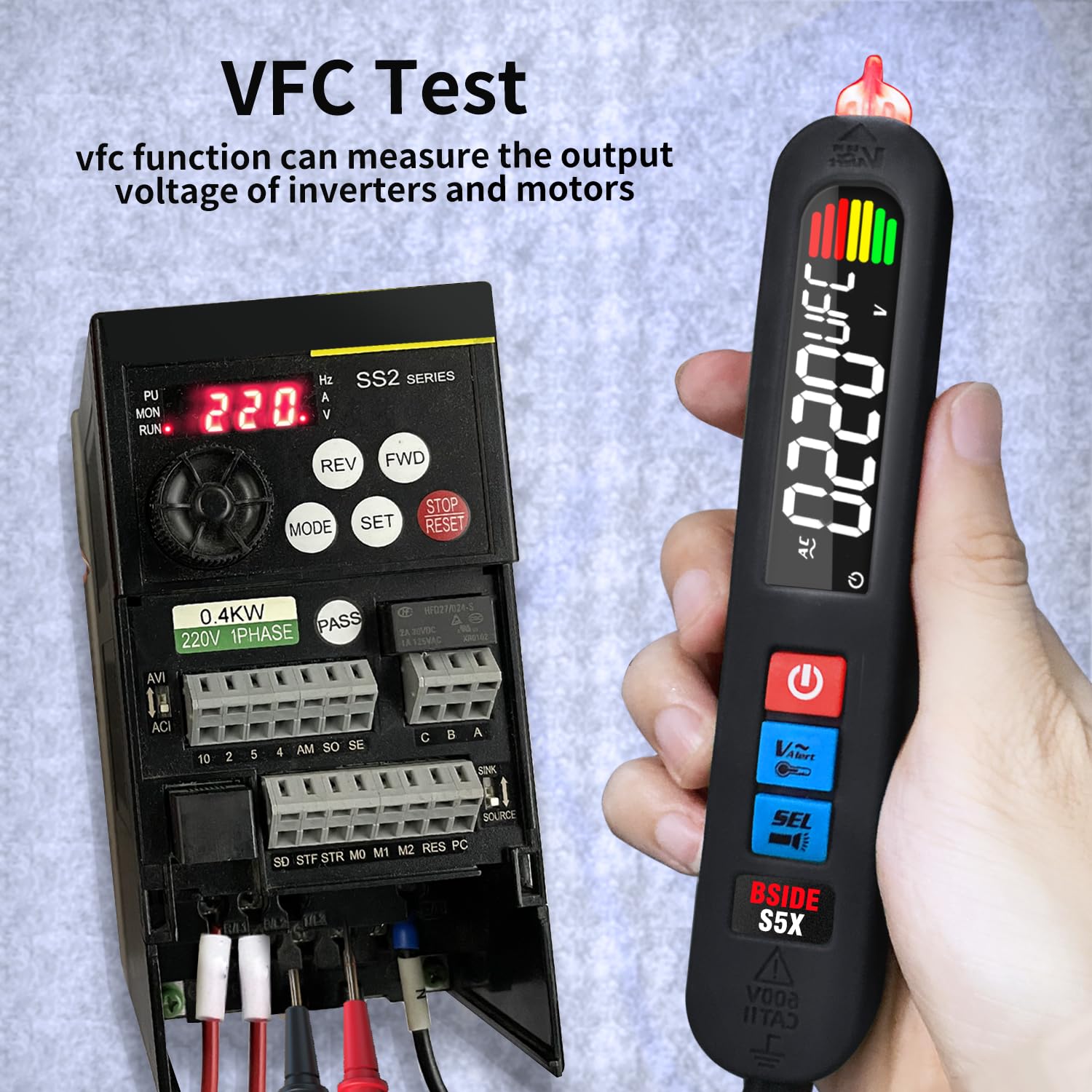
- VFC Mode: Measures output voltage of inverters and motors, useful for variable frequency drives.
- Capacitance and Diode Test: Capable of measuring capacitance and testing diodes (less than 2.2V).
- Live Wire Check: Identifies live wires with a single probe.
- Rechargeable Battery: Integrated 3.7V 400mA Lithium-ion battery.
- Built-in Flashlight: For illumination in dark working environments.
- Safety: Anti-burn and overload protection, double insulation, CE compliant.
- Ergonomic Design: Comes with a removable silicone cover for comfortable grip and a robust carrying case.
Setup
Charging the Battery
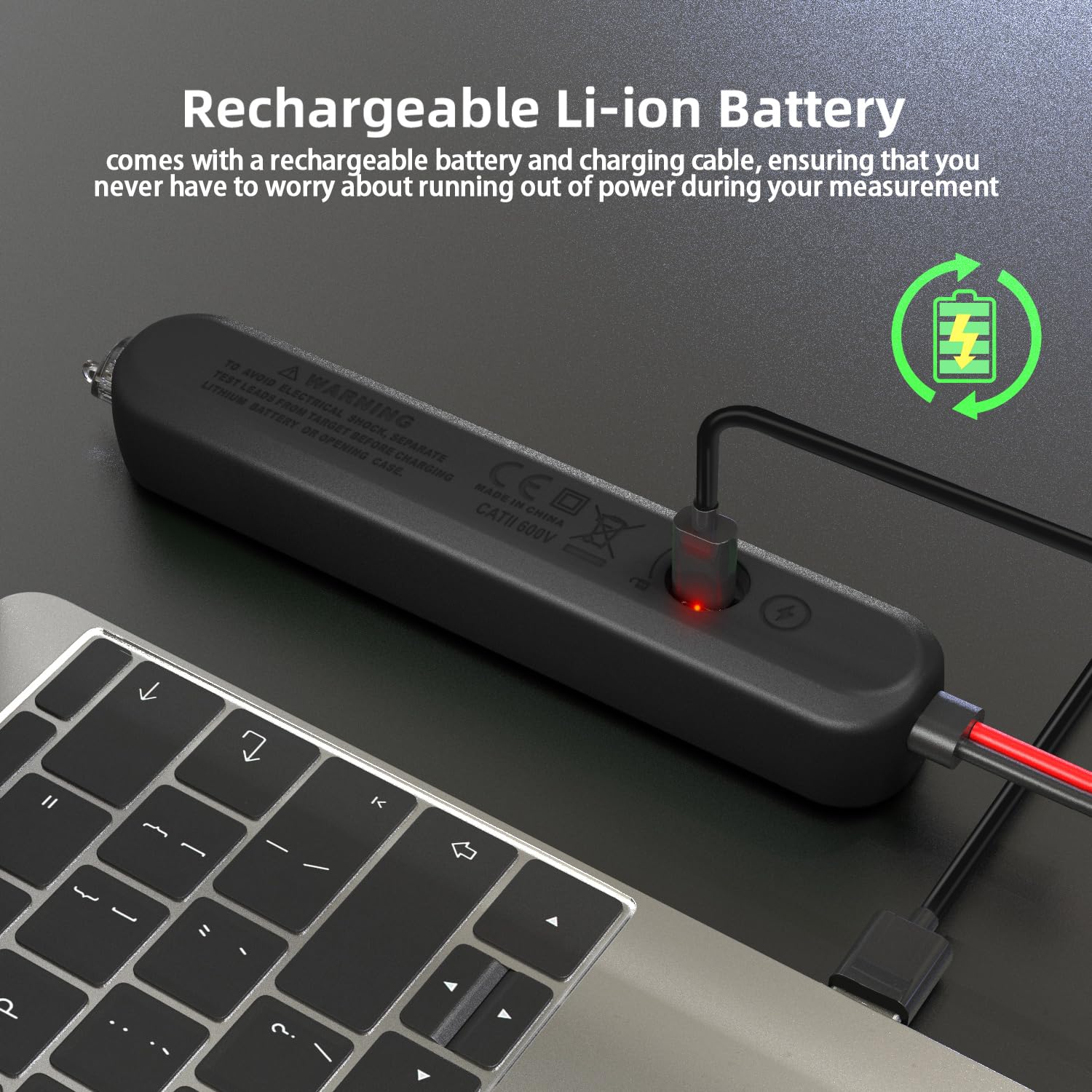
The BSIDE S5X is powered by an internal rechargeable Lithium-ion battery. Before first use, or when the low battery indicator appears, charge the device.
- Connect the provided charging cable to the charging port on the multimeter.
- Connect the other end of the charging cable to a standard USB power adapter (not included) or a computer USB port.
- The charging indicator light will illuminate during charging. It will change color or turn off when fully charged.
Attaching Test Leads
Insert the red and black test leads into their respective ports at the bottom of the multimeter. Ensure they are securely connected.
Operating Instructions
Power On/Off
Press and hold the power button (ⓘ) to turn the multimeter on or off.
Automatic Mode Selection
In automatic mode, the S5X will intelligently detect and measure AC/DC voltage, resistance, and continuity. Simply connect the test leads to the circuit, and the device will display the appropriate measurement.

Manual Mode Selection
Press the SEL button to cycle through manual measurement functions such as Capacitance, Diode, and VFC mode.
Non-Contact Voltage (NCV) Detection
The NCV function allows for safe detection of AC voltage without direct contact.
- Press the V-Alert button to activate NCV mode.
- Bring the tip of the multimeter close to the wire or outlet you wish to test.
- The device will emit an audible alarm and visual indication (LED and screen display) if AC voltage is detected.
- To adjust sensitivity (12V-1000V or 90V-1000V), press the V-Alert button again while in NCV mode.

VFC Test (Variable Frequency Current)
Use VFC mode to measure the output voltage of variable frequency drives, such as those found in motors and inverters.
- Press the SEL button until VFC mode is selected on the display.
- Connect the test leads to the output of the inverter or motor.
- Read the displayed voltage value.
Live Wire Detection
To identify a live wire, connect only the red test lead to the circuit. The display will indicate "LIVE" and provide an audible and visual alert if a live wire is detected.
Flashlight Function
Press the flashlight button (often integrated with another function or a dedicated button) to turn the built-in LED flashlight on or off for working in dimly lit areas.

Environment Temperature Tester
The multimeter can also function as an environment temperature sensor. This feature expands its utility beyond electrical measurements.

Electronic Maintenance (Capacitance/Diode)
The S5X is suitable for basic electronic component testing.
- Capacitance: Select capacitance mode using the SEL button. Connect the test leads across the capacitor. Ensure the capacitor is discharged before testing.
- Diode: Select diode mode. Connect the red lead to the anode and the black lead to the cathode. The display will show the forward voltage drop. Reverse the leads to check for open circuit.

Maintenance
- Cleaning: Wipe the device with a dry, soft cloth. Do not use abrasive cleaners or solvents.
- Storage: Store the multimeter in its carrying case in a cool, dry place when not in use.
- Battery Care: Recharge the battery regularly, even if the device is not used frequently, to maintain battery health. Avoid fully discharging the battery for extended periods.
- Test Leads: Inspect test leads for any damage (cracks, frayed insulation) before each use. Replace damaged leads immediately.
Troubleshooting
| Problem | Possible Cause | Solution |
|---|---|---|
| Device does not power on. | Low or depleted battery. | Charge the battery using the provided USB cable. |
| Inaccurate readings. | Poor contact with test leads; incorrect mode selected; environmental interference. | Ensure firm contact; verify correct mode (Auto or Manual); move away from strong electromagnetic fields. |
| NCV not detecting voltage. | Low sensitivity setting; no voltage present. | Increase NCV sensitivity (press V-Alert button); confirm voltage is present with direct contact if safe. |
| Continuity buzzer not sounding. | Resistance above 50Ω; open circuit. | Check the circuit for breaks; the buzzer only sounds if resistance is below 50Ω. |
Specifications
| Parameter | Value |
|---|---|
| Display | 2000 Counts |
| DC Voltage | 0-520V (0.001V ±(0.8%+3)) |
| AC Voltage | 0-520V (0.001V ±(0.8%+3)), 10-520V (VFC Mode) 1V ±(4%+3) |
| Resistance | 0-19.99MΩ (1Ω ±(1.2%+3)) |
| Capacitance | 1nF-1999uF (0.01nF ±(3.5%+8)) |
| V-Alert (NCV) | Yes |
| Live Wire Detection | Yes |
| Diode Test | Measures diodes less than 2.2V |
| Continuity | Buzzer sounds if resistance is less than 50Ω |
| Power Supply | 3.7V 400mA Lithium-ion battery (integrated, rechargeable) |
| Dimensions | 166.3 x 28.1 x 23.1 mm (6.55 x 1.11 x 0.91 inches) |
| Weight | 110g (3.88 oz) |
| Safety Compliance | CE |
Warranty and Support
BSIDE products are manufactured to high-quality standards. For warranty information, please refer to the documentation provided at the time of purchase or contact your retailer. If you encounter any issues or require technical assistance, please contact BSIDE customer support through their official website or the contact information provided with your product.


