
1. Introduction
This manual provides essential instructions for the setup, operation, and maintenance of your FrSky Archer Plus SR6MINI-E Receiver. The SR6MINI-E is a compact 6-channel receiver designed for remote control applications, part of the advanced Archer Plus Series. It features enhanced anti-RF-interference capabilities for stable performance and supports both ACCESS and ACCST D16 communication protocols.
Key functionalities include Over-The-Air (OTA) wireless firmware updates, extended range, improved telemetry, configurable telemetry power, and flexible protocol switching (S.Port / F.Port / FBUS).
2. Product Overview and Features
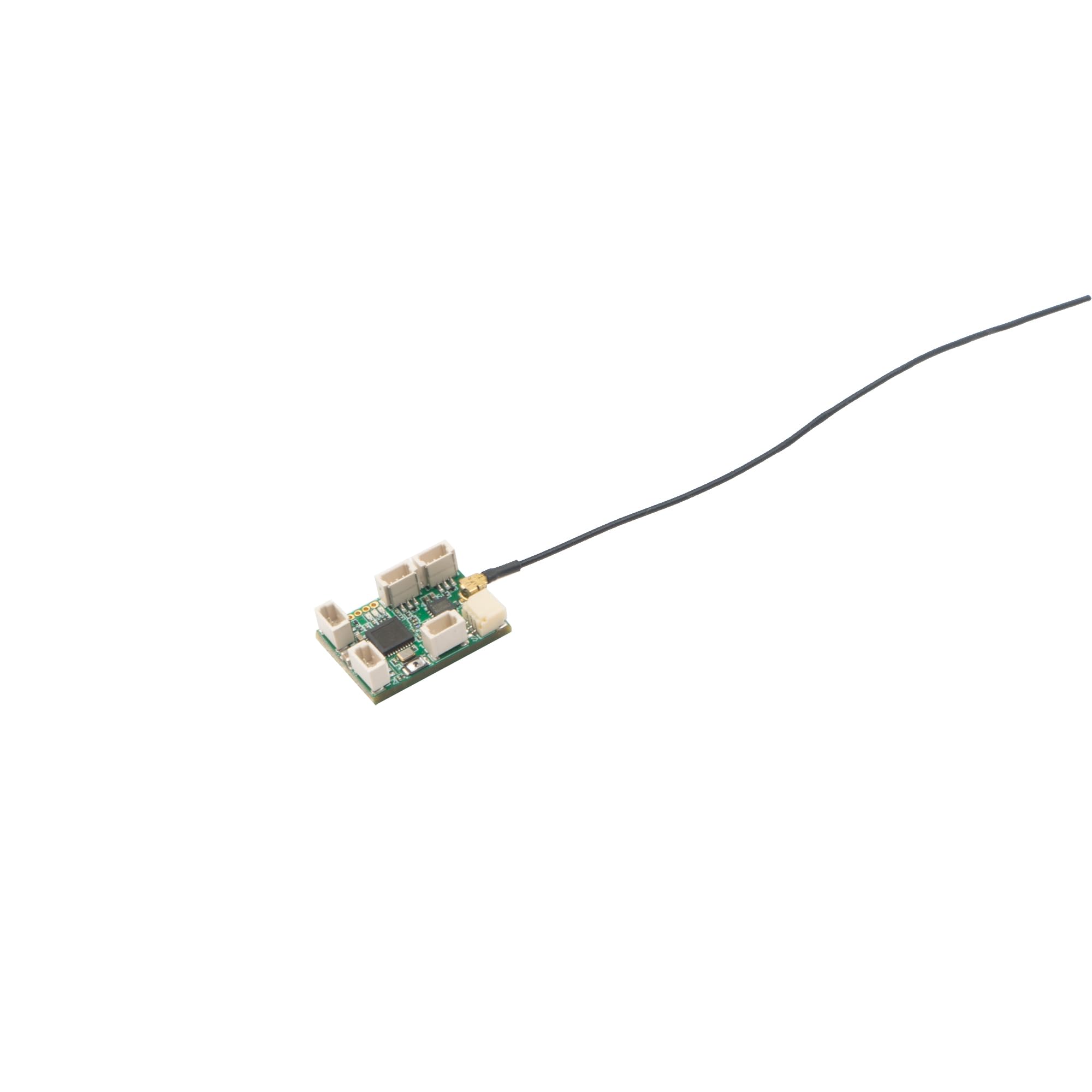
Figure 1: FrSky Archer Plus SR6MINI-E Receiver. This image displays the compact green circuit board with multiple white connectors for signal outputs and other connections, along with a black antenna wire extending from a gold-colored connector.
The FrSky Archer Plus SR6MINI-E receiver is a lightweight, small-form-factor device equipped with a 2.4G signal antenna. It offers 6 PWM signal output ports, allowing flexible connection to various servos using the included 1mm to 1.25mm 3Pin conversion cable.
Key Features:
- Enhanced RF Performance: Improved anti-RF-interference capability ensures a more solid and stable radio frequency connection.
- Dual Protocol Support: Compatible with both ACCESS and ACCST D16 modes, with smart protocol matching during the binding process.
- OTA Firmware Updates: Supports Over-The-Air wireless firmware upgrades for convenient maintenance.
- Advanced Telemetry: Offers increased range and telemetry performance, including configurable telemetry power.
- Flexible Protocol Switching: Supports S.Port, F.Port, and FBUS protocols.
- Integrated Dual 5A Brushed ESC: The SR6MINI-E model includes a dual 5A brushed Electronic Speed Controller (ESC) function, enabling direct speed control for connected motors.
- Gyro-Stabilized Receiver: Features a built-in 3-axis gyroscope and 3-axis accelerometer for flight stabilization.
- Multiple Flight Modes: Supports various flight modes such as Auto-level, Stabilization, and Knife-Edge. The stabilization mode includes 5 additional stabilization channels with pin mapping capabilities. (Note: Some features require ACCESS and ETHOS system support.)
- 24 Signal Channels (FBUS Mode): When S.Port is set to FBUS mode via the ETHOS system, the receiver can output a total of 24 signal channels.
3. Setup and Installation
3.1 Binding Procedure
- Ensure your transmitter is in the desired protocol mode (ACCESS or ACCST D16).
- Power on the receiver while holding the F/S button. The receiver's LED will flash, indicating it is in binding mode.
- Initiate the binding process on your transmitter. The receiver will automatically match the RF protocol.
- Once bound, the receiver's LED will indicate a successful connection (refer to your transmitter's manual for specific LED indications).
3.2 Connecting Servos and Motors
- Connect your servos to the 6 PWM output ports on the receiver. Use the provided 1mm to 1.25mm 3Pin conversion cable if your servos have different connector types.
- For the SR6MINI-E, motors can be connected directly to the integrated dual 5A brushed ESC outputs. Ensure correct polarity.
3.3 Firmware Updates and Telemetry
- S.Port Connection: Use a specific S.Port cable to connect the receiver to your transmitter for firmware updates or to external sensors for telemetry data.
- FBUS Mode Configuration: If using the ETHOS system, the S.Port can be configured to FBUS mode. This allows direct configuration of all FBUS-capable devices in the link using Lua script tools within the ETHOS system. In FBUS mode, the receiver can output up to 24 signal channels.
- OTA Updates: Firmware can also be updated wirelessly Over-The-Air (OTA) through a compatible transmitter.
4. Operation
4.1 Flight Modes (SR6MINI-E Specific)
The SR6MINI-E receiver, with its built-in 3-axis gyroscope and accelerometer, supports several flight stabilization modes:
- Auto-level Mode: Automatically levels the aircraft, simplifying control for beginners.
- Stabilization Mode: Provides enhanced stability during flight. This mode includes 5 additional stabilization channels, which can be mapped to specific functions.
- Knife-Edge Mode: Assists in maintaining a knife-edge flight attitude.
Configuration of these flight modes and their parameters is typically performed through your compatible FrSky transmitter's ETHOS system or other supported interfaces.
4.2 ESC Function (SR6MINI-E Specific)
The integrated dual 5A brushed ESC allows for direct control of brushed motors. Speed control can be managed via the corresponding channel on your transmitter.
5. Maintenance
- Keep the receiver clean and free from dust and moisture.
- Regularly inspect all connections for secure fit and signs of wear.
- Ensure the antenna is not damaged and is positioned optimally for signal reception.
- Periodically check for and apply firmware updates to ensure optimal performance and access to new features.
6. Troubleshooting
- No Signal/Loss of Control:
- Verify the receiver is correctly bound to the transmitter.
- Check all power connections to the receiver and ensure adequate power supply.
- Inspect the antenna for damage or improper placement.
- Ensure the transmitter and receiver are within operational range and free from significant RF interference.
- Incorrect Servo Response:
- Confirm servos are connected to the correct PWM output ports.
- Check servo calibration and settings on your transmitter.
- ESC Not Functioning (SR6MINI-E):
- Ensure motors are correctly connected to the ESC outputs with proper polarity.
- Verify the ESC function is enabled and configured on your transmitter.
7. Specifications
| Feature | Detail |
|---|---|
| Model | SR6MINI-E |
| Dimensions | 2 x 2 x 1 inches |
| Item Weight | 10.4 ounces |
| Number of Channels | 6 (PWM) / 24 (FBUS) |
| Connectivity Technology | RF (2.4G) |
| Integrated ESC | Dual 5A Brushed ESC |
| Stabilization | Built-in 3-axis Gyroscope & 3-axis Accelerometer |
| Compatible Protocols | ACCESS, ACCST D16 |
| Output Protocols | S.Port / F.Port / FBUS |
| Manufacturer | FrSky |
8. Warranty and Support
For warranty information, technical support, or further assistance, please contact FrSky customer service or visit the official FrSky website. Keep your proof of purchase for any warranty claims.
FrSky Official Website: www.frsky-rc.com