
PERLESMITH PSTVMC06&PSTVS07
PERLESMITH Mobile TV Stand & Swivel Universal TV Stand/Base Instruction Manual
Models: PSTVMC06 (Mobile TV Stand) & PSTVS07 (Swivel Universal TV Stand/Base)
Introduction
This instruction manual provides detailed guidance for the assembly, operation, and maintenance of your PERLESMITH Mobile TV Stand (PSTVMC06) and Swivel Universal TV Stand/Base (PSTVS07). Please read these instructions carefully before beginning assembly to ensure safe and correct installation and usage.

Image: The PERLESMITH Mobile TV Stand (left) and Swivel Universal TV Stand/Base (right) are shown side-by-side, illustrating their distinct designs and functionalities.
Safety Information
WARNING: Failure to read and follow these instructions may result in serious personal injury or property damage. If you do not understand these instructions, or have doubts about the safety of the installation, please contact customer support.
- Do not exceed the maximum weight capacity specified for each stand.
- Ensure all screws are securely tightened before use.
- Use the product only for its intended purpose.
- Keep children and pets away from the stand during assembly.
- Always ensure the TV is balanced on the stand to prevent tipping.
Specifications
| Feature | Description |
|---|---|
| Brand | PERLESMITH |
| Material | Tempered Glass (for PSTVS07 base) |
| Compatible Devices | Monitor, Television |
PSTVMC06 Mobile TV Stand Specifications
| Feature | Description |
|---|---|
| TV Size Compatibility | 23" to 60" LCD/LED/OLED Flat/Curved screens |
| VESA Compatibility | 100x100mm to 400x400mm (e.g., 400x300mm, 400x200mm, 300x300mm, 300x200mm, 200x200mm, 200x100mm, 100x200mm) |
| Maximum Weight Capacity | Up to 88 lbs |
| Tilt Angle | 15 Degrees upward adjustment |
| Movement Type | Mobile (with wheels) |

Image: The PSTVMC06 Mobile TV Stand displaying its wide TV compatibility for screens from 23" to 60" and a maximum weight capacity of 88 lbs, along with various VESA patterns supported.
PSTVS07 Swivel Universal TV Stand/Base Specifications
| Feature | Description |
|---|---|
| TV Size Compatibility | 19" to 50" |
| VESA Compatibility | 75x75mm to 200x200mm (e.g., 100x100mm, 150x150mm, 100x200mm, 200x100mm) |
| Maximum Weight Capacity | Up to 99 lbs |
| Swivel Range | ±30 Degrees (left or right) |
| Height Adjustment | 3 mounting height options (11.22", 12.99", 14.76") |
| Movement Type | Swivel |
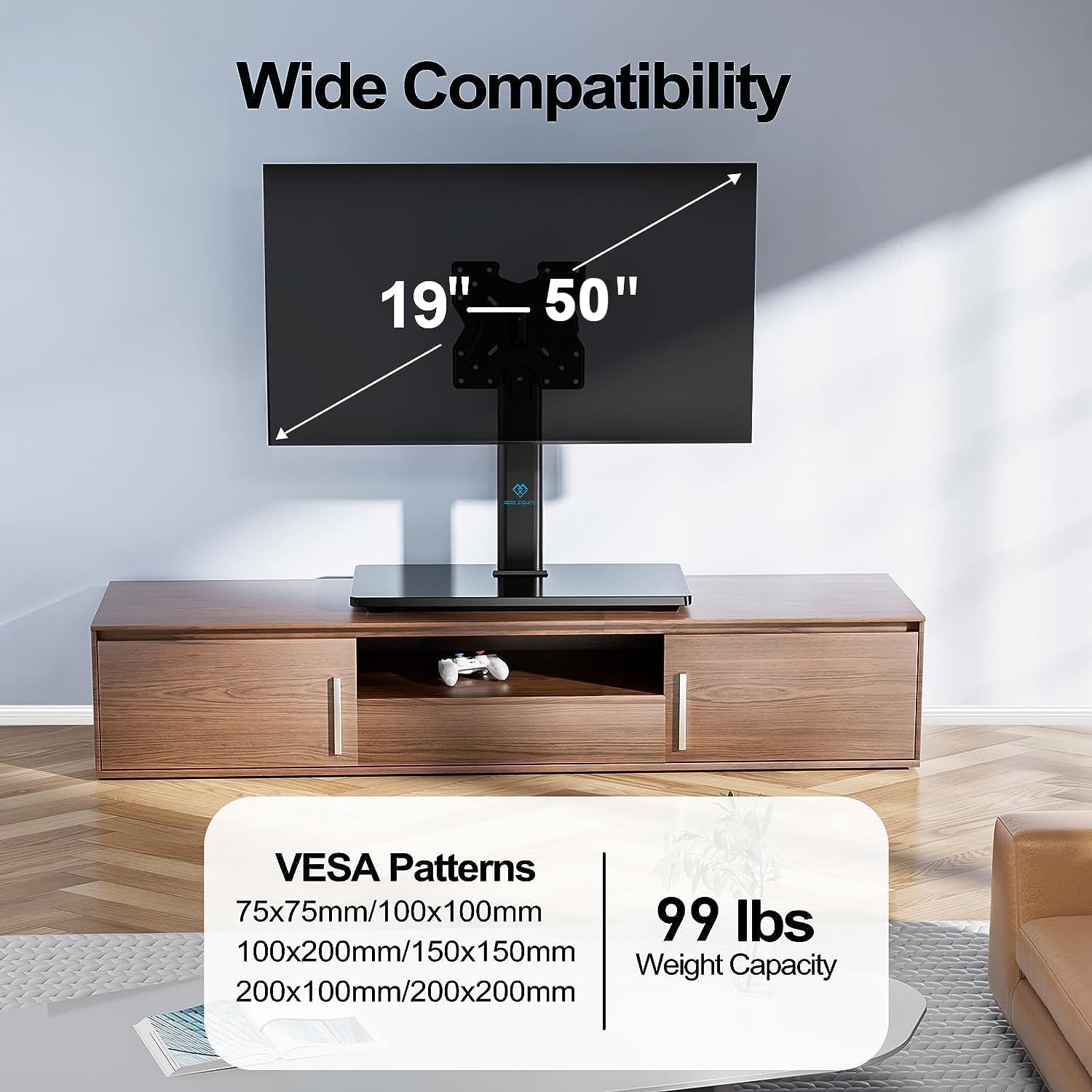
Image: The PSTVS07 Swivel Universal TV Stand/Base showing its compatibility for TVs from 19" to 50" and a maximum weight capacity of 99 lbs, along with supported VESA patterns.
Setup and Assembly
PSTVMC06 Mobile TV Stand Assembly
The PSTVMC06 mobile TV stand is designed for straightforward assembly. Follow the included hardware and instructions to connect the base, vertical pole, and TV mounting bracket. Ensure the wheels are securely attached for mobility.

Image: Two PSTVMC06 Mobile TV Stands are shown in a living room setting, demonstrating their use for enhanced multi-TV viewing, with one displaying a sports game and the other a movie.
PSTVS07 Swivel Universal TV Stand/Base Assembly
The PSTVS07 table top TV stand offers a simple, drill-free installation. It comes with an easy-to-use instruction manual and all necessary hardware. Attach the mounting plate to the vertical support, then secure it to the tempered glass base. Finally, mount your TV to the bracket.

Image: A person is shown easily installing a TV onto the PSTVS07 Swivel Universal TV Stand/Base, highlighting the "Drill-Free Installation" feature, indicating no need to drill holes in the wall.

Image: A close-up view of the PSTVS07 Swivel Universal TV Stand/Base, emphasizing its sturdy tempered glass base, designed for stability and security.
Operating Instructions
PSTVMC06 Mobile TV Stand Operation
- Mobility: The stand is equipped with wheels for easy movement. Ensure the path is clear before moving the stand. Lock the wheels when the stand is in its desired position to prevent accidental movement.
- Tilt Adjustment: The PSTVMC06 features a 15° upward angle adjustment. To adjust the tilt, carefully loosen the tilt mechanism, set the desired angle, and then re-tighten securely. This allows you to optimize your viewing experience and reduce glare.

Image: A person is shown on a treadmill with the PSTVMC06 Mobile TV Stand in the background, illustrating the 15-degree upward tilt feature for a better viewing angle, especially useful during activities.
PSTVS07 Swivel Universal TV Stand/Base Operation
- Swivel Function: The PSTVS07 allows for a 30° swivel range to the left or right. Gently rotate the TV to achieve your preferred viewing angle from different positions in the room.
- Height Adjustment: This stand offers 3 mounting height options. To adjust the height, you will need to unmount the TV, adjust the mounting plate to one of the three pre-drilled positions (11.22", 12.99", 14.76"), and then remount the TV.

Image: A person is shown in a kitchen/living room setting, demonstrating the PSTVS07 Swivel Universal TV Stand/Base's ability to swivel ±30 degrees, allowing customization of the viewing angle from various spots.

Image: A diagram illustrating the three height options for the PSTVS07 Swivel Universal TV Stand/Base, showing how the TV plate can be adjusted to 11.22", 12.99", or 14.76" from the base.
Maintenance
- Cleaning: Use a soft, damp cloth to clean the stand. Avoid abrasive cleaners or solvents that could damage the finish. For the tempered glass base of PSTVS07, use a glass cleaner.
- Inspection: Periodically check all screws and connections to ensure they remain tight and secure. Re-tighten any loose fasteners.
- Weight Distribution: Ensure the TV is centered and balanced on the stand to prevent undue stress on components.
Troubleshooting
| Problem | Possible Cause | Solution |
|---|---|---|
| Stand feels unstable or wobbly. | Loose fasteners; uneven surface; TV not centered. | Check and tighten all screws. Ensure the stand is on a flat, level surface. Re-position the TV to be centered on the mounting plate. |
| TV does not tilt/swivel smoothly. | Mechanism too tight; obstruction. | For PSTVMC06, ensure tilt knobs are slightly loosened before adjusting. For PSTVS07, ensure no cables or objects obstruct the swivel. |
| Missing parts during assembly. | Packaging error. | Contact PERLESMITH customer support immediately with your purchase details. |
Warranty and Support
PERLESMITH products are designed for durability and performance. For information regarding warranty coverage, please refer to the warranty card included with your product or visit the official PERLESMITH website.
If you encounter any issues or have questions not covered in this manual, please contact PERLESMITH customer support for assistance. You can often find contact information on the product packaging or the brand's official website.
For more information, visit the PERLESMITH Store on Amazon.
Related documentsPSTVMC06&PSTVS07


Ask a question about this manual
Ask about setup, troubleshooting, compatibility, parts, safety, or missing instructions. Manuals+ will review the question and use this page’s manual context to help answer it.