
Introduction
The NEEWER Z760-N is a powerful and versatile TTL camera flash speedlite designed for Nikon DSLR cameras. It features a robust 76Ws output with a Guide Number of 60 (ISO100, 200mm), stable 5600K color temperature, and supports various flash modes including TTL, Manual, and Multi. This speedlite incorporates a 2.4G wireless Q system for advanced control and offers high-speed sync up to 1/8000s. Its flexible head design allows for precise light direction, and the high-capacity lithium battery ensures extended shooting sessions.

Image: The NEEWER Z760-N TTL Camera Flash Speedlite, showcasing its compact design and display.
Package Contents
Verify that all items listed below are included in your package:
- 1 x NEEWER Z760-N Flash Speedlite
- 1 x USB Charging Base
- 1 x USB Cable
- 1 x Protective Case
- 1 x Mini Stand
- 1 x Lithium Battery (7.4V/2600mAh)
- 1 x Wall Charger
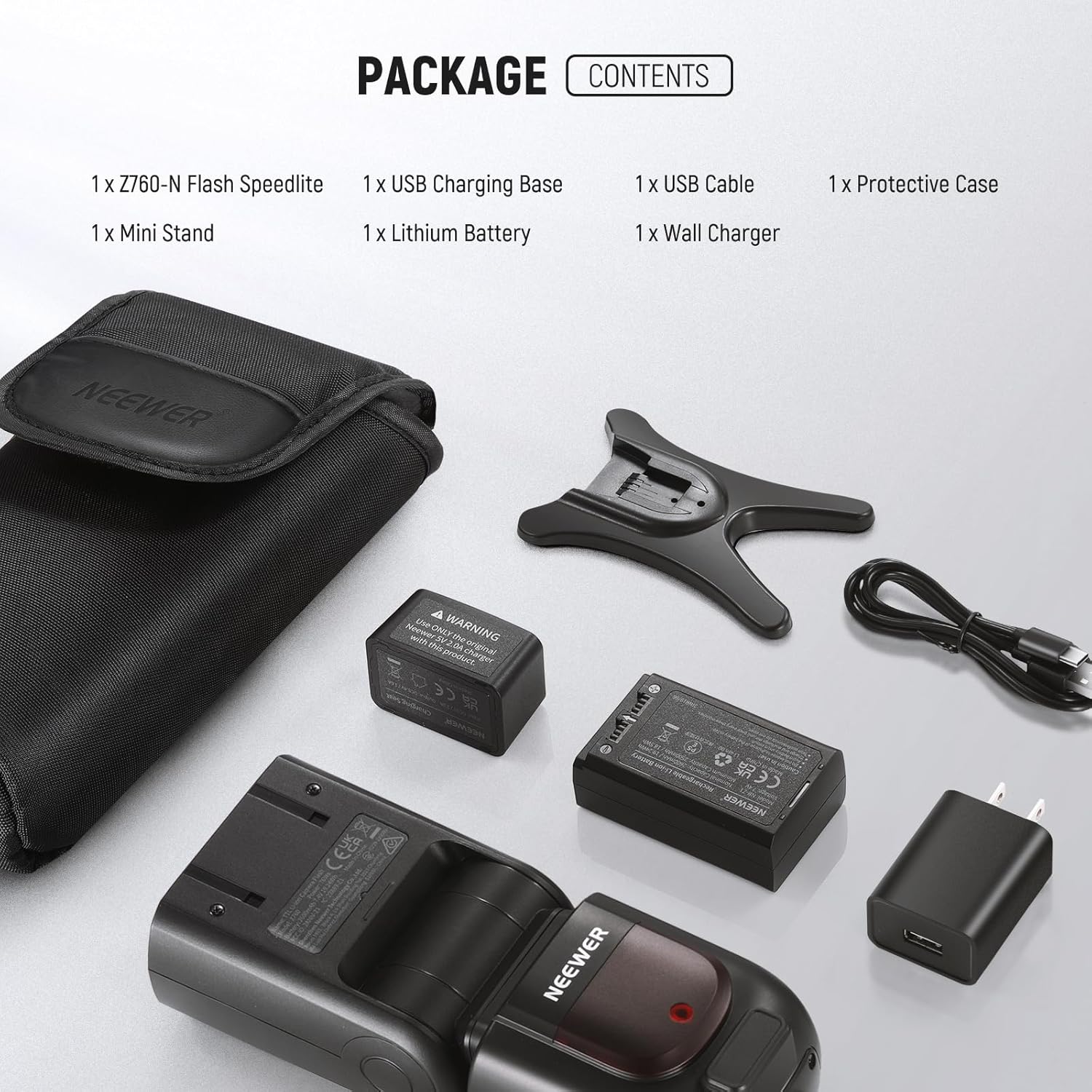
Image: All components included in the NEEWER Z760-N flash speedlite package, laid out for inspection.
Setup
1. Battery Installation and Charging
The Z760-N uses a 7.4V 2600mAh lithium-ion battery. Ensure the battery is fully charged before first use.
- Open the battery compartment cover on the flash unit.
- Insert the lithium battery, ensuring correct polarity.
- Close the battery compartment cover securely.
- To charge, connect the battery to the USB charging base, then connect the base to the wall charger using the provided USB cable.
- The charging indicator on the base will show charging status.

Image: The 7.4V 2600mAh lithium battery and its dedicated USB charging base and wall charger.
2. Mounting to Camera
The Z760-N features a quick-release hot shoe mount for secure attachment to your Nikon DSLR camera.
- Slide the flash unit onto the camera's hot shoe.
- Engage the quick-release lock mechanism to secure the flash in place.
- Ensure the flash is firmly attached to prevent accidental detachment.

Image: Close-up of the NEEWER Z760-N flash hot shoe mount and its quick-release locking mechanism, shown attached to a Nikon DSLR camera.
Operating Instructions
1. Power On/Off and Basic Display
To power on the flash, press and hold the "ON/OFF" button. The LCD screen will illuminate, displaying current settings. To power off, press and hold the same button.

Image: The NEEWER Z760-N flash mounted on a camera, showing its illuminated LCD display and control buttons.
2. Flash Modes
The Z760-N supports TTL, Manual (M), and Multi flash modes. Use the "MODE" button to cycle through these options.
- TTL (Through-The-Lens) Mode: Automatically calculates the optimal flash output for accurate exposure. Supports Flash Exposure Compensation (FEC), Flash Exposure Bracketing (FEB), and Flash Exposure Lock (FEL).
- Manual (M) Mode: Allows manual adjustment of flash power from 1/1 to 1/256. Ideal for precise control over lighting.
- Multi (Stroboscopic) Mode: Captures continuous motion of dynamic subjects in a single photo by firing multiple flashes during a single exposure.

Image: Visual representation of the different flash modes (TTL, Manual, TCM Conversion, Multi Strobe Flash) and their applications.
3. High-Speed Sync (HSS) and Curtain Sync
The flash supports 1/8000s High-Speed Sync (HSS) and both Front and Rear Curtain Sync modes.
- HSS: Enables flash synchronization at shutter speeds faster than the camera's native sync speed, useful for freezing fast motion or overpowering ambient light outdoors.
- Front Curtain Sync: The flash fires at the beginning of the exposure.
- Rear Curtain Sync: The flash fires just before the second curtain closes, creating a motion blur effect behind the subject.

Image: Examples demonstrating the effect of High-Speed Sync (HSS) and Front/Rear Curtain Sync modes.
4. Wireless Q System Operation
The Z760-N features a built-in 2.4G wireless Q system, allowing it to function as a master or slave unit with other NEEWER Q system flashes and triggers.
- Groups: Supports 4 wireless control groups (M/A/B/C).
- Channels: Offers 32 channels (1-32) to avoid interference.
- IDs: Provides 99 IDs (1-99) for secure communication.
- Range: Transmission range up to 328 feet (100 meters) without obstacles.
- Compatibility: Compatible with NEEWER Q Pro-N TTL transmitters (sold separately).

Image: Diagram illustrating the NEEWER 2.4G Wireless Q System, showing master and slave configurations with various compatible flash units and triggers.
5. Flexible Angle Adjustment and Zoom
The flash head can be rotated and tilted to direct light precisely, allowing for bounce flash off ceilings or walls for softer illumination. The flash coverage can be set automatically or manually to match lens focal lengths from 20mm to 200mm.
- Horizontal Rotation: 0° to 330°
- Vertical Rotation: -7° to 120°
- Zoom: Adjust the flash head zoom using the dedicated button or automatically.

Image: Illustrations demonstrating the flexible horizontal (0-330°) and vertical (-7-120°) rotation capabilities of the flash head, along with auto/manual zoom settings for 20-200mm flash coverage.
Maintenance
- Cleaning: Use a soft, dry cloth to clean the flash unit. Avoid using solvents or abrasive cleaners.
- Battery Care: Store the lithium battery in a cool, dry place when not in use. Do not expose to extreme temperatures.
- Firmware Updates: The Z760-N supports USB firmware updates. Check the NEEWER official website for the latest firmware versions and instructions.
- Storage: When storing for extended periods, remove the battery and place the flash in its protective case.
Troubleshooting
| Problem | Possible Cause | Solution |
|---|---|---|
| Flash does not fire. | Battery low or not installed correctly; flash not powered on; camera/flash settings incorrect; flash not securely mounted. | Charge/reinstall battery; power on flash; check camera and flash mode settings; ensure flash is securely mounted on hot shoe. |
| Flash output is inconsistent. | Low battery; incorrect flash mode or power setting; interference in wireless mode. | Ensure battery is fully charged; verify flash mode (TTL/M) and power settings; change wireless channel/ID to avoid interference. |
| Flash recycling time is slow. | Low battery; high power output setting. | Recharge battery; reduce flash power output. |
| Wireless communication issues. | Distance too far; obstacles; channel/ID mismatch; other 2.4G devices causing interference. | Reduce distance between units; ensure clear line of sight; verify matching channels and IDs; try a different channel/ID. |
| Flash not compatible with camera. | Camera model not supported; outdated firmware. | Refer to compatibility list (e.g., Nikon D810 is NOT compatible); update flash firmware if available. |
Specifications
| Feature | Detail |
|---|---|
| Power Output | 76Ws |
| Guide Number (GN) | 60 (ISO100, 200mm) |
| Color Temperature | 5600K ±200K |
| Flash Coverage | 20-200mm (Auto/Manual) |
| Flash Duration | 1/180 to 1/20000s |
| Exposure Control System | i-TTL Automatic Flash, Manual Flash |
| Flash Exposure Compensation (FEC) | ±3 stops in 1/3 stop increments |
| Sync Mode | High-Speed Sync (1/8000s), Front Curtain Sync, Rear Curtain Sync |
| Wireless Function | Master, Slave, OFF (2.4G Q System) |
| Wireless Groups | M, A, B, C (Master); A, B, C, D, E (Controlled by Q series trigger) |
| Channels | 32 (1-32) |
| IDs | 99 (01-99) |
| Transmission Range | Approx. 100m (328ft) |
| Battery | 7.4V/2600mAh Lithium Polymer Battery |
| Full Power Flashes | Approx. 480 |
| Recycling Time | Approx. 1.5s |
| Dimensions | 199 x 72 x 58mm (7.87" x 2.83" x 2.28") |
| Weight (with battery) | 530g (18.69oz) |
| Sync Jack | 2.5mm |
Warranty and Support
The NEEWER Z760-N TTL Camera Flash Speedlite comes with a 1 Year Manufacturer Warranty. For warranty claims, technical support, or service inquiries, please contact NEEWER customer support through their official website or the retailer where the product was purchased. Please retain your proof of purchase for warranty validation.
For the latest firmware updates and additional resources, visit the official NEEWER website: www.neewer.com