
1. Introduction
The BSIDE DC Clamp Meter ACM91 is a versatile digital multimeter designed for precise electrical measurements. It features true RMS auto-ranging capabilities, a 6000-count display, and a range of functions including AC/DC current, voltage, frequency, temperature, capacitance, and resistance. This manual provides essential information for the safe and effective use of your device.
Key Features:
- Measures AC/DC current with 1mA resolution via jaws.
- Measures microamps (µA) with 0.1µA resolution via terminals.
- Measures AC/DC voltage, frequency, temperature, resistance, continuity, and capacitance.
- V-alert measurement and live-wire check for enhanced safety.
- Low Impedance (LoZ) voltage measurement to eliminate ghost voltages.
- Auto-ranging, auto power off, data hold, and low battery indication with backlight.
- Conforms to IEC-61010-1, IEC-61010-2-030, IEC-61010-2-032, IEC-61010-2-033 standards.
- Over-voltage protection class CAT III 300V, CAT II 600V, pollution degree II.
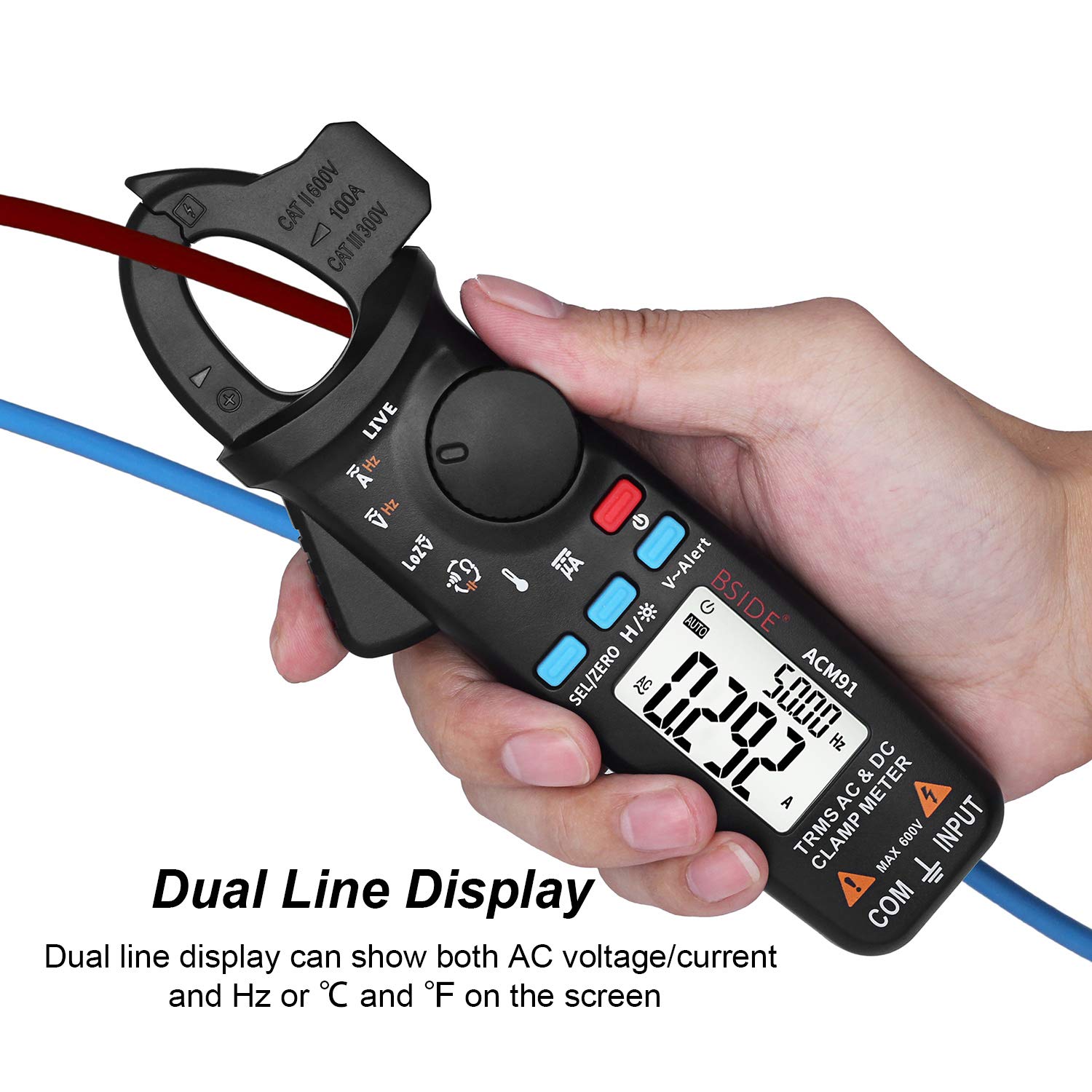
- Dual line display for simultaneous viewing of multiple parameters.
- Integrated back clip for convenient portability.
2. Package Contents
Verify that all items listed below are present in your package. If any items are missing or damaged, please contact customer support.
- 1 x BSIDE DC Clamp Meter ACM91
- 1 x Pair of Test Leads (Red and Black)
- 1 x Thermocouple (Temperature Probe)
- 1 x Carrying Case
- 1 x Screwdriver
- 1 x User Manual (this document)
Note: 2 AAA batteries are required for operation and are not included in the package due to aviation security regulations.

3. Setup
3.1 Battery Installation
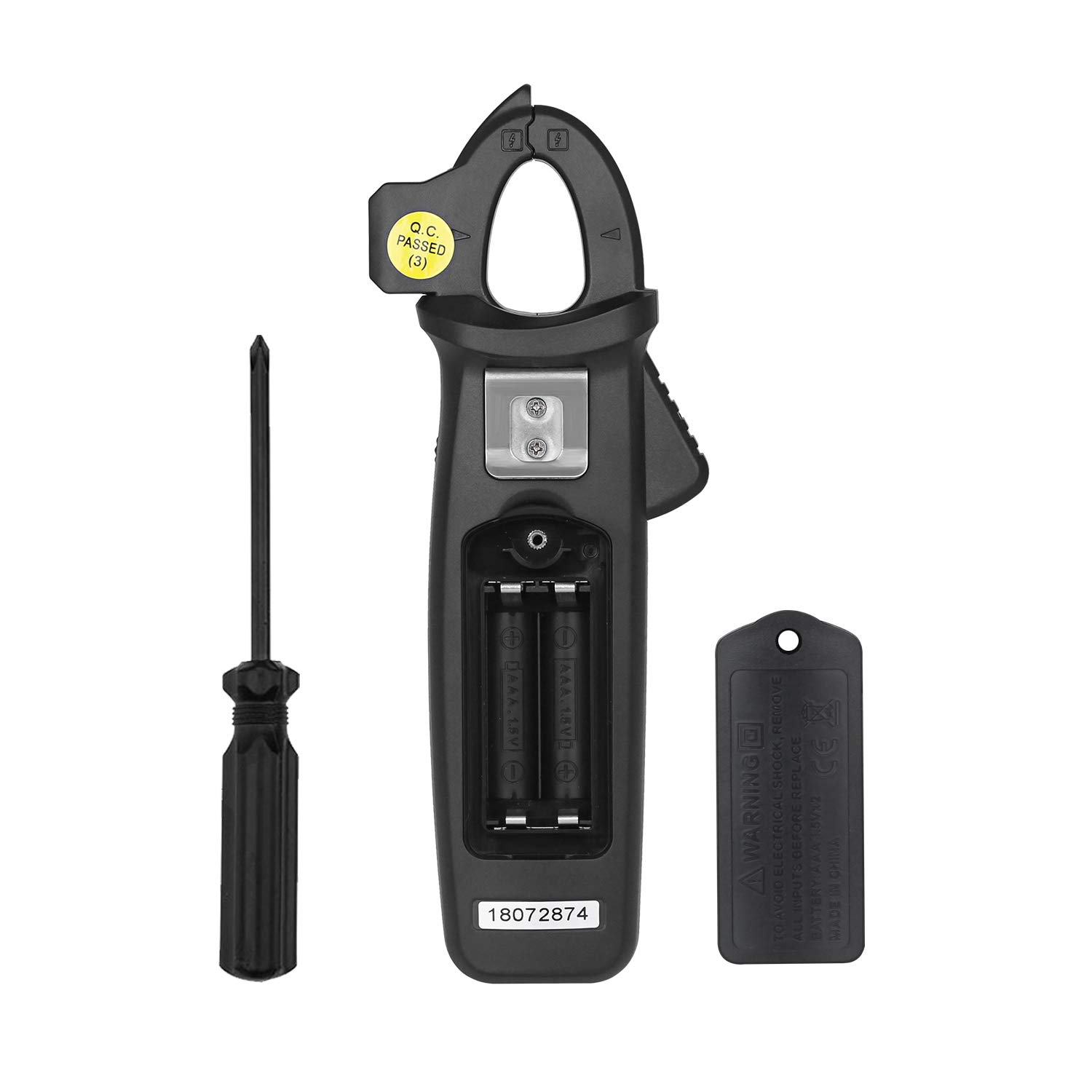
- Ensure the meter is powered off.
- Locate the battery compartment cover on the back of the meter.
- Use the provided screwdriver to loosen the screw securing the battery cover.
- Remove the battery cover.
- Insert two 1.5V AAA batteries, observing the correct polarity (+/-) as indicated inside the compartment.
- Replace the battery cover and tighten the screw with the screwdriver.
3.2 Connecting Test Leads
For voltage, resistance, capacitance, frequency (via terminals), microamp current, and temperature measurements, connect the test leads as follows:
- Insert the red test lead into the INPUT terminal.
- Insert the black test lead into the COM (common) terminal.

4. Operating Instructions
4.1 Power On/Off
Press the Power button () to turn the meter on or off. The meter features an auto power-off function to conserve battery life.
4.2 Function Selection
Rotate the central dial to select the desired measurement function (e.g., AC/DC current, voltage, resistance, temperature). Use the SEL/ZERO button to switch between AC/DC modes or other sub-functions within a dial setting.
4.3 AC/DC Current Measurement (Clamp)
- Rotate the dial to the A~ (AC Current) or A= (DC Current) position.
- Press the SEL/ZERO button to select between AC and DC current if necessary. For DC current, press and hold the SEL/ZERO button to zero out the reading before measurement.
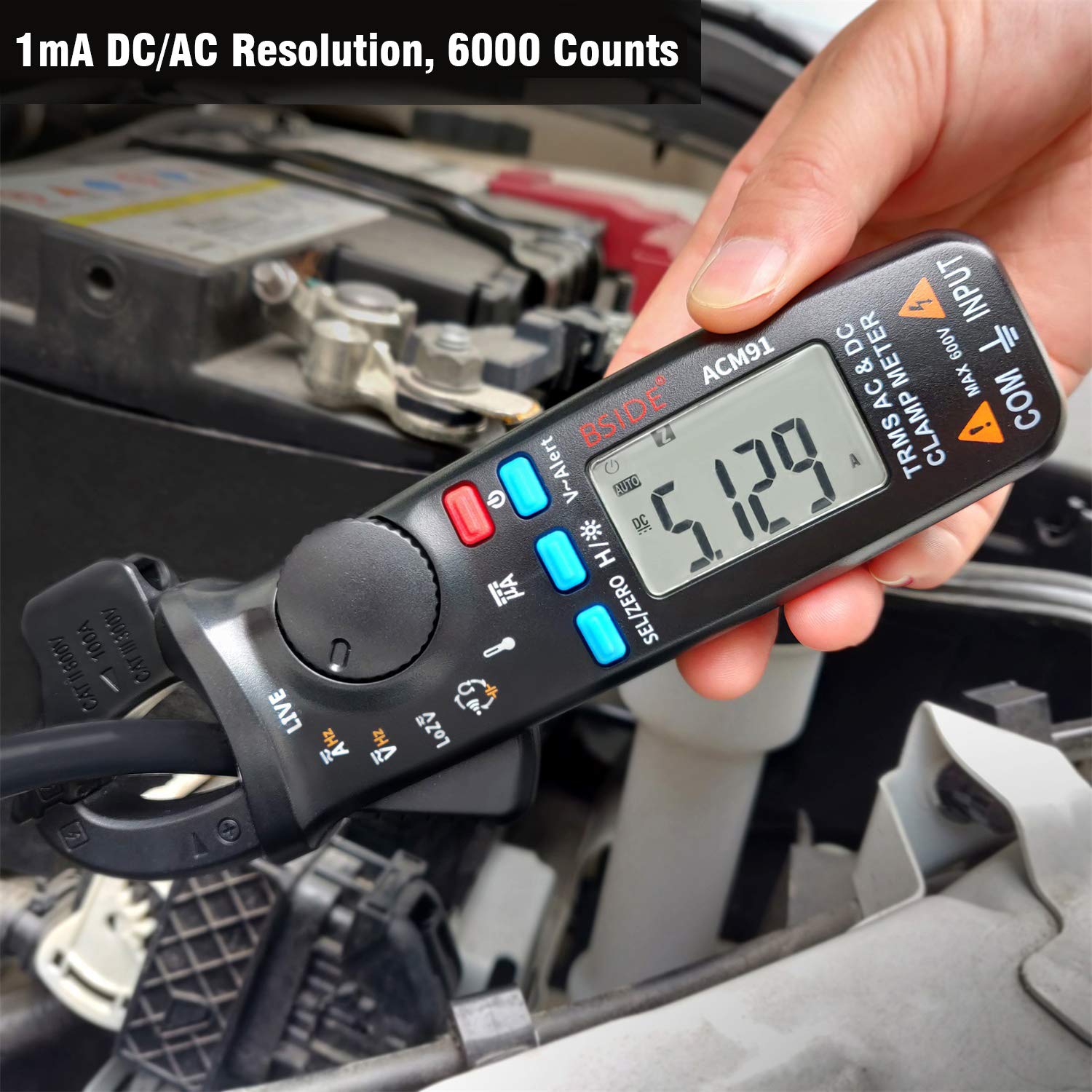
- Open the clamp jaws and enclose a single conductor (not a bundle of wires) through the center of the jaws.
- Read the current value on the display. The meter provides 1mA resolution.

4.4 Voltage Measurement (AC/DC)
- Connect the test leads as described in Section 3.2.
- Rotate the dial to the V~ (AC Voltage) or V= (DC Voltage) position.
- Press the SEL/ZERO button to switch between AC and DC voltage.
- Touch the test probes to the circuit points where voltage is to be measured.
- Read the voltage value on the display.
4.5 Low Impedance Voltage (LoZ) Measurement
The LoZ function helps to identify and eliminate ghost or stray voltages that can provide misleading readings. Rotate the dial to the LoZ V~ position and connect the test leads to the circuit. The meter will display the true voltage by presenting a low impedance load.
4.6 V-Alert (Non-Contact Voltage Detection)
The V-Alert function allows for non-contact voltage detection. This function can be activated from any measurement mode. Press the V-Alert button. Bring the top of the clamp meter near a live conductor. The meter will indicate the presence of AC voltage through audible beeps and visual indicators on the display.

4.7 Live Wire Check
To perform a live wire check, rotate the dial to the LIVE position. Connect the red test lead to the INPUT terminal. Touch the red probe to the conductor you wish to test. The meter will indicate if the wire is live.
4.8 Other Measurements (Resistance, Capacitance, Frequency, Temperature, Microamps)
For these functions, connect the test leads as described in Section 3.2. Rotate the dial to the corresponding symbol (e.g., Ω for Resistance, Hz for Frequency, °C/°F for Temperature, µA for Microamps). Follow standard measurement procedures for each parameter.
5. Maintenance
5.1 General Care and Cleaning
- Keep the meter dry. If it gets wet, wipe it dry immediately.
- Use a soft, damp cloth to clean the casing. Do not use abrasive cleaners or solvents.
- Store the meter in its carrying case when not in use to protect it from dust and physical damage.
- Avoid exposing the meter to extreme temperatures or high humidity.
5.2 Battery Replacement
When the low battery indicator appears on the display, replace the batteries promptly to ensure accurate readings. Refer to Section 3.1 for battery installation instructions.
6. Troubleshooting
6.1 Inaccurate DC Current Readings
DC current readings can be influenced by the Earth's magnetic field, as the clamp meter utilizes a Hall effect sensor. To ensure accurate DC current measurements, follow these suggestions:
- Zero Out Before Each Measurement: Always press and hold the SEL/ZERO button to zero out the readings before taking a DC current measurement.
- Maintain Orientation: Once the meter is zeroed, hold it in the same orientation throughout the measurement. Avoid tilting, twisting, or rotating the meter, as changing its orientation can introduce false readings due to varying magnetic field strengths.
- Measure Promptly: Take the DC current measurement within 3 seconds after zeroing for the most accurate results.
7. Specifications
| Parameter | Specification |
|---|---|
| Display | 6000 counts |
| DC Current | 6A/60A/100A (0.001A/0.01A/0.1A resolution) ±(3.0%+5counts) |
| DC Current (µA) | 0-200µA (0.1µA resolution) ±(0.8%+5counts) |
| AC Current | 6A/60A/100A (0.001A/0.01A/0.1A resolution) ±(2.5%+5counts) |
| DC Voltage | 6V/60V/600V (0.001V/0.01V/0.1V resolution) ±(1.0%+3counts) |
| AC Voltage | 6V/60V/600V (0.001V/0.01V/0.1V resolution) ±(1.0%+3counts) |
| Low Impedance (LoZ) | Max 600V, 0.1V Resolution |
| Resistance | 600Ω/6kΩ/60kΩ/600kΩ/6MΩ (0.1Ω/0.001KΩ/0.01KΩ/0.1KΩ/0.001MΩ resolution) ±(1.0%+3counts); 60MΩ (0.01MΩ resolution) ±(1.2%+20counts) |
| Capacitance | 600µF/6000µF (0.1µF/1µF resolution) ±(4.0%+3counts) |
| Frequency | 60Hz/1000Hz (0.1Hz/1Hz resolution) ±(1.0%+5counts) |
| Frequency (by jaws) | 60Hz/1000Hz (0.1Hz/1Hz resolution) ±(1.0%+5counts) |
| Buzzer (Continuity) | Sounds if resistance is less than 30Ω |
| Temperature | -20℃~500℃ (1℃/2℉ resolution) ±(2.0%+2counts) |
| Jaw Capacity | 20mm |
| Power | 2 x 1.5V AAA batteries |
| Size | 179 x 67 x 36 mm |
| Weight | 137g |
| Safety Standards | IEC-61010-1, IEC-61010-2-030, IEC-61010-2-032, IEC-61010-2-033 |
| Over-voltage Protection | CAT III 300V, CAT II 600V, Pollution Degree II |
8. Warranty and Support
Specific warranty information and customer support contact details were not provided in the product data. Please refer to the product packaging or the seller's website for warranty terms and support options.


