
1. Introduction
Welcome to your new BMAX i10Pro tablet. This manual provides essential information for setting up, operating, and maintaining your device. Please read this manual thoroughly before using your tablet to ensure proper function and safety.
2. Safety Information
Observe the following safety guidelines to prevent damage to your device or injury to yourself:
- Do not expose the tablet to extreme temperatures, direct sunlight, or high humidity.
- Avoid dropping or subjecting the tablet to strong impacts.
- Use only the provided charger and accessories.
- Keep the tablet away from water and other liquids.
- Do not attempt to disassemble or repair the tablet yourself. Contact customer support for assistance.
- Ensure proper ventilation when using or charging the device.
3. Package Contents
Please check the package for the following items:
- BMAX i10Pro Tablet
- Charging Cable (USB Type-C)
- Power Adapter
- SIM Card Pin
- User Manual (Japanese)

Image: Package contents including the tablet, charging cable, power adapter, and SIM card pin.
4. Device Overview
Familiarize yourself with the physical components of your BMAX i10Pro tablet.

Image: The BMAX i10Pro tablet, showcasing its design and key features like the camera and thinness.
Ports and Buttons
- Power Button: Press and hold to power on/off or restart.
- Volume Buttons: Adjust the device volume.
- USB Type-C Port: For charging and data transfer.
- 3.5mm Headphone Jack: Connect headphones or external audio devices.
- SIM/TF Card Slot: Insert SIM cards for 4G LTE connectivity and TF cards for storage expansion.
- Front Camera: For video calls and selfies.
- Rear Camera: For taking photos and videos.
- Speakers: Dual speakers for audio output.
5. Initial Setup
5.1 Charging the Tablet
Before first use, fully charge your tablet. Connect the USB Type-C cable to the tablet's charging port and the power adapter to a wall outlet. The battery indicator on the screen will show charging status.

Image: The tablet's charging process, highlighting the 7000mAh battery and Type-C charging.
5.2 Powering On/Off
- To Power On: Press and hold the Power button until the BMAX logo appears.
- To Power Off: Press and hold the Power button until the power options appear, then select 'Power off'.
- To Restart: Press and hold the Power button until the power options appear, then select 'Restart'.
5.3 Inserting SIM/TF Card
The tablet supports dual SIM cards and a TF card for expanded storage. Use the provided SIM card pin to open the tray.
- Locate the SIM/TF card slot on the side of the tablet.
- Insert the SIM card pin into the small hole next to the tray to eject it.
- Place your Nano SIM card(s) and/or TF card into the designated slots on the tray. Ensure correct orientation.
- Carefully reinsert the tray into the tablet.

Image: Detailed view of the SIM/TF card tray and insertion process.
5.4 Connecting to Wi-Fi
To access the internet via Wi-Fi:
- Go to Settings > Network & internet > Wi-Fi.
- Toggle Wi-Fi on.
- Select your desired Wi-Fi network from the list.
- Enter the password if prompted, then tap Connect.
6. Operating Instructions
6.1 Android 13 Operating System
Your BMAX i10Pro tablet runs on the Android 13 operating system, offering enhanced privacy, security, and customization options. It is GMS certified, allowing full access to Google Play services and applications.

Image: The Android 13 interface on the BMAX i10Pro tablet, featuring improved privacy, security, and UI customization.
6.2 Display Features
The tablet features a 10.1-inch Incell IPS display with a resolution of 1280x800 pixels and a 16:10 aspect ratio, providing a comfortable viewing experience for videos and web browsing.

Image: Visual representation of the tablet's display quality and features, including eye protection mode.
Widevine L1 Support
The BMAX i10Pro supports Widevine L1, enabling high-quality video playback from major streaming services like YouTube, Disney+, and Prime Video.

Image: The tablet's Widevine L1 compatibility for high-definition streaming.
Display Modes
The tablet offers various display modes for user comfort and productivity:
- Dark Theme: Reduces eye strain in low-light conditions.
- Eye Protection Mode: Filters blue light to protect your eyes.
- Split Screen: Allows you to use two applications simultaneously.

Image: Examples of Dark Theme, Eye Protection Mode, and Split Screen features.
6.3 Camera Usage
The tablet is equipped with a 5MP front camera and a 13MP rear camera, suitable for capturing photos, videos, and participating in video calls.
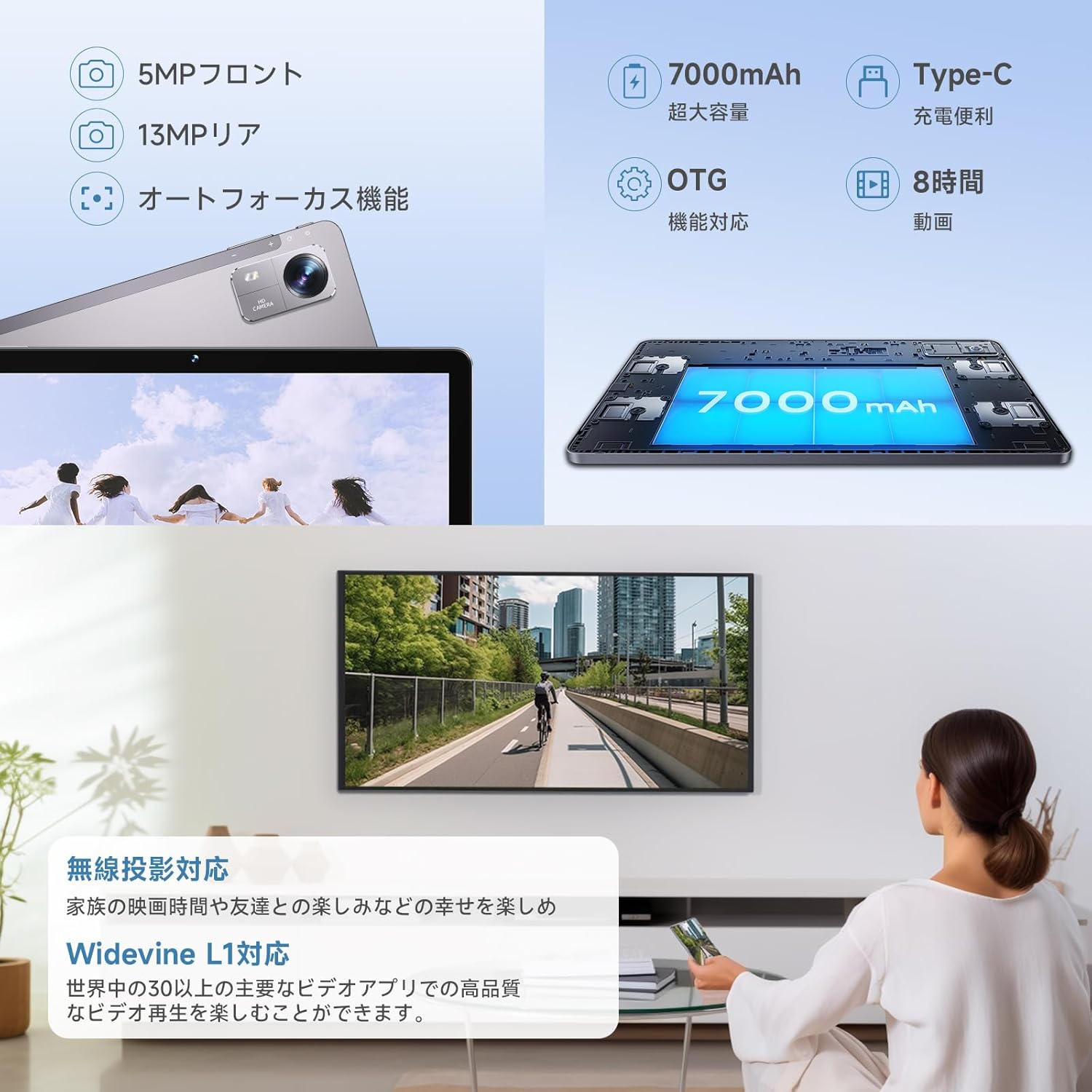
Image: The tablet's rear camera and its capabilities.
6.4 Connectivity
The BMAX i10Pro offers versatile connectivity options:
- Wi-Fi: Supports 2.4GHz and 5GHz Wi-Fi (802.11a/b/g/n/ac) for stable internet access.
- 4G LTE: Dual SIM card support allows for mobile data connectivity on the go.
- Bluetooth 5.0: For connecting wireless accessories like headphones and keyboards.

Image: Overview of the tablet's communication features, including 4G LTE, Wi-Fi, and Bluetooth.
6.5 GPS Functionality
The tablet includes GPS, GLONASS, and Galileo support, providing accurate positioning for navigation and location-based services.

Image: The tablet's GPS capabilities for precise navigation.
6.6 Parental Control Features
The tablet offers parental control features to manage usage for children, including:
- Sleep Time Settings: Set specific times when the tablet cannot be used.
- Application Restrictions: Limit access to certain apps.
- Usage Time Limits: Set daily or weekly usage limits.

Image: Parental control features for managing children's tablet usage.
6.7 Accessibility Features
The BMAX i10Pro includes various accessibility features to enhance usability for all users:
- Read Aloud Function: Reads on-screen text aloud.
- Automatic Subtitles: Provides captions for audio content.
- Display Size Adjustment: Customize text and icon sizes for better visibility.

Image: User assistance features for improved accessibility.
6.8 Audio
The tablet features dual speakers for an immersive audio experience. It also includes a 3.5mm audio jack for connecting wired headphones.

Image: The tablet's dual speaker system and 3.5mm audio jack.
7. Specifications
| Feature | Detail |
|---|---|
| Brand | BMAX |
| Model Name | Bmax i10Pro |
| Operating System | Android 13 |
| CPU | Unisoc T606 Octa-Core (1.6 GHz) |
| RAM | 8 GB (4GB physical + 4GB virtual) |
| Internal Storage | 64 GB |
| Expandable Storage | Up to 1 TB via TF card |
| Screen Size | 10.1 inches |
| Display Type | Incell IPS LCD |
| Resolution | 1280x800 pixels (HD) |
| Aspect Ratio | 16:10 |
| Rear Camera | 13 MP |
| Front Camera | 5 MP |
| Battery Capacity | 7000 mAh |
| Battery Life (Video Playback) | Up to 8 hours (1080p video) |
| Connectivity | Wi-Fi (2.4G/5G), 4G LTE, Bluetooth 5.0 |
| Ports | USB Type-C, 3.5mm Headphone Jack |
| Dimensions (L x W x H) | 23.9 x 15.8 x 0.8 cm |
| Weight | Approx. 440g |
| Color | Gold |

Image: Tablet storage details, highlighting 8GB RAM and 64GB ROM with 1TB expansion.

Image: CPU architecture and process upgrade details for the T606 processor.
8. Troubleshooting
If you encounter issues with your tablet, refer to the following common solutions:
- Tablet not turning on: Ensure the battery is charged. Connect the charger and try again.
- Screen frozen: Press and hold the Power button for about 10 seconds to force a restart.
- Wi-Fi connection issues: Check if Wi-Fi is enabled in settings. Restart your router and tablet. Ensure you have the correct password.
- Apps crashing: Clear the cache of the problematic app in Settings > Apps. If the issue persists, reinstall the app.
- Slow performance: Close unnecessary background apps. Clear storage space. Consider a factory reset if performance remains poor (back up your data first).
9. Warranty and Support
Your BMAX i10Pro tablet comes with a 1-year warranty against manufacturer defects. The included AC adapter is PSE certified for electrical product safety.
For warranty claims or technical support, please contact BMAX customer service. You can typically find contact information on the seller's page where you purchased the product or through the official BMAX website.

Image: Information regarding the product's one-year warranty and customer support contact methods.