
Introduction
The WYZE Cam v4 is a versatile 2.5K QHD indoor/outdoor security camera designed to provide clear surveillance with advanced features. It offers enhanced color night vision, motion-activated spotlight and siren, two-way audio, and smart alerts. This manual provides instructions for setting up, operating, maintaining, and troubleshooting your camera.
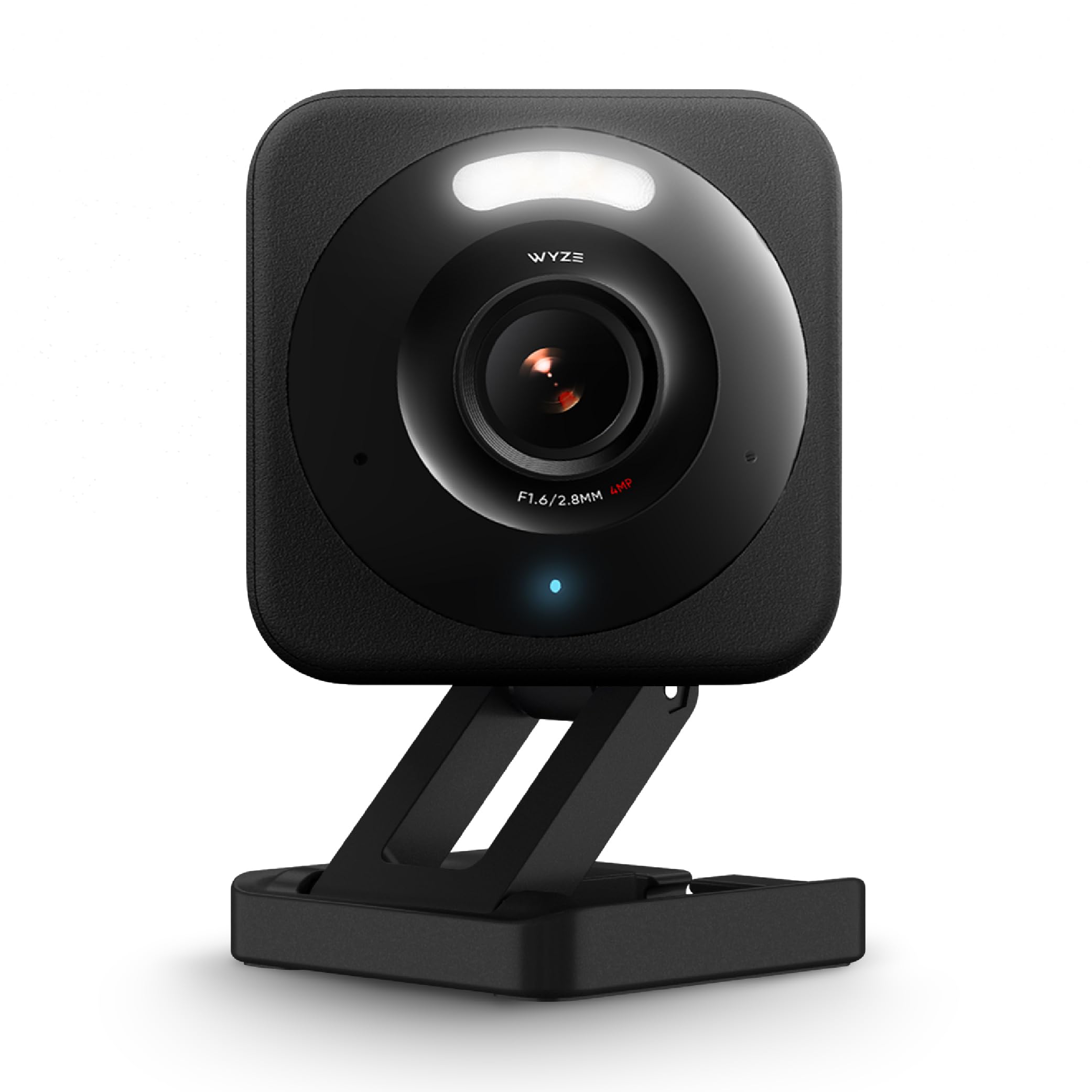
Image: The WYZE Cam v4 camera unit, showcasing its compact design.
Setup
Setting up your WYZE Cam v4 is designed to be quick and easy. Follow these steps to get your camera operational.
What's in the Box
- WYZE Cam v4 Camera
- Mounting accessories
- Quick Start Guide

Image: A hand demonstrating the screw-free magnetic mounting of the WYZE Cam v4.
Installation Steps
- Power On: Connect the camera to a power source using the provided USB cable and power adapter.
- Download the App: Download the official Wyze app from your smartphone's app store (iOS App Store or Google Play Store).
- Bluetooth Setup: Open the Wyze app and follow the on-screen instructions to pair your camera via Bluetooth. This eliminates the need for QR code scanning.
- Mounting: Choose your desired location. The camera features a magnetic base for easy attachment to metal surfaces. Alternatively, use the freestanding stand or screw-mount to a wall. The IP65 weather-resistant rating allows for both indoor and outdoor placement.
- Wi-Fi Connection: Ensure your camera is connected to a 2.4 GHz Wi-Fi network. The camera supports Wi-Fi 6 for a stronger and more reliable connection.

Image: A user setting up the WYZE Cam v4 using the Wyze app and Bluetooth on a smartphone.
Video: A demonstration of the easy setup process for the Wyze Cam v4.
Video: An unboxing and initial setup overview of the Wyze Cam v4.
Operating Instructions
Learn how to utilize the various features of your WYZE Cam v4 for optimal home security and monitoring.
Live View and Recording
- Access live 2.5K QHD video stream through the Wyze app.
- Record continuous footage to a microSD card (up to 512 GB, sold separately) for 24/7 local recording.
- Optional Wyze Cam Plus subscription offers cloud video recording and enhanced smart alerts.

Image: The WYZE Cam v4 with an illustration of 24/7 recording to a microSD card.
Enhanced Color Night Vision
The camera's Starlight Sensor and 72-lumen spotlight provide vivid, full-color footage even in complete darkness, surpassing traditional infrared night vision.

Image: A side-by-side comparison showing the clarity of color night vision versus regular night vision.
Video: A demonstration of the Wyze Cam v4's 2.5K color night vision capabilities.
Motion-Activated Spotlight and Siren
When motion is detected, the integrated 72-lumen spotlight illuminates the area, and a 100 dB siren can be activated to deter intruders. Both features can be triggered remotely via the Wyze app or set with automated rules.

Image: The WYZE Cam v4 with visual indicators for its integrated spotlight and siren features.
Video: A short preview demonstrating the WYZE Cam v4's picture quality and spotlight feature.
Two-Way Audio
Communicate with visitors or deter unwanted guests using the built-in speaker and microphone. This feature is also useful for monitoring pets or as a baby monitor.

Image: The WYZE Cam v4 illustrating its two-way audio capability with speech bubbles.
Smart Alerts and Activity Zones
On-device AI can differentiate between people, packages, pets, and vehicles, reducing false alarms. Customize activity zones in the Wyze app to focus alerts on specific areas of interest.
Smart Home Integration
The WYZE Cam v4 integrates with Amazon Alexa, Google Assistant, and IFTTT, allowing for voice commands and automation within your smart home ecosystem.

Image: The WYZE Cam v4 showing compatibility with Alexa, Google Assistant, and IFTTT.
Maintenance
Proper maintenance ensures the longevity and optimal performance of your WYZE Cam v4.
- Cleaning: Gently wipe the camera lens and body with a soft, dry cloth. Avoid abrasive cleaners or solvents.
- Firmware Updates: Regularly check the Wyze app for firmware updates to ensure your camera has the latest features and security enhancements.
- Power Cycle: If the camera experiences issues, try unplugging it from the power source for 10 seconds and then plugging it back in.
Troubleshooting
If you encounter issues with your WYZE Cam v4, refer to the following common solutions or consult the official troubleshooting guide.
- Camera Offline: Ensure the camera is powered on and within range of your 2.4 GHz Wi-Fi network. Check your router for internet connectivity.
- Poor Video Quality: Verify your Wi-Fi signal strength. If using a microSD card, ensure it is functioning correctly.
- Motion Detection Issues: Adjust activity zones and sensitivity settings in the Wyze app. Ensure the camera lens is clean and unobstructed.
- Two-Way Audio Problems: Check microphone and speaker settings in the Wyze app. Ensure there are no physical obstructions.
For more detailed troubleshooting, please refer to the Official Troubleshooting Guide (PDF).
Video: A user's perspective on a potential drawback of the Wyze Cam v4, which may aid in troubleshooting or setting expectations.
Specifications
| Feature | Detail |
|---|---|
| Model Name | Wyze Cam v4 |
| Model Number | WYZEC4 |
| Resolution | 2.5K QHD (2560x1440) |
| Field of View | 120 degrees |
| Night Vision | Enhanced Color Night Vision, 72-lumen spotlight |
| Weather Resistance | IP65 (Dust-tight, water-jet-resistant) |
| Operating Temperature | -4°F to 113°F (-20°C to 45°C) |
| Connectivity | 2.4GHz Wi-Fi (Wi-Fi 6 support), Bluetooth |
| Local Storage | MicroSD card up to 512 GB (sold separately) |
| Audio | Two-Way Audio (Built-in speaker and microphone) |
| Dimensions | 2 x 2 x 2.3 inches |
| Weight | 7.84 ounces |
| Power Source | Corded Electric (5V, 5W) |
Warranty Information
The WYZE Cam v4 comes with a 1-year manufacturer's warranty. Please retain your proof of purchase for warranty claims. For full details regarding warranty coverage and terms, refer to the official documentation or contact WYZE customer support.
You can find the Official Warranty Document (PDF) here.
Support
For additional assistance, technical support, or to explore other WYZE products, please visit the official WYZE website or contact their customer service.
- WYZE Support Website: www.wyze.com/support
- WYZE Store on Amazon: Visit the WYZE Store