
1. Introduction
Thank you for choosing the Dreyoo Round Metal Wired LED Doorbell Button. This product is designed as a durable and illuminated replacement for your home's front door doorbell button. It features a solid metal construction, a bright LED light for visibility, and is suitable for various outdoor conditions.
This manual provides detailed instructions for installation, operation, and troubleshooting to ensure proper functionality and longevity of your doorbell button.
2. Safety Information
- This doorbell button operates on low voltage. Ensure power is disconnected before installation to prevent electrical shock.
- Small items (screws) are included. Keep them out of reach of children to avoid swallowing.
- The product is designed for wired doorbell systems. Do not attempt to use it with wireless systems unless specifically adapted.
- Operating temperature tolerance: -4 to 240 degrees Fahrenheit (-20 to 115 degrees Celsius).
3. Package Contents
Please verify that all components are present in the package:
- 1 x Dreyoo Round Metal Wired LED Doorbell Button
- 2 x Mounting Screws
Note: Bell wire and diodes (if required for digital chimes) are not included.
4. Setup and Installation
The Dreyoo doorbell button is designed for straightforward installation. It can be used on various surfaces including stucco, wood, and brick. The distance between the screw holes is 1.5 inches.

Figure 1: Product dimensions and compatible installation surfaces. The doorbell button has a diameter of approximately 1.75 inches, with screw holes spaced 1.5 inches apart. The included screws are 1 inch long. Compatible surfaces include stucco, wood, and brick.
Installation Steps:
- Prepare Wires: If replacing an existing doorbell, ensure the power to the doorbell system is turned off at the circuit breaker. Carefully bend the doorbell wires on both sides of the transformer.
- Connect Wires: Wrap the prepared doorbell wires around the internal screws located on the back of the doorbell button. Ensure a secure connection.
- Mount Button: Position the doorbell button in the desired location. If replacing an old button, the existing screw holes (1.5 inches apart) may be reused. If installing new, a hole approximately 1/8 inch deep may need to be drilled into the wall for the button's housing. Secure the button using the two provided screws.
- Restore Power: Once the button is securely mounted and wired, restore power to the doorbell system. The LED light on the button should illuminate.

Figure 2: Visual guide for installation. Step 1: Bend wires from the transformer. Step 2: Wrap wires around the internal screws of the doorbell button. Step 3: Install the button in the desired position and tighten screws. Step 4: Turn on power to activate the glowing button.
Video 1: An overview of the Dreyoo Round Metal Doorbell Push Button, demonstrating its appearance and the action of pressing the button. This video is provided by the seller, Dreamyo.
5. Operating Instructions
Once properly installed and connected to a wired doorbell system, the Dreyoo doorbell button operates simply:
- The integrated LED light will remain lit 24 hours a day, providing constant visibility for visitors, especially in low-light conditions.
- To activate the doorbell chime, press the button firmly. The internal mechanism will complete the circuit, triggering your doorbell's chime unit.
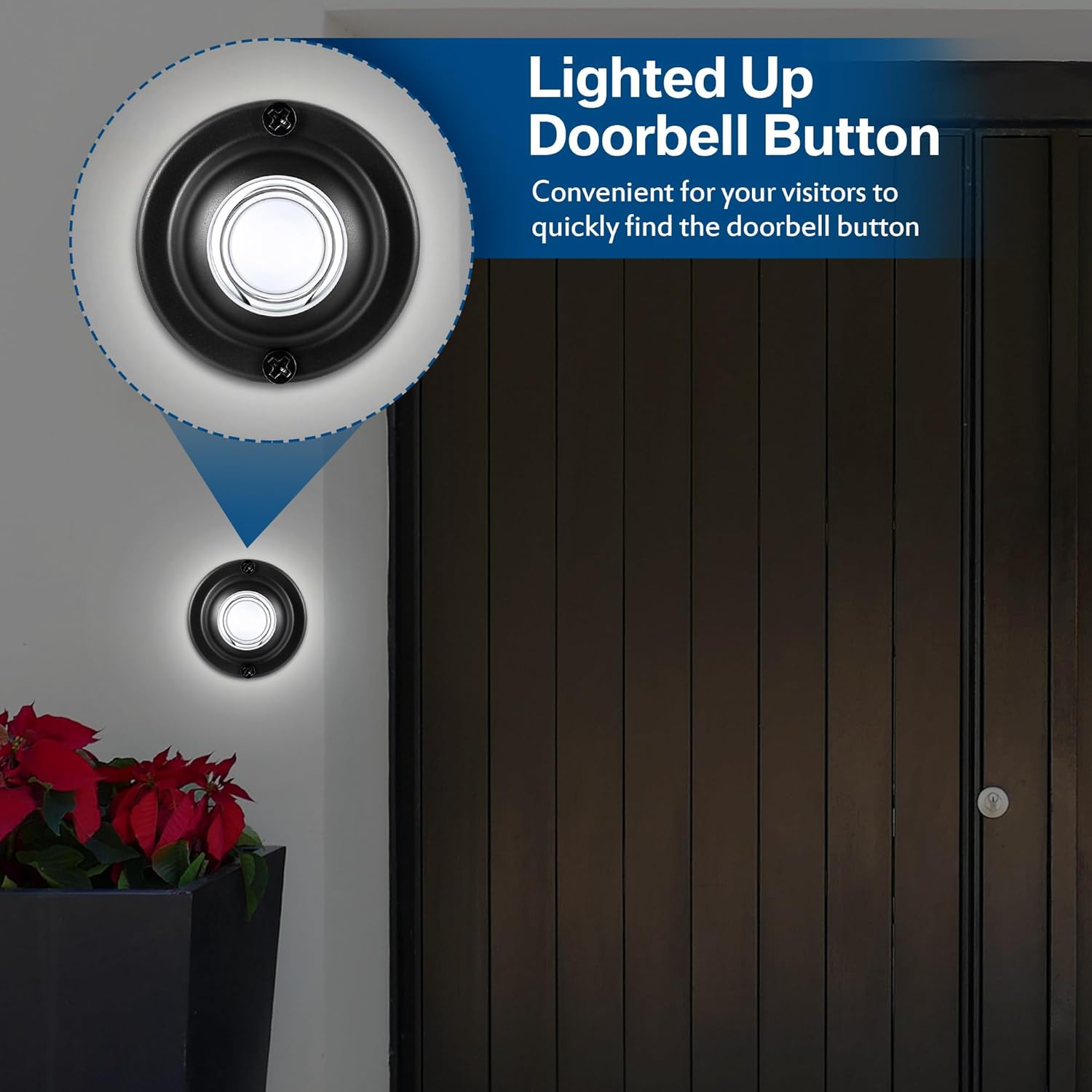
Figure 3: The doorbell button illuminated by its integrated LED, making it easy to locate in the dark.

Figure 4: The Dreyoo wired LED doorbell button installed on a front door, ready for use. No batteries are required for its operation.
6. Maintenance
The Dreyoo doorbell button is constructed from solid metal and features a waterproof design, ensuring durability and minimal maintenance. The LED light is designed for long-term use and does not typically burn out like traditional bulbs.
- Cleaning: To clean the doorbell button, wipe it with a soft, damp cloth. Avoid using abrasive cleaners or solvents that could damage the finish.
- Inspection: Periodically check the button for any signs of wear or damage. Ensure the mounting screws remain tight.
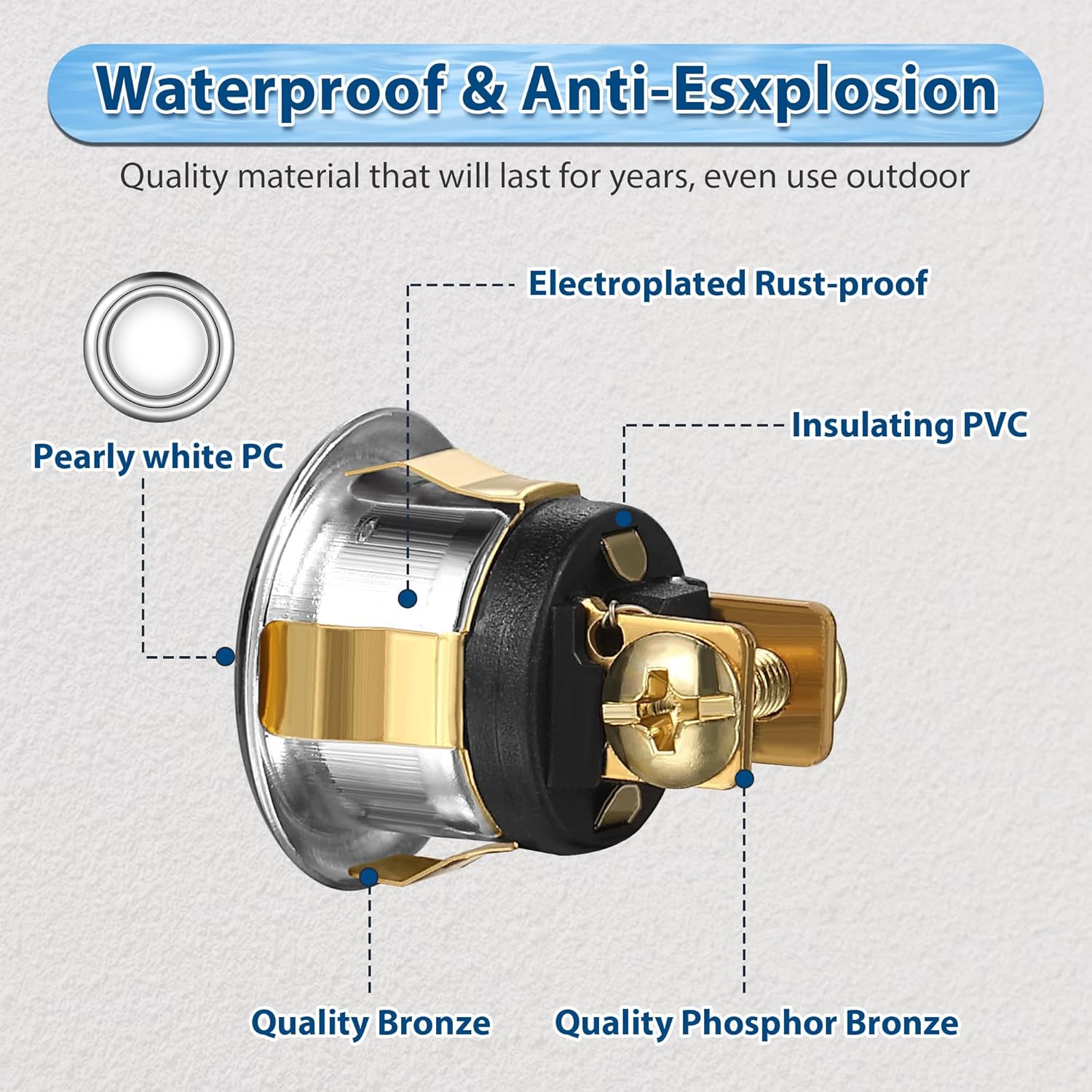
Figure 5: Diagram illustrating the internal components and materials, highlighting the quality bronze, phosphor bronze, electroplated rust-proof elements, insulating PVC, and pearly white PC button, contributing to its waterproof and durable design.
7. Troubleshooting
| Problem | Possible Cause | Solution |
|---|---|---|
| Doorbell does not chime when pressed. |
|
|
| LED light does not illuminate. |
|
|
8. Specifications
- Brand: Dreyoo
- Model Number: Dreyoo-Push Button-0942
- Material: Solid Metal (Quality Bronze, Quality Phosphor Bronze)
- Color: Black
- Light Type: LED (White Light)
- Product Dimensions: 1.73 x 1.77 x 0.98 inches (approximately)
- Item Weight: 0.96 ounces
- Screw Hole Distance: 1.5 inches
- Temperature Tolerance: -4 to 240 degrees Fahrenheit (-20 to 115 degrees Celsius)
- Features: Waterproof, Electroplated Rust-proof, Insulating PVC
9. Support
For further assistance or inquiries, please refer to the seller's contact information on the platform where the product was purchased.