
1. Important Safety Instructions
Please read this manual thoroughly before operating your Yaufey dehumidifier. Retain this manual for future reference. Failure to follow these instructions may result in electric shock, fire, or injury.
- Always ensure the unit is placed on a stable, level surface.
- Do not operate the unit near water or in excessively wet environments.
- Ensure the power cord is not damaged and is properly grounded.
- Keep children and pets away from the unit during operation.
- Allow the unit to stand upright for at least 24 hours before initial use after transport. This allows the refrigerant to settle.
- Do not block air inlets or outlets. Maintain at least 8 inches (20 cm) of clearance around the unit.
2. Product Overview
The Yaufey 32.7 Pints Dehumidifier is designed to efficiently remove excess moisture from indoor spaces up to 2500 square feet, such as basements, bedrooms, and living rooms. It features intelligent controls, multiple drainage options, and quiet operation.
Components Included:
- Yaufey 32.7 Pint Dehumidifier x 1
- Water Tank x 1
- Detachable & Washable Filter x 1
- Drain Hose (6.56 ft) x 1
- Power Cord x 1
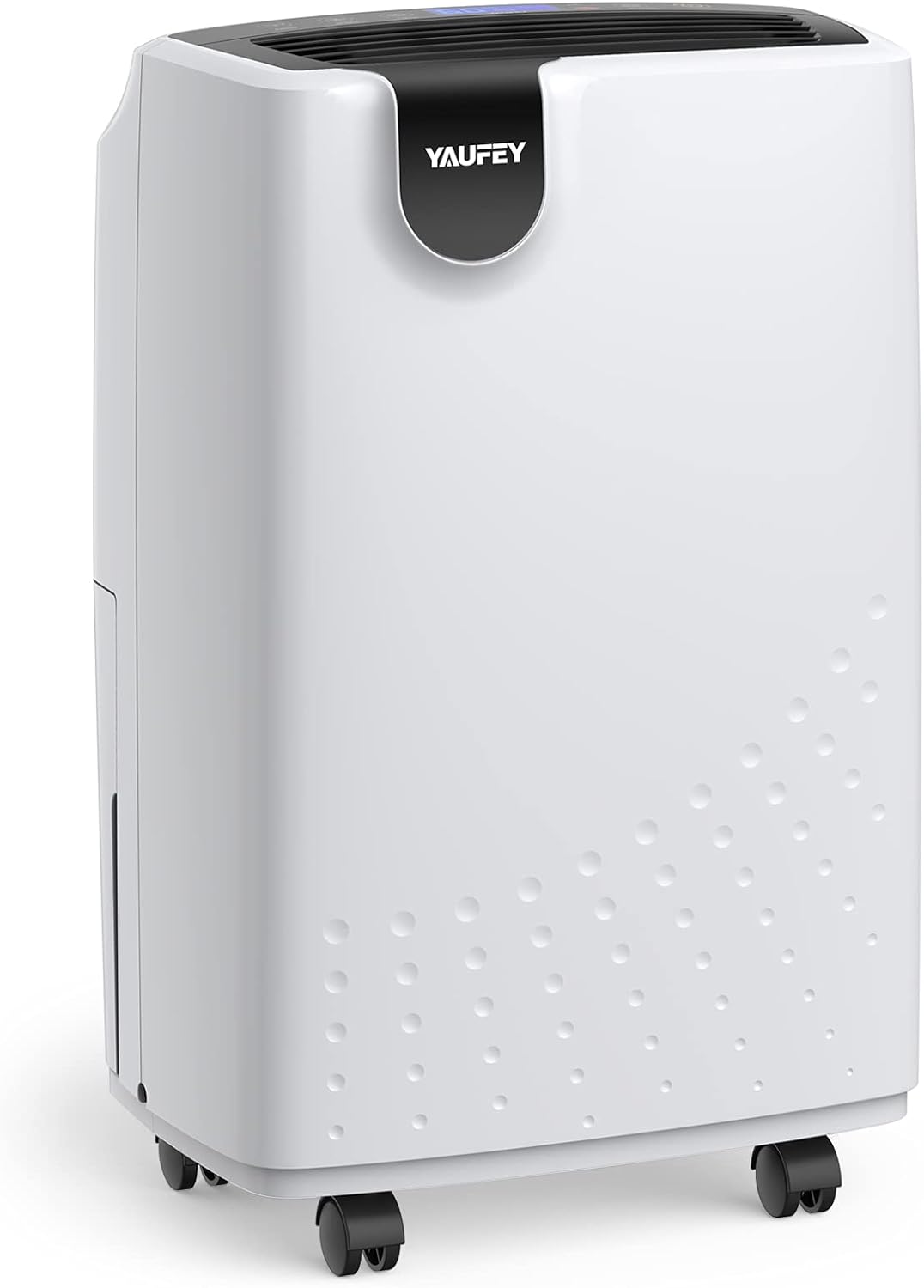
Figure 2.1: Front view of the Yaufey 32.7 Pints Dehumidifier.

Figure 2.2: Overview of the dehumidifier's multi-functional features, including humidity auto control, power outage automatic restart, auto shut off/on, drain hose inclusion, auto defrost, and 24-hour timer setting.
3. Setup and Installation
3.1 Unpacking and Placement
- Carefully remove the dehumidifier from its packaging.
- Place the unit upright on a firm, level surface in the desired location. Ensure there is at least 8 inches (20 cm) of space around all sides for proper airflow.
- Important: If the unit has been tilted or laid on its side during transport, allow it to stand upright for a minimum of 24 hours before plugging it in. This prevents damage to the compressor.

Figure 3.1: The dehumidifier positioned in a home environment, demonstrating appropriate placement.
3.2 Power Connection
Plug the power cord into a properly grounded electrical outlet. Ensure the voltage matches the specifications of the unit.
3.3 Drainage Options
Your dehumidifier offers two drainage methods:
- Manual Drainage (Water Tank): The unit will collect water in the internal 0.48-gallon water tank. When the tank is full, the unit will automatically shut off, and an indicator light will illuminate. You must manually empty the tank.
- Continuous Drainage (Drain Hose): For continuous operation without manual emptying, attach the included 6.56 ft drain hose to the drainage outlet on the back of the unit. Route the hose to a floor drain or a suitable receptacle. Ensure the hose is sloped downwards to allow gravity drainage.

Figure 3.2: Illustration of the auto/manual drainage system, highlighting the water tank and the continuous drain hose connection point with overflow protection.
4. Operation
The dehumidifier features a light-touch intelligent control panel for easy operation.
4.1 Control Panel Overview
Refer to the control panel on the top of the unit for specific button functions and display indicators.
4.2 Power On/Off
Press the Power button to turn the unit on or off.
4.3 Setting Desired Humidity Level
Use the humidity control buttons to set your desired relative humidity (RH) level. The unit will operate until the ambient humidity reaches the set level, then cycle on and off to maintain it.
4.4 Fan Speed Adjustment
Select between Regular and Turbo fan speeds for optimal comfort and dehumidification efficiency. Turbo speed provides faster moisture removal.
4.5 24-Hour Timer Function
Program the 24-hour timer to automatically turn the unit on or off at a specified time, allowing for energy savings and convenience.
4.6 Auto Defrost
The unit is equipped with an auto defrost function to prevent ice buildup on the evaporator coils, ensuring efficient operation in cooler environments.
4.7 Power Outage Automatic Restart
In the event of a power outage, the unit will automatically resume operation with the previous settings once power is restored.

Figure 4.1: Illustration highlighting the quiet operation of the dehumidifier, comparing its noise level to common sounds.
5. Maintenance
Regular maintenance ensures optimal performance and longevity of your dehumidifier.
5.1 Emptying the Water Tank
When the water tank is full, the unit will stop operating and an indicator light will turn on. Carefully remove the water tank from the unit, empty the collected water, and then reinsert the tank securely. The unit will resume operation.
5.2 Cleaning the Air Filter
The removable and washable filter should be cleaned regularly (e.g., every two weeks or as needed) to maintain air quality and dehumidifier efficiency.
- Turn off the dehumidifier and unplug it from the power outlet.
- Remove the air filter from the back of the unit.
- Wash the filter with warm, soapy water. Rinse thoroughly and allow it to air dry completely before reinserting.
- Reinstall the dry filter and plug the unit back in.
5.3 Storage
If storing the unit for an extended period, ensure the water tank is empty and the filter is clean and dry. Store the unit upright in a cool, dry place.
6. Troubleshooting
Review the following common issues and solutions before contacting customer support.
| Problem | Possible Cause | Solution |
|---|---|---|
| Unit does not turn on | No power; Power cord not plugged in; Water tank full or not properly inserted. | Check power supply; Ensure cord is securely plugged in; Empty and reinsert water tank correctly. |
| Unit not collecting water | Humidity level set too high; Room temperature too low; Air filter clogged; Unit in defrost mode. | Lower desired humidity setting; Ensure room temperature is above 41°F (5°C); Clean air filter; Wait for defrost cycle to complete. |
| Unusual noise during operation | Unit not on a level surface; Obstruction in fan; Loose parts. | Place unit on a level surface; Check for and remove any obstructions; Contact customer support if noise persists. |
| Airflow is weak | Air filter clogged; Air inlets/outlets blocked. | Clean air filter; Ensure proper clearance around the unit. |
If the problem persists after attempting these solutions, please contact Yaufey customer support.
7. Specifications
| Feature | Detail |
|---|---|
| Brand | Yaufey |
| Model Name | PD161D |
| Dehumidification Capacity | 32.7 Pints per Day (at 95°F, 90% RH) |
| Coverage Area | Up to 2500 Square Feet |
| Water Tank Volume | 0.48 Gallons |
| Product Dimensions (D x W x H) | 8.2" x 12.2" x 18.9" |
| Item Weight | 23.1 Pounds |
| Wattage | 115 watts |
| Air Flow Capacity | 64.7 Cubic Feet Per Minute |
| Number of Speeds | 2 (Regular, Turbo) |
| Special Features | 0.48 Gal Large Water Tank, 6.56 Ft Drain Hose, Auto Defrost, Timer function, Adjustable Humidity Control, Quiet Operation, Reusable Washable Filter, Ergonomic Handles, Universal Castors |
| Material | Plastic |
| UPC | 704619385892, 704619385755 |

Figure 7.1: Product dimensions of the Yaufey 32.7 Pints Dehumidifier.
8. Warranty and Customer Support
Yaufey is committed to providing quality products and customer satisfaction.
8.1 Warranty Information
- 30-Day Money Back Guarantee: If you are not satisfied with your purchase, you may return it within 30 days for a full refund.
- 12-Month Free Replacements: The product is covered by a 12-month warranty for free replacements due to manufacturing defects.
- Lifetime Support: Yaufey provides lifetime technical support for its products.
8.2 Customer Support
For any issues, questions, or support needs, please contact Yaufey customer service via the after-sale email provided with your purchase documentation. Our team aims to reply within 12 hours to assist you.


