
Introduction
This manual provides comprehensive instructions for the setup, operation, and maintenance of your Timberland Unisex Adult Watch, Model TDWGF0009703. Please read this manual thoroughly to ensure proper use and to maximize the lifespan of your timepiece.

Figure 1: Front view of the Timberland TDWGF0009703 watch. This image displays the watch face, including the Timberland logo, "DUAL TIME" text, hour markers, and sub-dials for chronograph functions. The brown leather strap with the embossed tree logo is also visible.
Product Overview
The Timberland TDWGF0009703 is a robust and stylish timepiece designed for daily wear. It features a durable casing and a comfortable strap, suitable for various activities. Key features include:
- Shock-resistant construction for enhanced durability.
- Dual time functionality.
- Chronograph sub-dials for precise timing.
- Date display window.

Figure 2: Angled view of the Timberland TDWGF0009703 watch. This perspective showcases the watch's profile, the texture of the brown leather strap, and the details of the watch face and crown.
Setup
Setting the Time
- Pull the crown (located on the right side of the watch) out to the first click position for date adjustment, or the second click position for time adjustment.
- Rotate the crown clockwise or counter-clockwise to set the hour and minute hands to the correct time.
- Push the crown back in to its original position to start the watch movement.
Setting the Date
- Pull the crown out to the first click position.
- Rotate the crown to adjust the date in the date window.
- Push the crown back in to its original position.
Note: Avoid setting the date between 9 PM and 3 AM, as this may interfere with the automatic date change mechanism.
Operating the Chronograph
The chronograph function allows for precise measurement of elapsed time.
- Start: Press the top pusher (button above the crown) to start the chronograph. The chronograph second hand will begin to move.
- Stop: Press the top pusher again to stop the chronograph. The elapsed time will be indicated by the chronograph hands.
- Reset: With the chronograph stopped, press the bottom pusher (button below the crown) to reset all chronograph hands to their zero positions.

Figure 3: Close-up view of the watch dial and pushers. This image provides a detailed look at the chronograph sub-dials, the main hands, and the two pushers used to operate the chronograph function.
Maintenance
Cleaning
To maintain the appearance of your watch, wipe the case and strap with a soft, dry cloth regularly. For more stubborn dirt, a slightly damp cloth can be used, followed by immediate drying. Avoid using harsh chemicals or abrasive materials.
Water Resistance
This watch is designed with a certain level of water resistance. Refer to the specifications section for details. Avoid exposing the watch to hot water, steam, or prolonged submersion unless explicitly stated as suitable for such conditions. Ensure the crown is fully pushed in before any contact with water.
Battery Replacement
When the watch stops or the second hand begins to skip, it indicates a low battery. Battery replacement should be performed by a qualified watch technician to ensure proper sealing and functionality.
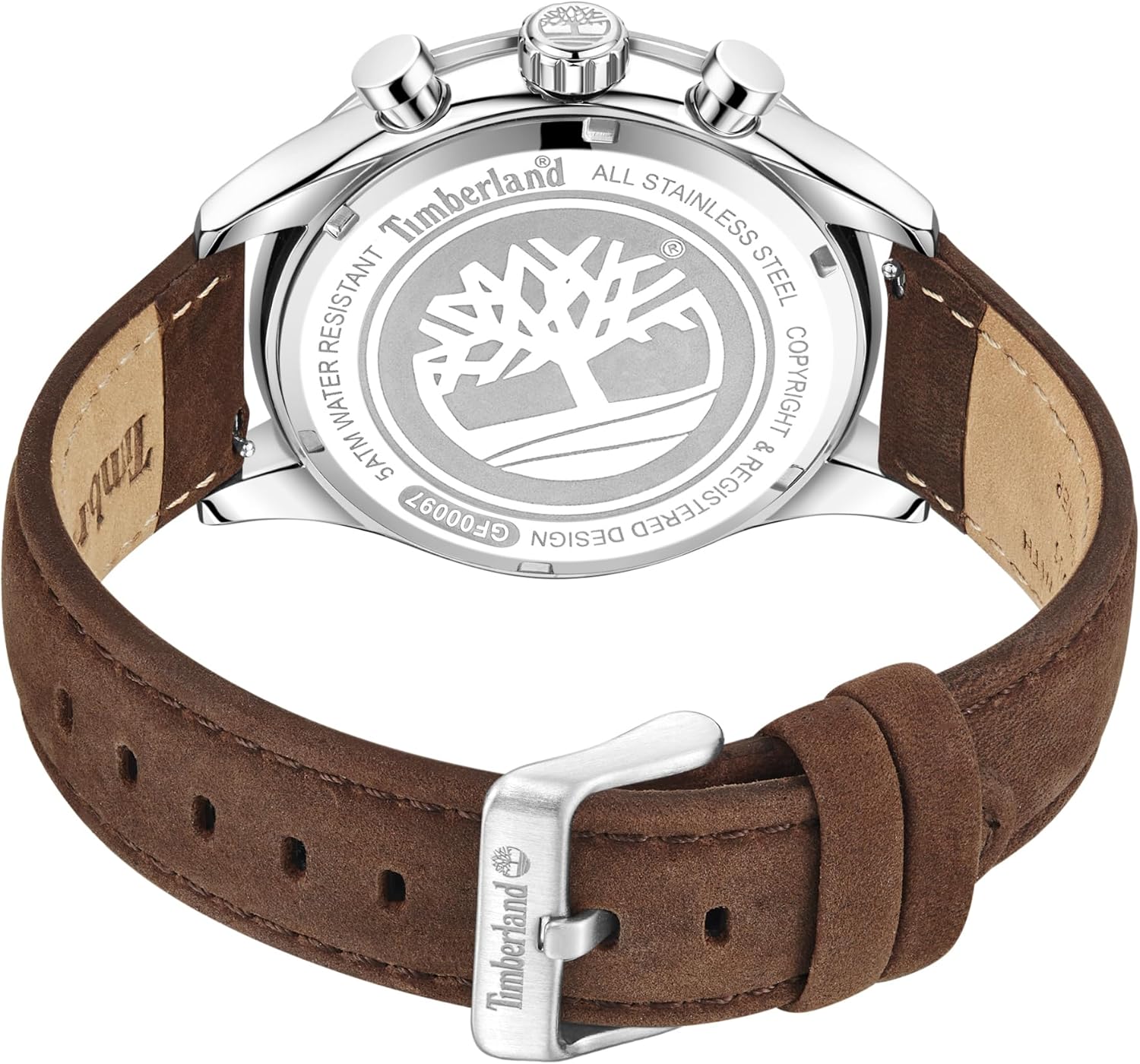
Figure 4: Rear view of the Timberland TDWGF0009703 watch. This image shows the stainless steel case back with engraved details, including the Timberland logo, water resistance rating, and model information. The buckle and the full length of the brown leather strap are also visible.
Troubleshooting
| Problem | Possible Cause | Solution |
|---|---|---|
| Watch stops or runs intermittently. | Low battery. | Replace battery (professional service recommended). |
| Date does not change at midnight. | Time set incorrectly (AM/PM). | Advance the time by 12 hours. |
| Condensation inside the crystal. | Exposure to extreme temperature changes or water ingress. | Seek professional service immediately to prevent damage. |
| Chronograph hands do not reset to zero. | Requires calibration. | Consult the manufacturer's specific calibration instructions or seek professional service. |
Specifications
- Model Number: TDWGF0009703
- Brand: Timberland
- Department: Unisex-Adult
- Manufacturer: TIMBERLAND
- ASIN: B0CJTYWPXV
- Key Feature: Shock-resistant
- Water Resistance: 5 ATM (50 meters) - Suitable for short periods of recreational swimming, but not for diving or snorkeling. Avoid hot water.
Warranty and Support
Timberland watches typically come with a limited warranty covering manufacturing defects. The duration and terms of the warranty may vary by region and retailer. Please retain your proof of purchase for warranty claims.
For technical support, service, or warranty inquiries, please contact the authorized Timberland service center or the retailer from whom you purchased the watch. Contact information can usually be found on the official Timberland website or on your warranty card.
You can visit the official Timberland Accessories store for more information: Timberland Accessories Store


