
Introduction
Thank you for choosing the Heyday Active Noise Cancelling Bluetooth Wireless Over-Ear Headphones. These headphones are designed to provide a superior audio experience with the added benefit of active noise cancellation, allowing you to focus on your audio without distractions. They feature a comfortable over-ear design, long battery life, and versatile connectivity options for both wireless and wired use.
What's in the Box
- Heyday Active Noise Cancelling Bluetooth Wireless Over-Ear Headphones
- USB-A to USB-C Charging Cable
- 4-foot Audio Cable (3.5mm)
- Carrying Case

Image: Heyday headphones shown with the included USB-A to USB-C charging cable and the 4-foot 3.5mm audio cable.
Setup
1. Charging the Headphones
Before first use, fully charge your headphones. A full charge provides up to 35 hours of playback with Active Noise Cancellation (ANC) on, or 75 hours with ANC off.
- Connect the small end of the USB-A to USB-C charging cable to the USB-C port on the headphones.
- Connect the large end of the USB-A cable to a compatible USB power source (e.g., computer USB port, USB wall adapter).
- The LED indicator on the headphones will illuminate to show charging status. It will change or turn off when fully charged.
2. Bluetooth Pairing
Pair your headphones with your Bluetooth-enabled device for wireless audio.
- Ensure the headphones are powered off.
- Press and hold the Power button on the headphones until the LED indicator flashes, indicating pairing mode.
- On your device (smartphone, tablet, computer), go to Bluetooth settings and enable Bluetooth.
- Select "Heyday Headphones" (or similar name) from the list of available devices.
- Once connected, the LED indicator on the headphones will stop flashing and remain solid, or turn off, depending on the model.
3. Wired Connection (Optional)
Use the included 3.5mm audio cable for a wired connection to devices without Bluetooth or when the battery is depleted.
- Plug one end of the 3.5mm audio cable into the audio input jack on the headphones.
- Plug the other end of the 3.5mm audio cable into the audio output jack of your device.
- The headphones will automatically switch to wired mode. Bluetooth functionality will be disabled.
Operating Instructions

Image: Front view of the Heyday Active Noise Cancelling Bluetooth Wireless Over-Ear Headphones.
Power On/Off
- Power On: Press and hold the Power button for approximately 3 seconds until the LED indicator illuminates.
- Power Off: Press and hold the Power button for approximately 3 seconds until the LED indicator turns off.
Active Noise Cancellation (ANC) & Ambient Mode
These headphones feature Active Noise Cancellation (ANC) to reduce ambient noise and an Ambient Mode to allow some external sounds in.
- Locate the ANC/Ambient Mode button on the headphones.
- Press the button once to cycle through modes: ANC On, Ambient Mode, ANC Off.
- The LED indicator may change color or pattern to indicate the active mode.
Call Functions
The built-in microphone allows for hands-free calling when connected via Bluetooth.
- Answer/End Call: Press the Multi-function button once.
- Reject Call: Press and hold the Multi-function button for 2 seconds.
- Activate Voice Assistant: Double-press the Multi-function button.
Media Playback
Control your music directly from the headphones.
- Play/Pause: Press the Multi-function button once.
- Volume Up: Press the Volume Up button.
- Volume Down: Press the Volume Down button.
- Next Track: Press and hold the Volume Up button.
- Previous Track: Press and hold the Volume Down button.
Maintenance
Cleaning
Regular cleaning helps maintain the headphones' appearance and hygiene.
- Wipe the earcups and headband with a soft, dry, lint-free cloth.
- For stubborn dirt, slightly dampen the cloth with water. Do not use harsh chemicals or abrasive cleaners.
- Avoid getting moisture into any openings.
Storage
Proper storage protects your headphones from damage.
- When not in use, store the headphones in the included carrying case to protect them from dust, scratches, and impacts.
- Store in a cool, dry place away from direct sunlight and extreme temperatures.
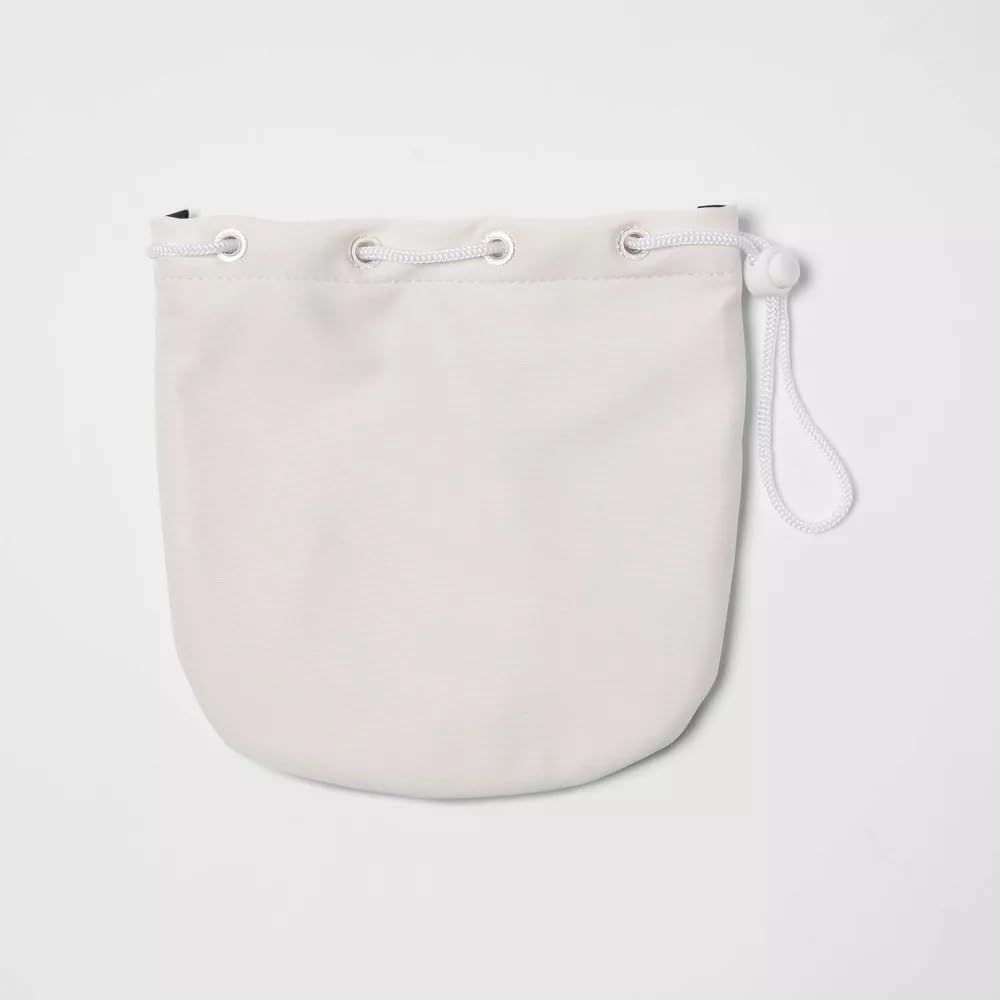
Image: The white drawstring carrying case provided with the Heyday headphones.
Battery Care
To maximize battery lifespan:
- Avoid fully discharging the battery frequently.
- Charge the headphones regularly, even if not used for extended periods.
- Do not expose the headphones to extreme heat or cold, as this can degrade battery performance.
Troubleshooting
| Problem | Possible Cause | Solution |
|---|---|---|
| Headphones do not power on. | Battery is depleted. | Charge the headphones using the provided USB-C cable. |
| Cannot pair with Bluetooth device. | Headphones not in pairing mode; Device Bluetooth off; Out of range. | Ensure headphones are in pairing mode (flashing LED). Turn device Bluetooth off and on. Move headphones closer to device (within 33 feet). |
| No sound when connected via Bluetooth. | Volume too low; Incorrect audio output selected on device. | Increase headphone and device volume. Check device's audio output settings to ensure headphones are selected. |
| ANC not working effectively. | ANC mode not activated; Very high-frequency noise. | Ensure ANC mode is active. ANC is most effective on low-frequency, constant noise. |
| Microphone not working during calls. | Microphone muted on device; Headphones not selected as input device. | Check device call settings. Ensure headphones are selected as the microphone input. |
Specifications
| Feature | Detail |
|---|---|
| Model Name | heyday Active Noise Cancelling Bluetooth Wireless Over-Ear Headphones |
| Model Number | 81579567 |
| Connectivity Technology | Wireless (Bluetooth), Wired (3.5mm Jack) |
| Wireless Communication Technology | Bluetooth 5.0 |
| Bluetooth Range | 33 Feet (10 meters) |
| Noise Control | Active Noise Cancellation (ANC) |
| Battery Life (ANC On) | Up to 35 Hours |
| Battery Life (ANC Off) | Up to 75 Hours |
| Control Type | Media Control, Touch Control |
| Built-in Microphone | Yes |
| Ear Placement | Over Ear |
| Material | Thermoplastic Elastomer (TPE) |
| Color | White (Stone White Gold) |
| Item Weight | 1.7 pounds (approx. 0.77 kg) |
| UPC | 191907664126 |
Safety Information
- Do not expose headphones to extreme temperatures, humidity, or liquids.
- Avoid dropping or subjecting the headphones to strong impacts.
- Do not attempt to disassemble or modify the headphones. This will void the warranty and may cause damage.
- Listen at moderate volume levels to prevent hearing damage. Prolonged exposure to loud sounds can cause permanent hearing loss.
- Do not use headphones while driving, cycling, or in situations where you need to hear surrounding sounds for safety.
- Keep out of reach of children.
Warranty and Support
Heyday products are designed for reliability and performance. For information regarding warranty coverage, technical support, or service inquiries, please refer to the warranty card included with your purchase or visit the official Heyday support website. Please have your model number (81579567) and proof of purchase ready when contacting support.


