
1. Introduction
This user manual provides comprehensive instructions for the setup, operation, and maintenance of your VTech LS6381 DECT 6.0 Cordless Phone. This system features a Bluetooth speaker built into the base unit, Connect to Cell technology, Smart Call Blocker, and a digital answering machine, offering versatile communication options for both landline and cellular calls.
2. What's in the Box
Verify that all items are included in your package:
- Base Unit
- Cordless Handset
- AC Adapter
- Battery Pack
- Telephone Line Cord

Image: The VTech LS6381 cordless phone handset docked in its base unit, showcasing the sleek design and integrated speaker.
3. Setup
3.1 Battery Installation
Before initial use, install the included battery pack into the cordless handset. Open the battery compartment cover on the back of the handset, connect the battery pack connector, and place the battery into the compartment. Close the cover securely.
Video: Product Overview Video. This video demonstrates the unboxing and initial setup steps, including battery installation and connecting the base unit.
3.2 Connecting the Base Unit
Connect the AC adapter to the base unit and plug it into a power outlet. If you are using a landline, connect the telephone line cord to the base unit and then to your telephone wall jack.
3.3 Bluetooth Connect to Cell Setup
The LS6381 allows you to pair up to two cellular phones via Bluetooth. To pair a device, ensure Bluetooth is enabled on your mobile phone. On the VTech base unit, follow the pairing instructions (refer to the full manual for detailed steps). Once paired, you can make and receive cellular calls through the cordless handset or the base speakerphone.

Image: Two smartphones displaying call screens, with the VTech LS6381 base unit and handset in the background, illustrating the 'Connect to Cell' feature.
4. Operating Instructions
4.1 Making and Receiving Calls
You can make and receive calls using either your landline connection or your paired cellular phone. Select the desired line (CELL or HOME/FLASH) on the handset before dialing. For incoming calls, the phone will indicate whether it's a landline or cellular call.
4.2 Smart Call Blocker
The Smart Call Blocker feature automatically blocks robocalls and allows you to permanently blacklist unwanted numbers with a single touch. Up to 1,000 names and numbers can be added to the block list. This feature requires Caller ID subscription from your telephone service provider.

Image: A close-up of the VTech LS6381 handset keypad, highlighting the 'CALL BLOCK' button and a table explaining the Smart Call Blocker actions for different call types.
4.3 Digital Answering System
The integrated digital answering system provides up to 22 minutes of recording time for landline calls. You can set up the answering system using the voice guide, retrieve messages remotely, and access message retrieval from the handset. This feature is for landline calls only.

Image: A woman listening to a message, with the VTech LS6381 base unit and handset in the foreground, illustrating the digital answering system.
4.4 Speakerphone Functionality
Both the handset and the base unit feature full-duplex speakerphones, allowing both parties to speak and be heard simultaneously for more natural conversations. The base unit's speaker is designed for premium audio performance with echo cancellation and noise reduction, ideal for music streaming and conference calls.
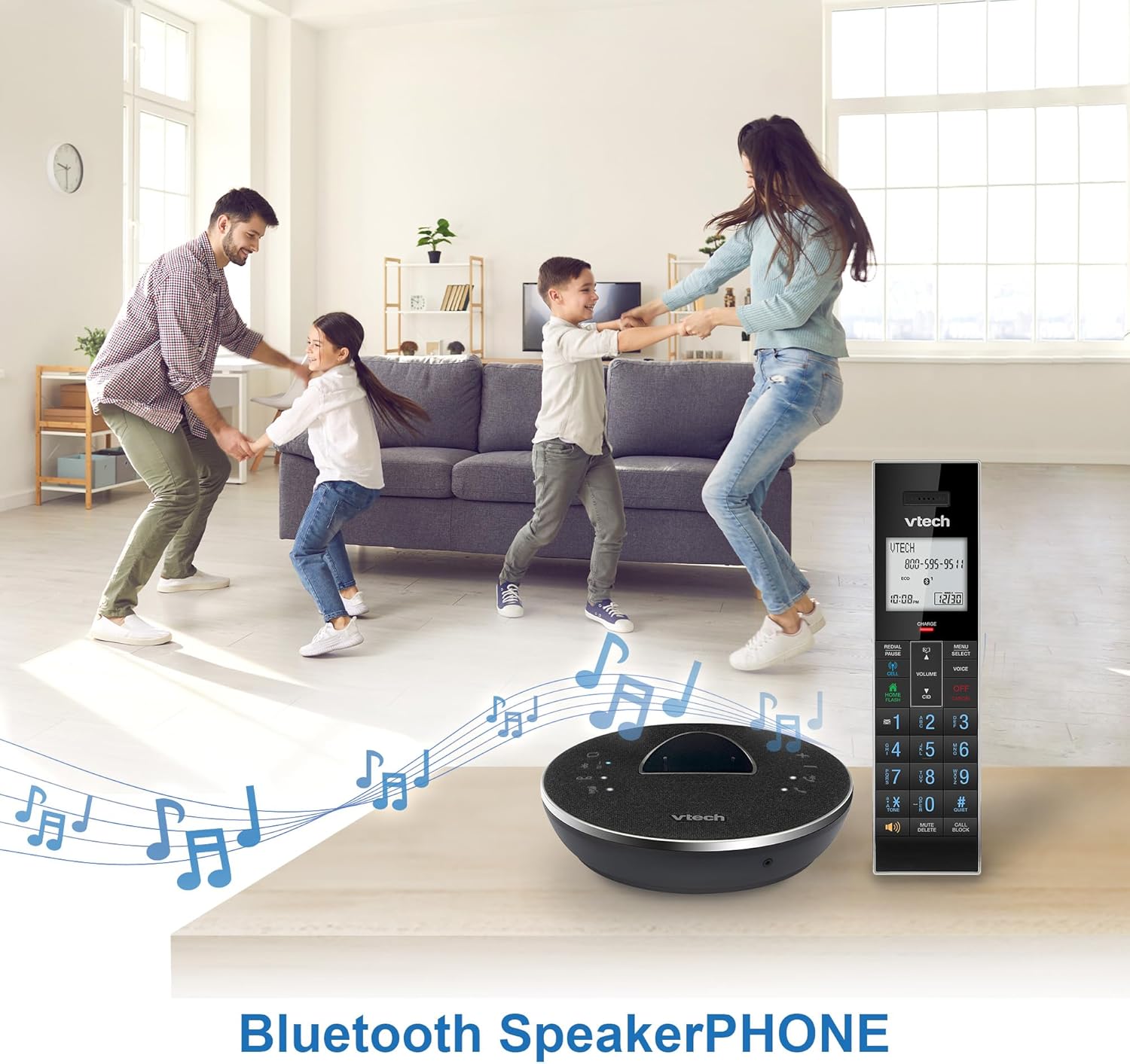
Image: A family enjoying music with the VTech LS6381 base unit, emphasizing its Bluetooth SpeakerPHONE capabilities for music streaming.

Image: A woman in a living room, with sound waves emanating from the VTech LS6381 base unit, illustrating the natural sounding and louder base speakerphone.
4.5 Mobile Smart Assistant Access
Access your mobile smart assistants (Siri, S Voice, Google Now) directly from the cordless handsets, even if your smartphone is in another room. This allows you to place calls, send texts, and perform other actions using voice commands.
4.6 Display and Keypad
The handset features a large, white backlit screen for easy reading of incoming caller ID and call history. The blue backlit keypad ensures easy dialing in low-light conditions.

Image: A close-up of the VTech LS6381 handset, showcasing its white backlit display and blue lighted keypad for enhanced visibility.
5. Maintenance
To ensure optimal performance and longevity of your VTech LS6381 phone system, follow these maintenance guidelines:
- Cleaning: Use a soft, damp cloth to clean the surfaces of the handset and base unit. Avoid using harsh chemicals or abrasive cleaners.
- Battery Care: If the phone will not be used for an extended period, remove the battery from the handset. Store the battery in a cool, dry place.
- Placement: Place the base unit in a central location away from other electronic devices that may cause interference. Ensure good ventilation around the unit.
6. Troubleshooting
If you experience issues with your VTech LS6381, try the following common troubleshooting steps:
- No Dial Tone: Check all cable connections, especially the telephone line cord and AC adapter. Ensure the base unit is powered on.
- Cannot Make/Receive Calls: Verify that the handset battery is charged. If using Connect to Cell, ensure your mobile phone is paired and within range. Check your landline service if applicable.
- Poor Sound Quality: Move the handset closer to the base unit. Ensure there are no large metal objects or other electronic devices interfering with the signal.
- Bluetooth Pairing Issues: Ensure Bluetooth is enabled on your mobile device and that it is in pairing mode. Delete previous pairings on both the phone and the VTech unit and try again.
For more detailed troubleshooting or persistent issues, please refer to the complete user manual available on the VTech support website or contact VTech customer support.
7. Specifications
| Feature | Description |
|---|---|
| Product Dimensions | 6.5 x 2 x 7.5 inches |
| Item Weight | 1.28 pounds |
| Model Number | LS6381 |
| Batteries | 1 Product Specific battery required (included) |
| Answering System Type | Digital (up to 22 minutes recording time) |
| Bluetooth | Connect to Cell (pair up to 2 cell phones) |
| Call Blocker | Smart Call Blocker (up to 1,000 numbers) |
| Speakerphone | Full-Duplex Handset and Base Speakerphone |
| Display | Large White Backlit Screen |
| Keypad | Blue Backlit Keypad |
| DECT Technology | DECT 6.0 for long range |
| Caller ID/Call Waiting | Stores 50 call records (subscription required) |
8. Warranty and Support
VTech products are designed for reliability and performance. For warranty information, please refer to the warranty card included with your product or visit the official VTech website. For technical support, frequently asked questions, or to download the full user manual, please visit the VTech support section online or contact their customer service directly.
VTech Official Website: www.vtechphones.com


