
YAQ T12
YAQ T12 Wireless Earbuds User Manual
Model: T12
Introduction
Thank you for choosing YAQ T12 Wireless Earbuds. This manual provides detailed instructions for setting up, operating, maintaining, and troubleshooting your earbuds to ensure an optimal audio experience. Please read this manual thoroughly before use.
Package Contents
Verify that all items are present in your package:
- YAQ T12 Wireless Earbuds (Left and Right)
- Charging Case
- USB Charging Cable
- Eartips (Small, Medium, Large)
- User Manual
Product Overview
The YAQ T12 Wireless Earbuds feature Bluetooth 5.3 connectivity, IPX5 water resistance, and an LED power display on the charging case. They are designed for comfortable wear and provide clear audio for music and calls.

Image: YAQ T12 Wireless Earbuds in their pink charging case, displaying the LED battery indicators for both earbuds and the case.
Setup
1. Initial Charging
Before first use, fully charge the earbuds and the charging case.
- Place the earbuds into the charging case.
- Connect the USB charging cable to the charging port on the case and a power source.
- The LED display on the case will show the charging status. A full charge is indicated when the display shows 100% and the earbud indicators are full.
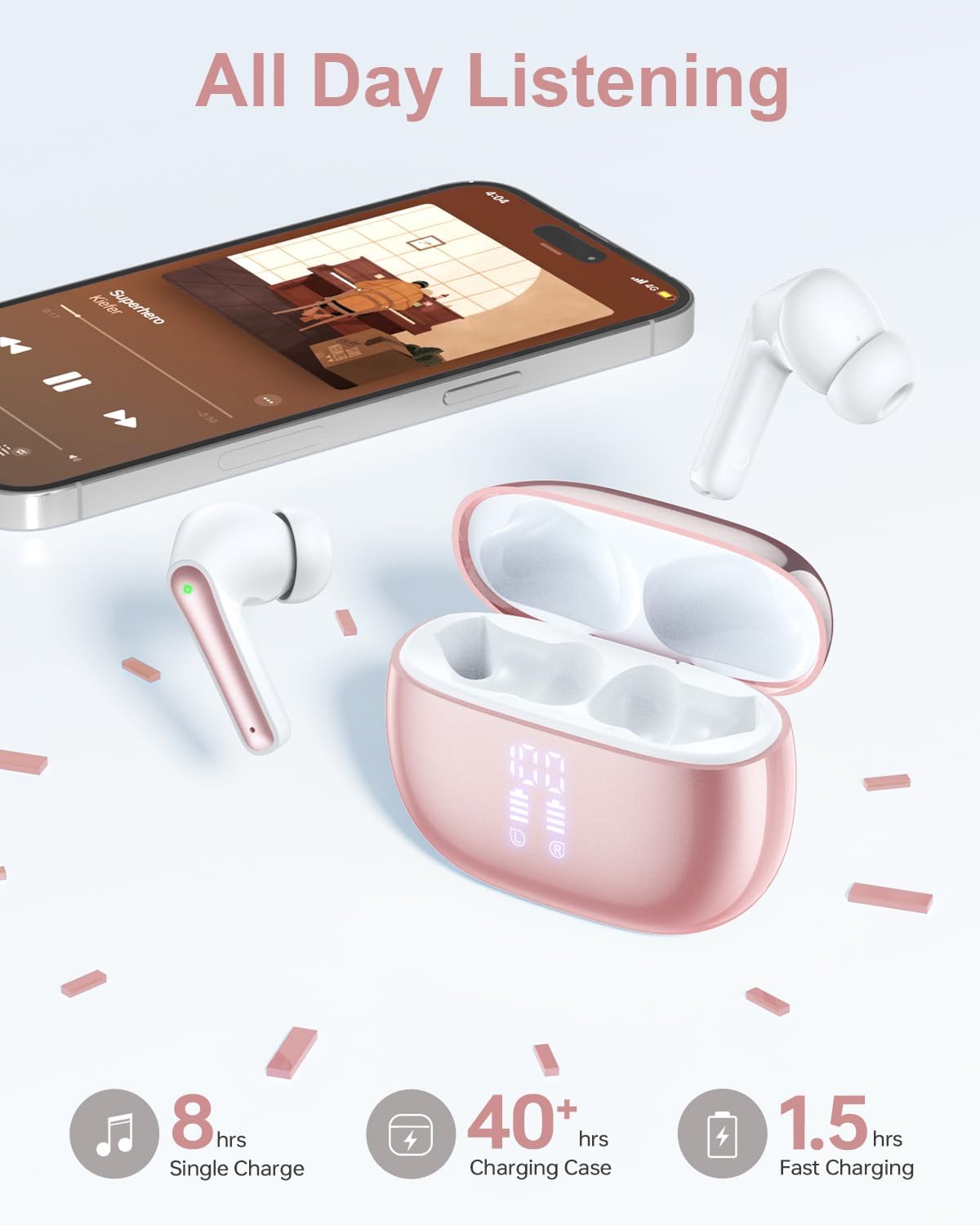
Image: YAQ T12 Wireless Earbuds and their charging case, illustrating the long battery life and charging process.
2. Pairing with a Device
The YAQ T12 earbuds utilize Bluetooth 5.3 for stable and efficient connection.
- Ensure your device's Bluetooth is turned on.
- Open the charging case. The earbuds will automatically enter pairing mode.
- On your device, search for Bluetooth devices and select "T12" from the list.
- Once connected, a voice prompt will confirm successful pairing.
After the initial pairing, the earbuds will automatically connect to your device when taken out of the charging case, provided Bluetooth is enabled on your device.

Image: Visual representation of the YAQ T12 earbuds easily pairing with a smartphone via Bluetooth.
3. Wearing the Earbuds
Select the appropriate eartip size (S, M, L) for a secure and comfortable fit. The earbuds are designed to distribute pressure evenly in the ear canal for stability.

Image: A woman demonstrating the comfortable fit of the YAQ T12 earbud, alongside a visual guide for selecting the correct eartip size (S, M, L).
Operating Instructions
Touch Controls
The YAQ T12 earbuds feature sensitive touch control panels on each earbud for easy management of audio and calls.

Image: A comprehensive diagram detailing the touch control gestures for various functions on the YAQ T12 earbuds, including play/pause, track skipping, volume adjustment, and call management.
| Action | Gesture (Left/Right Earbud) |
|---|---|
| Play/Pause Music | Single Tap (R/L) |
| Next Track | Double Tap (R) |
| Previous Track | Double Tap (L) |
| Volume Up | Long Tap (R) |
| Volume Down | Long Tap (L) |
| Answer/End Call | Single Tap (R/L) |
| Reject Call | Double Tap (R/L) |
| Activate Voice Assistant | Triple Tap (R/L) |
Making and Receiving Calls
The earbuds are equipped with a microphone for clear communication. Refer to the touch control table for call management gestures.

Image: A woman engaging in a phone conversation using the YAQ T12 earbuds, highlighting the clear call quality.
Voice Assistant
Activate your device's voice assistant (e.g., Siri, Google Assistant) with a triple tap on either earbud.
Maintenance
Charging the Earbuds and Case
The earbuds provide 6-8 hours of continuous use per charge. The 500mAh charging case offers approximately 5 additional charges, extending total playtime to 40 hours. The dual LED power display on the case shows the remaining battery for both the case and individual earbuds.

Image: The YAQ T12 earbuds and charging case, emphasizing the 40-hour total playtime and the digital battery display.
Water Resistance (IPX5)
The earbuds feature an IPX5 water-resistant rating, meaning they are protected against low-pressure water jets from any direction. This makes them suitable for workouts and use in light rain. Do not submerge the earbuds in water.
Cleaning
Regularly clean your earbuds and charging case to ensure optimal performance and hygiene.
- Use a soft, dry, lint-free cloth to wipe the earbuds and charging case.
- Remove eartips and clean them with mild soap and water, then dry thoroughly before reattaching.
- Gently clean the charging contacts on both the earbuds and the case with a dry cotton swab.
Troubleshooting
Earbuds Not Pairing
- Ensure both earbuds are charged.
- Turn off and then on your device's Bluetooth.
- Place earbuds back in the case, close the lid, wait a few seconds, then open the lid and try pairing again.
- If previously paired, try forgetting "T12" in your device's Bluetooth settings and re-pairing.
No Sound or Low Volume
- Check the volume level on both your device and the earbuds.
- Ensure earbuds are properly connected to your device.
- Clean any debris from the earbud speaker mesh.
Unstable Connection
- Ensure your device is within the 10-meter Bluetooth range.
- Minimize obstacles between your device and the earbuds.
- Avoid placing your connected device in deep pockets or areas that may obstruct the Bluetooth signal, especially during movement.
- Interference from other wireless devices or strong electromagnetic fields can affect connection stability.
Specifications
| Feature | Detail |
|---|---|
| Model Name | T12 |
| Bluetooth Version | 5.3 |
| Connectivity Technology | Wireless |
| Audio Driver Size | 13 mm |
| Earbud Battery Life | Up to 8 hours |
| Total Playtime (with case) | Up to 40 hours |
| Charging Case Battery | 500mAh |
| Water Resistance | IPX5 |
| Control Method | Touch Control |
| Bluetooth Range | 10 meters (33 feet) |
| Earbud Weight | Approx. 4 grams (each) |
| Case Dimensions | 2.4 x 1.9 x 0.5 inches |
| Compatible Devices | Cellphones, Tablets, Laptops, Desktops (iOS/Android/Windows) |
Warranty and Support
YAQ provides a 365-day worry-free guarantee for the T12 Wireless Earbuds. If you encounter any issues or have questions regarding your product, please contact YAQ customer support directly for assistance. We are committed to providing a full refund or a new replacement if a problem cannot be resolved.

Image: YAQ's commitment to customer satisfaction, highlighting the 365-day worry-free guarantee and direct support.
Ask a question about this manual
Ask about setup, troubleshooting, compatibility, parts, safety, or missing instructions. Manuals+ will review the question and use this page’s manual context to help answer it.