
Introduction
Thank you for choosing the ChooChoo CS2202 Corner Storage Cabinet. This manual provides detailed instructions for the safe assembly, proper operation, and effective maintenance of your new cabinet. Please read all instructions carefully before beginning assembly and retain this manual for future reference.

Image: The ChooChoo CS2202 Corner Storage Cabinet in black, showcasing its design and compact form.
Safety Information
Your safety is paramount. Please adhere to the following guidelines:
- Always follow the assembly instructions carefully, step by step.
- Ensure the cabinet is securely installed in the corner to prevent tipping. Consider using wall anchor kits if available and recommended for added stability, especially in households with children or pets.
- Keep the area around the cabinet clear during assembly and use to avoid potential hazards.
- Do not overload shelves. Refer to the specifications for maximum weight capacity.
- Keep small parts and packaging materials away from children.
Package Contents
Before assembly, verify that all parts and hardware are present and undamaged. Refer to the included parts list in your packaging. All components are typically numbered or labeled for easy identification.
Assembly Instructions
Detailed instructions will guide the assembly step by step. All parts and accessories are numbered and easy to distinguish. It is recommended to assemble the cabinet on a soft, clean surface to prevent scratches.
General Assembly Tips:
- Identify all parts and hardware before starting.
- Use the correct tools as specified in the assembly guide.
- Do not overtighten screws, as this may damage the engineered wood.
- Ensure panels are correctly oriented before securing them. Pay close attention to pre-drilled holes and cam lock positions.

Image: Detailed dimensions of the ChooChoo CS2202 Corner Storage Cabinet, including overall size and internal shelf measurements.
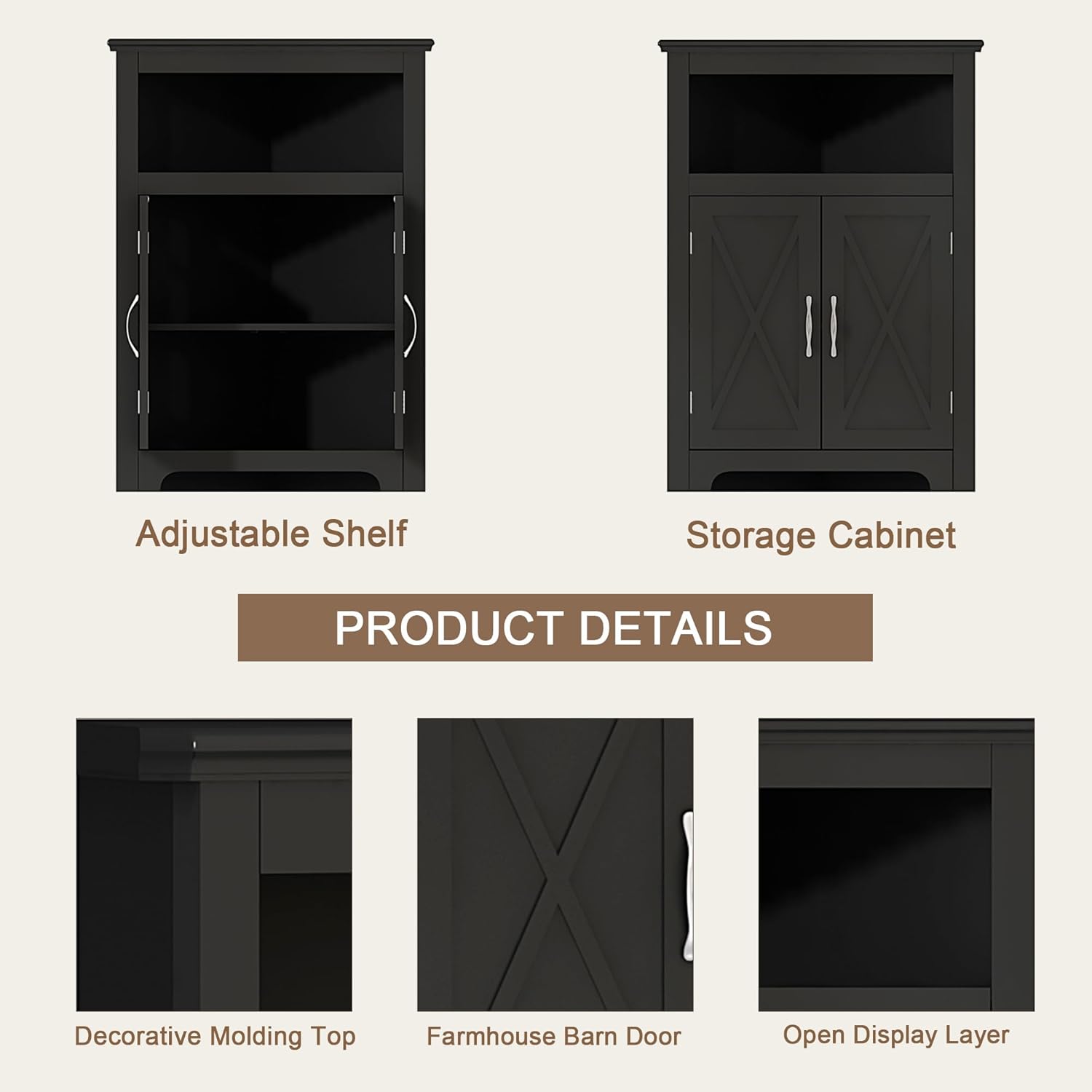
Image: Close-up view of key product details, including the adjustable shelf mechanism, farmhouse barn door design, and open display layer.
Operating Instructions
Adjustable Shelf:
The cabinet features one internal adjustable shelf. To adjust its height, locate the shelf pins on the side panels. Remove the shelf and reposition the pins into the desired holes. Ensure all four pins are securely inserted at the same height before placing the shelf back into position.
Barn Doors:
The two barn-style doors open outwards to reveal the enclosed storage space. Use the handles to gently pull the doors open or push them closed. Ensure the doors close completely to keep contents secure and dust-free.

Image: The corner cabinet utilized in a bathroom setting, demonstrating its space-saving design and storage capacity for toiletries.

Image: The corner cabinet placed in a kitchen, showcasing its use for storing dishes or displaying decorative items.
Maintenance
To ensure the longevity and appearance of your ChooChoo Corner Storage Cabinet, follow these simple maintenance steps:
- Cleaning: Wipe with a damp cloth. Avoid harsh chemicals or abrasive cleaners, which can damage the finish.
- Dusting: Regularly dust the cabinet with a soft, dry cloth.
- Hardware Check: Periodically check all screws and fasteners to ensure they remain tight. Retighten if necessary.
- Avoid Moisture: While suitable for bathrooms, avoid prolonged exposure to excessive moisture. Wipe up spills immediately.
Troubleshooting
If you encounter issues during assembly or use, refer to the following common solutions:
Panels Do Not Align:
If panels appear misaligned during assembly, particularly when attaching side or back panels, double-check that you are using the correct numbered parts for each step. A common error is using panel #7 instead of panel #8, or vice-versa, which can cause a 1/2 inch offset. Carefully review the assembly diagrams and part numbers before proceeding.
Wobbly Cabinet:
Ensure all cam locks and screws are fully tightened. Verify that the cabinet is placed on a level surface. If necessary, use furniture levelers (not included) under the legs to stabilize the unit.
Doors Do Not Close Properly:
Check the hinge alignment. Loosen the hinge screws slightly, adjust the door position, and then retighten. Ensure no obstructions are preventing the doors from closing.
Specifications
| Feature | Detail |
|---|---|
| Brand | ChooChoo |
| Model Number | CS2202 |
| Color | Black |
| Material | Engineered Wood |
| Product Dimensions (D x W x H) | 13.2"D x 23.6"W x 32.5"H |
| Item Weight | 29.5 Pounds |
| Number of Shelves | 2 (1 adjustable) |
| Number of Doors | 2 |
| Weight Capacity (Maximum) | 13.4 Pounds (per shelf) |
| Assembly Required | Yes |
| Installation Type | Freestanding |
Warranty and Support
ChooChoo stands behind the quality of its products. For any questions, concerns, or assistance with your CS2202 Corner Storage Cabinet, please contact our customer service team. Refer to your purchase documentation or the ChooChoo official website for specific warranty details and contact information.
We are committed to providing excellent customer care and support.