
CUBOT CUBOT kingkong 9
Contents
CUBOT Kingkong 9 Outdoor Rugged Phone
User Manual
Introduction
Welcome to the CUBOT Kingkong 9 User Manual. This guide provides essential information for setting up, operating, maintaining, and troubleshooting your new rugged smartphone. Designed for durability and high performance, the Kingkong 9 is built to withstand challenging environments while offering advanced features for communication, photography, and entertainment.
Please read this manual thoroughly to ensure proper use and to maximize the lifespan of your device. Keep this manual for future reference.
1. Initial Setup
1.1 Package Contents
Before you begin, verify that all items are present in your product package:
- 1 x CUBOT Kingkong 9 Rugged Outdoor Smartphone
- 1 x Type-C USB Cable
- 1 x Type-C Earphones
- 1 x US Charger
- 1 x User Manual (this document)
1.2 SIM Card and TF Card Installation
The CUBOT Kingkong 9 supports dual Nano SIM cards and one TF (microSD) card for expandable storage. Ensure the device is powered off before inserting or removing cards.
- Locate the SIM/TF card tray on the side of the phone.
- Use the provided SIM ejector tool to open the tray.
- Carefully place your Nano SIM cards and TF card (if applicable) into the designated slots on the tray. Ensure correct orientation as indicated on the tray.
- Gently push the tray back into the slot until it is flush with the phone's body.
1.3 Initial Charging
Your CUBOT Kingkong 9 comes with a large 10600mAh battery. For optimal performance, it is recommended to fully charge the device before first use.
- Connect the Type-C USB cable to the charging port at the bottom of the phone.
- Connect the other end of the USB cable to the US Charger.
- Plug the charger into a power outlet.
- The charging indicator on the screen will show the battery status. The device supports 33W fast charging.
Important: Always ensure the dust-proof seal on the charging port is fully closed when not charging to maintain water and dust resistance.
1.4 Powering On/Off
- To Power On: Press and hold the Power button (located on the side) until the CUBOT logo appears on the screen.
- To Power Off: Press and hold the Power button until the power options menu appears. Select 'Power off' and confirm.
- To Restart: From the power options menu, select 'Restart' and confirm.
2. Operating Your Device
2.1 Display and User Interface
The CUBOT Kingkong 9 features a 6.58-inch FHD+ IPS display with a 1080 x 2408 resolution and 480 nits brightness, providing clear and vivid visuals. The 120Hz refresh rate ensures a smooth and responsive user experience, ideal for gaming and scrolling.
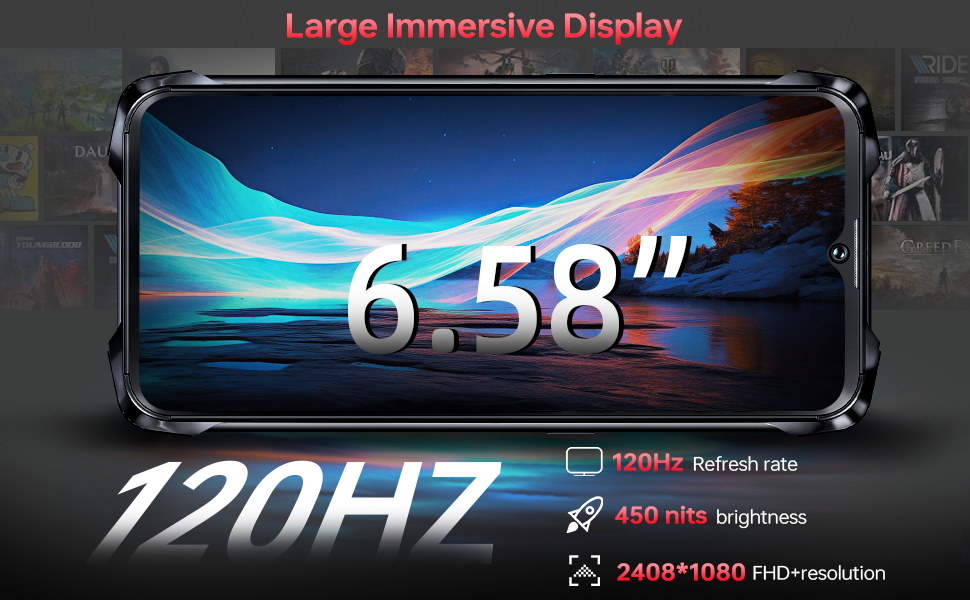
Image: The CUBOT Kingkong 9's 6.58-inch FHD+ display, highlighting its 120Hz refresh rate and 2408x1080 resolution for an immersive visual experience.
2.2 Performance and Storage
Equipped with an Octa-Core 6nm MediaTek Helio G99 processor, 24GB of RAM (12GB physical + 12GB virtual expansion), and 256GB of internal storage (expandable up to 1TB via TF card), the Kingkong 9 delivers powerful performance for multitasking, gaming, and media consumption.

Image: Visual representation of the CUBOT Kingkong 9's 24GB RAM (12GB+12GB) and 256GB ROM, powered by the Helio G99 Octa-Core processor, ensuring smooth performance.
2.3 Camera System
Capture stunning photos and videos with the versatile camera system:
- 100MP Main Camera: For high-resolution, detailed shots.
- 32MP Front Camera: For clear selfies and video calls.
- 24MP Night Vision Camera: Enables photography in extremely low-light conditions (down to 0.02 lux), revealing details invisible to the naked eye.
- 5MP Macro Camera: For capturing intricate close-up details.
The camera supports various modes including HDR, Beauty, and Panorama. It also allows for underwater photography up to 1.5m deep.
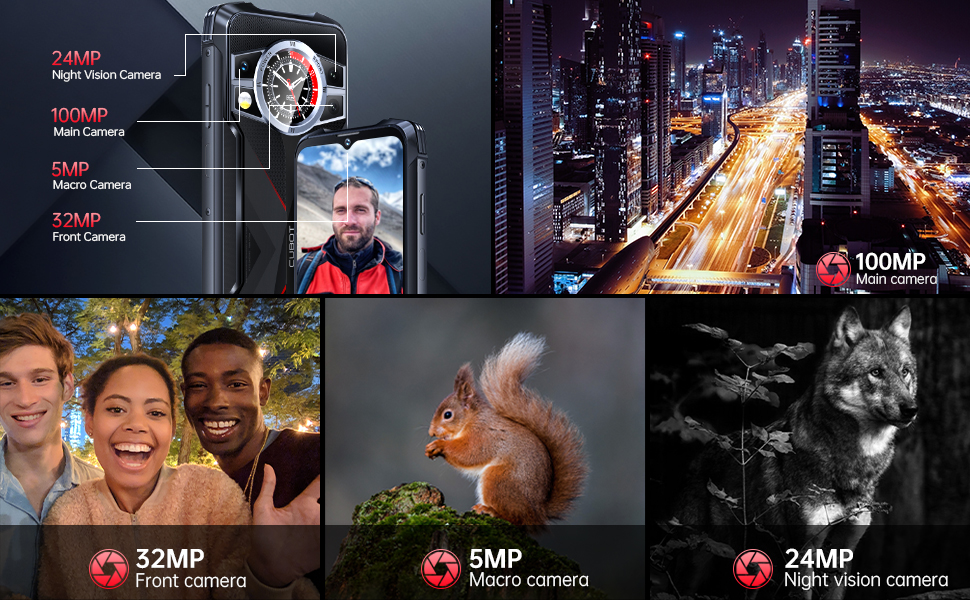
Image: An overview of the CUBOT Kingkong 9's advanced camera setup, featuring a 100MP main sensor, 32MP front camera, 24MP night vision camera, and 5MP macro lens for diverse photographic needs.
2.4 Battery and Charging
The 10600mAh battery provides extended usage times, making it suitable for long journeys and outdoor activities. With 33W fast charging, you can quickly replenish the battery. The device also supports OTG (On-The-Go) functionality, allowing you to charge other electronic devices.
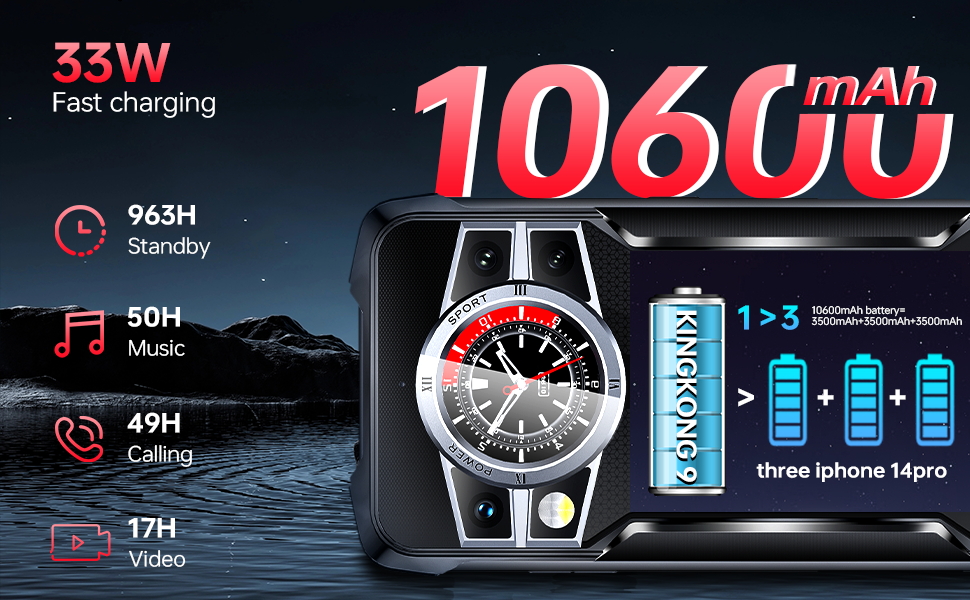
Image: Illustration of the CUBOT Kingkong 9's 10600mAh battery capacity and 33W fast charging capability, providing long-lasting power for various activities.
2.5 Rugged Features and Durability
The CUBOT Kingkong 9 is built to be highly durable, certified with IP68/IP69K and MIL-STD-810H standards. This means it is resistant to dust, drops, and water.
- Waterproof: Withstands immersion in water up to 1.5 meters for 30 minutes.
- Drop Resistance: Can withstand drops from up to 1.5 meters.
- Dustproof: Fully protected against dust ingress.
Its aluminum alloy frame and rubber corners provide enhanced protection, making it ideal for outdoor workers and adventurers.
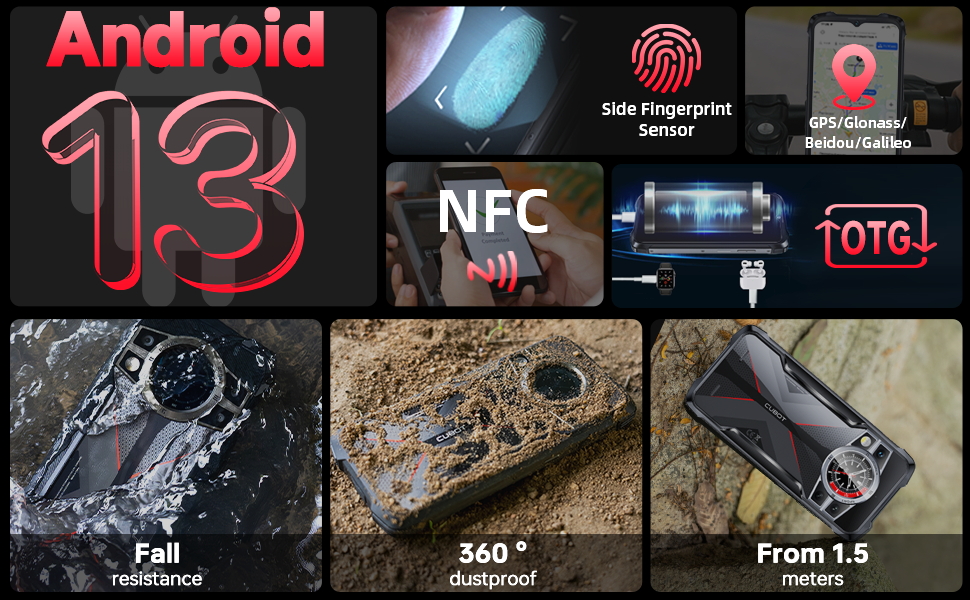
Image: A composite image illustrating the CUBOT Kingkong 9's rugged capabilities, including fall resistance, 360-degree dustproofing, and resistance to drops from 1.5 meters, alongside its Android 13 OS, fingerprint sensor, NFC, and OTG features.
2.6 Dual Screen Design
The Kingkong 9 features a unique dual screen design on the rear, allowing for quick viewing of notifications and customizable displays. This secondary screen can show time, music controls, compass, and battery level, enhancing convenience without needing to activate the main display.
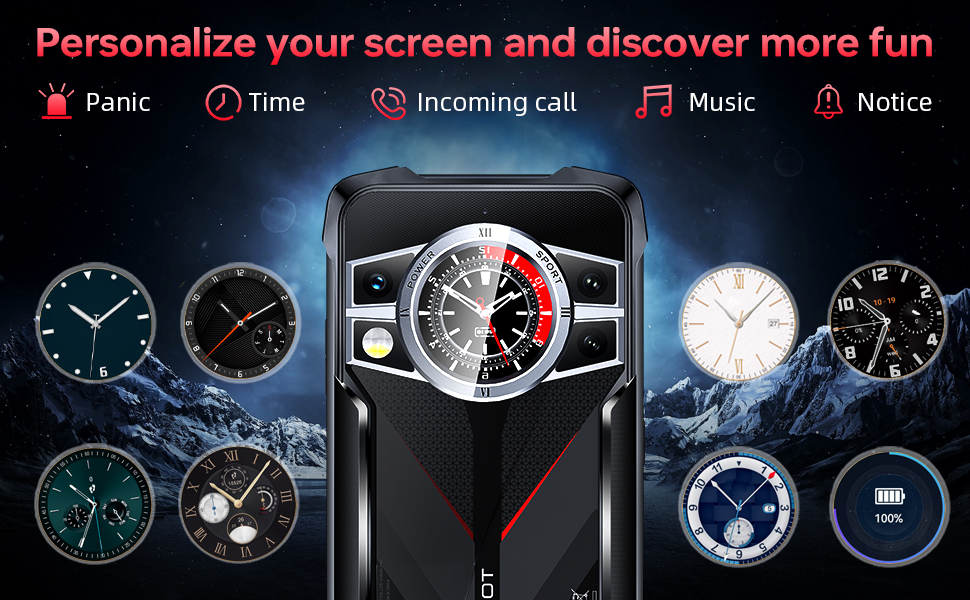
Image: The CUBOT Kingkong 9's innovative dual screen on the back, showcasing various customizable displays such as time, music, and notifications, adding a layer of convenience.
2.7 Connectivity and Other Features
- NFC: For contactless payments and quick pairing with compatible devices.
- GPS: Supports GPS, Glonass, Beidou, and Galileo for accurate navigation.
- Operating System: Runs on Android 13, providing a modern and secure user experience.
- Side Fingerprint Sensor: For quick and secure unlocking.
2.8 Product Overview Video
Watch this official product video for a comprehensive overview of the CUBOT Kingkong 9's features, including its performance, durability, camera capabilities, and battery life.
Video: An official overview of the CUBOT Kingkong 9 rugged smartphone, demonstrating its key features such as the 120Hz display, powerful processor, durable design, night vision camera, and long-lasting battery.
3. Care and Maintenance
To ensure the longevity and optimal performance of your CUBOT Kingkong 9, follow these care and maintenance guidelines:
- Cleaning: Use a soft, lint-free cloth to clean the screen and body. For stubborn dirt, slightly dampen the cloth with water. Avoid using harsh chemicals or abrasive materials.
- Port Seals: Always ensure the dust-proof seal on the Type-C charging port is fully closed when not in use. This is crucial for maintaining the device's IP68/IP69K water and dust resistance.
- Water Exposure: While waterproof, avoid prolonged submersion beyond the specified limits (1.5m for 30 minutes). Do not expose the device to high-pressure water jets or hot water. Ensure the phone is completely dry before charging after water exposure.
- Temperature: Avoid exposing the phone to extreme temperatures (very hot or very cold) as this can affect battery life and internal components.
- Impact: Despite its rugged design, avoid unnecessary drops or impacts. While designed to be durable, extreme force can still cause damage.
4. Troubleshooting Common Issues
If you encounter problems with your CUBOT Kingkong 9, refer to the following common solutions. For more detailed troubleshooting, please consult the official Troubleshooting Guide (PDF).
- Device Not Turning On: Ensure the battery is charged. Connect the charger and wait a few minutes before attempting to power on again. If unresponsive, try holding the Power button for 10-15 seconds for a forced restart.
- Poor Network Signal/No Service: Check if your SIM card is correctly inserted. Verify that your mobile network provider is supported (Note: At&t, Cricket, and Verizon Wireless are not supported by this device). Try moving to an area with better network coverage.
- Apps Crashing/Slow Performance: Close background applications. Clear app cache or data for problematic apps. Restart the device. Ensure your software is up to date.
- Battery Draining Quickly: Reduce screen brightness. Close unused apps running in the background. Disable unnecessary features like Wi-Fi, Bluetooth, or GPS when not in use. Check battery usage in settings to identify power-hungry apps.
- Charging Issues: Ensure the charging cable and adapter are securely connected and undamaged. Try a different power outlet. Clean the charging port gently if there's visible debris (ensure phone is off and dry).
- Fingerprint Sensor Not Working: Ensure your finger is clean and dry. Re-register your fingerprints in the device settings. If the issue persists, a restart may resolve it.
5. Technical Specifications
Below are the key technical specifications for the CUBOT Kingkong 9:
| Feature | Specification |
|---|---|
| Model Name | CUBOT kingkong 9 |
| Operating System | Android 13 |
| Processor | MediaTek Kompanio 800T (Helio G99) |
| RAM | 24 GB (12GB physical + 12GB virtual) |
| Internal Storage | 256 GB (Expandable up to 1TB via TF card) |
| Display Size | 6.58 Inches |
| Display Resolution | 1080 x 2408 (FHD+) |
| Refresh Rate | 120 Hz |
| Main Camera | 100 MP |
| Front Camera | 32 MP |
| Night Vision Camera | 24 MP |
| Macro Camera | 5 MP |
| Battery Capacity | 10600 mAh |
| Charging | 33W Fast Charging |
| Durability Certifications | IP68/IP69K, MIL-STD-810H |
| Connectivity | NFC, GPS (GPS/Glonass/Beidou/Galileo) |
| Dimensions (L x W x T) | 6.77 in x 3.21 in x 0.69 in |
| Item Weight | 0.85 lb |
| Wireless Carrier Support | Unlocked (Note: At&t, Cricket, and Verizon Wireless are not supported) |
6. Warranty and Support
CUBOT is committed to providing excellent customer service and support for your Kingkong 9 smartphone.
- Return Policy: CUBOT offers a 30-day no-reason return policy.
- Technical Support: Long-term technical support is available for your device.
- Customer Service: 24-hour online customer service is provided to assist with any inquiries or issues.
- Additional Resources: For further assistance, you can refer to the official User Guide (PDF) and Troubleshooting Guide (PDF) available online.
Ask a question about this manual
Ask about setup, troubleshooting, compatibility, parts, safety, or missing instructions. Manuals+ will review the question and use this page’s manual context to help answer it.