
1. Introduction
Thank you for choosing the PayLessHere Ergonomic Mesh Office Chair. This chair is designed to provide comfort and support during extended periods of sitting. Featuring a breathable mesh back, adjustable height, lumbar support, and 360-degree swivel wheels, it is suitable for various office and home environments. Please read this manual carefully before assembly and use to ensure proper function and longevity of your chair.
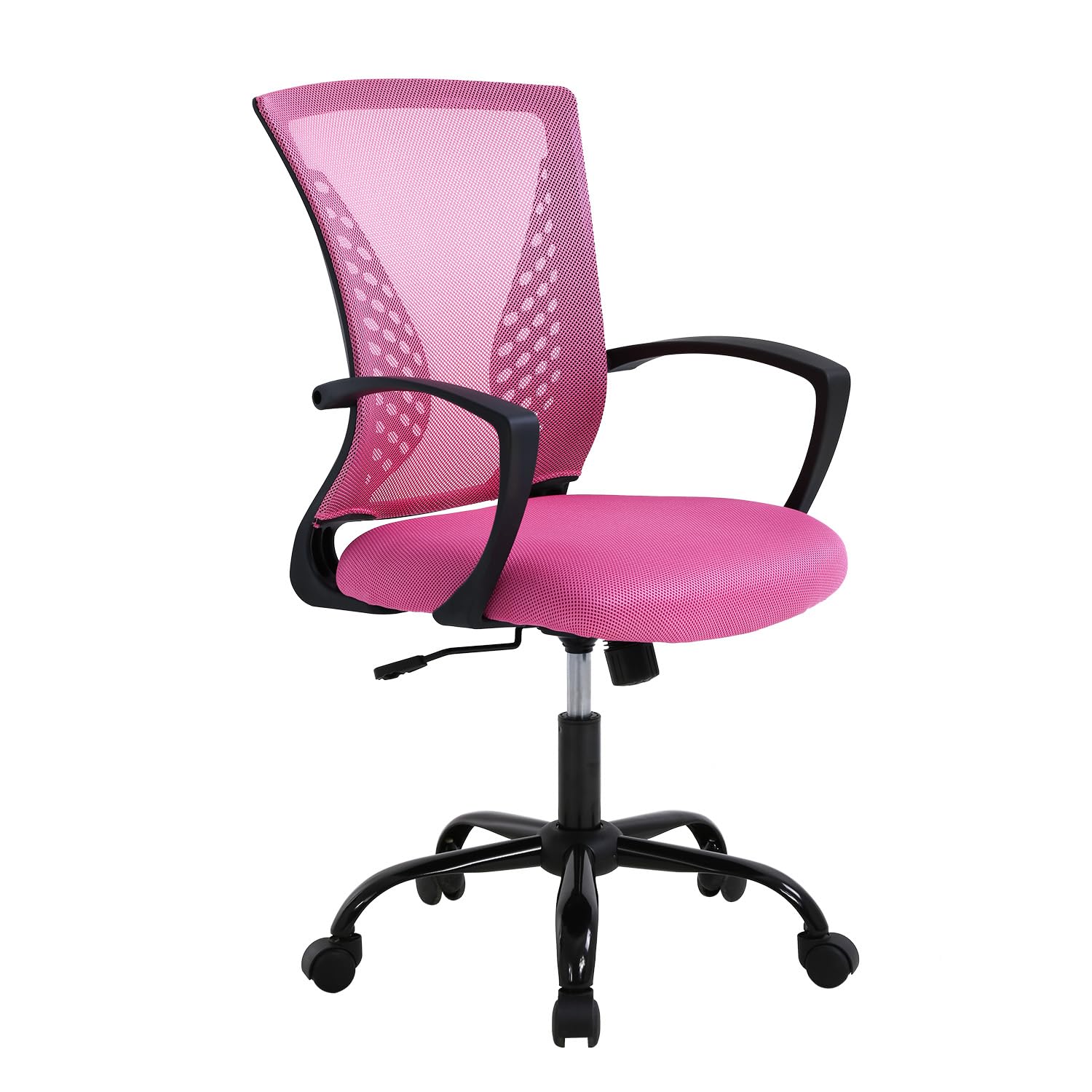
Image 1.1: The PayLessHere Ergonomic Mesh Office Chair in Pink.
2. Package Contents
Before beginning assembly, ensure all components are present and undamaged. If any parts are missing or damaged, please contact customer support.
- Chair Backrest
- Seat Cushion
- Armrests (2)
- Gas Lift Cylinder
- Base with Wheels (5-star base)
- Mounting Hardware (screws, washers, Allen wrench)
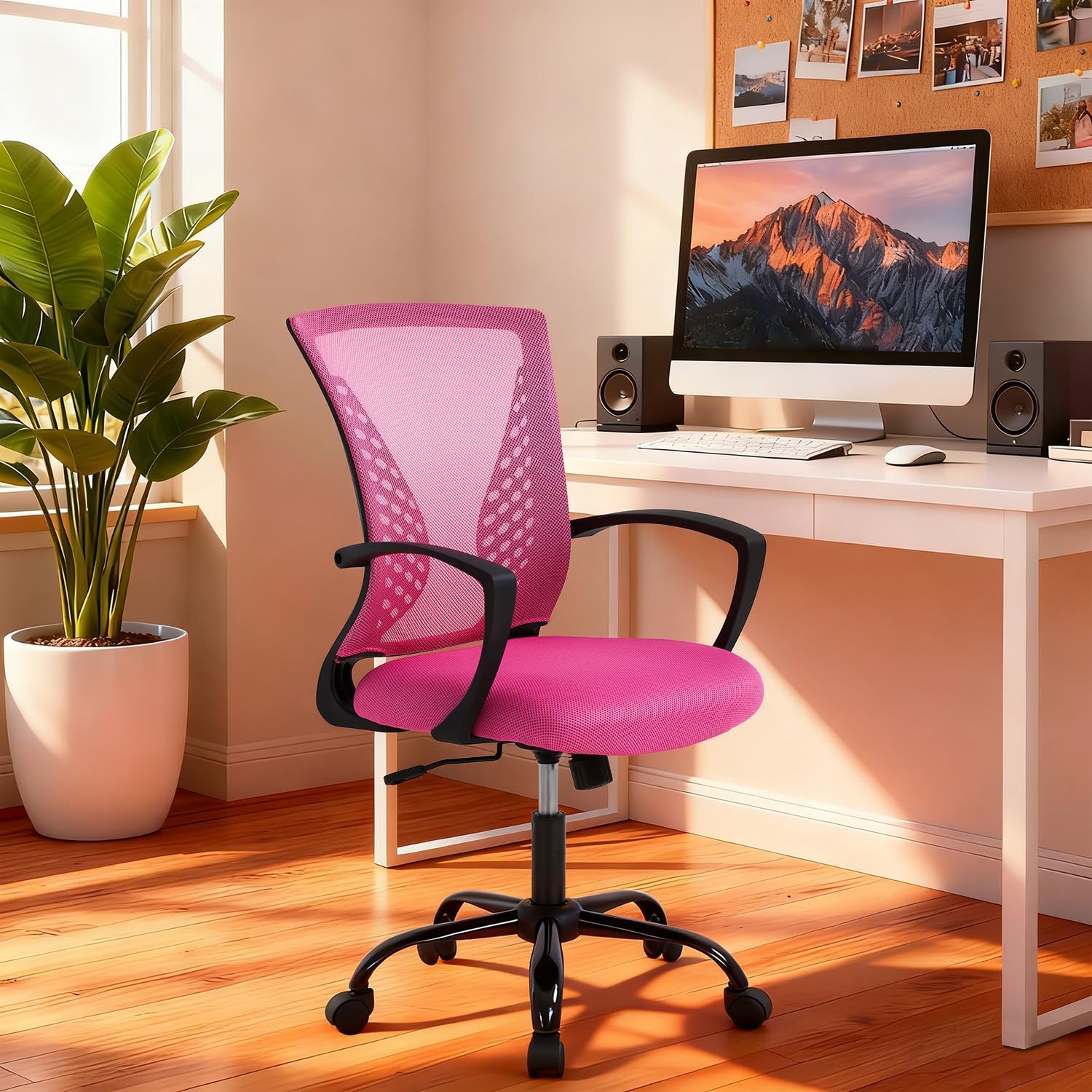
Image 2.1: All components included in the package for assembly.
3. Setup and Assembly
The PayLessHere Office Chair is designed for easy assembly. Follow these steps carefully to ensure correct setup.
- Attach Wheels to Base: Insert each of the five wheels into the openings at the end of the chair base. Push firmly until they click into place.
- Insert Gas Lift: Place the gas lift cylinder into the center hole of the assembled chair base.
- Attach Armrests to Seat: Secure the armrests to the underside of the seat cushion using the provided screws and Allen wrench. Ensure they are oriented correctly.
- Attach Backrest to Seat: Align the backrest with the seat cushion and secure it using the remaining screws. Do not overtighten.
- Connect Seat Assembly to Gas Lift: Carefully place the assembled seat and backrest onto the gas lift cylinder, ensuring the center mechanism aligns with the top of the gas lift. Press down firmly to secure.
Your chair is now assembled and ready for use. Verify all connections are secure before sitting.
4. Operating Instructions
Familiarize yourself with the chair's adjustable features to optimize your comfort and support.
4.1. Height Adjustment
To adjust the chair's height, locate the lever on the right side, beneath the seat. While seated, pull the lever up to lower the chair. To raise the chair, stand up and pull the lever up. Release the lever at your desired height.

Image 4.1: The height adjustment lever and regulating interval (37.4-40.4 inches).
4.2. Rocking Mode and Tilt Control
The chair features a rocking mode for relaxation. To activate, pull the same lever (used for height adjustment) outwards. To lock the chair in an upright position, push the lever inwards. The tension of the rocking motion can be adjusted by turning the round knob located under the seat, towards the front. Turn clockwise to increase tension, counter-clockwise to decrease.

Image 4.2: Instructions for engaging rocking mode (115° tilt) and adjusting tension control.
4.3. 360-Degree Swivel and Mobility
The chair is equipped with 360-degree swivel wheels, allowing for easy movement and rotation within your workspace. The wheels are designed for smooth, quiet operation on hard floors.

Image 4.3: The chair's rotation wheels provide 360-degree movement and stable support.
4.4. Lumbar Support and Ergonomics
The chair features a biomimetic backrest design with integrated lumbar support to promote healthy posture and reduce back strain. The mesh material conforms to your back for optimal comfort.

Image 4.4: The biomimetic backrest design provides scientific radians to effectively support your waist.
5. Maintenance
Proper maintenance will extend the life and appearance of your office chair.
- Cleaning: Wipe clean with a damp cloth. Avoid harsh chemicals or abrasive cleaners, which can damage the mesh fabric or frame.
- Inspection: Periodically check all screws and connections to ensure they are tight. Retighten if necessary.
- Moving: When moving the chair, lift it rather than dragging it to prevent damage to the wheels or floor.
- Weight Limit: Do not exceed the maximum weight recommendation of 250 pounds.
6. Troubleshooting
If you encounter any issues with your PayLessHere Office Chair, refer to the following common problems and solutions:
- Chair Sinks or Won't Stay Up: This usually indicates an issue with the gas lift cylinder. Ensure the height adjustment lever is fully engaged. If the problem persists, the gas lift may need replacement.
- Chair Wobbles: Check all assembly screws to ensure they are securely tightened. A loose connection can cause instability.
- Wheels Not Rolling Smoothly: Inspect the wheels for any debris (hair, lint) that might be obstructing their movement. Clean as necessary. Ensure the chair is used on an appropriate surface (hard floor recommended).
- Squeaking Noises: Apply a small amount of silicone-based lubricant to moving parts, such as the gas lift or tilt mechanism, if squeaking occurs.
If these solutions do not resolve the issue, please contact PayLessHere customer support for further assistance.
7. Specifications
| Feature | Detail |
|---|---|
| Brand | PayLessHere |
| Model Name | Desk Chair |
| Color | Pink |
| Material | Mesh (back), Fabric (seat), Metal (frame) |
| Product Dimensions (D x W x H) | 17"D x 19"W x 40"H |
| Item Weight | 21 Pounds |
| Maximum Weight Recommendation | 250 Pounds |
| Adjustable Features | Height, Tilt/Rocking Mode, Lumbar Support |
| Movement | 360-Degree Swivel Wheels |
| Assembly Required | Yes |
| Product Care Instructions | Wipe Clean |
| Recommended Uses | Office, Study, Bedroom, Meeting Room |
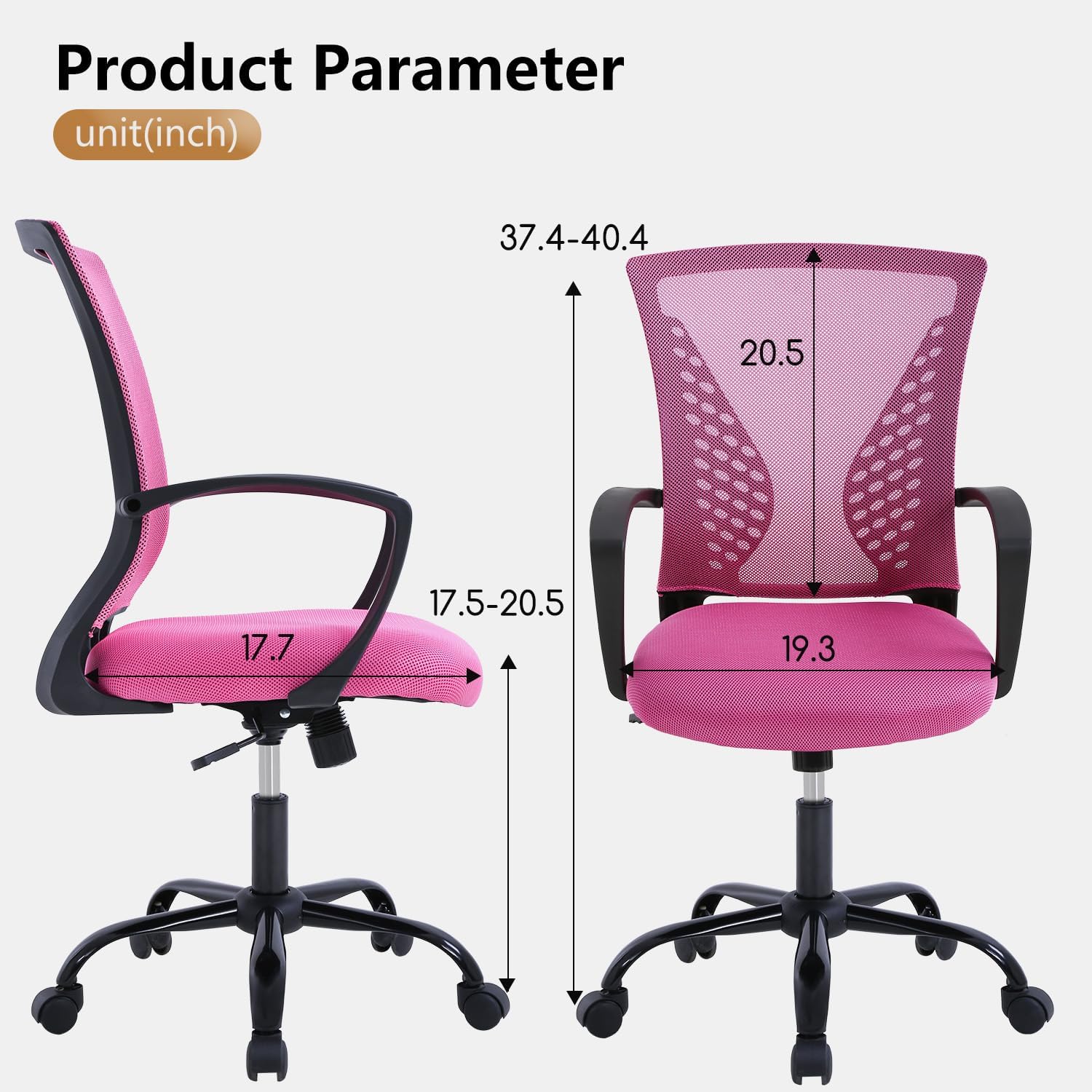
Image 7.1: Detailed product parameters and dimensions in inches.
8. Warranty and Support
For warranty information, product support, or to purchase replacement parts, please contact PayLessHere customer service. Refer to your purchase documentation for specific contact details or visit the official PayLessHere website.
We are committed to providing high-quality products and excellent customer service. Your satisfaction is our priority.