
FunFlix G1
FunFlix G1 Mini Portable Projector User Manual
Model: G1
1. Product Overview
The FunFlix G1 Mini Portable Projector is a compact and powerful device designed for versatile entertainment and presentation needs. It features a fully sealed optical engine for enhanced durability and performance, along with advanced adjustment capabilities and high-quality visuals.

Figure 1.1: FunFlix G1 Mini Portable Projector
This image shows the compact, black FunFlix G1 Mini Portable Projector with a brown leather handle, highlighting its sleek design and portability.
What's in the Box:
- 1 x FunFlix G1 Projector
- 1 x HDMI Cable
- 1 x Power Cord
- 1 x Remote Control
- 1 x User Manual (this document)
2. Setup Guide
2.1 Power Connection
- Place the projector on a stable, flat surface.
- Connect the provided power cord to the projector's power input port.
- Plug the other end of the power cord into a suitable electrical outlet.
2.2 Initial Placement and Screen Adjustment
Position the projector at the desired distance from your projection surface (wall or screen). The optimal projection size ranges from 30 to 300 inches.
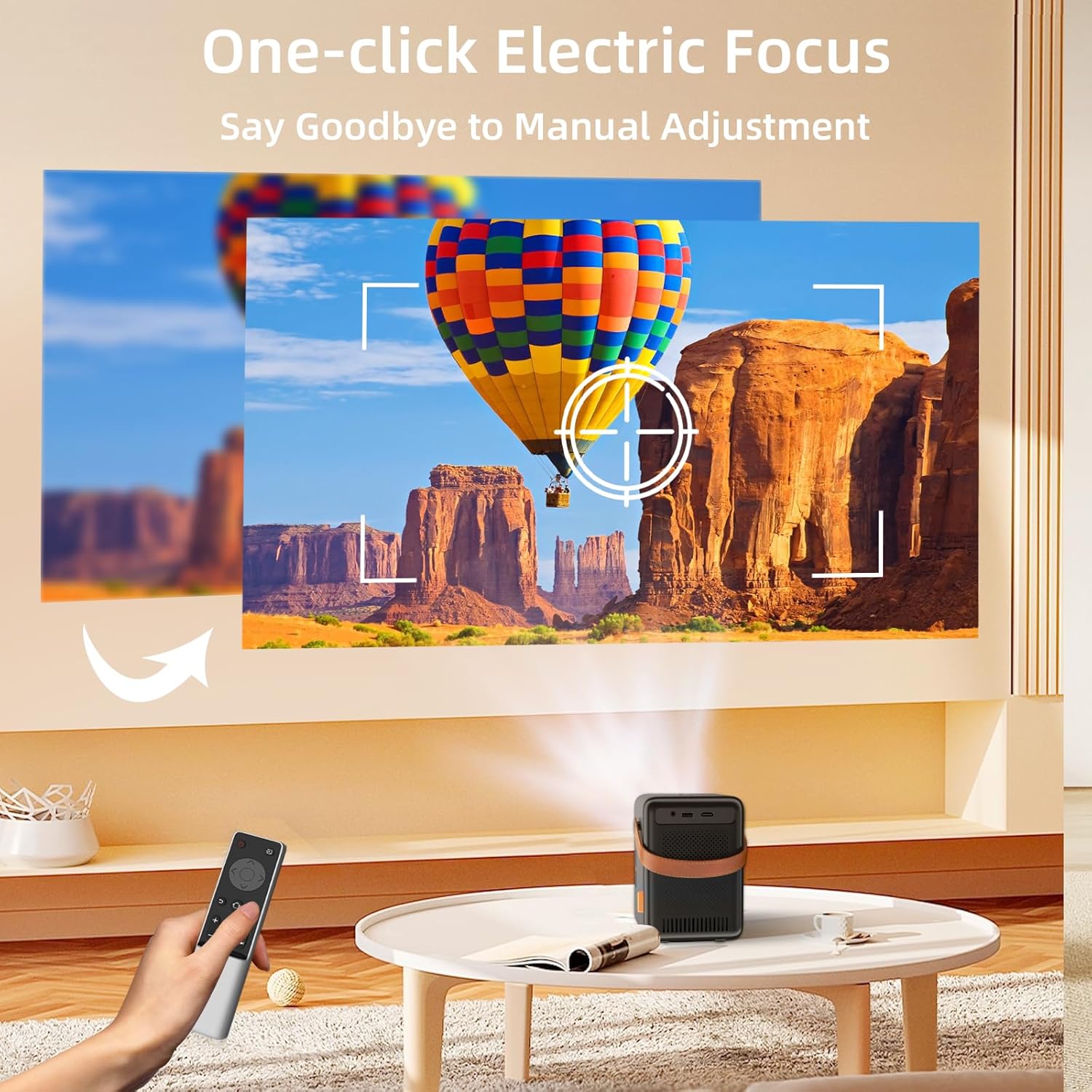
Figure 2.1: One-click Electric Focus
This image illustrates the projector's one-click electric focus feature, showing a remote control being used to adjust the image clarity on a projected screen.
2.3 Focus and Keystone Correction
- Electric Focus: Use the smart remote control to perform one-key electric focus. This automatically adjusts the image clarity.
- 4D/4P Keystone Correction: If the image appears trapezoidal, use the remote control to adjust the vertical and horizontal angles for a perfectly rectangular image.
- Zoom Function: Adjust the screen size without moving the projector using the ZOOM function on the remote control.

Figure 2.2: 4D Keystone Correction and Zoom
This image demonstrates the 4D keystone correction and zoom features, showing how the projected image can be adjusted from various angles and sizes (50% to 100%) without moving the projector.
3. Operating Instructions
3.1 Power On/Off
- To power on, press the power button on the projector or the remote control.
- To power off, press the power button again.
3.2 Input Source Selection
The FunFlix G1 supports multiple input sources:
- HDMI: Connect devices like laptops, game consoles, or TV sticks using an HDMI cable.
- USB: Insert a USB drive to play media files directly.
- Wireless (Screen Mirroring): Connect your smartphone or tablet via 2.4G/5G WiFi.
Video 3.1: FunFlix G1 Projector - Smart Remote Adjustment
This video demonstrates the smart remote adjustment features of the FunFlix G1 projector, including focus and keystone correction, showcasing ease of use.
3.3 Wireless Connectivity (WiFi & Bluetooth)
- 5G WiFi Screen Mirroring: Navigate to the screen mirroring option in the projector's menu. Follow the on-screen instructions to connect your smartphone (iOS/Android) or other compatible devices for wireless display. The dual 2.4G/5G WiFi ensures a stable and fast connection.
- Bluetooth 5.2: To connect external audio devices like headphones or speakers, go to the Bluetooth settings in the projector's menu. Enable Bluetooth and pair with your desired device.

Figure 3.1: 5G Ultra Fast and Bluetooth 5.2
This image highlights the projector's 5G WiFi and Bluetooth 5.2 capabilities, showing a comparison between 5G and 2.4G WiFi performance and the ability to connect to external Bluetooth speakers.
4. Maintenance
The FunFlix G1 projector is designed with a fully sealed optical engine (IP5X dustproof) to minimize dust accumulation and maintain optimal performance over time.
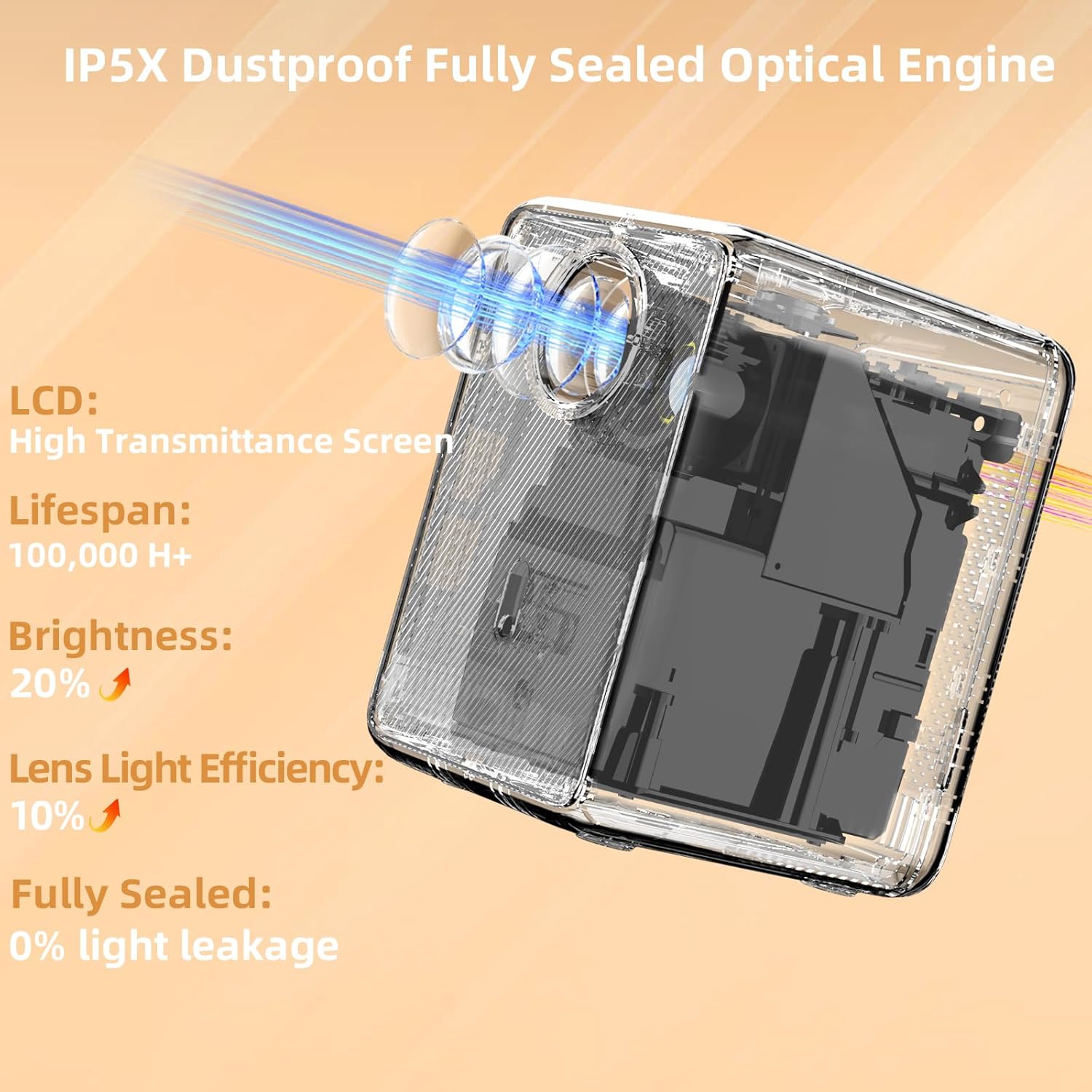
Figure 4.1: IP5X Dustproof Fully Sealed Optical Engine
This image provides an X-ray view of the projector's internal components, emphasizing the IP5X dustproof fully sealed optical engine, high transmittance screen, and improved lifespan and brightness.
Video 4.1: FunFlix G1 Latest Full Sealed Projector
This video showcases the FunFlix G1 projector's fully sealed design, highlighting its dustproof capabilities and how it maintains clear image quality over time compared to non-sealed projectors.
4.1 Cleaning
- Use a soft, dry cloth to clean the exterior of the projector.
- For the lens, use a lens cleaning cloth and specialized lens cleaning solution. Do not use abrasive cleaners.
- Ensure the projector is unplugged before cleaning.
4.2 Storage
- Store the projector in a cool, dry place away from direct sunlight and extreme temperatures.
- If storing for an extended period, place it back in its original packaging or a protective case.
5. Troubleshooting
| Problem | Possible Cause | Solution |
|---|---|---|
| No image on screen | Power not connected; Incorrect input source; Loose cable connection | Check power cord; Select correct input source (HDMI, USB, WiFi); Ensure cables are securely connected. |
| Image is blurry | Out of focus; Incorrect keystone setting | Use electric focus via remote; Adjust 4D/4P keystone correction. |
| No sound | Volume too low; Muted; External speaker not connected/paired | Increase volume; Unmute projector; Check Bluetooth connection for external speakers. |
| WiFi screen mirroring issues | Weak WiFi signal; Device incompatibility; Incorrect setup | Ensure strong 5G WiFi signal; Check device compatibility; Re-follow screen mirroring instructions. Try connecting to phone hotspot if no home WiFi. |
| Remote control not working | Dead batteries; Obstruction | Replace batteries; Ensure no obstructions between remote and projector. |
6. Specifications
| Feature | Detail |
|---|---|
| Brand | FunFlix |
| Model Number | G1 |
| Display Resolution Maximum | 1920*1080 Pixels (Supported) |
| Brightness | 15000 Lumens |
| Contrast Ratio | 15000:1 |
| Connectivity Technology | Wired/Wireless/Bluetooth/WiFi/HDMI/USB/3.5mm Audio |
| WiFi | 2.4G/5G Dual WiFi |
| Bluetooth | Bluetooth 5.2 |
| Special Features | Fully Sealed IP5X Dustproof Optical Engine, Electric Focus, 4D Keystone Correction, 50% Zoom, Built-in Hi-Fi Speaker |
| Item Weight | 2.64 pounds |
| Product Dimensions | 5.5 x 4.5 x 6.6 inches |
| Color | Black |
| Recommended Uses | Education, Home Cinema, Gaming, Business |
7. Warranty and Support
FunFlix is committed to providing excellent customer service and product support.
7.1 Warranty Information
- 12-Month Back/Replacement: We offer a 12-month period for returns or replacements from the date of purchase.
- 3-Year Free Repair: Enjoy 3 years of free repair service for any manufacturing defects.
7.2 Technical Support
We provide lifetime professional technical support for your FunFlix G1 projector.
- For any technical assistance or inquiries, please contact our support team via email: support@ifunflix.com.
- Our support team is available 24/7 to assist you.
Related documentsG1


Ask a question about this manual
Ask about setup, troubleshooting, compatibility, parts, safety, or missing instructions. Manuals+ will review the question and use this page’s manual context to help answer it.