
1. Important Safety Instructions
Please read all instructions carefully before using the appliance. Keep this manual for future reference.
- Do not use outdoors or on wet surfaces.
- Do not allow to be used as a toy. Close attention is necessary when used by or near children.
- Use only as described in this manual. Use only manufacturer's recommended attachments.
- Do not use with damaged cord or plug. If appliance is not working as it should, has been dropped, damaged, left outdoors, or dropped into water, return it to a service center.
- Do not pull or carry by cord, use cord as a handle, close a door on cord, or pull cord around sharp edges or corners. Do not run appliance over cord. Keep cord away from heated surfaces.
- Do not unplug by pulling on cord. To unplug, grasp the plug, not the cord.
- Do not handle plug or appliance with wet hands.
- Do not put any object into openings. Do not use with any opening blocked; keep free of dust, lint, hair, and anything that may reduce air flow.
- Keep hair, loose clothing, fingers, and all parts of body away from openings and moving parts.
- Do not pick up anything that is burning or smoking, such as cigarettes, matches, or hot ashes.
- Do not use without dust bag and/or filters in place.
- Turn off all controls before unplugging.
- Use extra care when cleaning on stairs.
- Do not use to pick up flammable or combustible liquids, such as gasoline, or use in areas where they may be present.
- Store the appliance indoors. Put away after use to prevent accidents.
- Recharge only with the charger specified by the manufacturer. A charger that is suitable for one type of battery pack may create a risk of fire when used with another battery pack.
- Use appliances only with specifically designated battery packs. Use of any other battery packs may create a risk of injury and fire.
- When battery pack is not in use, keep it away from other metal objects, like paper clips, coins, keys, nails, screws or other small metal objects, that can make a connection from one terminal to another. Shorting the battery terminals together may cause burns or a fire.
- Under abusive conditions, liquid may be ejected from the battery; avoid contact. If contact accidentally occurs, flush with water. If liquid contacts eyes, additionally seek medical help. Liquid ejected from the battery may cause irritation or burns.
2. Product Overview and Components
The Bennett Read HVC132 Fusion 2.0 is a versatile 2-in-1 cordless vacuum cleaner designed for both upright and handheld cleaning. It features a powerful lithium-ion battery for extended runtime and various attachments for different cleaning needs.

Figure 2.1: The Bennett Read HVC132 Fusion 2.0 in its upright vacuum configuration, showcasing its sleek design and integrated dustbin.

Figure 2.2: The vacuum easily converts to a handheld unit, ideal for cleaning car interiors or other tight spaces.

Figure 2.3: Close-up view of the main floor brush with its removable brush roll and a separate accessory holder for convenient storage of tools.
Included Components:
- Main Vacuum Unit (with integrated handheld)
- Floor Nozzle with Rotating Brush and LED Dust-Spotter Lights
- Charging Station
- Power Adapter
- Dusting Brush
- Crevice Tool
- Lithium-Ion Battery (pre-installed)
3. Setup and Initial Use
3.1 Assembly
- Unpack all components from the packaging.
- Insert the main vacuum unit into the floor nozzle until it clicks securely into place.
- Place the assembled vacuum onto the charging station.
3.2 Charging the Battery
Before first use, fully charge the vacuum cleaner for approximately 4-5 hours. The battery is a 2200mAh Lithium-Ion type.

Figure 3.1: The vacuum cleaner docked on its innovative charging station, connected to a power outlet.
- Connect the power adapter to the charging station.
- Plug the power adapter into a suitable wall outlet.
- Place the vacuum cleaner onto the charging station. The charging indicator lights will illuminate to show charging status.
- Once fully charged, the indicator lights will change or turn off, depending on the model.
Note: The vacuum cleaner can run for up to 40 minutes on a single charge, depending on the power setting and surface.
4. Operating Instructions
4.1 Upright Vacuum Mode
This mode is ideal for cleaning floors, carpets, and rugs.
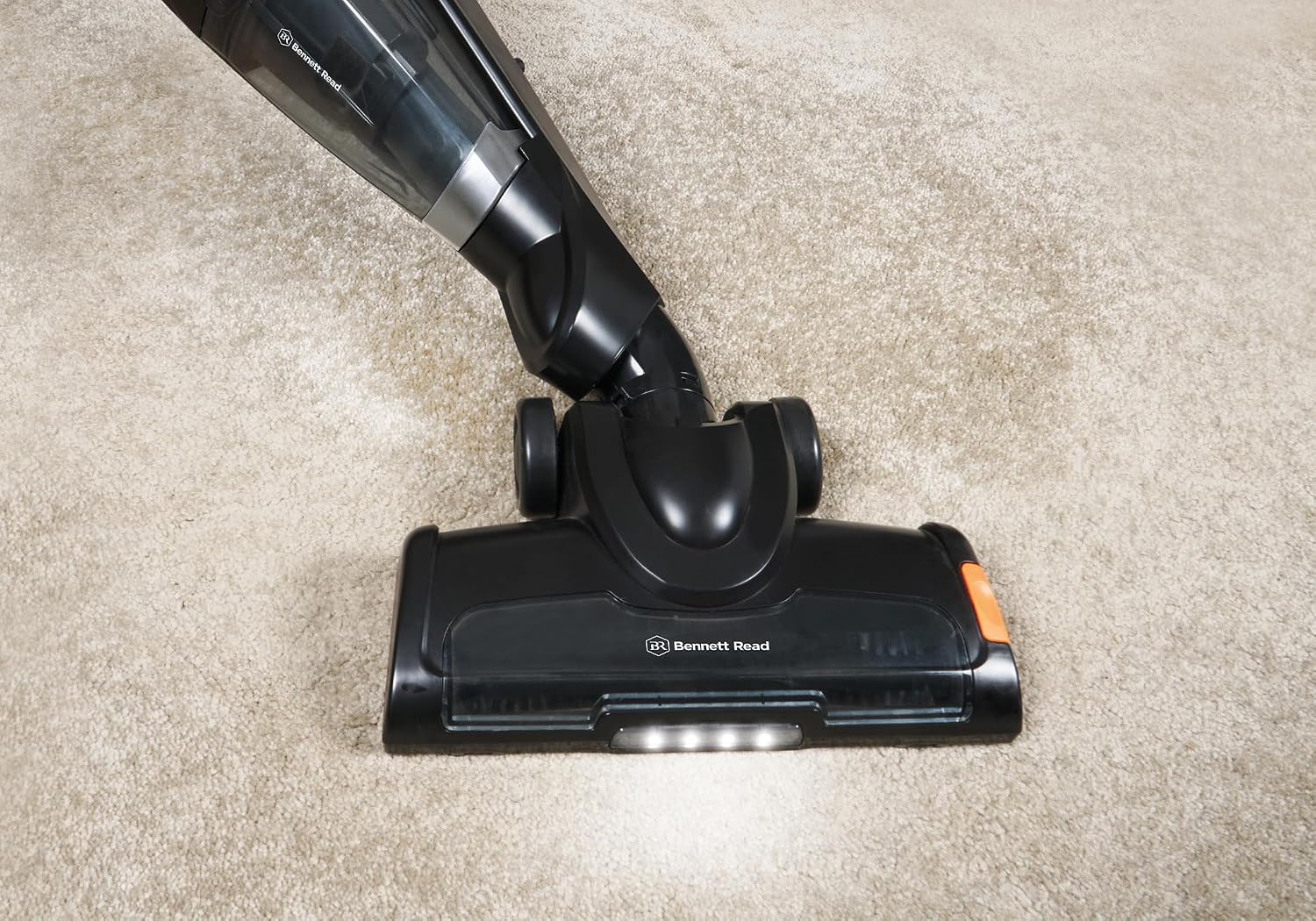
Figure 4.1: The floor brush with its bright LED Dust-Spotter lights illuminating debris on a carpeted surface.
- Ensure the vacuum is fully charged.
- Press the power button located on the handle to turn on the vacuum.
- The LED Dust-Spotter lights on the floor nozzle will illuminate, helping to identify hidden dirt.
- Push the vacuum forward and pull back in a steady motion to clean the desired area.
- To turn off, press the power button again.
4.2 Handheld Vacuum Mode
For quick clean-ups, upholstery, car interiors, and hard-to-reach areas.

Figure 4.2: The handheld unit with a crevice tool attached, demonstrating its use for narrow spaces.
- To detach the handheld unit, press the release button located near the base of the handle and pull the handheld unit upwards.
- Attach the desired accessory (dusting brush or crevice tool) to the nozzle of the handheld unit.
- Press the power button on the handheld unit to activate.
- After use, turn off the unit and reattach it to the main floor nozzle or place it on the charging station.
5. Maintenance
Regular maintenance ensures optimal performance and extends the life of your vacuum cleaner.
5.1 Emptying the Dustbin
Empty the dustbin after each use or when the MAX fill line is reached.
- Ensure the vacuum is turned off.
- Press the dustbin release button and remove the dustbin from the handheld unit.
- Hold the dustbin over a waste bin and open the dustbin flap to empty contents.
- Close the flap and reattach the dustbin to the handheld unit until it clicks.
5.2 Cleaning the Filters
The vacuum uses a HEPA filter. Clean filters regularly to maintain suction power.
- Remove the dustbin as described above.
- Twist and pull out the filter assembly from the dustbin.
- Separate the HEPA filter from the pre-filter.
- Tap the filters gently over a waste bin to remove loose dust.
- If heavily soiled, rinse the filters under cold running water. Do not use detergent.
- Allow filters to air dry completely for at least 24 hours before reassembling and placing back into the vacuum. Do not use a hairdryer or other heating devices.
5.3 Cleaning the Brush Roll
Periodically check the brush roll for tangled hair or debris.

Figure 5.1: A detailed view of the motorized brush head, showing the bristles and the clear cover.
- Turn off the vacuum and disconnect it from the charging station.
- Flip the floor nozzle over.
- Locate the brush roll access cover (usually secured by clips or screws). Open or remove it.
- Lift out the brush roll.
- Use scissors or a brush to remove any tangled hair, string, or debris from the brush roll.
- Reinsert the brush roll and secure the access cover.
6. Troubleshooting
| Problem | Possible Cause | Solution |
|---|---|---|
| Vacuum does not turn on. | Battery is not charged. | Charge the battery fully. |
| Power button not pressed correctly. | Ensure the power button is pressed firmly. | |
| Reduced suction power. | Dustbin is full. | Empty the dustbin. |
| Filters are clogged. | Clean or replace the filters. Ensure they are completely dry before reinserting. | |
| Hose or nozzle is blocked. | Check for blockages in the floor nozzle, handheld unit, and attachments. Remove any obstructions. | |
| Brush roll not spinning. | Brush roll is tangled with hair or debris. | Clean the brush roll as described in the Maintenance section. |
| Floor nozzle is not properly attached. | Ensure the floor nozzle is securely connected to the main unit. | |
| Short battery runtime. | Battery not fully charged. | Ensure the battery is fully charged before use. |
| Battery life degrading over time. | Batteries have a finite lifespan. Consider contacting customer support for battery replacement options if performance significantly degrades. |
7. Specifications
| Feature | Detail |
|---|---|
| Model Number | HVC132 |
| Power Source | Battery Powered |
| Battery Type | Lithium Ion (2200mAh) |
| Voltage | 22 Volts |
| Runtime | Up to 40 minutes (on a single charge) |
| Weight | 3.84 Kilograms |
| Filter Type | HEPA Filter |
| Special Features | 2-in-1 (Upright & Handheld), Lightweight, LED Dust-Spotter Lights |
| Surface Recommendation | All floors |
| Manufacturer | Tevo Pty Ltd |
8. Warranty and Support
For warranty information and customer support, please refer to the warranty card included with your product or visit the official Bennett Read website.
Keep your proof of purchase for any warranty claims.
For technical assistance or spare parts, please contact Tevo Pty Ltd, the manufacturer.