Introduction
This manual provides instructions for the proper setup, operation, and maintenance of your Volkano VK-20194-BK Focus Series Wireless Mouse. Please read this guide thoroughly before using the device to ensure optimal performance and longevity.
The Volkano Focus Series Wireless Mouse offers reliable 2.4GHz wireless connectivity, a precision optical sensor for smooth cursor control, and an ergonomic design for comfortable use.
Package Contents
- Volkano VK-20194-BK Focus Series Wireless Mouse
- USB Receiver
- User Manual
Setup
1. Battery Installation
The Volkano VK-20194-BK mouse requires one AA battery (not included) for operation. Locate the battery compartment on the underside of the mouse. Open the cover, insert the AA battery according to the polarity indicators (+/-), and close the cover securely.
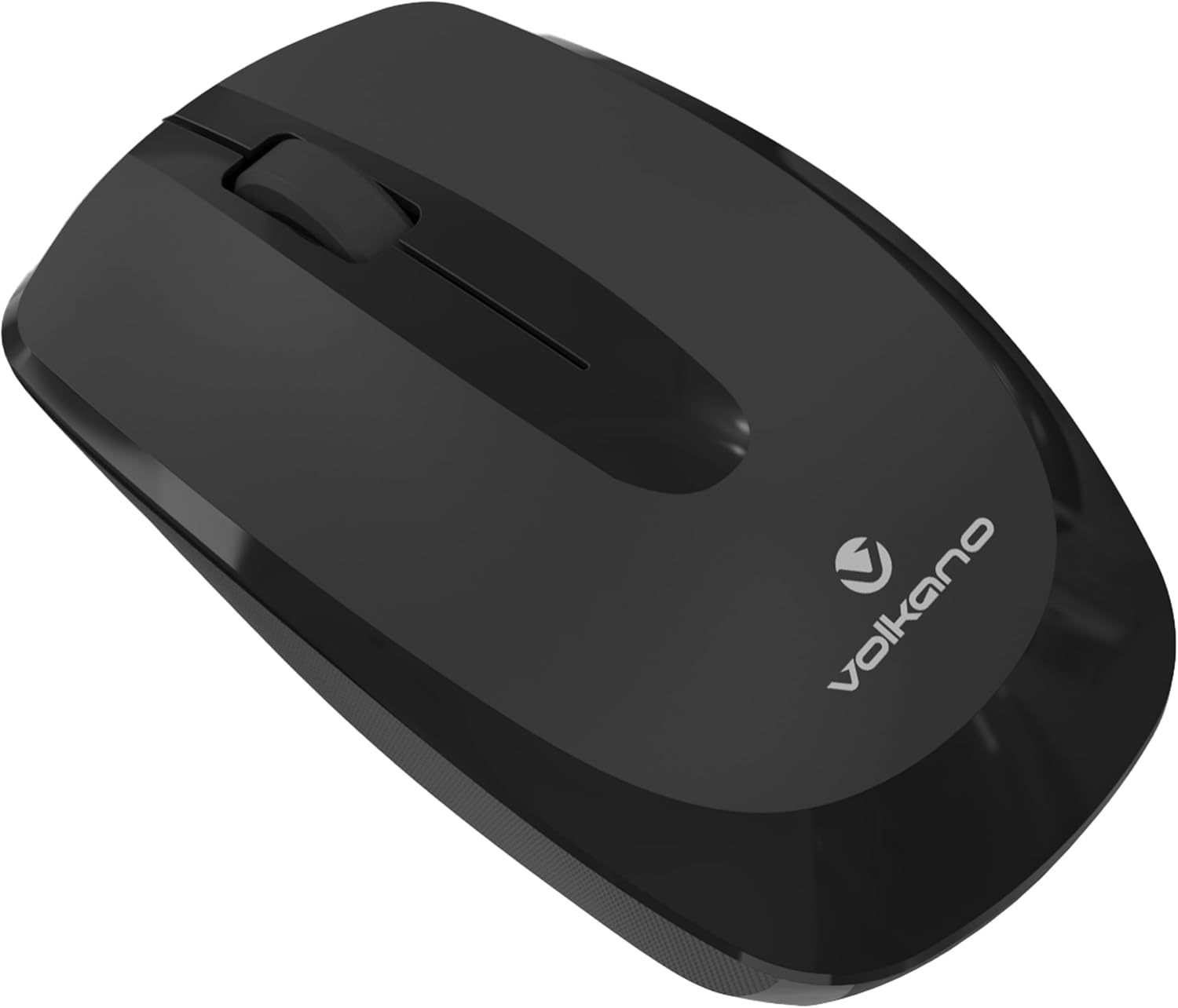
Image: Underside view of the mouse, indicating the battery compartment location.
2. Connecting the USB Receiver
Locate the USB receiver, typically stored within the battery compartment or a dedicated slot on the mouse. Remove the receiver and plug it into an available USB port on your computer (PC, Laptop, Mac, Chromebook, etc.).

Image: Front view of the mouse, illustrating its design and the small size of a typical USB receiver.
3. Powering On
Once the battery is installed and the USB receiver is connected, turn on the mouse using the power switch, usually located on the underside of the device. The mouse is plug-and-play, meaning it should connect automatically without requiring driver installation.
Operating Instructions
Basic Functions
- Left Click: Primary button for selecting items, opening files, and interacting with software.
- Right Click: Secondary button for accessing context menus and additional options.
- Scroll Wheel: Used for scrolling through documents and web pages. It can also function as a middle click button.

Image: Side view of the mouse, highlighting its ergonomic shape for comfortable grip.
Ergonomics
The Volkano Focus Series mouse is designed with an ergonomic shape to reduce strain during extended use, providing a comfortable grip for both left and right-handed users.
Maintenance
Cleaning
To clean your mouse, gently wipe the surface with a soft, damp cloth. Avoid using harsh chemicals or abrasive cleaners, as these can damage the finish. Ensure no liquid enters the internal components.
Battery Replacement
When the mouse performance degrades or it stops responding, it is likely time to replace the battery. Follow the battery installation steps outlined in the Setup section.
Storage
When not in use for extended periods, turn off the mouse to conserve battery life. Store the USB receiver in its designated slot on the mouse to prevent loss.
Troubleshooting
- Mouse Not Responding:
- Check if the mouse is powered on.
- Ensure the battery is correctly installed and has sufficient charge. Replace if necessary.
- Verify the USB receiver is securely plugged into a working USB port on your computer. Try a different USB port.
- Restart your computer.
- Erratic Cursor Movement:
- Clean the optical sensor on the underside of the mouse with a soft, dry cloth.
- Ensure you are using the mouse on a suitable surface. Avoid highly reflective or transparent surfaces.
- Check for interference from other wireless devices.
- Connection Issues:
- Move the mouse closer to the USB receiver.
- Unplug and re-plug the USB receiver.
- If possible, try the mouse with another computer to determine if the issue is with the mouse or the computer.
Specifications
| Feature | Detail |
|---|---|
| Brand | Volkano |
| Model Name | Focus Series |
| Model Number | VK-20194-BK |
| Colour | Black |
| Connectivity Technology | 2.4GHz Wireless (USB Receiver) |
| Special Feature | Wireless |
| Movement Detection | Optical Sensor |
| Number of Buttons | 3 |
| Recommended Use | Office |
| Compatible Devices | Personal Computer, PC, Laptop, Tablet, Mac, iPad, Chromebook, Notebook |
| Operating System | Windows, Linux |
Warranty and Support
Volkano products are designed and manufactured to the highest quality standards. For information regarding warranty, returns, or technical support, please refer to the warranty card included with your product or visit the official Volkano website. You may also contact your retailer for assistance.
For further assistance, you can visit the Volkano Store on Amazon.


