Introduction
Thank you for choosing the Volkano Remus Series 30,000mAh PD Power Bank. This high-capacity portable power bank is designed to keep your devices charged efficiently while on the go. Please read this manual carefully to ensure proper use and maintenance of your device.
Safety Information
To prevent damage to the power bank or injury to yourself, please observe the following safety precautions:
- Do not expose the power bank to extreme temperatures (hot or cold), direct sunlight, or high humidity.
- Do not disassemble, modify, or attempt to repair the device. This will void the warranty.
- Keep the power bank away from water and other liquids.
- Do not drop, puncture, or apply excessive force to the power bank.
- Use only certified charging cables and adapters.
- Keep out of reach of children.
- Dispose of the power bank responsibly according to local regulations. Do not dispose of it in household waste.
Package Contents
Please ensure all items are present in your package:
- Volkano Remus Series 30,000mAh PD Power Bank
- 2-in-1 Fast Charging Cable (Micro-USB and Type-C compatible)
- User Manual
Product Overview
The Volkano Remus Series Power Bank features a robust design and high-capacity battery to provide reliable power for your mobile devices.
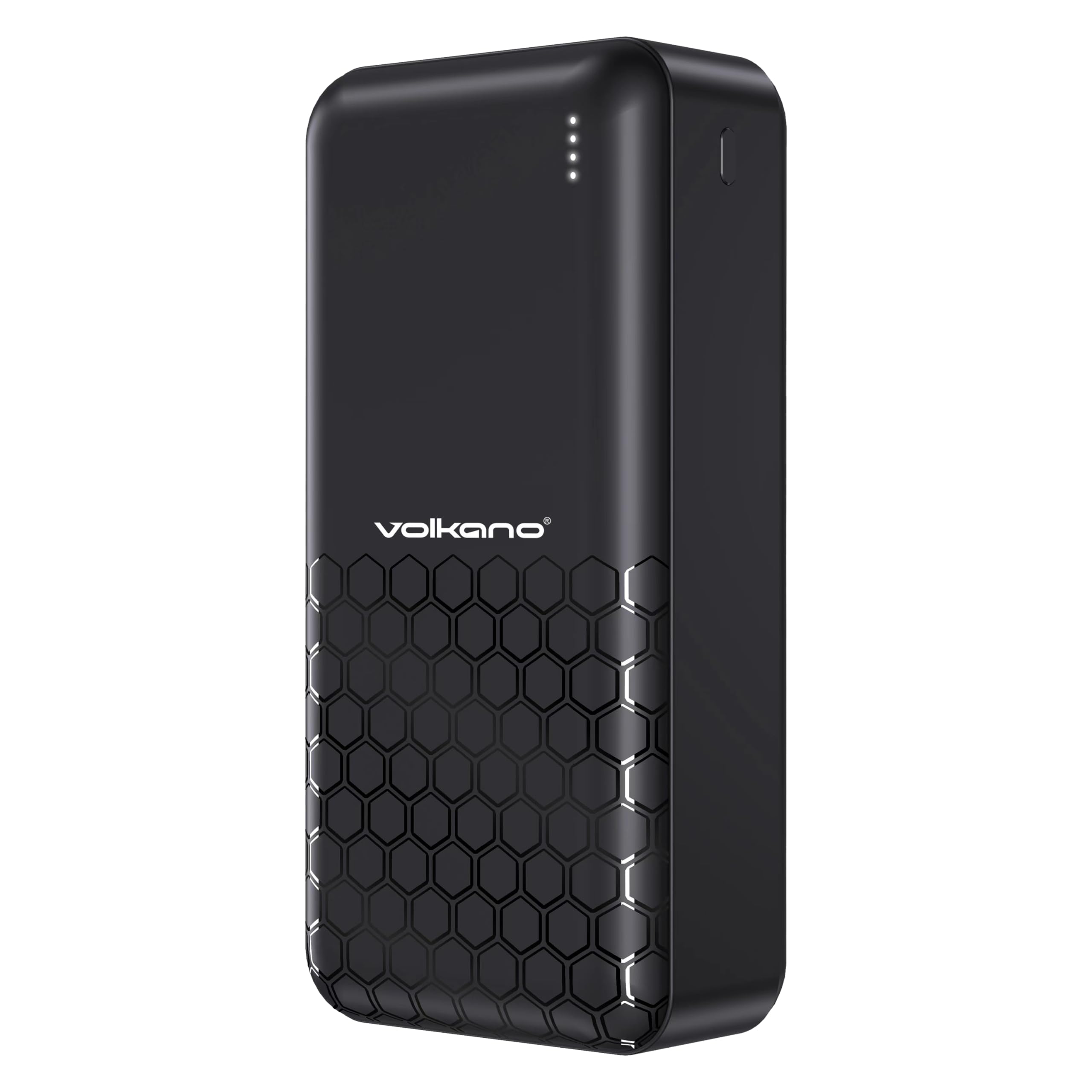
Front view of the Volkano Remus power bank, displaying the Volkano logo and four LED indicator lights.

Angled view of the Volkano Remus power bank, highlighting the various charging ports including USB-A and USB-C.

The Volkano Remus Series 30,000 mAh Power Bank, showcasing its sleek design.
Key Features:
- High Capacity: Massive 30,000mAh battery capacity for multiple device charges.
- Power Delivery (PD) Technology: Charges compatible devices at higher speeds, up to 50% in 30 minutes.
- 2-in-1 Fast Charging Cable: Includes a versatile cable compatible with both Micro-USB and Type-C devices.
- Multiple Charging Ports: Features 1x 20W PD Type-C Port and 2x USB-C Charging Ports, along with 22.5W USB-A Quick Charge.
- LED Indicator: Displays the current battery level.

Detailed view of the power bank's charging ports and the versatile 2-in-1 fast charging cable.

The power bank demonstrating its fast charging capabilities for various devices, including smartphones and tablets.
Setup
Initial Charging of the Power Bank
Before first use, it is recommended to fully charge your Volkano Remus Power Bank.
- Connect the included 2-in-1 charging cable (or a compatible USB-C cable) to the power bank's input port (Type-C).
- Connect the other end of the cable to a USB wall adapter (not included) or a powered USB port.
- The LED indicator lights will illuminate to show the charging progress. All four lights will be solid when fully charged.
Connecting Devices for Charging
To charge your mobile devices:
- Use the included 2-in-1 cable or your device's original charging cable.
- Connect one end of the cable to an output port on the power bank (USB-A or Type-C).
- Connect the other end to your device's charging port.
- The power bank will automatically begin charging your device.
Operating Instructions
Charging Your Devices
Once your device is connected to the power bank, charging will typically start automatically. The power bank's intelligent charging system will detect your device and deliver the optimal charging speed.
Checking Battery Level
The LED indicator lights on the power bank show the remaining battery capacity:
- 4 LEDs: 75% - 100% charged
- 3 LEDs: 50% - 75% charged
- 2 LEDs: 25% - 50% charged
- 1 LED: 0% - 25% charged (recharge soon)

The LED indicator lights provide a clear visual of the power bank's remaining battery charge.
Maintenance
Proper care will extend the life of your power bank:
- Cleaning: Wipe the power bank with a soft, dry cloth. Do not use abrasive cleaners or solvents.
- Storage: Store the power bank in a cool, dry place away from direct sunlight and extreme temperatures. If storing for extended periods, charge it to about 50% every 3-6 months to maintain battery health.
- Handling: Avoid dropping or subjecting the power bank to strong impacts.
Troubleshooting
If you encounter issues with your power bank, refer to the following common solutions:
- Power bank not charging: Ensure the charging cable is securely connected to both the power bank and the power source. Try a different cable or wall adapter.
- Device not charging from power bank: Check if the power bank has sufficient charge. Ensure the cable connecting your device to the power bank is working correctly and securely connected. Try a different output port.
- Slow charging: Ensure you are using a fast-charging compatible cable and your device supports fast charging. Some cables or older devices may charge at standard speeds.
- LED indicators not working: If the power bank is not responding, try fully discharging it and then recharging it. If the issue persists, contact support.
Specifications
| Feature | Specification |
|---|---|
| Brand | Volkano |
| Model Number | VK-9017-BK |
| Battery Capacity | 30,000mAh |
| Charging Technology | Power Delivery (PD), Quick Charge (QC) |
| Input Ports | Type-C |
| Output Ports | 1x 20W PD Type-C, 2x USB-C, 22.5W USB-A |
| Colour | Black |
| Date First Available | 19 September 2023 |
Warranty and Support
Your Volkano Remus Series Power Bank is covered by a 1-year limited warranty from the date of purchase, reflecting our commitment to quality and performance. You can register your product to get an additional 12-month extension, for a total of 24 months coverage by Volkano.
For any questions, technical support, or warranty claims, please contact Volkano customer service via the official Volkano Page. Your satisfaction is important to us.


