
Sweiko ZMLUS35Y
Contents
Sweiko 30 x 26 Bathroom LED Mirror Medicine Cabinet User Manual
Model: ZMLUS35Y | Brand: Sweiko
1. Important Safety Information
Please read all instructions carefully before installation and use. Keep this manual for future reference.
- Ensure all electrical connections are performed by a qualified electrician and comply with local codes.
- Disconnect power at the circuit breaker before installation or maintenance.
- This LED medicine cabinet is designed to supplement, not replace, primary bathroom lighting. An additional light source may be required.
- Handle glass components with care to prevent breakage and injury.
- Do not expose the cabinet to excessive moisture or direct water spray beyond normal bathroom use.
- The cabinet is heavy; ensure proper mounting hardware and techniques are used for secure installation. Two people are recommended for lifting and installation.
2. Product Overview and Features
The Sweiko LED Mirror Medicine Cabinet is a versatile and modern addition to any bathroom, offering both storage and advanced lighting features.
2.1 Key Features
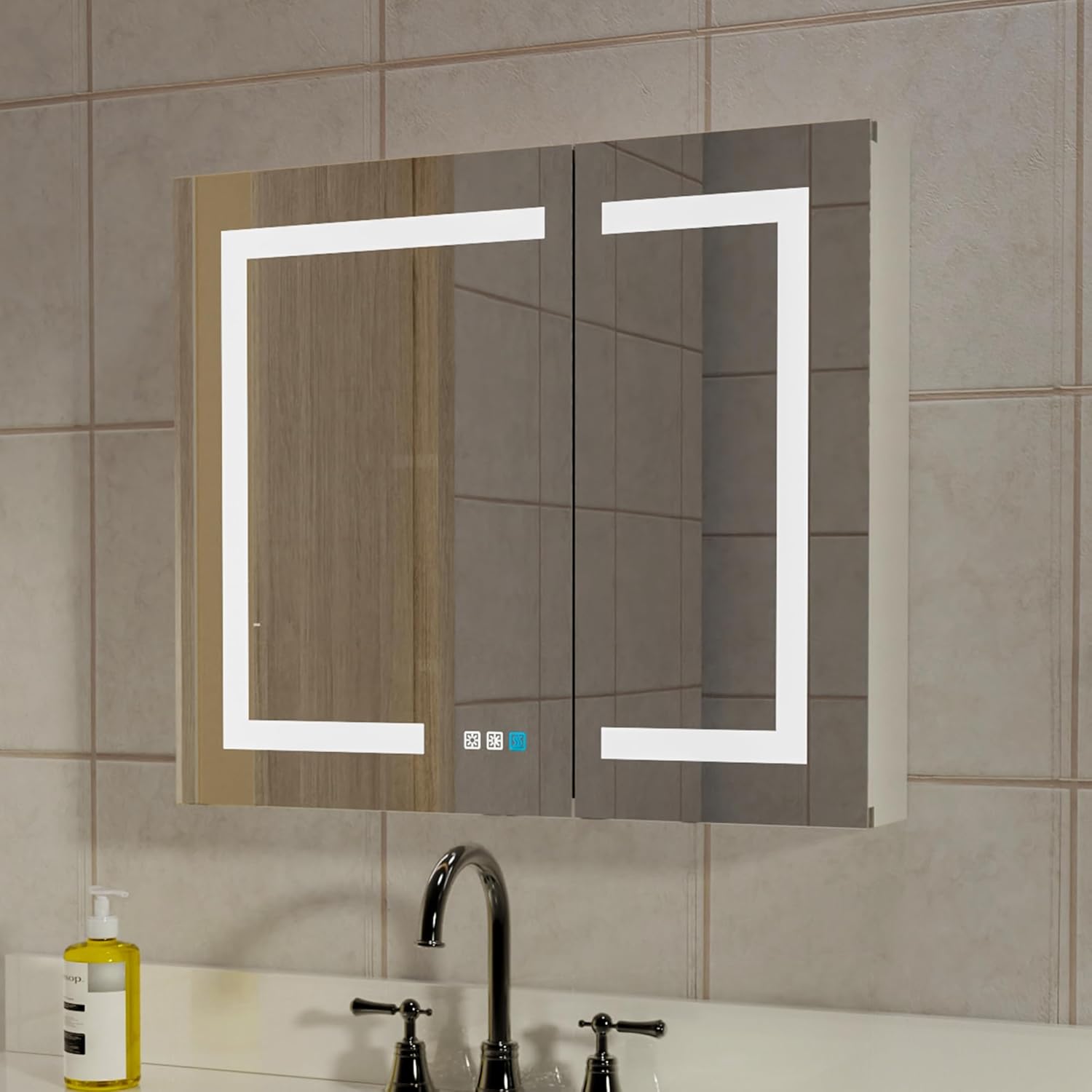
- Integrated LED Lighting: Combines LED lights with a mirror for enhanced visibility during makeup application, skincare routines, and shaving. Features three touch switches for control.
- Adjustable Brightness: Long press the touch button to seamlessly adjust brightness from 0% to 100%.
- Color Temperature Adjustment: Offers 3000K (warm white), 4500K (neutral white), and 6000K (cool white) color temperatures to suit various preferences and needs.
- Quick Defog Function: A dedicated one-touch defog switch ensures a clear mirror reflection after showering. The defogging process takes 10-15 minutes and automatically turns off after 30 minutes to conserve energy.
- Dual Outlets & USB Charging: The interior features dual UL-certified electrical outlets and dual USB ports for convenient charging of electric razors, toothbrushes, and other devices.
- Automatic Interior LED Light: An automatic door sensor activates the interior LED light when the cabinet door is opened, providing illumination for easy access to stored items.
- Versatile Installation: Designed for both recessed (embedded into the wall) and surface-mounted (mounted directly on the wall) installations, offering flexibility to fit your bathroom design.
- Ample Storage: Three adjustable tempered glass shelves provide organized storage for toiletries, cosmetics, and skincare products.
- Durable Construction: Crafted from rust-free anodized aluminum, ensuring excellent waterproof properties and long-lasting durability compared to traditional wooden cabinets.
- Double-Sided Mirrored Doors: Mirrors are present on both sides of the cabinet doors, allowing for multi-angle viewing.
2.2 Product Views


3. Setup and Installation
The Sweiko medicine cabinet supports both recessed and surface-mounted installations. Choose the method that best suits your bathroom layout and wall structure.
3.1 Before Installation
- Verify all components are present and undamaged.
- Ensure the wall area is clear of electrical wires, plumbing, and studs if opting for recessed installation.
- Gather necessary tools: measuring tape, level, drill, screwdriver, wire strippers, safety glasses.
- It is highly recommended to have two people for installation due to the weight and size of the cabinet.
- Consult a qualified electrician for wiring connections.
3.2 Installation Options


Recessed Installation:
For recessed mounting, a wall opening must be prepared. The cabinet is designed to sit between standard wall studs. This method provides a flush, integrated look, protruding approximately 1 inch from the wall.
Surface Mount Installation:
For surface mounting, the cabinet is directly attached to the wall surface. This method requires no wall cutting and includes all necessary mounting hardware.
Detailed step-by-step instructions for both installation types are provided in the included physical manual. Always ensure the cabinet is securely fastened to structural elements of the wall.
4. Operating Instructions
Your Sweiko LED Medicine Cabinet features intuitive touch controls for various functions.
4.1 LED Lighting Control
- Power On/Off: Tap the power icon on the mirror surface to turn the LED lights on or off.
- Brightness Adjustment: With the lights on, press and hold the brightness icon. The brightness will cycle from 0% to 100%. Release the button at your desired brightness level.
- Color Temperature Change: Tap the color temperature icon to cycle through the three available color temperatures: 3000K (warm), 4500K (neutral), and 6000K (cool).
4.2 Defog Function
- Activate Defog: Tap the defog icon on the mirror surface to activate the defogging function.
- Automatic Shut-off: The defogger will automatically turn off after 30 minutes to save energy. You can manually turn it off by tapping the icon again.
4.3 Charging Station
- The dual UL plug outlets and dual USB ports inside the cabinet are always active when the cabinet is connected to power.
- Use these ports to charge electric razors, toothbrushes, smartphones, or other small electronic devices.
4.4 Interior Lighting
- The interior LED light automatically turns on when the cabinet door is opened, and turns off when closed, thanks to an integrated door sensor.
5. Maintenance
Proper care and maintenance will ensure the longevity and optimal performance of your Sweiko medicine cabinet.
- Cleaning the Mirror and Cabinet: Use a soft, damp cloth with a mild, non-abrasive glass cleaner or water to clean the mirror surfaces and aluminum frame. Avoid harsh chemicals or abrasive materials that could damage the finish.
- Interior Shelves: The tempered glass shelves can be removed for cleaning. Wash with mild soap and water, then dry thoroughly before reinserting.
- Electrical Components: Ensure the cabinet is disconnected from power before cleaning near outlets or wiring. Do not spray water directly onto electrical components.
- Hinges: Periodically check the hinges for smooth operation. If needed, a small amount of silicone-based lubricant can be applied.
- General Inspection: Regularly inspect the cabinet for any loose screws or signs of wear. Tighten fasteners as needed.
6. Troubleshooting
If you encounter any issues with your medicine cabinet, refer to the following common problems and solutions.
| Problem | Possible Cause | Solution |
|---|---|---|
| LED lights do not turn on. | No power supply; loose wiring; faulty touch switch. | Check circuit breaker. Ensure all wiring connections are secure (consult electrician). Contact customer support if switch is unresponsive. |
| Defog function not working. | Defogger not activated; power issue. | Ensure defog button is pressed. Check power supply to the unit. |
| Outlets/USB ports not charging. | No power supply; device not properly connected. | Verify cabinet has power. Ensure devices are fully plugged in. Test with another device. |
| Interior light not turning on/off. | Door sensor obstructed or faulty. | Check for obstructions near the door sensor. Contact customer support if issue persists. |
| Mirror appears distorted or wavy. | Manufacturing defect (rare); improper installation causing frame distortion. | Ensure cabinet is installed on a flat, even surface. If distortion persists, contact customer support. |
For issues not listed above or if solutions do not resolve the problem, please contact Sweiko customer support.
7. Product Specifications
| Feature | Detail |
|---|---|
| Brand | Sweiko |
| Model Name | Mirror Cabinet |
| Model Number | ZMLUS35Y |
| Color | 30x26 Silver |
| Actual Product Dimensions (Approx.) | 30"W x 26"H x 5.25"D |
| Special Feature | Adjustable Shelf, LED Lighting, Defog Function, Dual Outlets, Dual USB |
| Mounting Type | Wall Mount (Recessed or Surface) |
| Room Type | Bathroom |
| Door Style | Glass Front, Double Door |
| Weight Limit (Shelves) | 48 Pounds |
| Included Components | Doors, Shelves, Mounting Hardware |
| Finish Type | Polished |
| Number of Shelves | 3 (Adjustable) |
| Frame Material | Anodized Aluminum |
| Top Material Type | Aluminum and Glass |
| Item Weight | 19.8 pounds |
| UPC | 658359031994 |
8. Warranty and Customer Support
Sweiko is committed to providing high-quality products. For specific warranty details, please refer to the warranty card included with your product or contact Sweiko customer support directly.
If you have any questions, require technical assistance, or need to report a defect, please contact our customer support team:
- Contact Information: Please refer to the contact details provided on the product packaging or the official Sweiko website.
- Online Support: Visit the Sweiko Store on Amazon for more information and support resources.
Ask a question about this manual
Ask about setup, troubleshooting, compatibility, parts, safety, or missing instructions. Manuals+ will review the question and use this page’s manual context to help answer it.