1. Introduction
Thank you for choosing the BEENOCAM 4K 8MP PTZ Dual-Lens WiFi Outdoor Surveillance Camera. This manual provides essential information for the proper installation, operation, and maintenance of your security camera. Please read it thoroughly before use and retain it for future reference.
Package Contents
- BEENOCAM 4K 8MP PTZ Dual-Lens WiFi Camera
- Power Adapter
- Mounting Screws and Wall Plugs
- Waterproof Kit for Network Cable (if applicable)
- User Manual
2. Setup and Installation
2.1 Mounting the Camera
Select a suitable outdoor location for mounting the camera, ensuring a clear field of view and access to a power source. The camera is designed for wall mounting.
- Mark the drilling points on the wall using the camera's base as a template.
- Drill holes and insert the wall plugs.
- Secure the camera base to the wall using the provided screws.
- Adjust the camera angle as needed before final tightening.
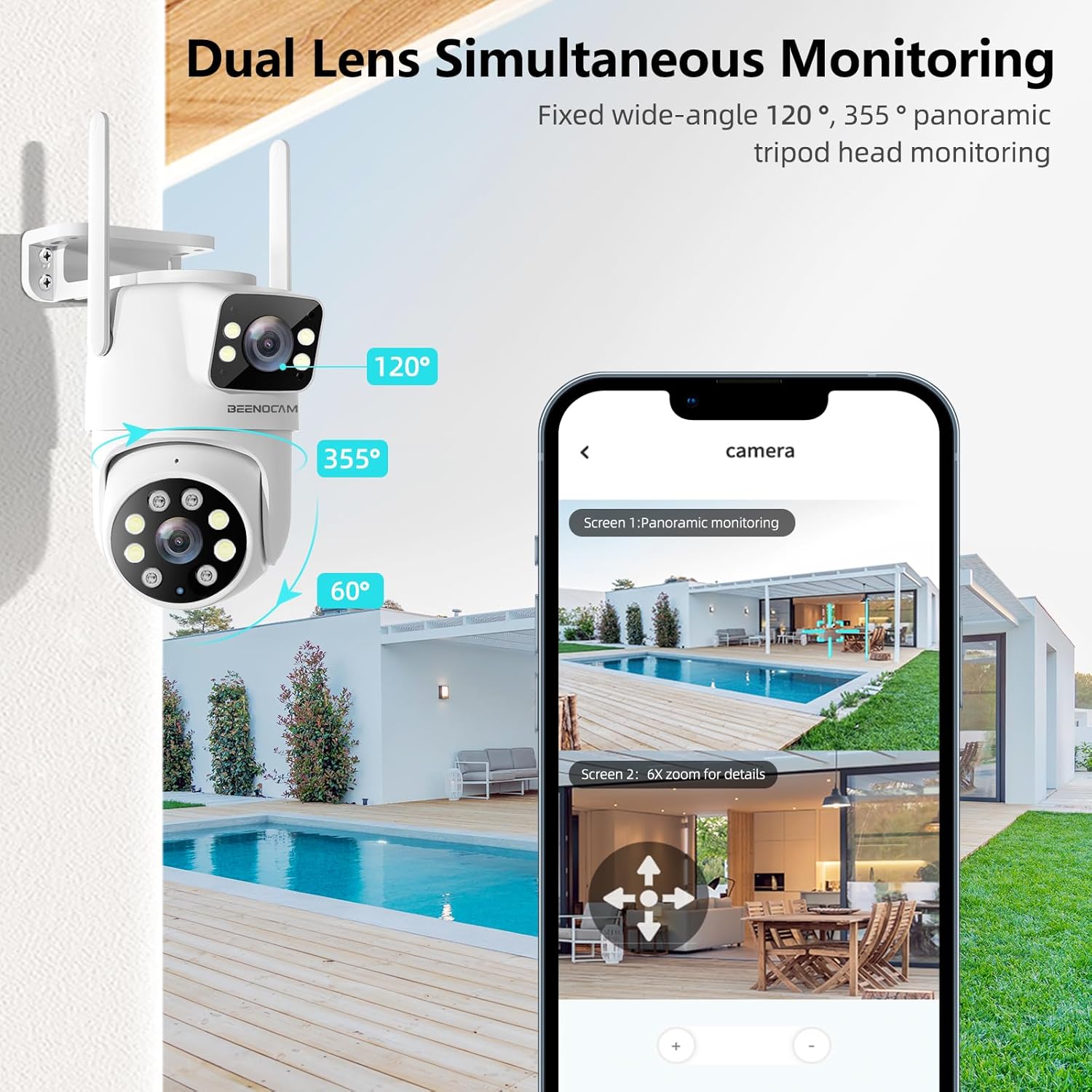
Image: Dual Lens Simultaneous Monitoring. This image illustrates the camera mounted on a wall, showing its fixed wide-angle lens and the 355-degree panoramic PTZ lens for comprehensive coverage.
2.2 Power Connection
Connect the provided power adapter to the camera's power input and then to a suitable power outlet. Ensure the connection is secure and protected from weather elements.
2.3 App Download and Network Connection
The camera operates with the O-KAM Pro application.
- Download the O-KAM Pro app from your smartphone's app store (iOS or Android).
- Register an account and log in.
- Follow the in-app instructions to add your camera. The camera supports dual-band 2.4GHz and 5GHz Wi-Fi for a stable connection.
- Ensure your Wi-Fi network is active and the camera is within range for optimal signal strength.
3. Operating Instructions
3.1 Live View and PTZ Control
Access the live video feed through the O-KAM Pro app. Use the on-screen controls to pan (355°) and tilt (90°) the camera lens, providing a wide viewing angle.

Image: Multiple Lens, Multi-angle View. This image shows the camera's dual-lens design and the app interface for controlling pan, tilt, and zoom functions, offering omnidirectional monitoring.
3.2 4K 8MP Ultra HD Video Quality
The camera delivers 4K 8MP (3840x2160P) Ultra HD resolution, ensuring clear and detailed images both day and night.
3.3 Night Vision Modes
The camera features three night vision modes:
- Infrared Night Vision: Provides clear black and white images up to 35 meters in low light conditions.
- Color Night Vision: Utilizes two built-in spotlights to provide full-color video up to 30 meters, even in complete darkness.
- Intelligent Night Vision: Automatically switches from infrared to color night vision upon detection of motion.
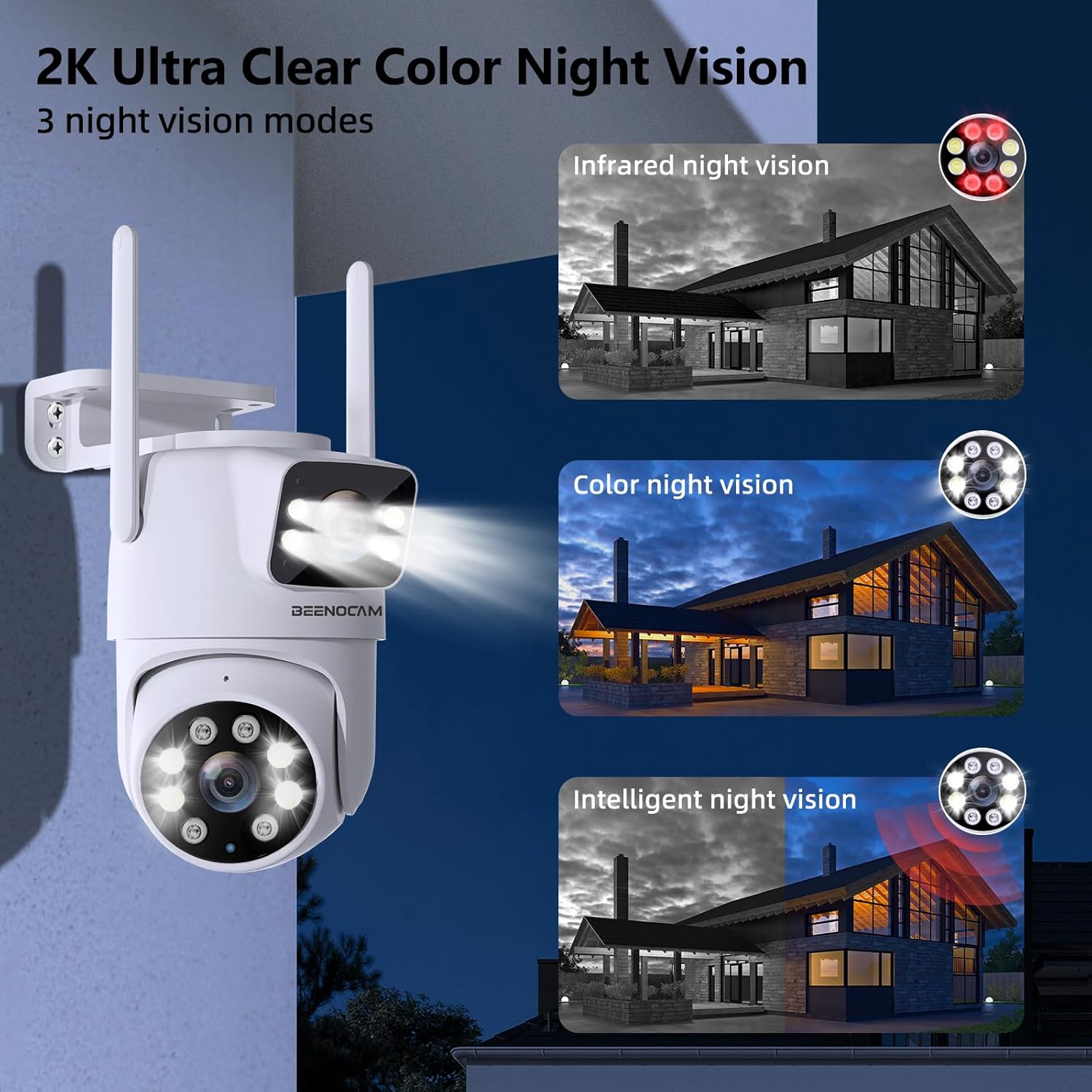
Image: 2K Ultra Clear Color Night Vision. This image demonstrates the three night vision modes: infrared, full-color, and intelligent, showing how the camera adapts to different lighting conditions.
3.4 Human Detection and Auto Tracking
The camera is equipped with PIR human detection technology and AI intelligent auto-tracking. When human activity is detected, the camera will automatically track the movement and record the event. This feature significantly reduces false alarms from animals or environmental factors.
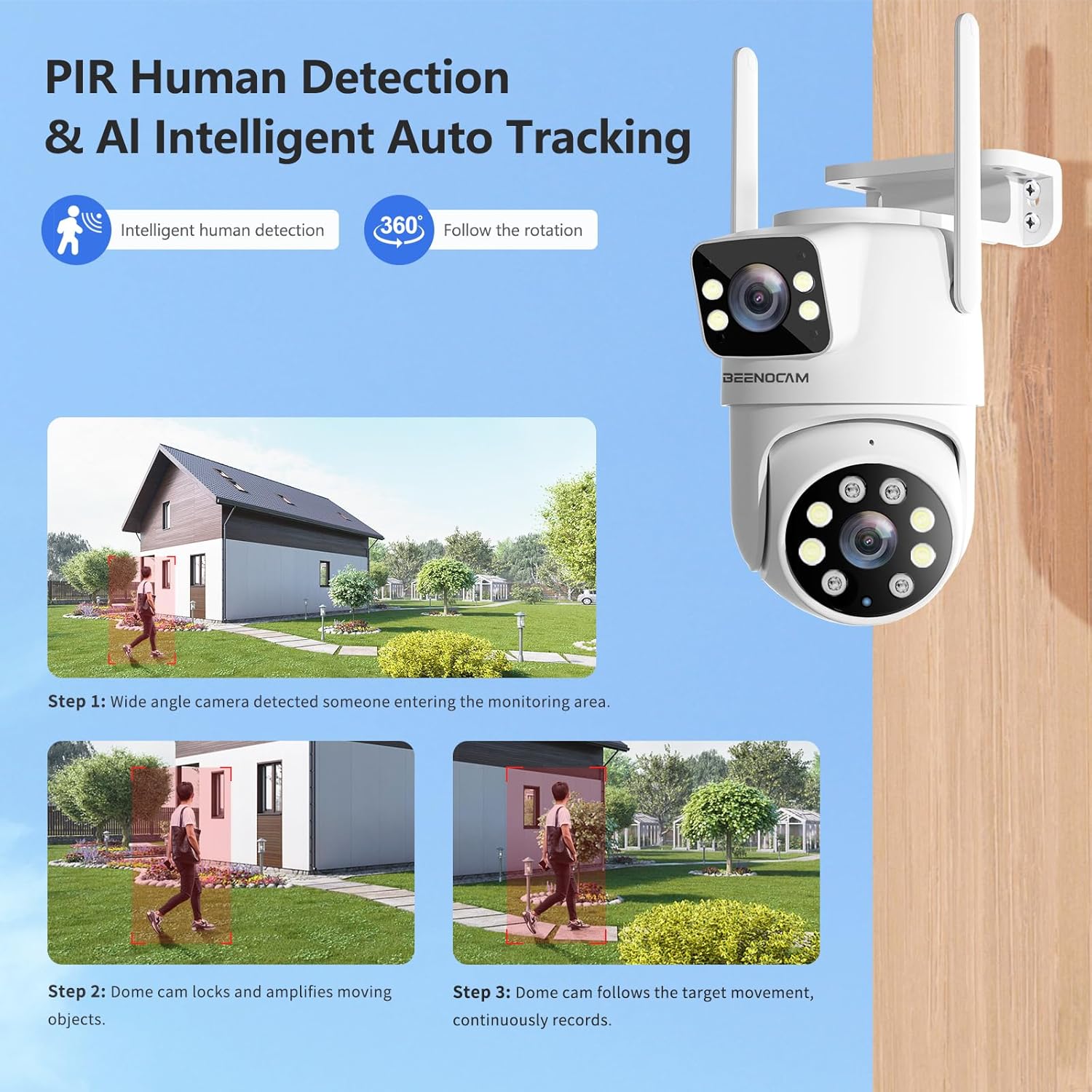
Image: PIR Human Detection & AI Intelligent Auto Tracking. This image illustrates the camera's ability to detect a person entering a monitored area, lock onto them, and follow their movement while continuously recording.
3.5 Two-Way Audio
The integrated microphone and speaker allow for real-time two-way communication. You can speak to visitors or deter intruders directly through the O-KAM Pro app.
3.6 Alarm Notifications
Upon detection of human motion, the camera sends immediate alarm notifications to your O-KAM Pro app and can also send alerts via email. Sound and light alarms can be configured to deter unauthorized activity.
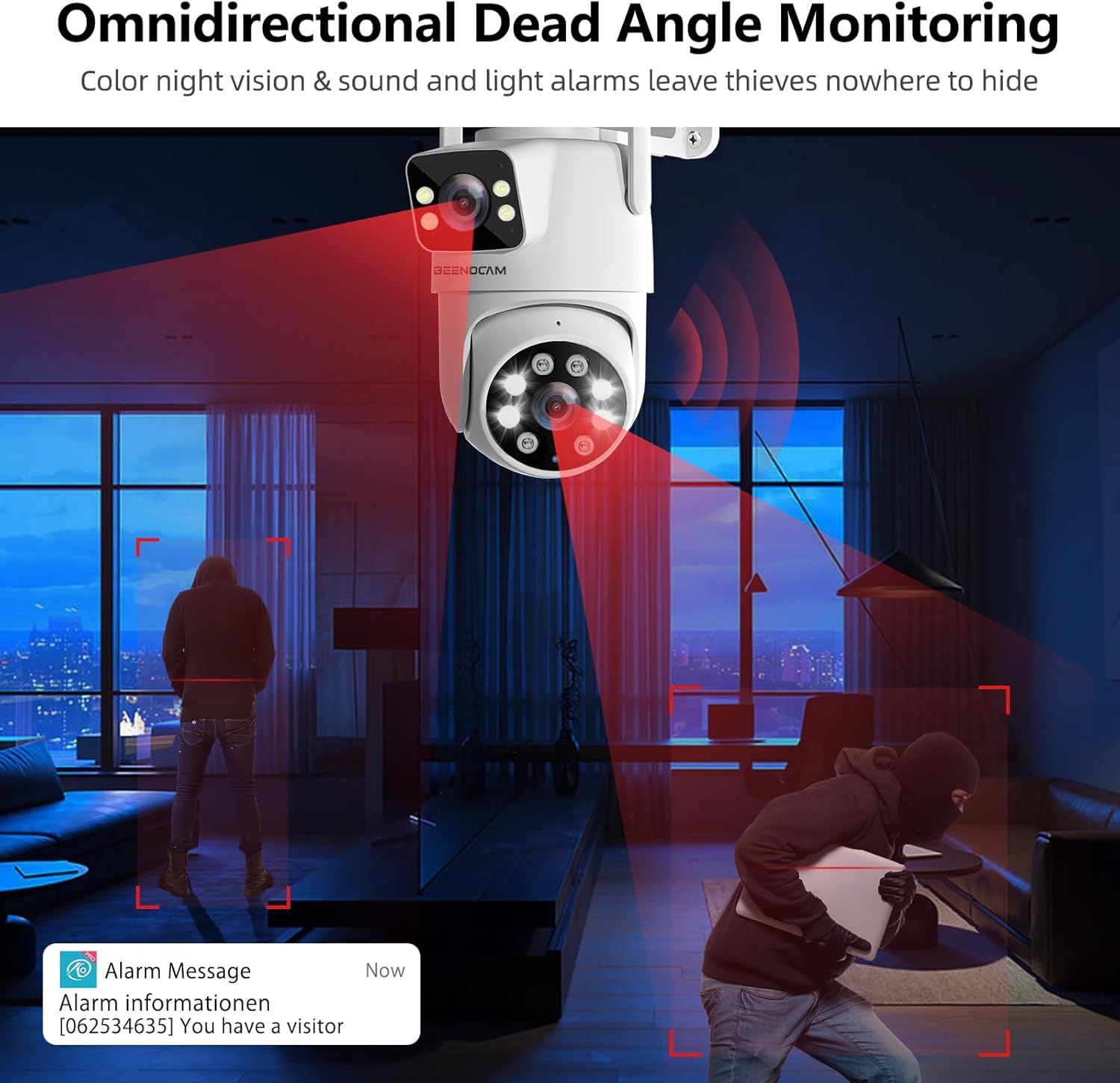
Image: Omnidirectional Dead Angle Monitoring with Alarm. This image shows the camera detecting intruders and triggering sound and light alarms, along with an alarm message notification on a phone.
3.7 Multi-User Sharing
The O-KAM Pro app allows you to share camera access with multiple users, enabling family members or trusted individuals to monitor the property simultaneously.
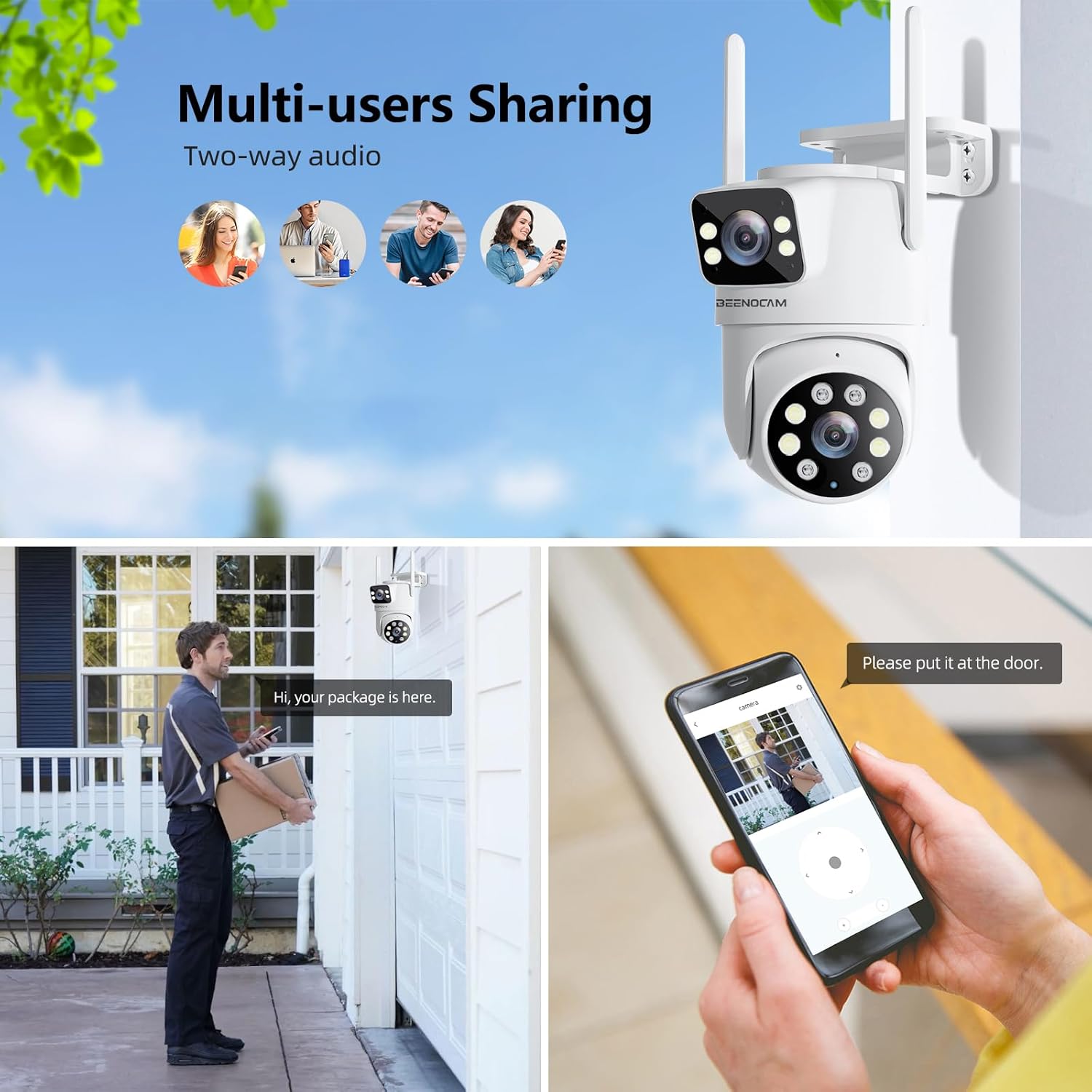
Image: Multi-users Sharing. This image depicts multiple users accessing the camera feed and communicating via the two-way audio feature, such as speaking to a delivery person.
3.8 Hybrid Zoom
The camera features a 6X hybrid zoom (2x optical zoom + 6x digital zoom). When activated, the camera can automatically adjust its lens to zoom in on detected activity for clearer details. After 60 seconds of inactivity, the camera returns to its original viewing position.
4. Maintenance
4.1 Weather Resistance (IP66)
The BEENOCAM camera is IP66 rated, making it waterproof, sunproof, dustproof, and cold-resistant. It is designed for reliable operation in various outdoor weather conditions.

Image: Perfect Ideal for All-Weather Use. This image highlights the camera's durability and resistance to various weather conditions, including rain, sun, dust, and cold.
4.2 General Care
- Regularly clean the camera lenses with a soft, dry cloth to ensure optimal image clarity.
- Ensure all cable connections are secure and free from damage.
- Avoid using harsh chemicals or abrasive cleaners on the camera body.
5. Troubleshooting
- Camera frequently disconnects from Wi-Fi:
- Ensure the camera is within range of your Wi-Fi router.
- Check for Wi-Fi interference from other devices.
- Verify your router is configured for 2.4GHz or 5GHz (both supported).
- Restart the camera and your router.
- Camera stops working or does not power on:
- Check the power adapter and cable for any visible damage.
- Ensure the power outlet is functional.
- Try a different power outlet.
- If the power adapter feels excessively hot, discontinue use and contact support.
- False alarms or detection issues:
- Adjust the motion detection sensitivity settings in the O-KAM Pro app.
- Ensure the detection zone is configured correctly to avoid areas with frequent irrelevant motion (e.g., trees swaying).
- Verify that human detection is enabled to filter out non-human movements.
- Poor image quality:
- Clean the camera lenses.
- Ensure sufficient lighting for night vision modes.
- Check your internet connection speed.
6. Specifications
| Feature | Detail |
|---|---|
| Model | BEENOCAM 4K 8MP PTZ Dual-Lens WiFi Surveillance Camera |
| Resolution | 4K 8MP (3840x2160P) |
| Connectivity | 2.4GHz / 5GHz Dual-band Wi-Fi |
| Pan/Tilt Angle | Pan 355°, Tilt 90° |
| Night Vision | Color Night Vision (30m), Infrared Night Vision (35m), Intelligent Night Vision |
| Special Features | Human Detection, AI Auto Tracking, Two-Way Audio, 6X Hybrid Zoom |
| Weather Resistance | IP66 (Waterproof, Sunproof, Dustproof, Cold-resistant) |
| Power Source | 12 Volts (Power Adapter) |
| Power Consumption | 8 Watts |
| Dimensions (L x W x H) | 8.5 x 10.5 x 6.5 cm |
| Weight | 530 grams |
| Recommended Use | Surveillance |
| Mounting Type | Wall Mount |
7. Warranty and Support
BEENOZO provides a standard warranty for this product. For specific warranty terms and conditions, please refer to the documentation included with your purchase or contact BEENOZO customer support. If you encounter any issues or require technical assistance, please reach out to the seller or manufacturer's support channels.
Please note that product performance can be affected by environmental factors and proper installation. Always ensure the camera is installed according to the instructions to maintain warranty validity.


