
VOPLLS V-15000L-WiFi-Bluetooth Projector
Contents
VOPLLS Mini Projector User Manual
Model: V-15000L-WiFi-Bluetooth Projector
Brand: VOPLLS
1. Introduction
Thank you for choosing the VOPLLS Mini Projector. This manual provides essential information for setting up, operating, and maintaining your projector. Please read it thoroughly before use to ensure optimal performance and safety.
2. Safety Instructions
- Ensure proper ventilation around the projector. Do not block ventilation openings.
- Use only the power adapter supplied with the projector.
- Do not expose the projector to rain, moisture, or extreme temperatures.
- Avoid looking directly into the projector lens when the lamp is on, as it can cause eye damage.
- Place the projector on a stable, level surface to prevent falls.
- Unplug the projector during lightning storms or when unused for long periods.
3. Package Contents
Please check that all items are present:
- VOPLLS Mini Projector
- Power Cable
- Remote Control
- HDMI Cable
- AV Cable
- User Manual
4. Product Overview

Image: The VOPLLS Mini Projector, showcasing its compact design with a smartphone placed on its top surface and a small tripod next to it, highlighting its portability and connectivity features.
Front View:
- Projection Lens: Emits the image.
Side View:
- Focus Knob: Adjusts image clarity.
- Keystone Correction Knob: Corrects trapezoidal image distortion.
- Ventilation Grilles: For heat dissipation.
Rear/Side Ports:
- HDMI Port: Connects to devices like laptops, game consoles, TV sticks.
- USB Port: Connects to USB drives for media playback.
- AV Port: Connects to older devices using an AV cable.
- Audio Out (3.5mm) Port: Connects to external speakers or headphones.
- Power Input: Connects to the power adapter.
5. Setup
5.1 Placement
Place the projector on a stable surface or mount it. For optimal viewing, ensure the projector is perpendicular to the projection surface. The projection distance can range from 3.7ft to 23.6ft, yielding a screen size from 35 inches to 210 inches.

Image: A visual representation of the projector's throw distance and corresponding screen sizes, illustrating how to achieve different projection dimensions from 35 inches to 210 inches.
5.2 Power Connection
Connect the power cable to the projector's power input port, then plug the other end into a power outlet.
5.3 Initial Adjustments
- Focus: Rotate the focus knob until the image is sharp.
- Keystone Correction: If the image appears trapezoidal (wider at the top or bottom), adjust the keystone correction knob to make the image rectangular.
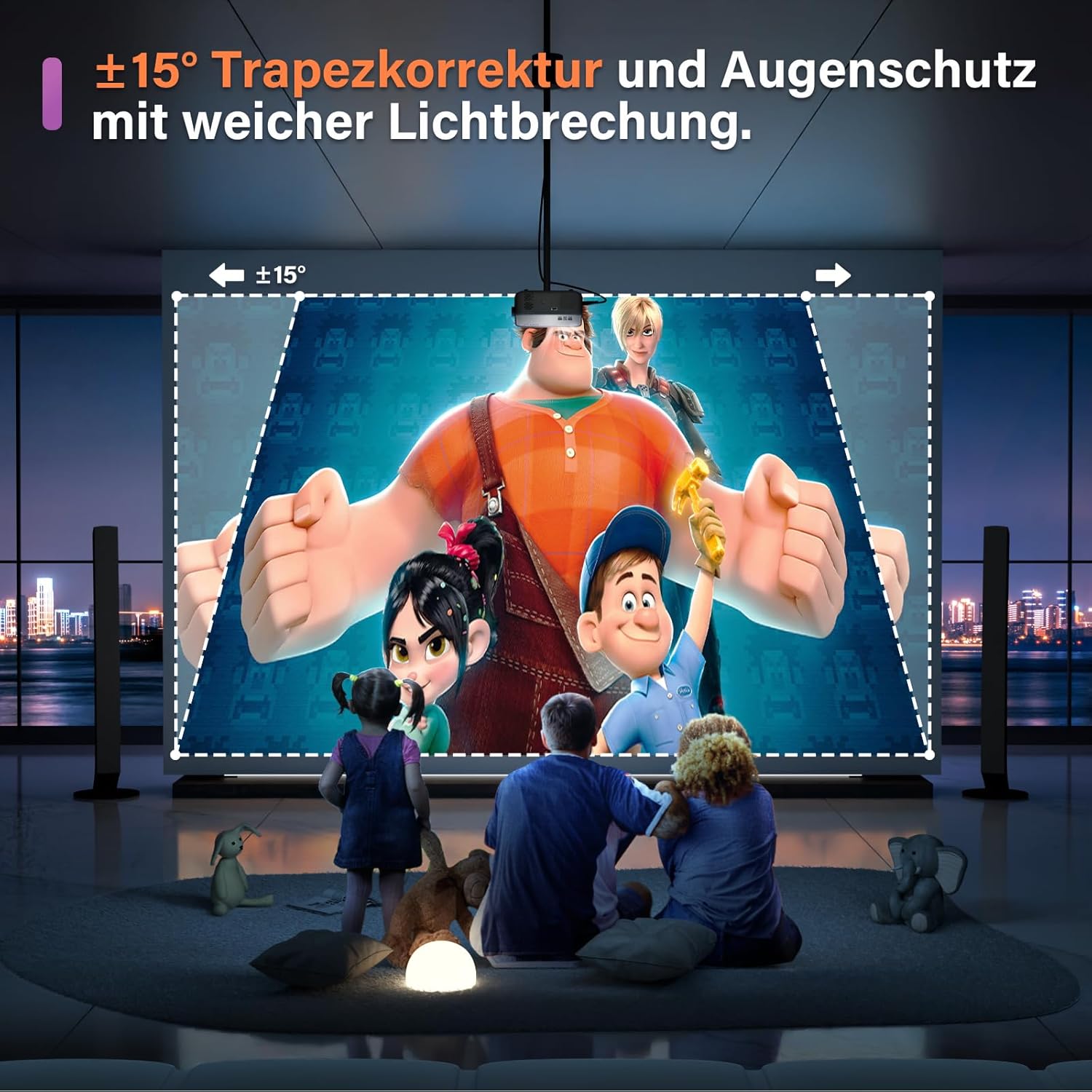
Image: A visual example of keystone correction, showing how the projector can adjust a distorted, trapezoidal image into a perfectly rectangular shape for optimal viewing.
6. Operating Instructions
6.1 Powering On/Off
Press the power button on the projector or the remote control to turn the unit on or off.
6.2 Input Source Selection
Use the 'Source' button on the remote or projector to select your desired input (HDMI, USB, AV, Screen Mirroring).
6.3 Wireless Screen Mirroring (WiFi)
The VOPLLS projector supports 5GHz and 2.4GHz dual-band WiFi for stable and fast screen mirroring from your smartphone or tablet.
- Select 'Screen Mirroring' as the input source.
- Follow the on-screen instructions to connect your device to the projector's WiFi network.
- Activate screen mirroring/casting feature on your device (e.g., 'Smart View' for Android, 'Screen Mirroring' for iOS).
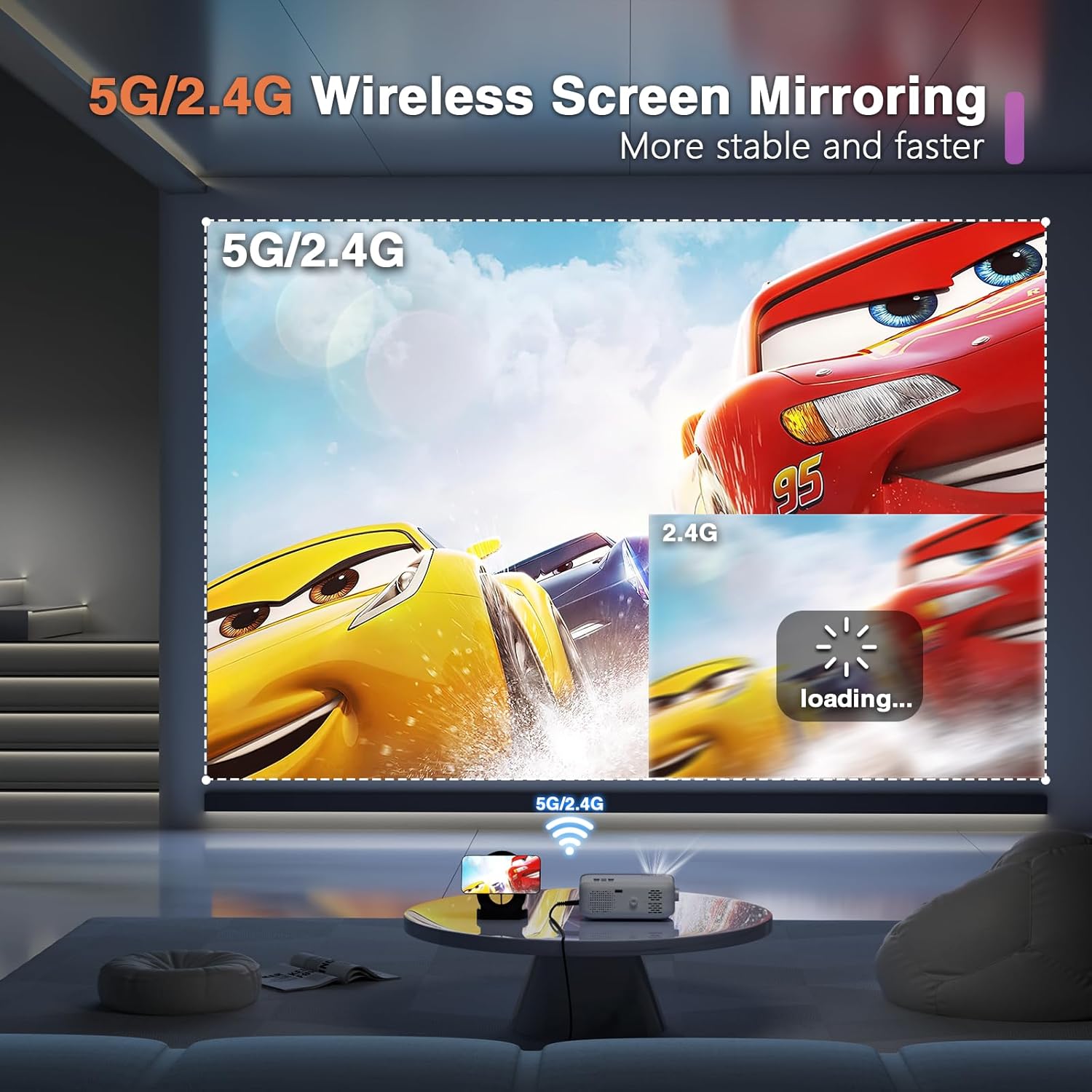
Image: A visual demonstrating the projector's 5G/2.4G wireless screen mirroring capability, showing a stable and fast connection for streaming content from a mobile device to a large screen.
6.4 Bluetooth Audio Connection
Connect the projector to external Bluetooth speakers or headphones for enhanced audio experience.
- Go to the projector's Bluetooth settings.
- Enable Bluetooth on the projector and your external audio device.
- Select your audio device from the list of available devices to pair.

Image: A family enjoying an outdoor movie night, with the VOPLLS projector wirelessly connected to a Bluetooth speaker, illustrating the convenience of Bluetooth 5.1 for an immersive audio experience.
6.5 Zoom Function
The projector features a zoom function that allows you to shrink the image size from 100% to 50% via the remote control, without physically moving the projector.
Video: A short demonstration of the VOPLLS Mini Projector's features, including its WiFi connectivity, zoom function, and Bluetooth capabilities, showcasing its ease of use and versatility.
7. Key Features
- High Definition Visuals: Supports 1080P Full HD resolution with 15000L LED light source, advanced LED technology, and NTSC color technology for vivid and clear images.
- Dual-Band WiFi (5G & 2.4G): Offers higher wireless rates and a smoother, faster experience for gaming and online video streaming, minimizing lagging.
- Bluetooth 5.1 Function: Equipped with Hi-Fi stereo speakers and Bluetooth, allowing wireless connection to Bluetooth headsets or external speakers for superior audio fidelity.
- Compact and Portable Design: With dimensions of 6.83x4.96x2.65 inches and a weight of 1.4lb, this mini projector is highly portable, ideal for travel and outdoor use.
- Large Projection Size & Zoom: Provides an immersive viewing experience with a projection size from 35 inches to 210 inches and a projection distance of 3.7ft to 23.6ft. The zoom function allows image size adjustment from 100% to 50%.
- Built-in Hi-Fi Stereo Speaker: Delivers crystal clear sound quality directly from the projector.
- Multiple Device Compatibility: Easily connects with laptops, smartphones, tablets, USB drives, and PS5s. Note: Due to copyright restrictions, streaming apps like Netflix, Prime Video, and Hulu can only be played via TV Stick, Roku, etc.
- Long Lamp Life: Built with a consumption-saving LED lamp designed to extend its useful life to 60,000 hours.

Image: A side-by-side comparison illustrating the superior high-definition clarity and vibrant colors produced by the VOPLLS projector compared to a standard 1080p supported display.

Image: A serene scene showing a child asleep in bed with the VOPLLS projector quietly operating on a bedside table, emphasizing its low noise level and HiFi stereo sound.
8. Troubleshooting
8.1 No Picture
- Check if the power cable is securely connected.
- Ensure the correct input source is selected (HDMI, USB, AV, Screen Mirroring).
- Verify that the connected device (laptop, phone) is powered on and outputting video.
8.2 Blurry Image
- Adjust the focus knob until the image is sharp.
- Adjust the keystone correction knob if the image is distorted.
- Ensure the projection distance is within the recommended range (3.7ft to 23.6ft).
8.3 No Sound
- Check the volume level on both the projector and the connected device.
- If using external speakers, ensure they are properly connected and powered on.
- If using Bluetooth, ensure the projector is correctly paired with the audio device.
8.4 WiFi/Bluetooth Connection Issues
- Ensure your device is within range of the projector.
- Restart both the projector and your connecting device.
- For screen mirroring, ensure your device supports the mirroring protocol (e.g., Miracast, AirPlay).
9. Specifications
| Brand | VOPLLS |
| Model | V-15000L-WiFi-Bluetooth Projector |
| Item Weight | 2.61 pounds |
| Product Dimensions | 6.69 x 4.9 x 2.64 inches |
| Visible Screen Diagonal | 210 inches / 534 cm |
| Wattage | 70 watts |
| Controller Type | Button Control |
| Connectivity | 5G/2.4G WiFi, Bluetooth 5.1, HDMI, USB, AV |
| Lamp Life | Up to 60,000 hours |
10. Maintenance
10.1 Cleaning the Lens
Use a soft, lint-free cloth specifically designed for optical lenses to gently wipe the projector lens. Do not use abrasive cleaners or excessive force.
10.2 Cleaning Ventilation
Regularly check and clean the ventilation grilles to prevent dust buildup, which can affect performance and lead to overheating. Use a soft brush or compressed air.
10.3 Storage
When not in use, store the projector in a cool, dry place, away from direct sunlight and extreme temperatures. Use the original packaging or a protective case if available.
11. Warranty and Support
VOPLLS provides a standard warranty for this product. For detailed warranty information, please refer to the warranty card included in your package or visit the official VOPLLS website.
If you encounter any issues or have questions not covered in this manual, please contact VOPLLS customer support for assistance. Contact information can typically be found on the product packaging or the brand's official website.
Documents and downloads
Ask a question about this manual
Ask about setup, troubleshooting, compatibility, parts, safety, or missing instructions. Manuals+ will review the question and use this page’s manual context to help answer it.