
Enabot EBO EBO X
Contents
Enabot EBO X Home Robot User Manual
Your comprehensive guide to setting up, operating, and maintaining your EBO X.
1. Introduction
About EBO X
The Enabot EBO X is an advanced home robot designed to enhance your home security, provide companionship, and offer smart assistance. With its integrated 4K UHD camera, Harman AudioEFX speaker, and AI capabilities, EBO X brings a new level of interaction and peace of mind to your living space.
Key features include:
- GPT-4o mini Integration: Ask anything you like, explore recipes, discover books, plan adventures, and more.
- Smart Home 3-IN-1 Robot: Functions as a guardian with Elderly Fall Alert, Crying & Call-for-Help Alert, Climbing Alert, Facial Recognition & Medication Reminder, Stranger Alert, and Fixed-location & Auto Cruising Security.
- Smart Mapping and V-SLAM Navigation: Moves precisely through your home, avoiding obstacles.
- Stabilized 4K 8MP Security Camera with Night Vision: Monitor any room, even in low light.
- Harman Customized Speaker: Enjoy premium sound quality.
- Instant Alerts: Receive notifications for human, motion, or abnormal sound detection.
- Two-Way Communication: Hear and speak to family, friends, or visitors through the EBO HOME APP.
- Alexa Built-in: Control smart home devices and interact with Amazon Alexa.
- Multiple Control Ways: Control via APP, voice, and touch.
- Privacy Protection: Features a privacy button, structural shutter, and app switch to control camera and microphone.

Figure 1: The Enabot EBO X Home Robot and its accompanying mobile application.
2. Setup
2.1 Unboxing and Initial Charge
Upon receiving your EBO X, carefully unbox all components. Place the EBO X device onto its charging dock. Ensure the charging dock is connected to a power source using the provided adapter and power cable. The EBO X will automatically begin charging.

Figure 2: EBO X automatically returning to its charging dock.
2.2 App Installation and Connection
To fully utilize your EBO X, you need to install the EBO HOME APP on your mobile device. Follow these steps:
- Download the app by scanning the QR code below or searching for "EBO Home" in the Apple App Store or Google Play Store.
- Register your EBO account within the app.
- Connect to EBO X by following the in-app instructions and start exploring its features.

Figure 3: Steps for app installation and device connection.
Scan for iOS: https://qr19.cn/DuQUr7
Scan for Android: https://qr19.cn/A9GypP
3. Operating Your EBO X
3.1 Navigation and Smart Mapping (V-SLAM)
EBO X utilizes V-SLAM (Visual Simultaneous Localization and Mapping) technology for autonomous and accurate movement throughout your home. This allows EBO X to travel anywhere in the house without getting lost and return to its charging base smoothly.
Important Mapping Considerations:
- EBO X is not currently able to build its map on soft carpets over 5mm in height.
- Avoid ledges higher than 7mm to prevent getting stuck and falls.
- Both EBO X and the charging dock must be on the ground during mapping.
- Do not manually move EBO X or the charging dock during mapping.
- Do not obstruct the robot's field of view.
- EBO X may not be able to recognize mirror materials, pure black materials that cannot reflect light, and areas with strong direct sunlight.
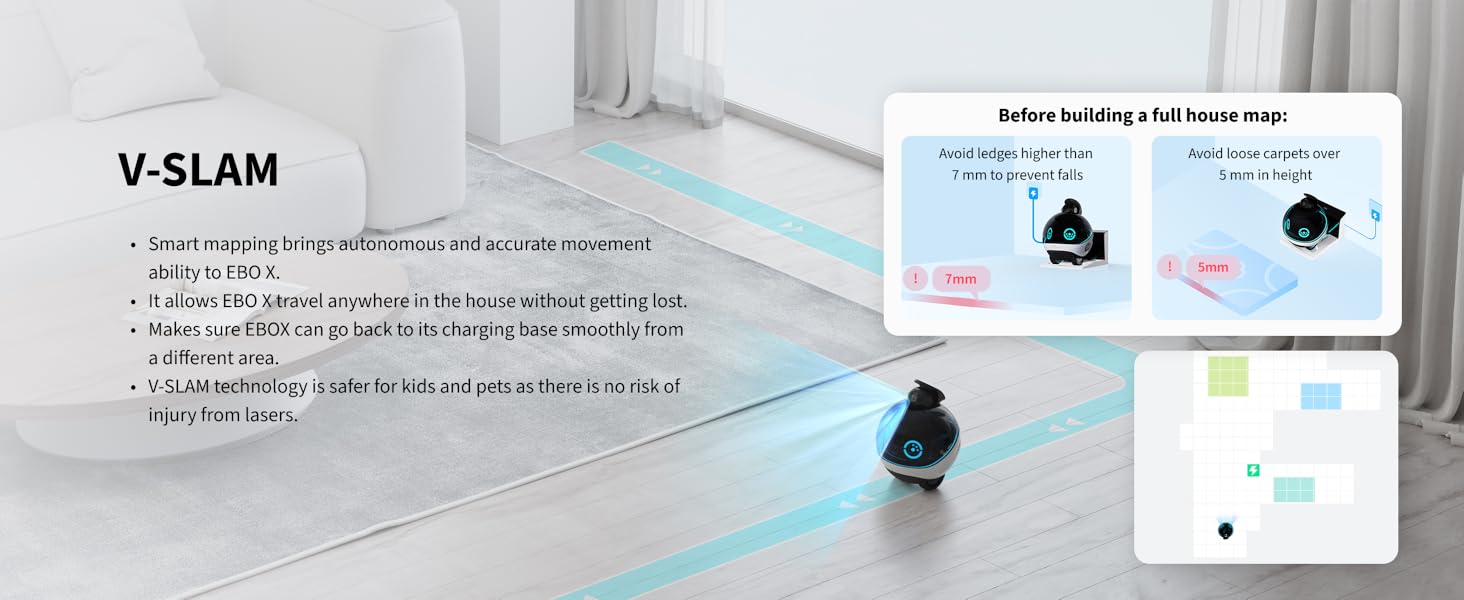
Figure 4: EBO X's V-SLAM smart mapping capabilities.

Figure 5: Guidelines for optimal mapping and movement.
3.2 Security and Monitoring Features
EBO X acts as your smart guardian, providing various alerts and security functions:
- Elderly Fall Alert: EBO X will automatically make an APP Call or send an APP Message if it detects someone has fallen or called for help during auto-cruising. The effective detection distance is 10-15 feet.
- Crying & Call-for-Help Alert: EBO X will trigger an audio call once it detects your child is crying or climbing.
- Facial Recognition & Medication Reminder: EBO X can identify specific individuals through its face recognition technology and deliver reminders directly to them. Upload facial information of family members to the EBO HOME APP for this feature.
- Stranger Alert: Receive instant alerts on your phone if a stranger is detected in your house. Upload all family members' faces to the EBO HOME APP first to use this feature.
- Fixed-location & Auto Cruising Security: Set up fixed-location security tasks or allow EBO X to cruise autonomously to monitor your home.

Figure 6: Fall detection and alert system in action.

Figure 7: Safety alerts for children.

Figure 8: Medication reminders and voice messages.

Figure 9: Smart security guard features.
3.3 Communication and Interaction
EBO X offers various ways to communicate and interact with your family and home environment:
- Real-time Two-Way Communication: Use the EBO HOME APP to talk with your loved ones through EBO X, even when you're away.
- Voice Control: Command EBO X with simple voice commands, such as "EBO EBO, Follow Me!"
- Alexa Built-in: Talk to Amazon Alexa through EBO X to control smart home devices, play music, and more.
- Sound Location System: EBO X can always face you using its sound location system, comprised of 4 microphones.
- Multi-functional Companion: Acts as a movable speaker, photographer, remote pet interaction device, and voice message recorder.
- All Family Login: EBO X supports inviting up to 5 members to a group chat in the EBO HOME APP, keeping everyone connected.

Figure 10: Real-time two-way communication.

Figure 11: EBO X's follow-me function.
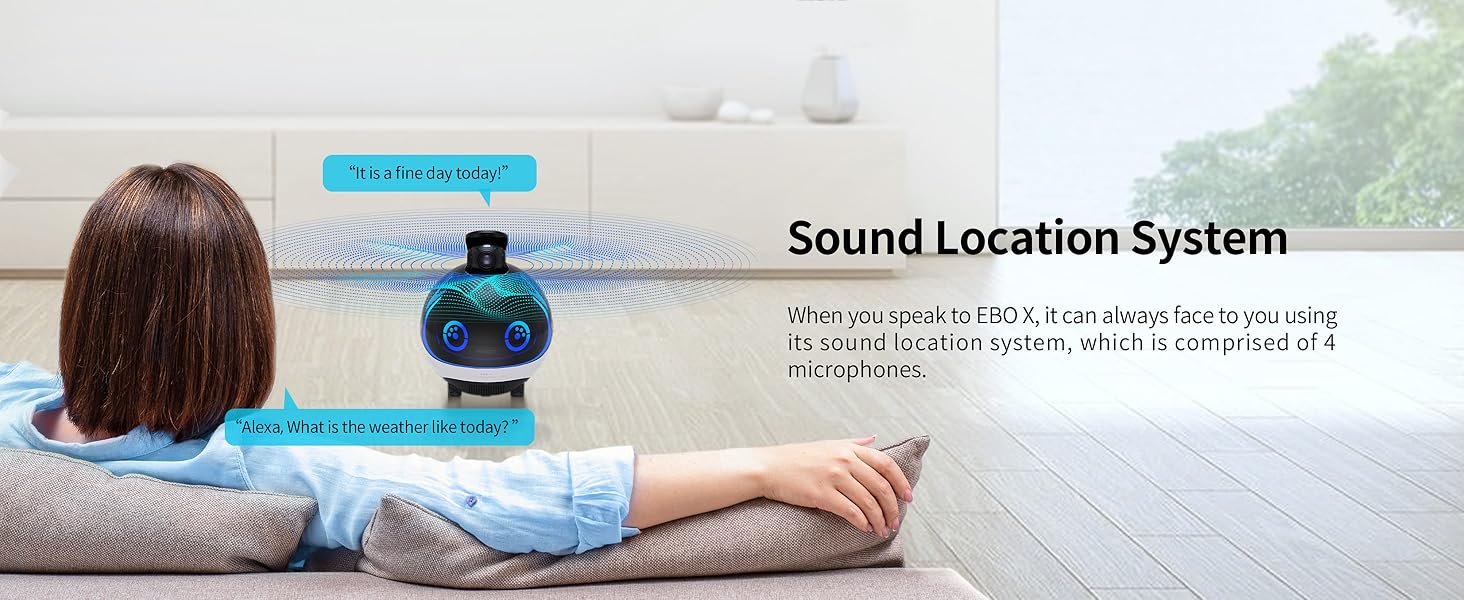
Figure 12: Sound location system for responsive interaction.
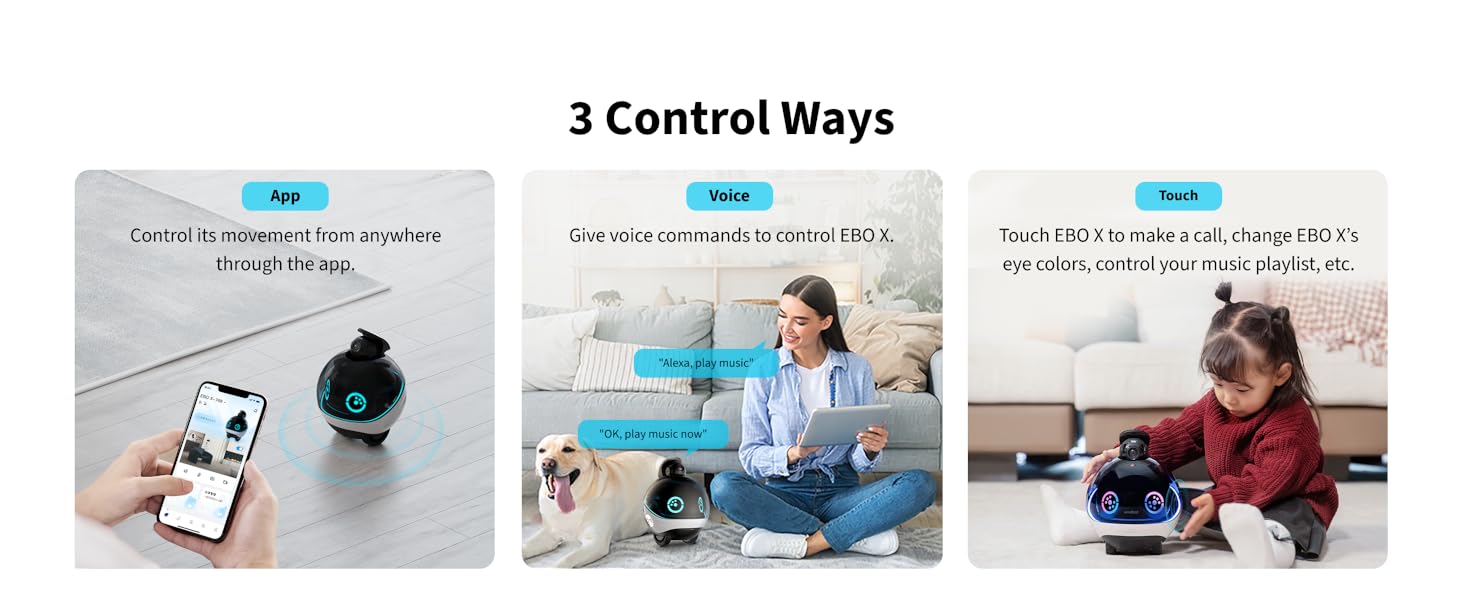
Figure 13: All family login feature.

Figure 14: Control methods for EBO X.
3.4 GPT-4o mini Integration
EBO X is integrated with GPT-4o mini, allowing for advanced conversational capabilities. You can ask EBO X questions, explore topics, and receive information, making it an interactive assistant in your home. Ensure your firmware is updated for the best experience.

Figure 15: EBO X's GPT-4o mini integration.
3.5 Privacy Features
Your privacy is a top priority with EBO X. The device is designed with multiple layers of privacy protection:
- Privacy Button: A physical button on EBO X allows you to manually turn off the camera and microphone.
- Structure Shutter: EBO X features a physical shutter that can hide the camera lens.
- Privacy Switch via App: You can adjust the camera angle or turn on sleep mode in the EBO HOME APP to turn off the camera.
- Local Storage: All photos and videos can optionally be stored on a 64GB SD card only, ensuring your data remains private.

Figure 16: EBO X's privacy protection features.
4. Maintenance
4.1 Charging
EBO X is designed for convenience with automatic charging. When its battery level drops below 20%, EBO X will automatically return to its charging dock. Ensure the charging dock is always connected to power and free from obstructions.

Figure 17: Automatic charging of EBO X.
4.2 Cleaning
To ensure optimal performance, regularly clean your EBO X. Use a soft, dry cloth to wipe the exterior. For the camera lens, use a lens cleaning cloth. Avoid using harsh chemicals or abrasive materials.
4.3 Software Updates
Periodically check for and install firmware updates via the EBO HOME APP. Updates often include performance improvements, new features, and bug fixes, ensuring your EBO X operates at its best.
5. Troubleshooting
If you encounter issues with your EBO X, refer to the following common problems and solutions:
- EBO X gets stuck or cannot navigate: Ensure your home environment meets the V-SLAM requirements (avoid carpets over 5mm, ledges over 7mm). Clear any obstructions in its path.
- EBO X does not charge: Verify the charging dock is properly connected to power and the EBO X is correctly positioned on the dock. Clean the charging contacts on both the robot and the dock.
- Voice commands not responding: Check if the microphone is enabled (not physically turned off via the privacy button or app switch). Ensure EBO X is within hearing range and there isn't excessive background noise.
- App connectivity issues: Ensure your EBO X is powered on and connected to your home Wi-Fi network. Restart both the EBO X and your mobile device. Check your Wi-Fi signal strength.
- Alerts not functioning: Verify that the specific alert features (e.g., fall detection, stranger alert) are enabled in the EBO HOME APP. Ensure facial information is uploaded for features like medication reminders and stranger alerts.
6. Specifications
| Feature | Detail |
|---|---|
| Indoor/Outdoor Usage | Indoor |
| Compatible Devices | Mobile Phone |
| Power Source | Battery Powered |
| Connectivity Protocol | Wi-Fi |
| Controller Type | APP |
| Mounting Type | Wall Mount (Note: Product is robotic, this might refer to charging dock placement) |
| Video Capture Resolution | 4k |
| Number of Items | 1 |
| Wireless Communication Technology | Wi-Fi |
| Form Factor | Robotic |
| Item dimensions L x W x H | 6.6 x 6.6 x 8.6 inches |
| Batteries Required? | Yes (1 Lithium Ion battery included) |
| Room Type | Hallway, Living Room, Study Room possibility |
| Video Capture Format | MPEG-4 |
| Unit Count | 1.0 Count |
| Effective Still Resolution | 8 MP |
| International Protection Rating | IP65 |
| Control Method | App |
| Product Dimensions | 6.6 x 6.6 x 8.6 inches |
| Item Weight | 7.93 pounds |
| Item model number | EBO X |
| Manufacturer | Enabot |
| Recommended Uses For Product | Indoor Security |
| Brand | Enabot EBO |
| Model Name | EBO X |
| Special Feature | Wheels |
7. Warranty and Support
Your EBO X comes with a manufacturer's warranty. For specific warranty details, please refer to the documentation included in your product packaging or visit the official Enabot website.
If you encounter any problems or require technical assistance, please contact Enabot customer support. We are committed to providing timely assistance and will reply within 24 hours.
Ask a question about this manual
Ask about setup, troubleshooting, compatibility, parts, safety, or missing instructions. Manuals+ will review the question and use this page’s manual context to help answer it.