
1. Introduction
The kapebow AFQ05 is a versatile 3-in-1 device designed to enhance sleep and create a calming environment. It integrates a white noise sound machine, an alarm clock, and an adjustable night light into a single unit. This manual provides detailed instructions for its setup, operation, and maintenance.

Figure 1: kapebow AFQ05 device and its smartphone application interface.
2. Safety Instructions
- Read all instructions before use and retain for future reference.
- Do not expose the device to water or excessive moisture.
- Use only the provided power adapter.
- Keep out of reach of infants and young children unless under adult supervision.
- Do not attempt to disassemble or repair the device yourself. Contact customer support for assistance.
- Ensure proper ventilation around the device during operation.
3. Package Contents
Verify that all items are present in the package:
- kapebow AFQ05 3-in-1 Device
- Power Adapter
- User Manual (this document)
4. Product Features Overview
The kapebow AFQ05 combines several functionalities to support sleep and relaxation:
- Sound Machine: Offers 16 soothing sounds, including 5 white noises, 3 lullabies, and 8 nature sounds, with adjustable volume (0-100).
- Night Light: Features 0-100 dimmable RGB color options to create a customizable ambiance.
- Alarm Clock: Provides gentle wake-up options.
- Sleep Timer: Allows setting a duration for sound and light playback.
- App Remote Control: Manage settings and customize functions via the Smart Life or Tuya Smart app.
- Manual Brightness Adjustment: Touch the top of the device to adjust light brightness.
- Child Lock: Prevents accidental changes to settings.
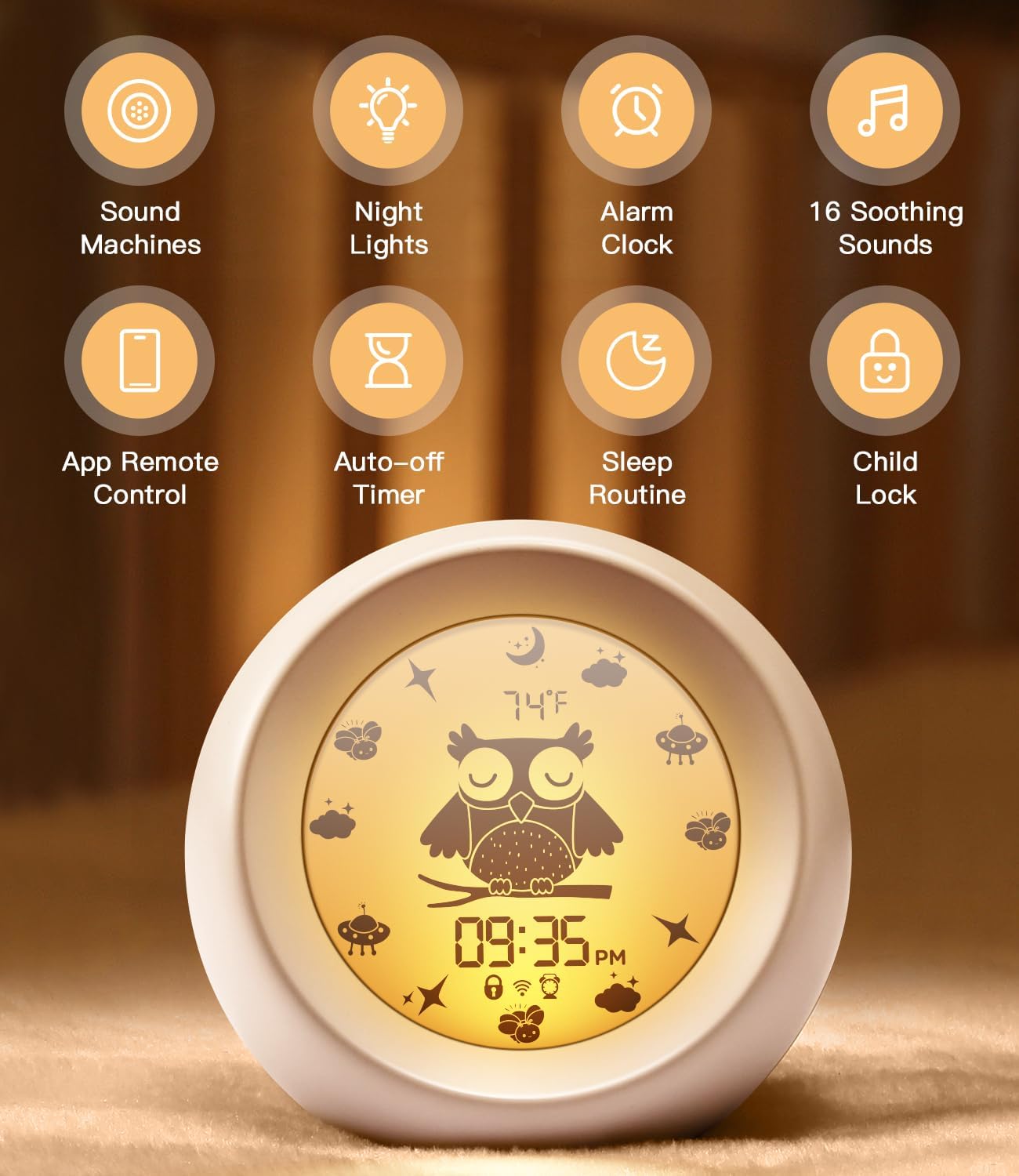
Figure 2: Key features of the kapebow AFQ05 device.

Figure 3: The LCD display shows time, temperature, and device status.
5. Setup Guide
5.1 Powering On
- Connect the provided power adapter to the device's power input port.
- Plug the power adapter into a standard electrical outlet. The device will power on and the display will activate.
5.2 App Installation and Connection
The kapebow AFQ05 can be controlled remotely via a smartphone app.
- Download the Smart Life or Tuya Smart app from your device's app store (Apple App Store for iOS, Google Play Store for Android).
- Ensure your smartphone is connected to a 2.4GHz Wi-Fi network. Note: 5GHz Wi-Fi networks are not compatible.
- Enable Bluetooth on your smartphone.
- Open the app and follow the on-screen instructions to add a new device. The app will guide you through the pairing process using Bluetooth and Wi-Fi.

Figure 4: App interface for controlling the device.
6. Operating the Device
6.1 Sound Functions
The device offers 16 soothing sounds to aid relaxation and sleep.
- Selecting Sounds: Use the app to browse and select from 5 white noises, 3 lullabies, and 8 nature sounds.
- Volume Control: Adjust the volume from 0 to 100 using the app.
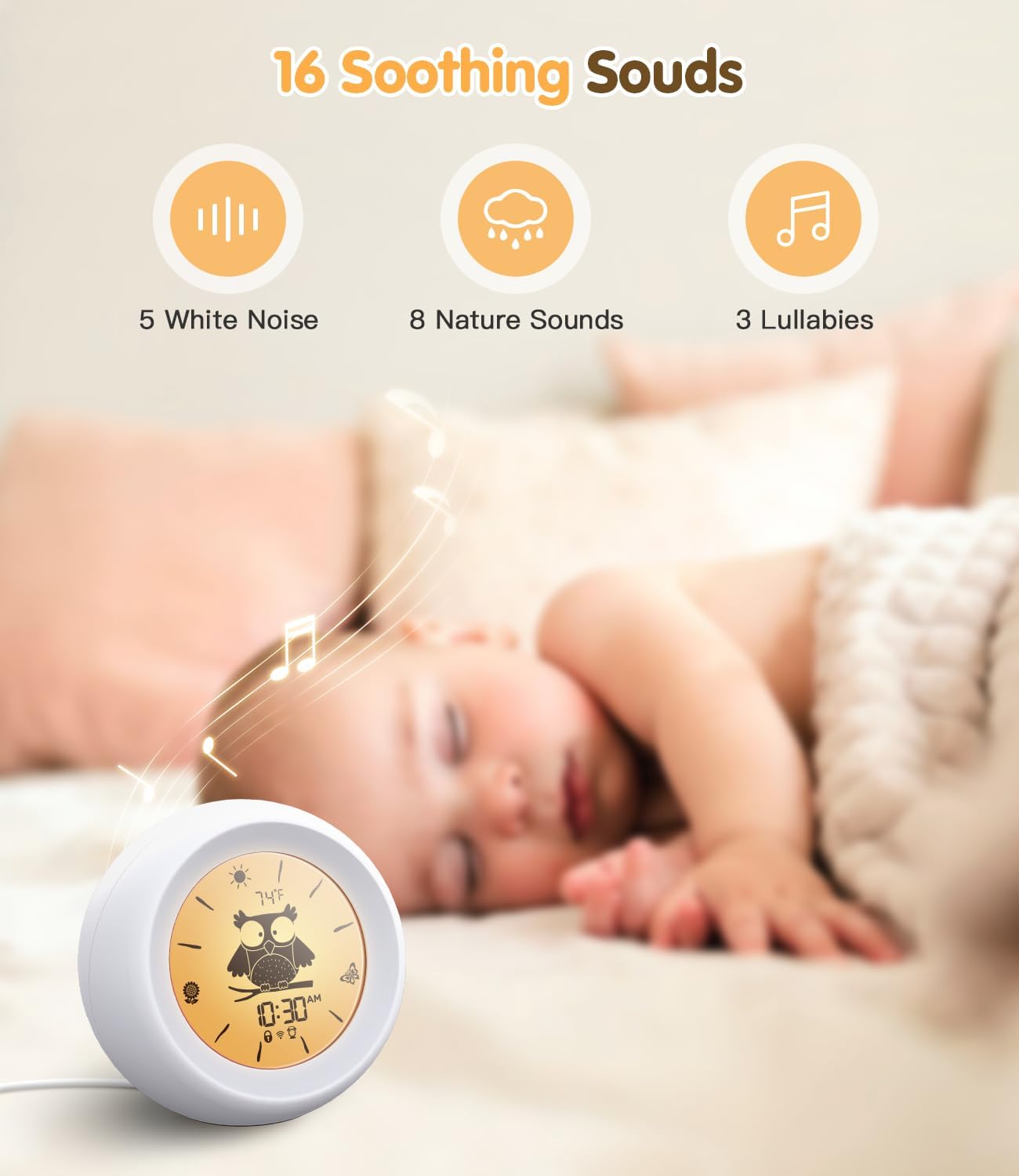
Figure 5: The device offers 16 soothing sounds.

Figure 6: Visual representation of the 16 available sounds.

Figure 7: The 'Shush Shush' sound can help calm infants.

Figure 8: The 'Heartbeat' sound can provide a sense of security.
6.2 Night Light Functions
The integrated night light offers customizable colors and brightness.
- Color Selection: Choose from a range of RGB colors via the app.
- Brightness Adjustment: Adjust brightness from 0% to 100% using the app or by touching the top of the device.

Figure 9: Adjustable night light brightness from 1% to 100%.

Figure 10: Multiple lighting modes and color options.
6.3 Alarm Clock Functions
Set and manage alarms through the smartphone app.
- Setting Alarms: Use the app to set desired wake-up times and choose alarm sounds.
- Snooze Function: Tap the top of the device to snooze an active alarm.

Figure 11: The device provides a gentle wake-up experience.

Figure 12: Tap the device to snooze alarms.
6.4 Sleep Timer
Set a timer for the sound and light functions to automatically turn off after a specified duration. This feature is configurable through the app.
6.5 Child Lock
Activate the child lock feature via the app to prevent children from accidentally changing settings or turning off the device.

Figure 13: The child lock feature prevents unintended changes.
7. Maintenance
- Cleaning: Wipe the device with a soft, dry cloth. Do not use abrasive cleaners or solvents.
- Storage: Store the device in a cool, dry place when not in use for extended periods.
8. Troubleshooting
| Problem | Possible Cause | Solution |
|---|---|---|
| Device does not power on. | Power adapter not connected or faulty outlet. | Ensure the power adapter is securely connected and the outlet is functional. |
| Cannot connect to Wi-Fi/App. | Incorrect Wi-Fi band (5GHz), Bluetooth off, or app pairing issue. | Verify your Wi-Fi is 2.4GHz. Ensure Bluetooth is enabled. Restart the app and device, then attempt pairing again. |
| No sound output. | Volume set to 0 or sound not selected. | Increase volume via the app. Select a sound from the app. |
| Night light not working. | Brightness set to 0 or light function off. | Adjust brightness via the app or by touching the top of the device. Ensure the light function is enabled in the app. |
9. Specifications
- Model: AFQ05
- Dimensions: 6.06 x 5.39 x 5.31 inches
- Weight: 14.89 ounces
- Material: Plastic
- Power Source: Battery Powered (Note: Requires external power adapter for continuous operation and charging)
- Connectivity: Wi-Fi (2.4GHz only), Bluetooth
- Sound Options: 16 (5 White Noises, 3 Lullabies, 8 Nature Sounds)
- Light Options: Dimmable RGB Night Lights (0-100%)
- Manufacturer: SHENZHEN JINDU TECHNOLOGY CO., LTD
10. Customer Support
For further assistance, technical support, or warranty inquiries, please contact kapebow customer service through the retailer's platform or the contact information provided with your purchase.