
EDECOA Solar Hybrid Inverter
EDECOA 6200W 7000VA Solar Power Inverter User Manual
Model: Solar Hybrid Inverter
1. Product Overview
The EDECOA 6200W 7000VA Solar Power Inverter is an all-in-one hybrid system designed for off-grid solar power applications. It integrates the functions of a power inverter, a solar charger, and a battery charger, providing a comprehensive solution for home energy needs. This unit operates with a 48V DC input and converts it to 230V/240V AC (single phase) output. It features a built-in 110A MPPT solar charge controller, supporting a wide PV array voltage range of 55-450Vdc.

Figure 1: EDECOA 6200W 7000VA Solar Power Inverter, front view.
This inverter is designed for off-grid use only and does not support main supply feeding back into the grid. It offers multiple output working modes and charging modes, allowing users to optimize their power configuration. The LCD display provides real-time operational status, and the unit supports computer monitoring via an RS232 interface. Safety features include protection against overload, short circuit, over-temperature, and incorrect input/output voltages. An ECO mode is available to minimize standby power consumption.
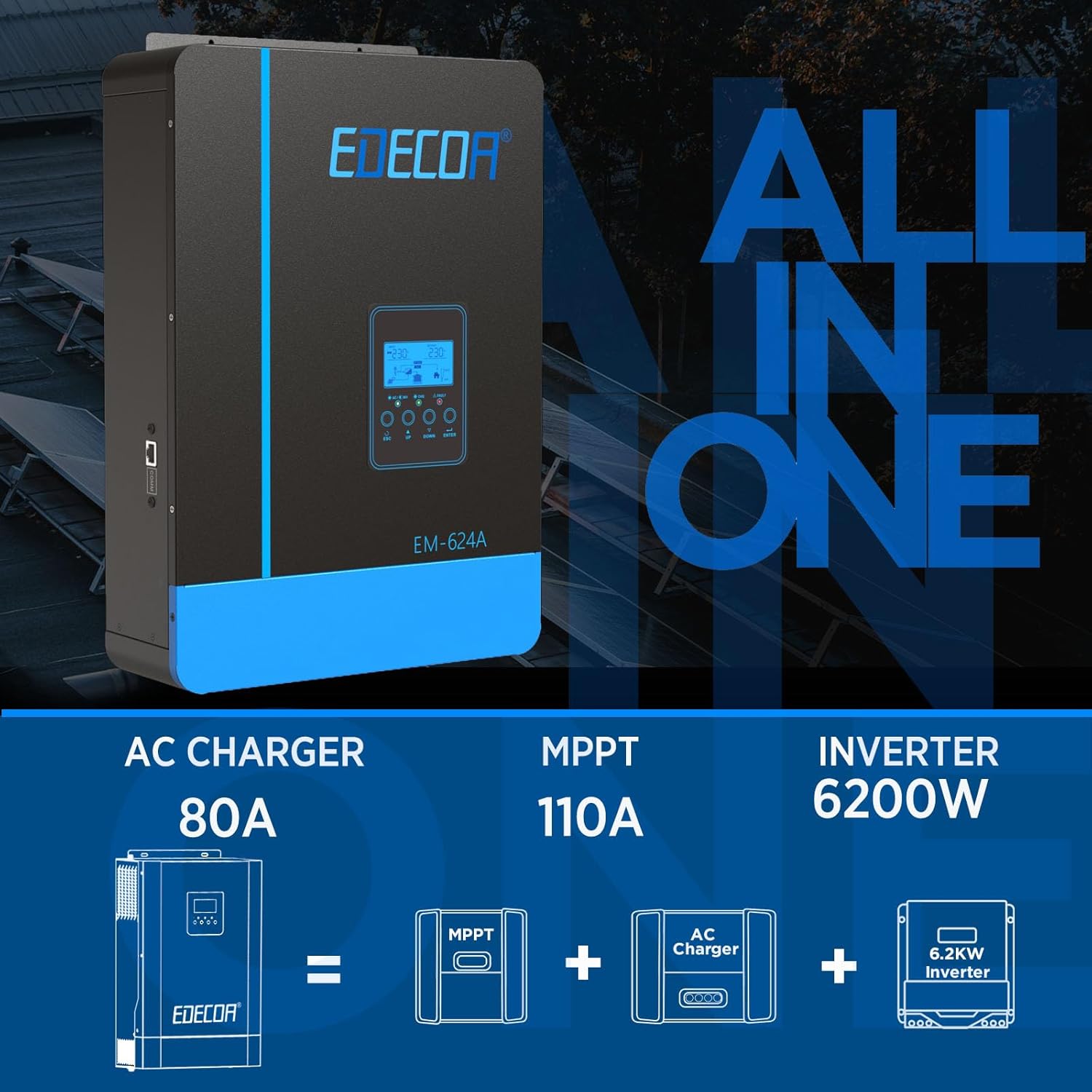
Figure 2: The EDECOA inverter combines a 6200W inverter, 110A MPPT solar charger, and 80A AC charger into one unit.
2. Safety Information
Please read all instructions and warnings carefully before installation and operation. Failure to follow these instructions may result in electric shock, fire, or severe injury. Keep this manual for future reference.
- Qualified Personnel: Installation and maintenance must be performed by qualified personnel only.
- Ventilation: Ensure adequate ventilation around the inverter to prevent overheating. Do not block ventilation openings.
- Environment: Install the inverter in a dry, cool, and well-ventilated area, away from flammable materials, corrosive gases, and excessive dust.
- Grounding: The inverter must be properly grounded to prevent electric shock.
- Battery Safety: Work with batteries requires caution. Wear appropriate personal protective equipment (PPE) including eye protection and gloves. Do not short-circuit battery terminals.
- Disconnection: Before performing any maintenance or wiring, ensure all power sources (PV array, AC input, battery) are disconnected.
- Off-Grid Use: This inverter is designed for off-grid systems only. Do not connect its AC output directly to the public utility grid.
3. Installation and Setup
3.1 Package Contents
Verify that all items are present in the package:
- EDECOA 6200W 7000VA Solar Power Inverter
- At least one MPPT charge controller (80A or 110A) - Note: The 110A MPPT controller is integrated into this model.
- User Manual (this document)
- Communication Cable (RS232)
3.2 Physical Installation
Choose a suitable mounting location that is dry, well-ventilated, and protected from direct sunlight and moisture. Ensure there is sufficient clearance around the inverter for proper airflow.
- Mount the inverter vertically on a sturdy wall or surface using appropriate fasteners.
- Ensure the mounting surface can support the weight of the inverter (approximately 7.8 kg).
3.3 Wiring Connections
Refer to the diagram below for connection points. All wiring must comply with local electrical codes and regulations.

Figure 3: Overview of the inverter's display, buttons, and connection ports including battery input, PV input, AC output, AC input, and ground terminal.
- Grounding: Connect the ground terminal of the inverter to a reliable earth ground.
- Battery Connection: Connect the 48V DC battery bank to the "Batt. In (+)" and "Batt. In (-)" terminals. Ensure correct polarity. This inverter is compatible with FLD, AGM, Gel, and LiFePo4 battery types.
- PV Array Connection: Connect the solar PV array to the "PV In+" and "PV In-" terminals. Ensure the PV array voltage is within the 55-450Vdc MPPT range and the maximum PV input VOC does not exceed 450V DC.
- AC Output Connection: Connect your AC loads to the "AC Out Port".
- AC Input Connection (Optional): If using a grid or generator as a backup, connect it to the "AC In Port".
Important: Always connect the battery first, then the PV array, and finally the AC input/output. Disconnect in reverse order.

Figure 4: The inverter supports various 48V battery types including AGM, Gel, Li-ion, and FLD.
4. Operating Instructions
4.1 Initial Power-Up
- After all connections are secure, switch on the battery breaker.
- Turn on the ON/OFF switch on the inverter.
- The LCD display will illuminate, showing the system status.
- If applicable, turn on the PV array breaker and then the AC input breaker.
4.2 LCD Display and Buttons
The LCD provides real-time information about the inverter's operation, including input/output voltages, charging current, battery status, and load percentage. Use the touchable buttons (ESC, UP, DOWN, ENTER) to navigate through menus and adjust settings.
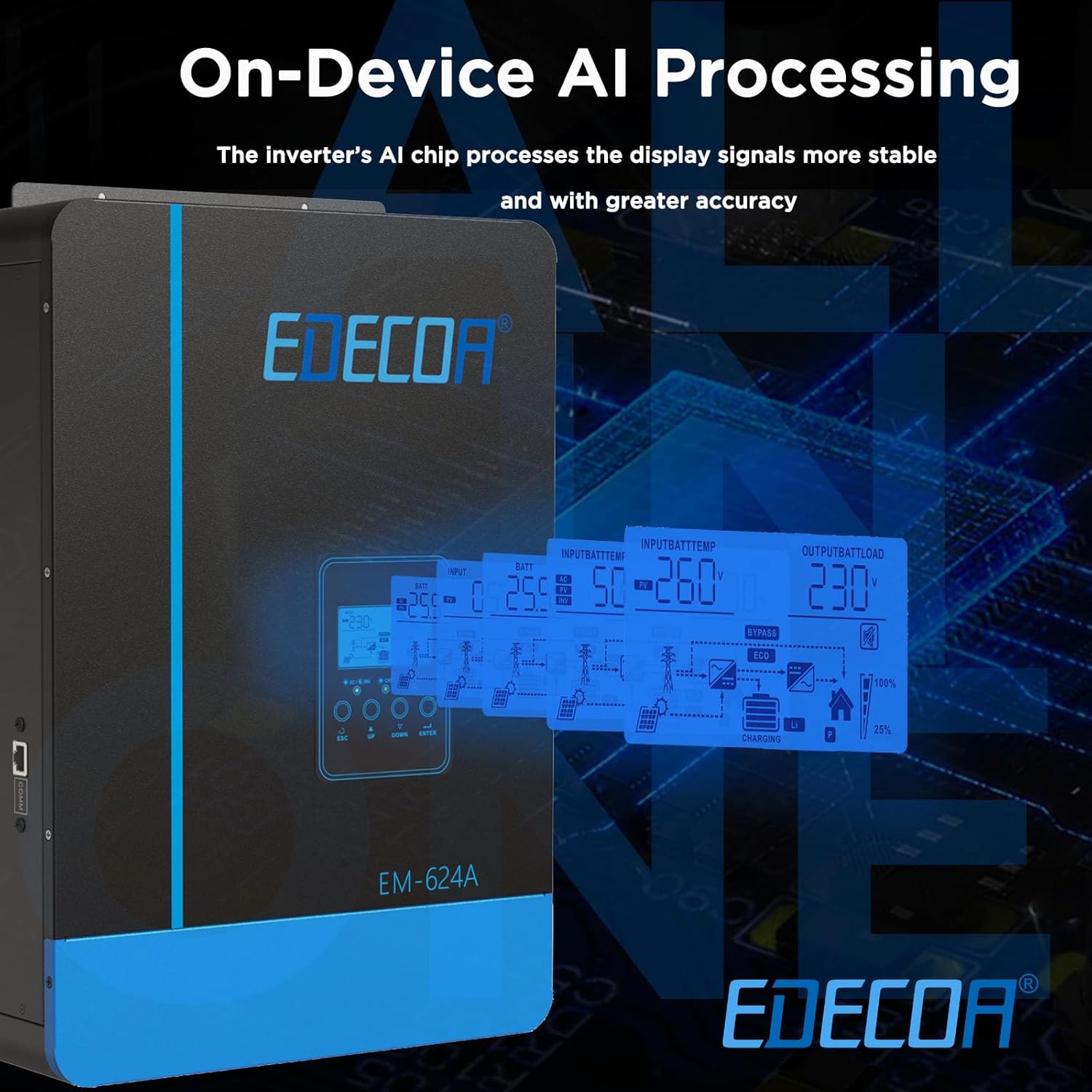
Figure 5: The LCD display provides comprehensive system information, including input/output parameters, battery status, and charging details.
4.3 Operating Modes
The inverter supports various operating modes to optimize power usage:
- Utility Priority Mode: AC input (grid/generator) is the primary power source. Solar and battery are used as backup.
- Solar Priority Mode: Solar power is the primary source. Battery is used when solar is insufficient, and AC input is used as a last resort.
- Battery Priority Mode: Battery power is the primary source. Solar charges the battery, and AC input is used only when the battery is low.
- ECO Mode: Reduces standby power consumption to less than 15W, extending battery life.

Figure 6: The inverter offers a default smart mode and three priority options for charging, allowing users to select the best configuration for their power needs.

Figure 7: Diagram illustrating how the inverter manages power flow from solar, battery, and grid/generator to power household appliances.
4.4 Battery Charging
The integrated 110A MPPT solar charger and 80A AC charger ensure efficient battery charging. The inverter supports 6-stage charging for optimal battery health and lifespan:
- Soft Start: Gentle initial charge.
- Bulk: Main charging stage, delivering maximum current.
- Absorption: Constant voltage charge to fully charge the battery.
- Float: Maintains battery at full charge.
- Equalize: Periodically balances battery cells (for certain battery types).
- Float (Re-float): Maintains charge after equalization.
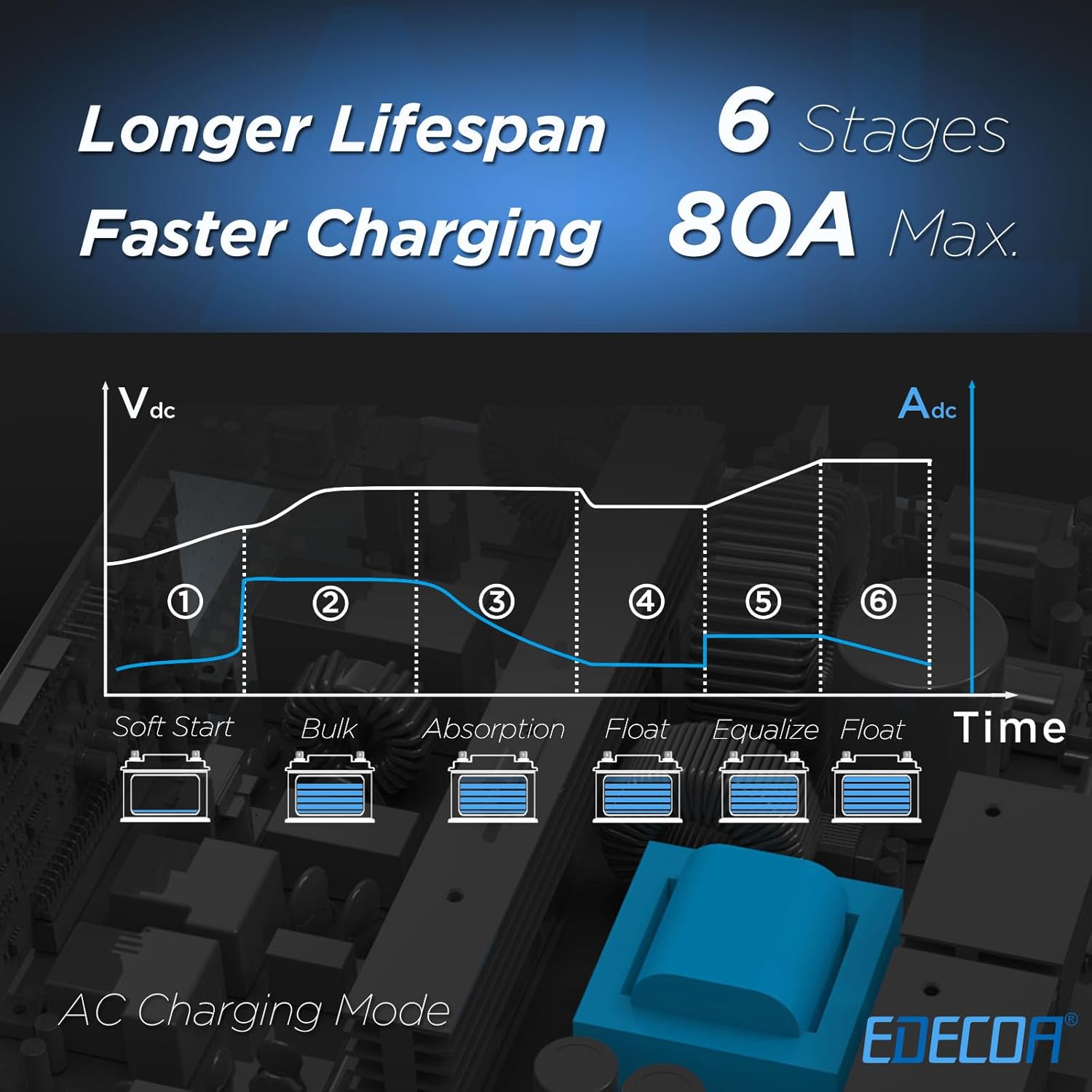
Figure 8: Illustration of the 6-stage AC charging process, designed to prolong battery lifespan and ensure faster charging.
The MPPT technology ensures maximum power extraction from solar panels, even under varying sunlight conditions, with up to 98% efficiency.

Figure 9: The inverter's MPPT technology ensures high efficiency (98%) in converting solar energy, supporting a wide voltage range and up to 6200W of solar panels.
5. Maintenance
Regular maintenance ensures the longevity and optimal performance of your EDECOA inverter.
- Cleaning: Periodically clean the exterior of the inverter with a dry, soft cloth. Do not use liquid cleaners or solvents.
- Ventilation: Ensure ventilation openings are free from dust and debris. Clean them gently with a brush or compressed air if necessary.
- Connections: Annually check all electrical connections for tightness. Loose connections can cause overheating and damage.
- Battery Inspection: Regularly inspect battery terminals for corrosion and clean them if necessary. Monitor battery voltage and health according to battery manufacturer guidelines.
- Environmental Check: Ensure the installation environment remains within specified temperature and humidity ranges.
For any internal maintenance or repairs, contact qualified service personnel. Do not attempt to open the inverter casing yourself, as it contains high voltage components.
6. Troubleshooting
This section provides solutions to common issues. If the problem persists, contact EDECOA customer support.
| Problem | Possible Cause | Solution |
|---|---|---|
| Inverter not turning on. | No battery connection or low battery voltage. ON/OFF switch is off. | Check battery connections and voltage. Charge battery if low. Turn on the ON/OFF switch. |
| No AC output. | Overload. Battery voltage too low. Inverter fault. | Reduce connected load. Charge battery. Check LCD for error codes. Restart inverter. |
| Solar charging not working. | PV array not connected or insufficient sunlight. PV voltage out of range. MPPT controller fault. | Check PV connections. Ensure adequate sunlight. Verify PV array voltage is 55-450Vdc. Check LCD for error codes. |
| Inverter making unusual noises or smells. | Internal component failure. | Immediately disconnect all power sources. Do not attempt to repair. Contact EDECOA customer support. |
The inverter has multiple protection functions for overload, short circuit, over temperature, input voltage, and output voltage issues. If a fault occurs, the inverter will typically display an error code on the LCD. Refer to the full manual (if available) for a complete list of error codes and their meanings.
7. Specifications
| Feature | Specification |
|---|---|
| Model Name | Solar Hybrid Inverter |
| Rated Output Power | 6200W / 7000VA |
| DC Input Voltage | 48V DC |
| AC Output Voltage | 220V / 230V / 240V AC (Single Phase) |
| Max. PV Input Power | 6200W |
| PV Array MPPT Voltage Range | 55-450Vdc |
| Max. PV Input VOC | 450V DC |
| Max. Charging Current (AC+Solar) | 110A |
| MPPT Solar Charger Current | 110A |
| AC Charger Current | 80A |
| Compatible Battery Types | FLD, AGM, Gel, LiFePo4 |
| Communication Interface | RS232 |
| Product Dimensions | 29 x 10 x 42.5 cm |
| Product Weight | 7.8 kg |
| Country of Origin | China |
| Recommended Uses | Home Off-Grid Solar Systems |
8. Warranty and Support
Specific warranty terms and conditions for the EDECOA 6200W 7000VA Solar Power Inverter are typically provided with the product packaging or on the manufacturer's official website. Please refer to these resources for detailed warranty information, including coverage period and claim procedures.
For technical support, troubleshooting assistance beyond what is covered in this manual, or warranty claims, please contact EDECOA customer service through their official channels. Contact information can usually be found on the product packaging, the manufacturer's website, or your purchase documentation.
Note: Information regarding specific warranty duration or support contact details was not provided in the product data.
Related Documents - Solar Hybrid Inverter
 |
EDECOA EM-302A Hybrid Inverter Installation and User Manual Comprehensive guide for the EDECOA EM-302A hybrid inverter, covering installation, configuration, operation modes, LCD screen interpretation, error codes, and technical specifications. Learn how to optimize your solar energy system with this off-grid inverter. |
 |
EDECOA 4000W Hybrid Inverter User Manual - Installation, Configuration, and Troubleshooting Comprehensive user manual for the EDECOA 4000W hybrid inverter. Covers installation, detailed configuration options, LCD screen functions, error codes, troubleshooting, and technical specifications for optimal solar energy management. |
 |
Manuel Utilisateur Onduleur Solaire Hybride EDECOA EM-624A Guide complet pour l'installation, la configuration et l'utilisation de l'onduleur solaire hybride EDECOA EM-624A, incluant les spécifications techniques, la résolution des problèmes et les descriptions des modes de fonctionnement. |
 |
EDECOA 3000W Hybrid Solar Inverter: Installation, Configuration, and Technical Guide A comprehensive user manual for the EDECOA 3000W hybrid solar inverter, detailing installation procedures, LCD screen functions, configuration settings, error codes, troubleshooting steps, and complete technical specifications. Learn how to optimize your solar energy system with this guide. |
 |
EDECOA Hybrid-Wechselrichter: Installation, Konfiguration und Fehlerbehebung Umfassende Anleitung für den EDECOA Hybrid-Wechselrichter (Modell EM-302A 3000W). Erfahren Sie mehr über Installation, Konfiguration, verschiedene Betriebsmodi und Fehlerbehebung für Ihre Solaranlage. |
 |
EDECOA Hybrid Inverter/Charger User Manual (EM-352A, EM-654A) This user manual provides detailed information on the EDECOA Hybrid Inverter/Charger, including safety instructions, operation, features, specifications, and troubleshooting for models EM-352A and EM-654A. |
Ask a question about this manual
Ask about setup, troubleshooting, compatibility, parts, safety, or missing instructions. Manuals+ will review the question and use this page’s manual context to help answer it.