1. Introduction
This manual provides detailed instructions for the installation, operation, and maintenance of the TAXNELE SUL180a Analog Mechanical Timer Switch. Please read this manual thoroughly before installation and use to ensure proper function and safety.
The SUL180a is a programmable mechanical timer designed for controlling electrical appliances based on a 24-hour cycle. It features a DIN rail mounting design, making it suitable for various industrial and household applications.
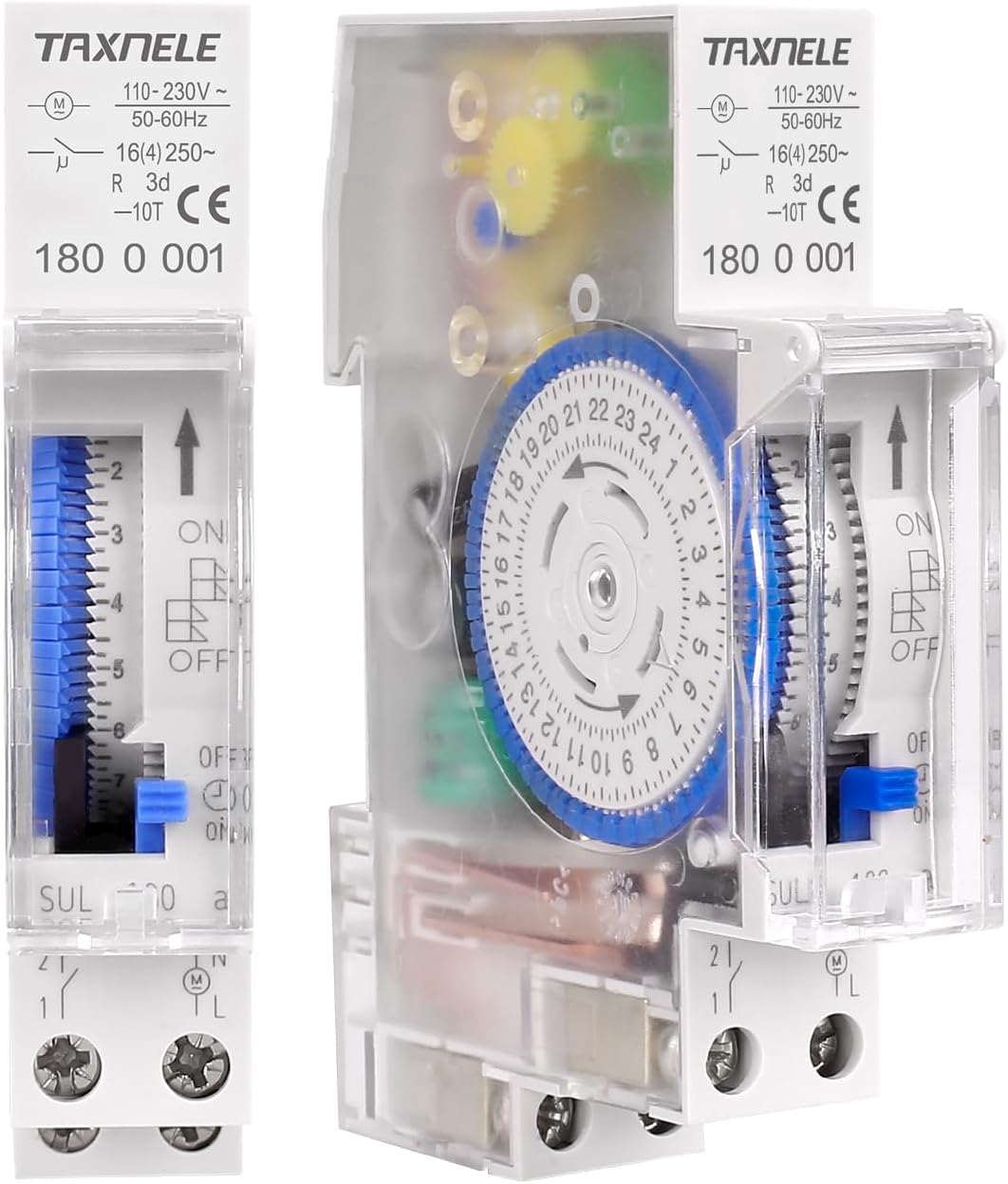
Figure 1: TAXNELE SUL180a Analog Mechanical Timer Switch, showing the front panel with time dial and manual override switch, and a side view revealing internal components.
2. Safety Information
WARNING: Electrical shock hazard. Installation and servicing should only be performed by qualified personnel. Disconnect power before installation or maintenance.
- Ensure the power supply is disconnected before attempting any installation or wiring.
- Verify that the voltage and current ratings of the timer match your application requirements.
- Do not expose the device to moisture or extreme temperatures outside its operating range.
- The timer housing is made of flame-retardant PC material for enhanced safety.

Figure 2: The timer's construction utilizes flame-retardant materials for safety.
3. Product Features
The TAXNELE SUL180a Analog Mechanical Timer Switch offers the following key features:
- Programmable Control: Set up to 48 ON/OFF programs within a 24-hour cycle.
- Energy Efficiency: Optimize power consumption by scheduling appliance operation.
- DIN Rail Mounting: Easy installation in standard electrical panels.
- Built-in Battery: Provides power outage compensation, maintaining time settings for up to 150 hours.
- Manual/Auto Control: Override programmed settings as needed.
- Wide Application: Suitable for controlling lighting, pumps, household appliances, and industrial equipment.

Figure 3: Visual representation of key features including built-in battery, 24-hour control, and power outage compensation.

Figure 4: Examples of common applications for the timer switch, such as controlling streetlights, industrial equipment, and home appliances.
4. Specifications
| Parameter | Value |
|---|---|
| Model No. | SUL180a |
| Operating Voltage | AC 110V/220V/240V 50-60Hz |
| Power Consumption | 2.5VA |
| Contact Capacity (Resistive Load) | 16A/250VAC (cosΦ=1) |
| Contact Capacity (Lamp Load) | 1000W |
| Contact Capacity (Inductive Load) | 3A/250VAC (cosΦ=0.6) |
| Contact Resistance | ≤50MΩ |
| Insulation Resistance | ≥100MΩ |
| Operating Temperature | -10℃ to +55℃ |
| Accuracy | ≤2S/day at 25℃ |
| Full Timing Range | 24 hours |
| Minimum Setting Unit | 15 minutes |
| Setup Times | 48 times (15 minutes/time) |
| Working Reserve Time (Battery) | 150 hours after 24 hours recharging |
| Dimensions (SUL180a) | 90mm (H) x 18mm (W) (depth not clearly labeled) |
| Weight | 196g (6.9 ounces) |
| Installing Mode | DIN rail mounting |
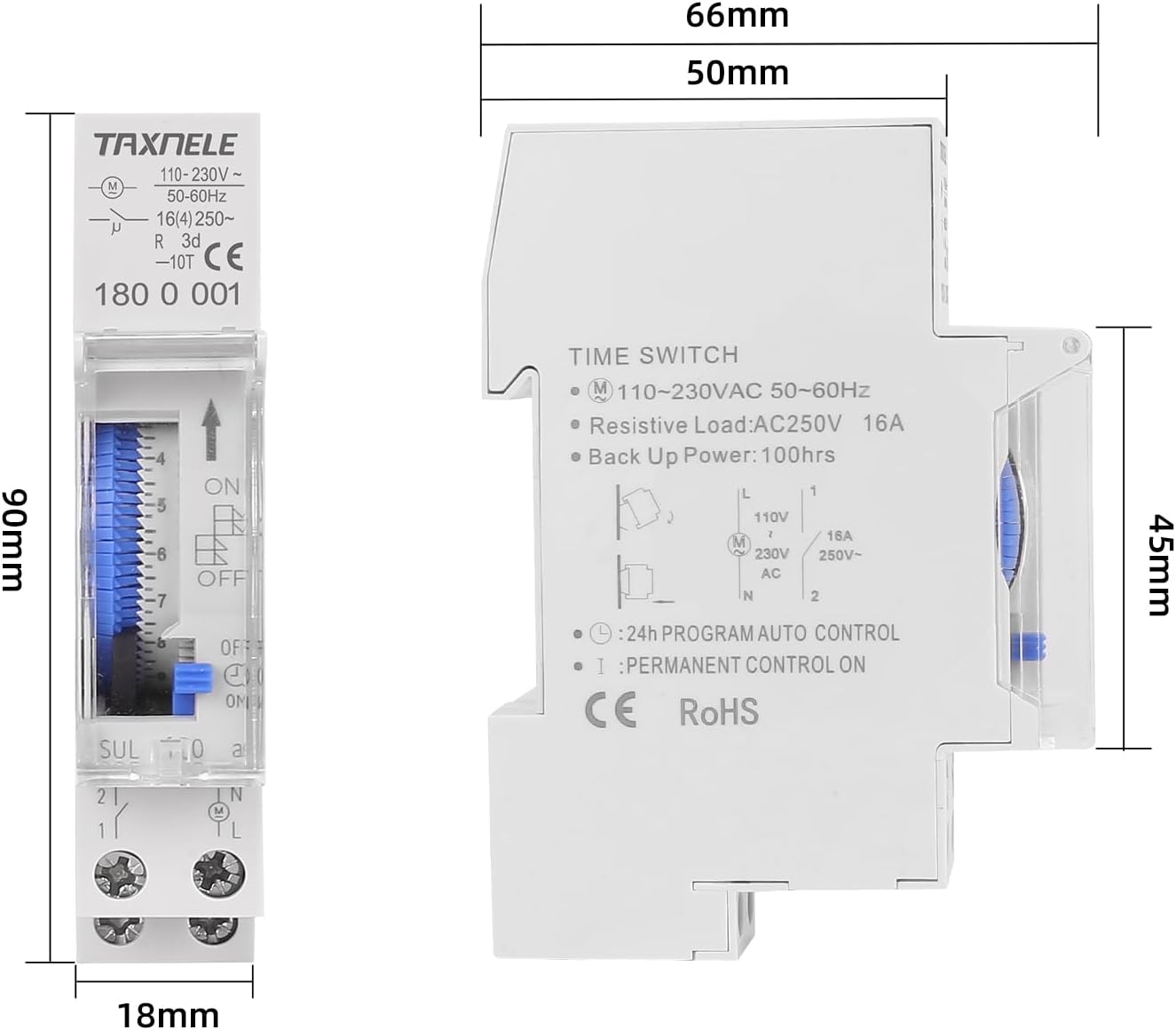
Figure 5: Dimensional drawing of the SUL180a timer switch.
5. Installation (Setup)
The SUL180a timer switch is designed for DIN rail mounting. Follow these steps for safe and correct installation:
- Power Disconnection: Before starting, ensure that the main power supply to the circuit where the timer will be installed is completely disconnected.
- Mounting: Snap the timer onto a standard 35mm DIN rail. Ensure it is securely fastened.
- Wiring:
- Connect the live (L) and neutral (N) wires of the power supply to the corresponding input terminals (typically marked '1' and '2' or 'L' and 'N' on the timer).
- Connect the load (appliance) to the output terminals. The timer acts as a switch for the live wire to the load. Refer to the wiring diagram on the device or in Figure 6.
- Verification: Double-check all connections for tightness and correctness before restoring power.
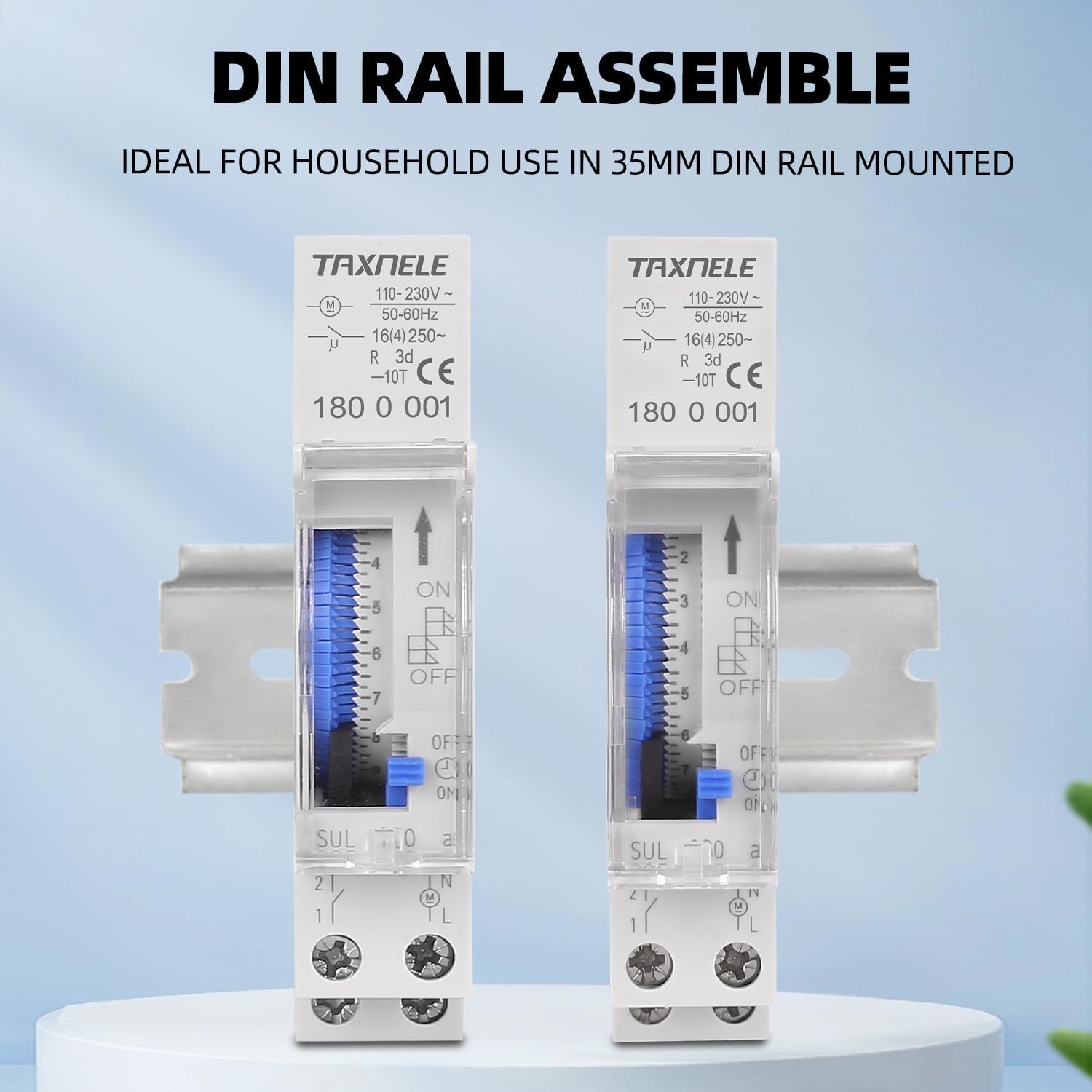
Figure 6: The timer switch easily mounts onto a standard DIN rail.
Note: A basic wiring diagram is often printed on the side of the timer. Ensure proper grounding if required by local electrical codes.
6. Operation and Programming
The SUL180a timer allows for both manual control and automatic programming.
6.1 Setting the Current Time
- Rotate the central dial (marked with 24 hours) clockwise until the current time aligns with the small arrow indicator on the timer's face.
- Ensure the AM/PM distinction is correctly observed (e.g., 1 PM is 13:00).

Figure 7: The 24-hour dial and programming pins on the timer's front panel.
6.2 Programming ON/OFF Intervals
The timer dial has small segments around its perimeter. Each segment typically represents 15 minutes.
- Set ON Periods: Push the small pins outwards for the time periods you want the connected appliance to be ON.
- Set OFF Periods: Leave the small pins inwards for the time periods you want the connected appliance to be OFF.
- The timer will cycle through these settings every 24 hours.
6.3 Manual Override Switch
The timer features a manual override switch, usually a small lever or slider on the front panel. This switch allows you to temporarily bypass the programmed settings.
- "ON" Position: The appliance will remain ON continuously, regardless of programmed settings.
- "OFF" Position: The appliance will remain OFF continuously, regardless of programmed settings.
- "AUTO" Position: The timer will follow the programmed ON/OFF schedule.
Always return the switch to the "AUTO" position for programmed operation.
7. Maintenance
The TAXNELE SUL180a timer switch requires minimal maintenance.
- Cleaning: Wipe the exterior with a dry, soft cloth. Do not use abrasive cleaners or solvents.
- Battery: The timer includes a built-in battery for power outage compensation. This battery recharges automatically when the timer is powered. If the timer consistently loses time or programming during power outages, the internal battery may need replacement. This should be performed by a qualified technician.

Figure 8: The internal battery provides power outage compensation, ensuring time accuracy even during power interruptions.
8. Troubleshooting
| Problem | Possible Cause | Solution |
|---|---|---|
| Timer not operating / Appliance not turning ON/OFF | No power supply; Incorrect wiring; Manual override switch in ON/OFF position; Pins not set correctly. | Check power supply to the timer; Verify wiring connections; Set manual override switch to "AUTO"; Ensure programming pins are pushed out for ON times and in for OFF times. |
| Timer losing time or programming after power outage | Internal battery depleted or faulty. | Allow the timer to be powered for 24 hours to recharge the battery. If the issue persists, the battery may need replacement by a qualified technician. |
| Appliance remains ON continuously | Manual override switch in "ON" position; All pins pushed out. | Set manual override switch to "AUTO"; Ensure pins are pushed in for desired OFF times. |
| Appliance remains OFF continuously | Manual override switch in "OFF" position; All pins pushed in. | Set manual override switch to "AUTO"; Ensure pins are pulled out for desired ON times. |
9. Warranty and Support
TAXNELE products are manufactured to high-quality standards. For warranty information or technical support, please refer to the product packaging or contact your retailer. Keep your purchase receipt as proof of purchase.
For further assistance, please contact TAXNELE customer service through their official channels.


