
Introduction
This manual provides comprehensive instructions for the installation, operation, maintenance, and troubleshooting of your Adewalk 10000W Solar Street Light Outdoor, Model TW004. Please read this manual thoroughly before use to ensure proper function and longevity of the product.
Package Contents
Verify that all components listed below are included in your package:
- Light Body
- Light-arm
- Mounting Hardware
- Remote Control
- Solar Panel
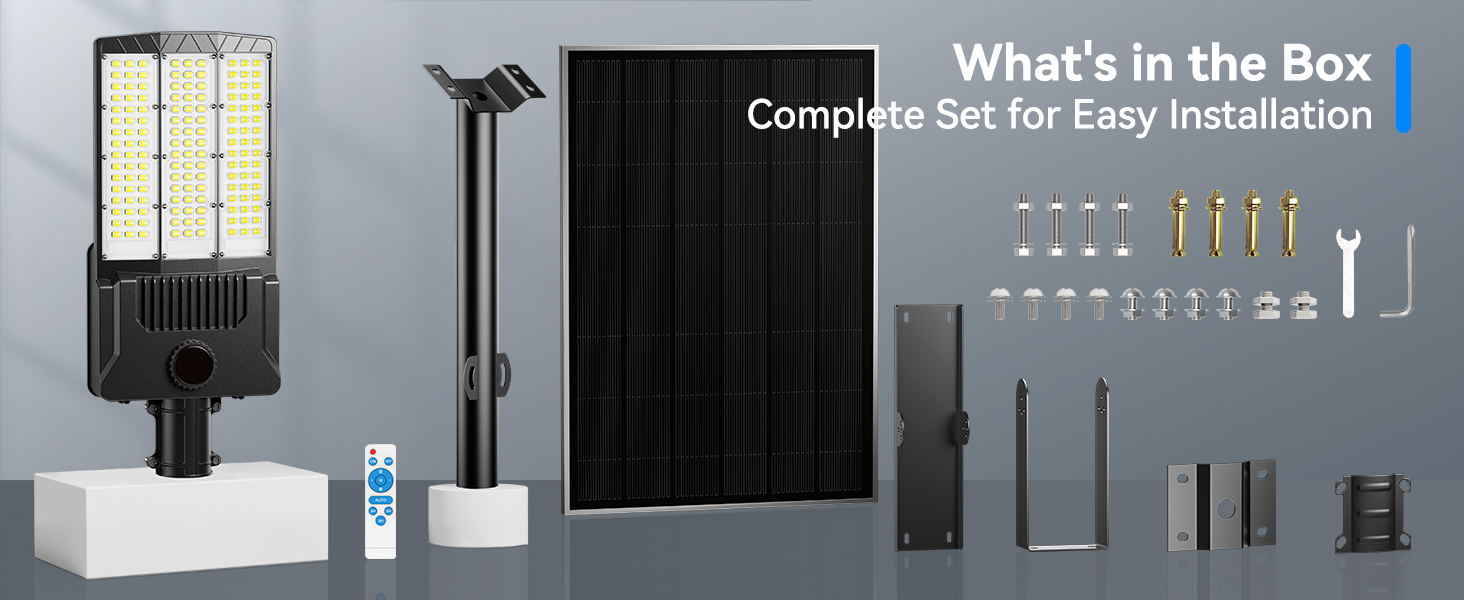
Image: All components included in the Adewalk Solar Street Light package, laid out for inspection.
Setup & Installation
The Adewalk Solar Street Light is designed for easy installation on walls or lamp posts. No additional wiring is required, offering a green lighting solution.
General Guidelines:
- Choose a location that receives direct sunlight for optimal solar panel charging.
- Ensure the solar panel is positioned to maximize sun exposure throughout the day. The panel can be adjusted for optimal angle.
- Recommended installation height: 20-30 feet for wide illumination range.
Mounting Methods:
The provided mounting hardware supports both wall and pole installation.
- Wall Mount: Secure the mounting arm to a wall using the expansion screws. Ensure the wall surface is sturdy enough to support the light's weight.
- Pole Mount: Attach the fixing plate to the light-arm, then secure the light-arm to a pole using the provided clamps and bolts.
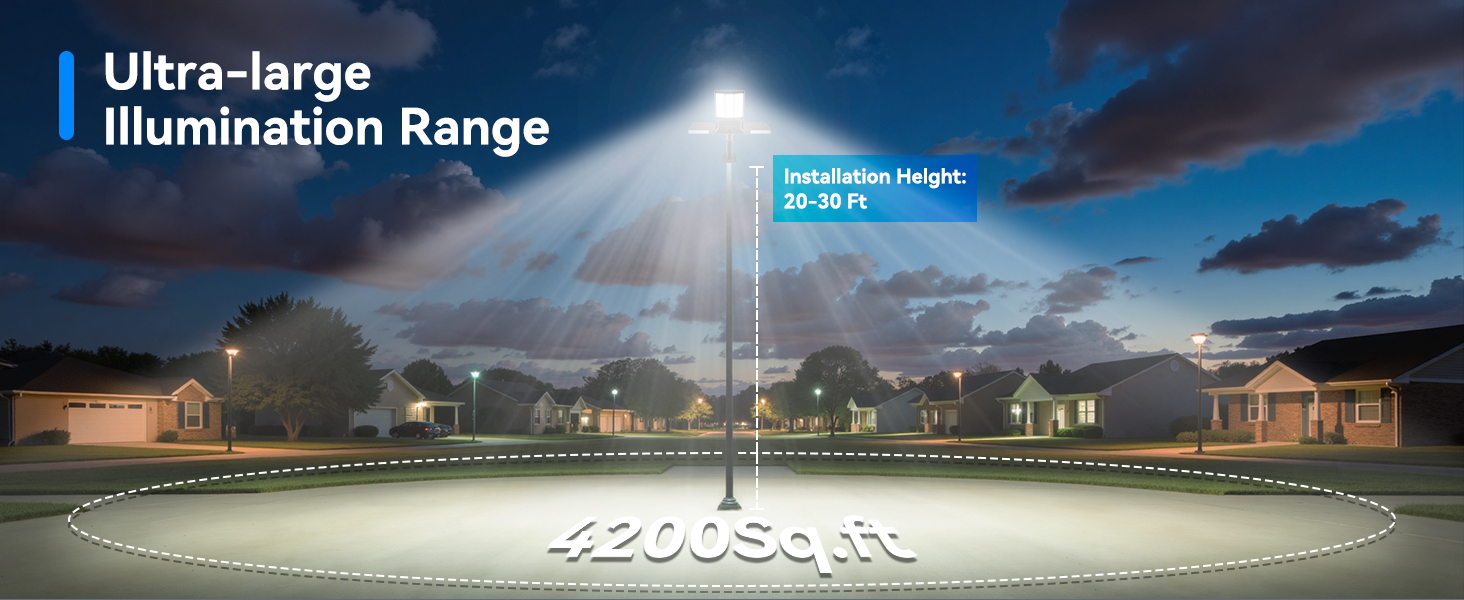
Image: Visual guide demonstrating both wall mount and pole mount installation methods for the solar street light.
The light comes with a pre-charged battery. Connect the solar panel cable to the light body and ensure the connection is secure and waterproof.
Video: A detailed overview of the Adewalk Solar Street Light, including unboxing, components, and initial assembly steps. This video highlights the robust construction and various mounting options.
Operating Instructions
The Adewalk Solar Street Light features automatic operation and can be controlled via the included remote.
Automatic Operation:
The light automatically turns on at dusk and off at dawn, utilizing its light sensor. No manual intervention is required for basic operation.
Remote Control Functions:
The remote control allows for adjustment of brightness, setting timers, and activating motion sensor modes.
- ON/OFF: Manually turn the light on or off.
- AUTO: Activates dusk-to-dawn operation. The light will turn on automatically when it gets dark and turn off when it gets light.
- Motion Sensor (M): In this mode, the light operates at 30% brightness when no motion is detected. Upon detecting motion, it switches to 100% brightness. After a period of no motion, it returns to 30%.
- Timer Modes (3H/5H/8H): Set the light to stay on for a specific duration (3, 5, or 8 hours) after dusk, then turn off.
- Brightness Adjustment (+/-): Increase or decrease the light's brightness level.

Image: The remote control for the Adewalk Solar Street Light, showing buttons for power, auto mode, motion sensor, timer settings, and brightness adjustment.
Video: Demonstration of the Adewalk Solar Street Light's remote control functions, including turning the light on/off, adjusting brightness, and activating different lighting modes.
Maintenance
To ensure optimal performance and longevity of your solar street light, follow these maintenance guidelines:
- Regularly clean the surface of the solar panel to remove dust, dirt, and debris. A clean panel ensures maximum sunlight absorption.
- Check all mounting bolts and connections periodically to ensure they remain tight and secure.
- The built-in lithium-ion battery has a lifespan of approximately 3000 hours of use and is replaceable.
- The light is designed to withstand harsh outdoor conditions, being waterproof and rust-resistant.
Troubleshooting
If you encounter issues with your Adewalk Solar Street Light, refer to the following common troubleshooting steps:
- Light not turning on at night: Ensure the solar panel is receiving adequate direct sunlight during the day. Check for any obstructions (trees, buildings) blocking sunlight. Verify the AUTO mode is selected on the remote.
- Light is dim or not lasting long: This usually indicates insufficient charging. Relocate the solar panel to a sunnier spot or clean the panel surface. Ensure the battery is fully charged (indicated by solid green lights on the unit).
- Motion sensor not working: Check if the motion sensor mode (M) is activated on the remote. Ensure the sensor is not obstructed.
- Remote control not responding: Ensure the remote control has working batteries. Point the remote directly at the light's sensor.
Specifications
| Feature | Specification |
|---|---|
| Brand | Adewalk |
| Model Name | Solar Street Lights (TW004) |
| Product Dimensions | 23"L x 14"W x 3"H |
| Item Weight | 14.05 pounds |
| Power Source | Solar Powered |
| Light Source Type | LED |
| Brightness | 650000 lumen |
| Color Temperature | 8000 Kelvin |
| Special Features | Anti-Rust, Heavy Duty, Motion Sensor, Waterproof, Wide-angle illumination |
| Control Method | Remote |
| Batteries | 3 Lithium Ion batteries required (included) |
| Operating Temperature Range | -20°C to 80°C |
Warranty & Support
Adewalk is committed to providing quality products and customer satisfaction. Your Adewalk Solar Street Light comes with a Limited Warranty, including a 24-month warranty service.
For technical support or warranty claims, please refer to the contact information provided with your purchase documentation or visit the official Adewalk store.
