
Introduction
This manual provides detailed instructions for the setup, operation, and maintenance of your Braun Classic Analogue Travel Alarm Clock, model BC05W. Originally designed in 1995 by Dietrich Lubs, the BC05 model is a compact and functional travel clock. It incorporates features such as a protective folding lid, a world time chart, an alarm, and a backlight. The clock is equipped with a crescendo beep alarm and a snooze function.
Product Overview
The Braun BC05W is a compact analogue travel alarm clock featuring a protective folding lid and an easy-to-read dial. Key components include:
- Clock Face: Displays current time with hour, minute, and second hands. Luminous tips on hour and minute hands for low-light visibility.
- Alarm Hand: Indicates the set alarm time.
- "Off" Button (Red): Disables the alarm.
- "Snooze/Light" Button (Green): Activates the snooze function and illuminates the clock face for 5 seconds.
- Folding Lid: Protects the clock face during travel and features a world time zone chart on its inner surface.
- Time Setting Dial (Rear): Used to adjust the current time.
- Alarm Setting Dial (Rear): Used to set the alarm time.
- Alarm On/Off Switch (Side): Engages or disengages the alarm function.

Figure 1: Front view of the Braun BC05W Travel Alarm Clock with the protective lid open, showing the analogue clock face, "off" and "snooze/light" buttons, and the world time zone chart.

Figure 2: Rear view of the Braun BC05W Travel Alarm Clock, highlighting the time setting dial (left), alarm setting dial (right), and the alarm on/off switch on the side.
Setup
1. Battery Installation
The clock requires one (1) AA battery (not included) for operation. For optimal performance of timekeeping, backlight, and alarm functions, use only new alkaline batteries.
- Open the battery compartment cover located on the back of the clock.
- Insert one (1) AA alkaline battery, ensuring the correct polarity (+/-) as indicated inside the compartment.
- Close the battery compartment cover securely.
2. Setting the Current Time
To set the current time:
- Locate the time setting dial on the back of the clock (typically marked with a clock icon).
- Gently turn the dial in the direction that moves the hour and minute hands clockwise until the correct time is displayed. Avoid turning the dial counter-clockwise to prevent potential damage to the movement.
Operating Instructions
1. Setting the Alarm
The BC05W features a crescendo beep alarm that gradually increases in frequency and volume.
- Locate the alarm setting dial on the back of the clock (typically marked with a bell icon).
- Turn the alarm setting dial to move the alarm hand to your desired wake-up time. Note that the alarm hand moves independently of the time hands.
- Slide the alarm ON/OFF switch (located on the side of the clock) to the "ON" position (usually indicated by a green marker).

Figure 3: Illustration of the crescendo beep alarm feature, which increases in frequency and volume over time.
2. Snooze and Light Function
When the alarm sounds:
- Press the green "snooze/light" button on the top of the clock to activate the snooze function. The alarm will pause for approximately 5 minutes and then sound again.
- Pressing the "snooze/light" button also illuminates the clock face for 5 seconds, allowing you to check the time in low-light conditions without activating the alarm.
- To turn off the alarm completely, slide the alarm ON/OFF switch to the "OFF" position (red marker) or press the red "off" button on the top of the clock.

Figure 4: The clock face illuminated by the integrated light, activated by the "snooze/light" button, with a 'Zzz' icon indicating the snooze function.
3. Luminous Hands
The hour and minute hands are tipped with luminous material, allowing for visibility in the dark after exposure to light. This feature aids in reading the time without needing to activate the backlight.

Figure 5: The clock face in low light, demonstrating the glow of the luminous hour and minute hands for improved legibility.
4. World Time Zone Chart
The inner surface of the protective folding lid features a world time zone chart. This chart can be used as a reference for calculating time differences when traveling across various global locations.
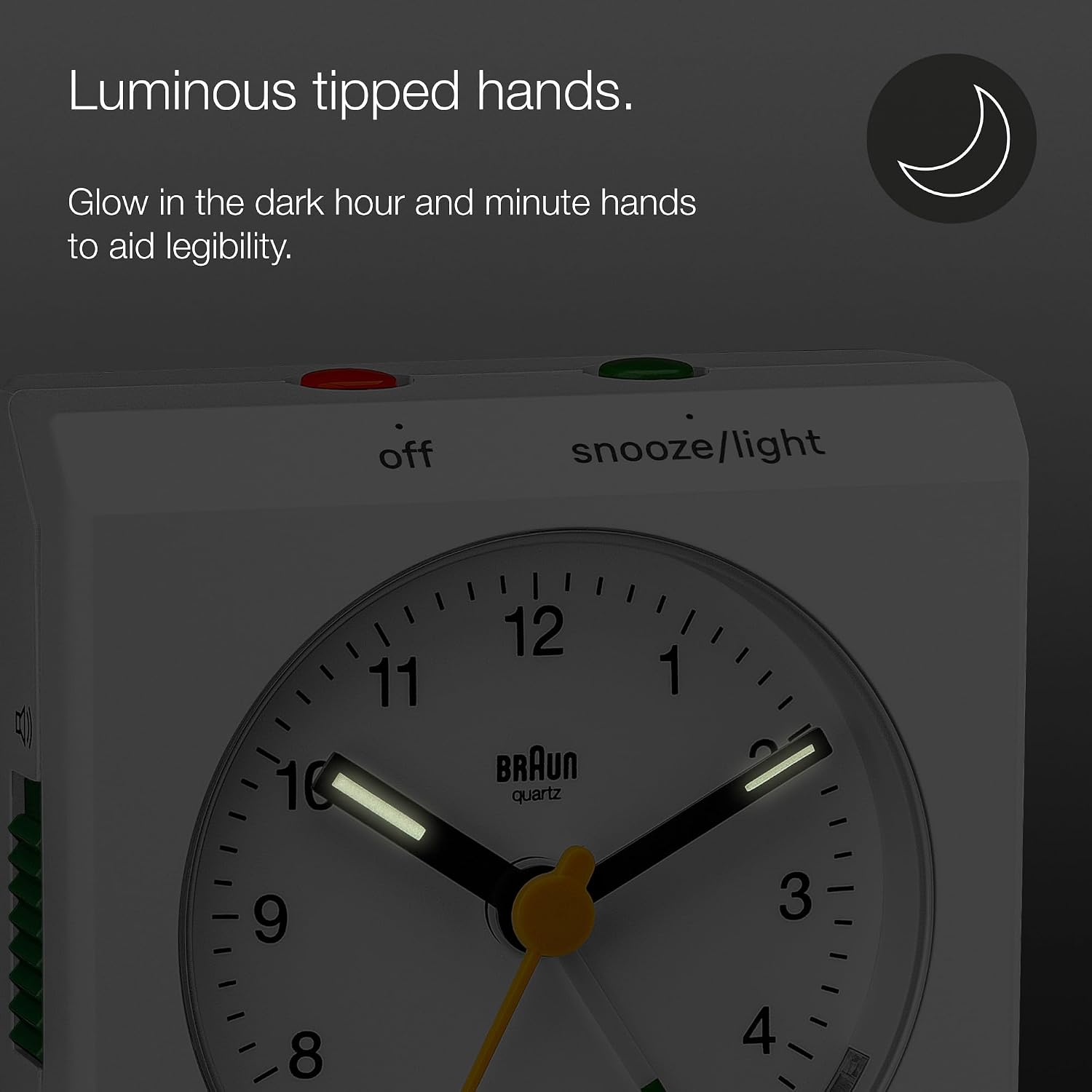
Figure 6: The protective lid opened to reveal the integrated world time zone map, useful for international travel.
Maintenance
1. Cleaning
To clean your clock, wipe it with a soft, dry cloth. Do not use abrasive cleaners, solvents, or chemical sprays, as these may damage the clock's finish or internal components.
2. Battery Replacement
Replace the AA battery when the clock's timekeeping becomes inaccurate, the alarm weakens, or the light function dims. Always use a new alkaline battery for best results. Dispose of used batteries responsibly according to local regulations.
Troubleshooting
| Problem | Possible Cause | Solution |
|---|---|---|
| Clock is not running or time is inaccurate. | Battery is depleted or incorrectly installed. | Replace with a new AA alkaline battery, ensuring correct polarity. |
| Alarm does not sound. | Alarm ON/OFF switch is in the "OFF" position; battery is low. | Ensure the alarm ON/OFF switch is set to "ON". Replace the battery if necessary. |
| Light function is dim or not working. | Battery is low. | Replace with a new AA alkaline battery. |
| Luminous hands do not glow. | Insufficient exposure to light. | Ensure the clock face is exposed to ambient light for a period to charge the luminous material. |
| Clock makes a ticking noise. | While designed for quiet operation, some minimal sound from the quartz movement may be perceptible in very quiet environments. This is generally normal for analogue movements. | This is typically not a malfunction. If the noise is excessive or new, ensure the clock is on a stable, flat surface. |
Specifications
- Brand: Braun
- Model: BC05W
- Color: White
- Display Type: Analog
- Movement: Quiet Precision Quartz
- Power Source: 1 x AA Battery (not included)
- Product Dimensions: 2.83" W x 3.07" H
- Item Weight: 76 Grams (2.68 ounces)
- Material: Plastic
- Special Features: Crescendo Beep Alarm, Snooze, Integrated Light, Luminous Hands, Folding Protective Lid with World Time Zone Chart.

Figure 7: Dimensions of the Braun BC05W Travel Alarm Clock, indicating a width of 2.83 inches and a height of 3.07 inches.
Warranty and Support
This Braun product comes with a limited warranty. For detailed information regarding warranty coverage, terms, and conditions, please refer to the warranty card included with your purchase or visit the official Braun website. For customer support, product inquiries, or technical assistance, please contact Braun customer service through their official channels.
Official Braun Website: www.braun.com