
1. Introduction
Thank you for purchasing the TANITA Digital Timer TD-429-GR. This timer is designed for ease of use in various settings, including the kitchen and study. It features a large, visible display and incorporates SIAA-certified antibacterial processing on key components for enhanced hygiene. Please read this manual thoroughly before use to ensure proper operation and maintenance.
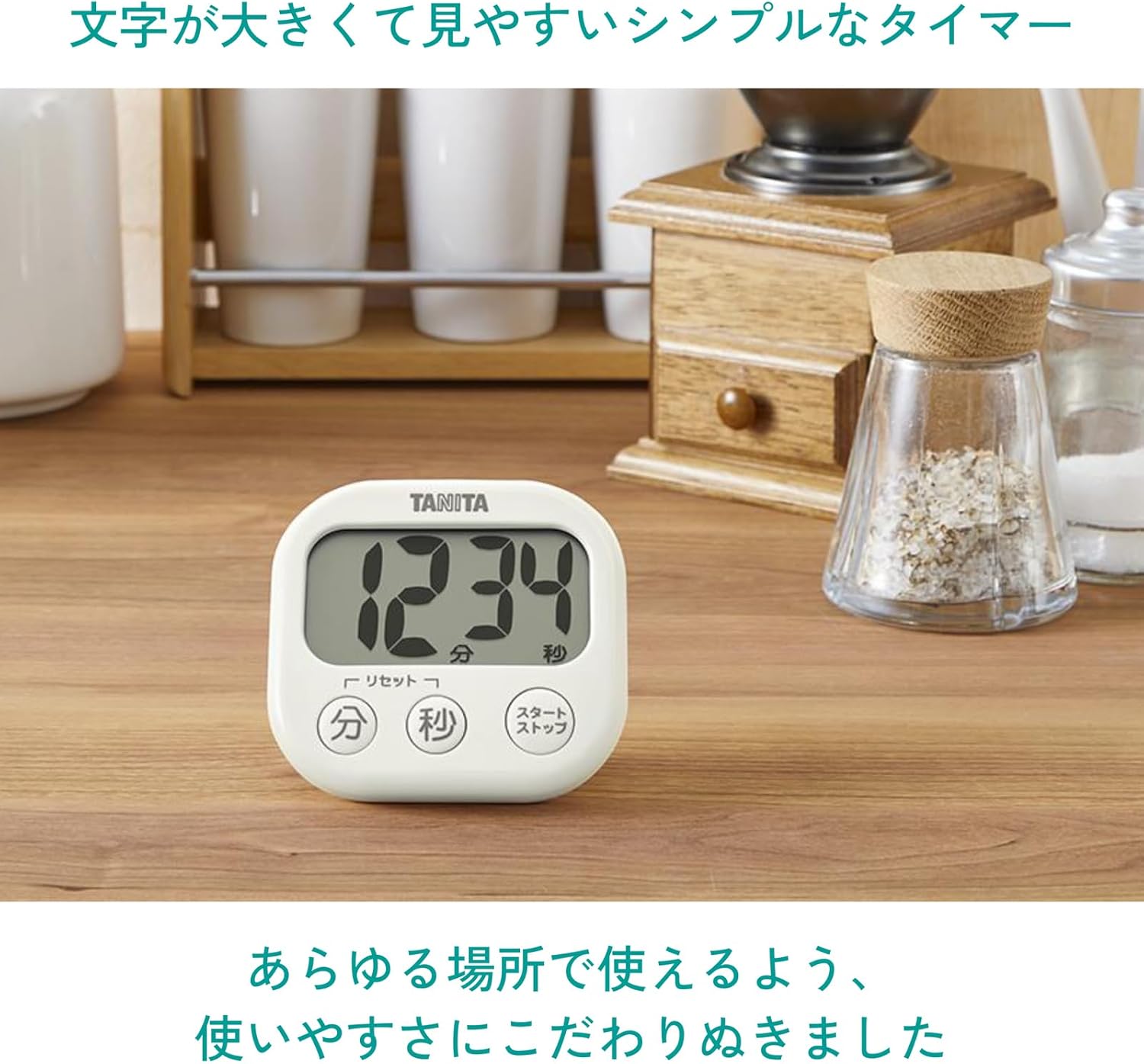
Image: The TANITA Digital Timer TD-429-GR in a kitchen environment, highlighting its clear display.
2. Safety Information
Please observe the following safety precautions:
- Do not disassemble or modify the timer.
- Keep the timer away from water or excessive moisture to prevent damage.
- Dispose of used batteries according to local regulations.
- Keep batteries out of reach of children.
3. Package Contents
Verify that all items are present in the package:
- TANITA Digital Timer TD-429-GR (1 unit)
- AAA Battery (R03) for trial use (1 piece)
- Instruction Manual
4. Product Overview
The TD-429-GR timer features a clear digital display and intuitive buttons for easy operation.

Image: Front view of the timer, showing the display, Minute button, Second button, and Start/Stop button.
Button Functions:
- Minute Button (分): Press to increase minutes. Hold to rapidly advance.
- Second Button (秒): Press to increase seconds. Hold to rapidly advance.
- Start/Stop Button (スタート/ストップ): Press to start or pause the timer.
- Reset Function: Press the Minute and Second buttons simultaneously to reset the timer to 00:00.
5. Setup
Battery Installation:
- Locate the battery compartment on the back of the timer.
- Open the battery lid.
- Insert one AAA (R03) battery, ensuring the correct polarity (+/-).
- Close the battery lid securely.
The display should illuminate, indicating the timer is ready for use.
6. Operating Instructions
Setting the Timer:
- Ensure the timer is reset to 00:00. If not, press the Minute and Second buttons simultaneously.
- Press the Minute button to set the desired minutes. Hold the button for rapid adjustment.
- Press the Second button to set the desired seconds. Hold the button for rapid adjustment.
Starting and Stopping the Timer:
- Once the desired time is set, press the Start/Stop button to begin the countdown.
- To pause the countdown, press the Start/Stop button again.
- To resume, press the Start/Stop button once more.
Alarm Function:
When the timer reaches 00:00, an audible alarm will sound. Press any button to stop the alarm.
Resetting the Timer:
To clear the current time setting and return to 00:00, press the Minute and Second buttons simultaneously.
7. Placement Options
The TD-429-GR offers versatile placement options:
- Magnetic Attachment: The timer has a strong magnet on its back, allowing it to be securely attached to metal surfaces like refrigerators.
- Integrated Stand: A retractable stand is built into the back, enabling the timer to be placed upright on a countertop or desk.
- Strap Hole: A strap hole is provided for hanging the timer (strap not included).

Image: Demonstrates the three ways to place the timer: magnetic, stand, and strap hole.
8. Maintenance and Care
Cleaning:
Wipe the timer with a soft, dry cloth. For stubborn dirt, use a cloth lightly dampened with water and then dry thoroughly. Do not use abrasive cleaners or solvents.
Antibacterial Properties:
The main case, buttons, stand, and battery lid of this timer are treated with SIAA-certified antibacterial processing. This helps to suppress the growth of bacteria on the surface, keeping the timer hygienic. This feature makes it suitable for use in environments like kitchens where hygiene is important, or for children's study areas.

Image: Explanation of SIAA antibacterial processing and suggested uses in the kitchen and for study.
9. Troubleshooting
- Display is blank or dim: Check if the battery is inserted correctly. Replace the AAA battery if it is depleted.
- Timer does not start: Ensure a time is set before pressing the Start/Stop button.
- Timer does not reset: Press the Minute and Second buttons simultaneously. If it still doesn't reset, try removing and reinserting the battery.
10. Specifications
| Model Number | TD-429-GR |
| Product Dimensions (W x H x D) | 8.2 x 7.6 x 2.3 cm (3.2 x 3.0 x 0.9 inches) |
| Item Weight | Approx. 75 g (including battery) |
| Power Supply | DC 1.5 V (AAA battery x 1) |
| Main Material | Acrylonitrile Butadiene Styrene (ABS) |
| Antibacterial Treatment | SIAA certified (Main case, buttons, stand, battery lid) |
| Display Character Height | 30 mm |

Image: Detailed dimensions of the timer, including the 30mm character height.
11. Warranty and Support
This product comes with a 1-year warranty from the date of purchase. Please retain your proof of purchase for warranty claims.
For technical support or warranty inquiries, please contact TANITA customer service through their official website or the retailer where the product was purchased.