
1. Product Overview
The Mobility Lab 12-in-1 USB-C Docking Station is designed to expand the connectivity of your USB-C enabled devices, such as laptops and tablets. It provides multiple ports for external displays, data transfer, network connectivity, and audio output, enhancing productivity and versatility.

Image: Top-down view of the Mobility Lab 12-in-1 USB-C Docking Station, showing its sleek grey design and integrated USB-C cable.
2. Key Features
- Dual HDMI Output: Supports 4K (3840 x 2160p @ 30Hz) for single display and Full HD (1920 x 1080p @ 60Hz) for dual displays.
- High-Speed Data Transfer: Four USB 3.0 ports with transfer speeds up to 5Gb/s.
- Power Delivery: USB-C port supports up to 100W power delivery to charge your connected device.
- Gigabit Ethernet: Provides stable and fast internet connection with speeds of 10/100/1000 Mb/s.
- Audio Connectivity: 3.5mm audio jack with microphone and audio output functions.
- Card Readers: Integrated SD and Micro SD card slots for convenient data access.
- Tablet Stand Functionality: Features an integrated slot to hold tablets up to 16 cm wide.
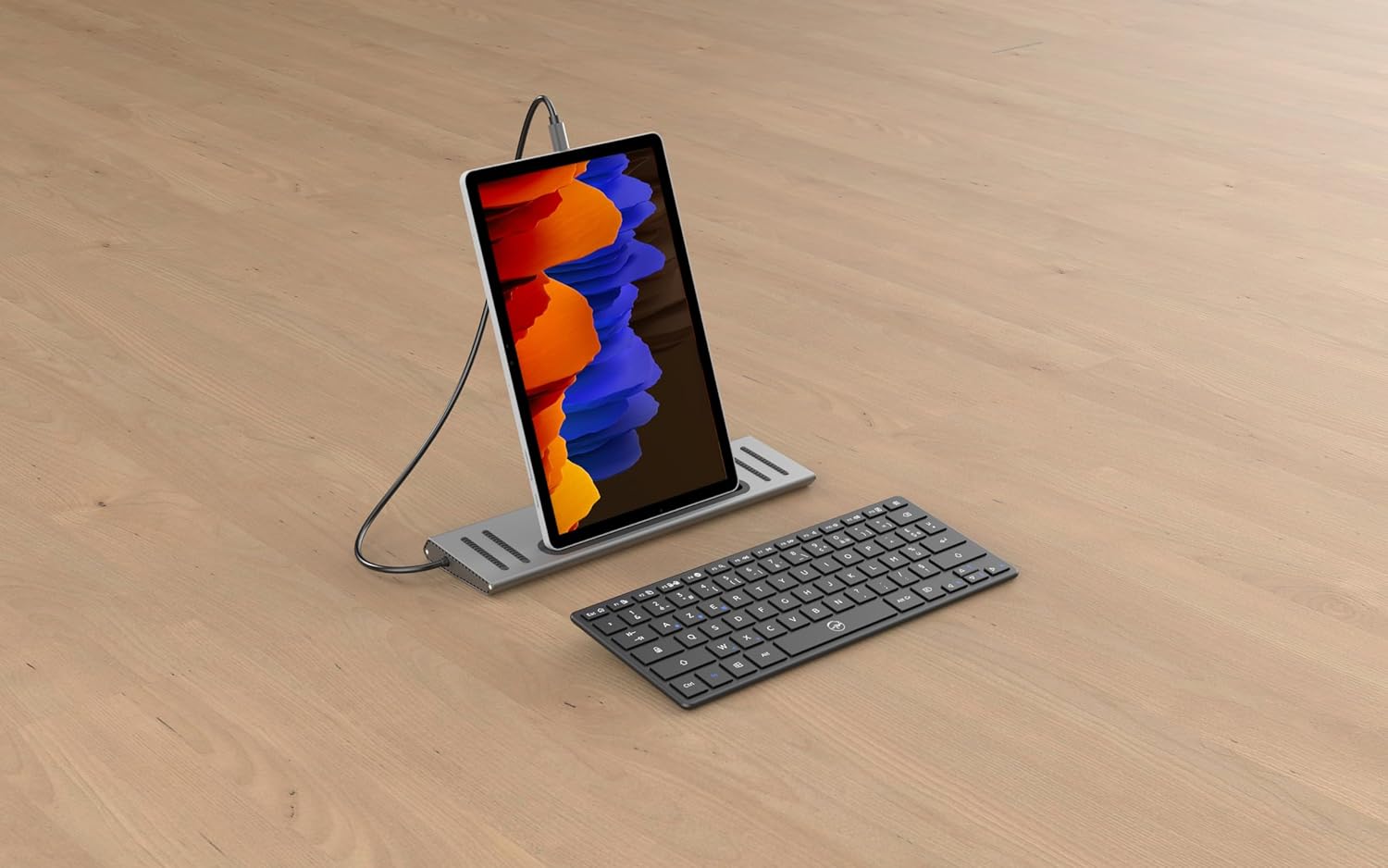
Image: The docking station shown with various cables and peripherals connected, illustrating its multiple ports and connectivity options.
3. Package Contents
Verify that all items are present in the package:
- Mobility Lab 12-in-1 USB-C Docking Station (Model: ML312897)
- User Manual (this document)
4. Setup
Follow these steps to set up your docking station:
- Connect to Host Device: Plug the integrated USB-C cable from the docking station into an available USB-C port on your laptop or tablet. Ensure your device's USB-C port supports video output (DisplayPort Alternate Mode) and Power Delivery for full functionality.
- Connect Power (Optional): If your laptop requires charging via USB-C, connect your laptop's original USB-C power adapter to the USB-C Power Delivery port on the docking station. The docking station supports up to 100W power pass-through.
- Connect Displays:
- For a single external display, connect an HDMI cable from your monitor to either HDMI port on the docking station.
- For dual external displays, connect HDMI cables from both monitors to the two HDMI ports on the docking station.

Image: A laptop connected to the docking station, which in turn is connected to two external monitors, demonstrating a multi-display setup.
- Connect Peripherals:
- USB Devices: Connect USB devices such as keyboards, mice, external hard drives, or USB flash drives to the four USB 3.0 ports.
- Ethernet: For a stable wired internet connection, connect an Ethernet cable from your router or modem to the RJ45 Ethernet port on the docking station.
- Audio: Plug headphones or speakers into the 3.5mm audio jack for audio output.
- Memory Cards: Insert SD or Micro SD cards into the respective card reader slots.
5. Operating Instructions
Once connected, the docking station operates automatically.
5.1. Display Configuration
Your operating system (Windows or Android) should automatically detect the connected displays. You may need to adjust display settings:
- Windows: Right-click on the desktop, select "Display settings." Here you can arrange displays, change resolution, and set display modes (Extend, Duplicate, Second screen only).
- Android: Display settings may vary by device. Look for "Display" or "HDMI output" options in your device's settings.
5.2. Data Transfer
Connected USB devices and memory cards will appear as removable drives in your file explorer, allowing for easy drag-and-drop file transfers.
5.3. Network Connection
The Ethernet port provides a wired network connection. Ensure your device's network settings are configured for a wired connection if necessary.
5.4. Audio Output
Select the docking station's audio output as your default playback device in your operating system's sound settings.
5.5. Tablet Integration
The integrated slot is designed to securely hold a tablet, providing a convenient setup for tablet-based workflows.
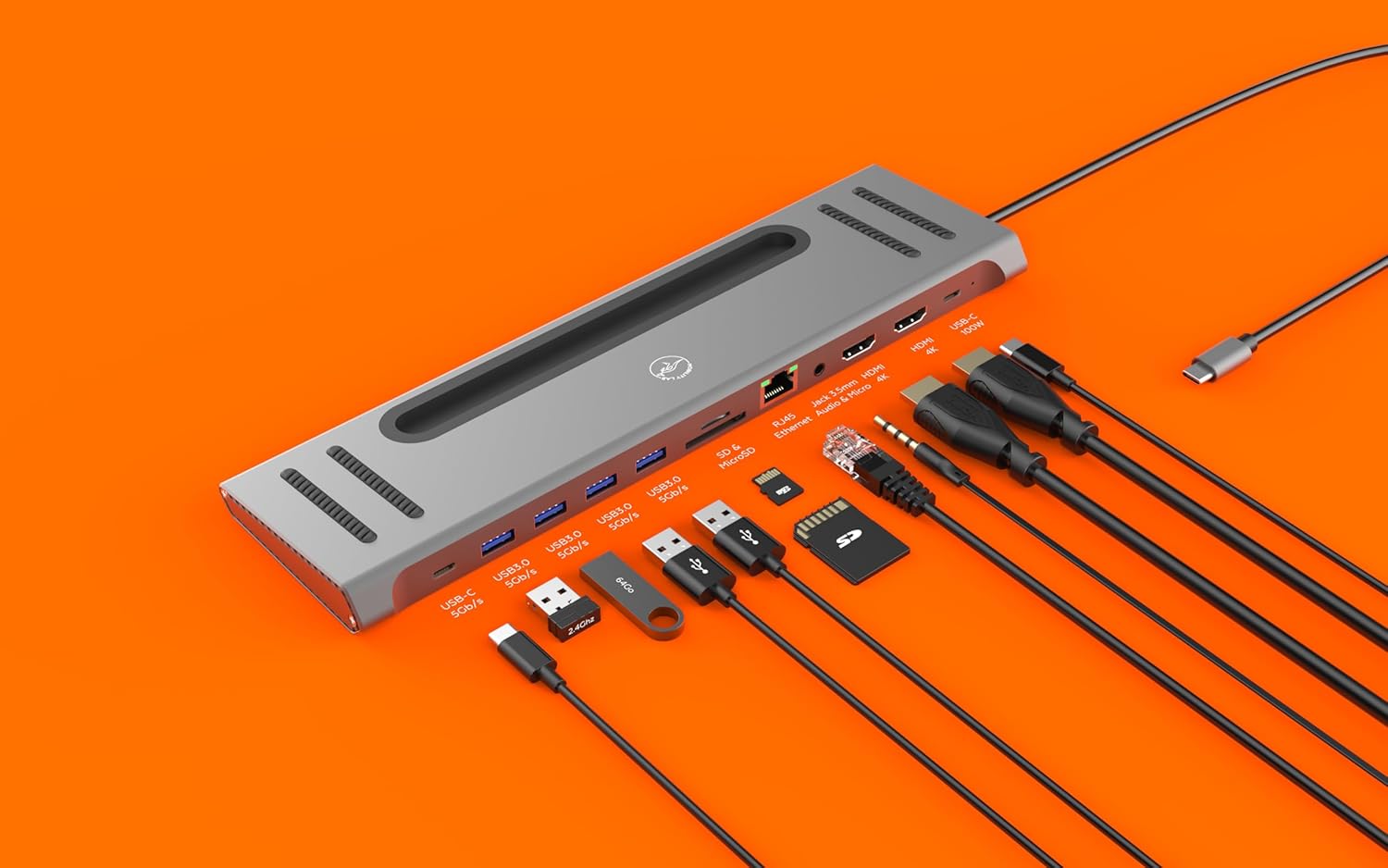
Image: The docking station with a tablet placed vertically in its integrated stand slot, alongside a keyboard, illustrating its use as a workstation.
6. Maintenance
To ensure the longevity and optimal performance of your docking station:
- Keep the device clean and free from dust. Use a soft, dry cloth for cleaning.
- Avoid exposing the device to extreme temperatures, humidity, or direct sunlight.
- Do not attempt to disassemble or repair the device yourself. Refer to qualified service personnel.
- Disconnect all cables before moving or storing the docking station.
7. Troubleshooting
If you encounter issues, refer to the following common problems and solutions:
| Problem | Solution |
|---|---|
| No display output |
|
| USB devices not recognized |
|
| Ethernet connection unstable or not working |
|
| Audio not working |
|
8. Specifications
| Feature | Detail |
|---|---|
| Model Number | ML312897 |
| Ports | 2x HDMI, 4x USB 3.0, 1x Ethernet (RJ45), 1x 3.5mm Audio Jack, 1x SD Card Slot, 1x Micro SD Card Slot, 1x USB-C PD (Input) |
| HDMI Resolution (Single Display) | Up to 3840 x 2160p @ 30Hz (4K) |
| HDMI Resolution (Dual Displays) | Up to 1920 x 1080p @ 60Hz (Full HD) |
| USB 3.0 Data Transfer Speed | Up to 5Gb/s |
| Ethernet Speed | 10/100/1000 Mb/s |
| Power Delivery | Up to 100W via USB-C PD port |
| Dimensions (L x W x H) | 280 x 80 x 20 mm (approx.) |
| Weight | 250 Grams |
| Color | Grey |

Image: A technical diagram illustrating the dimensions of the docking station: 280mm length, 80mm width, and 18mm height, with a 55cm integrated cable.
9. Compatibility
The Mobility Lab 12-in-1 USB-C Docking Station is compatible with:
- Windows computers with a USB-C port supporting DisplayPort Alternate Mode and Power Delivery.
- Android tablets with a USB-C port supporting DisplayPort Alternate Mode.
Note: Full functionality, especially multi-display output and Power Delivery, depends on the capabilities of your host device's USB-C port.
10. Warranty and Support
For warranty information and technical support, please refer to the official Mobility Lab website or contact their customer service. Keep your purchase receipt for warranty claims.
Manufacturer: MOBILITY
Country of Origin: China

