
Anman Racing Wheel Stand 3.0
Anman Foldable Flight Simulation Cockpit 3.0 Instruction Manual
Model: Racing Wheel Stand 3.0
1. Product Overview
The Anman Foldable Flight Simulation Cockpit 3.0 is a versatile and robust stand designed to enhance your flight and racing simulation experience. It features a durable alloy steel construction, multi-angle adjustments for pedals and steering wheel, and a foldable design for convenient storage. This stand is compatible with a wide range of popular simulation peripherals.

Image 1.1: The Anman Foldable Flight Simulation Cockpit 3.0, showcasing its structure and potential peripheral mounting points.
Key Features:
- Flexible and Varied Settings: Includes three gear shift panels, supporting both flight and racing game setups. Wider steering and pedal panels with pre-drilled holes accommodate various accessories.
- Durable and Heavy-Duty Construction: Sturdy structure designed for heavy equipment, compatible with direct-drive wheels under 8nm.
- Advanced Stability: Unique X-shape design with double triangle mechanics ensures stability during intense simulation.
- High Compatibility: Supports popular brands like Logitech, Thrustmaster, Hotas Warthog, Fanatec, and more.
- Easy Installation & Space Saving: 80% pre-installed for quick assembly. Features an adjustable bottom bolt lift pedal for quick folding and compact storage.
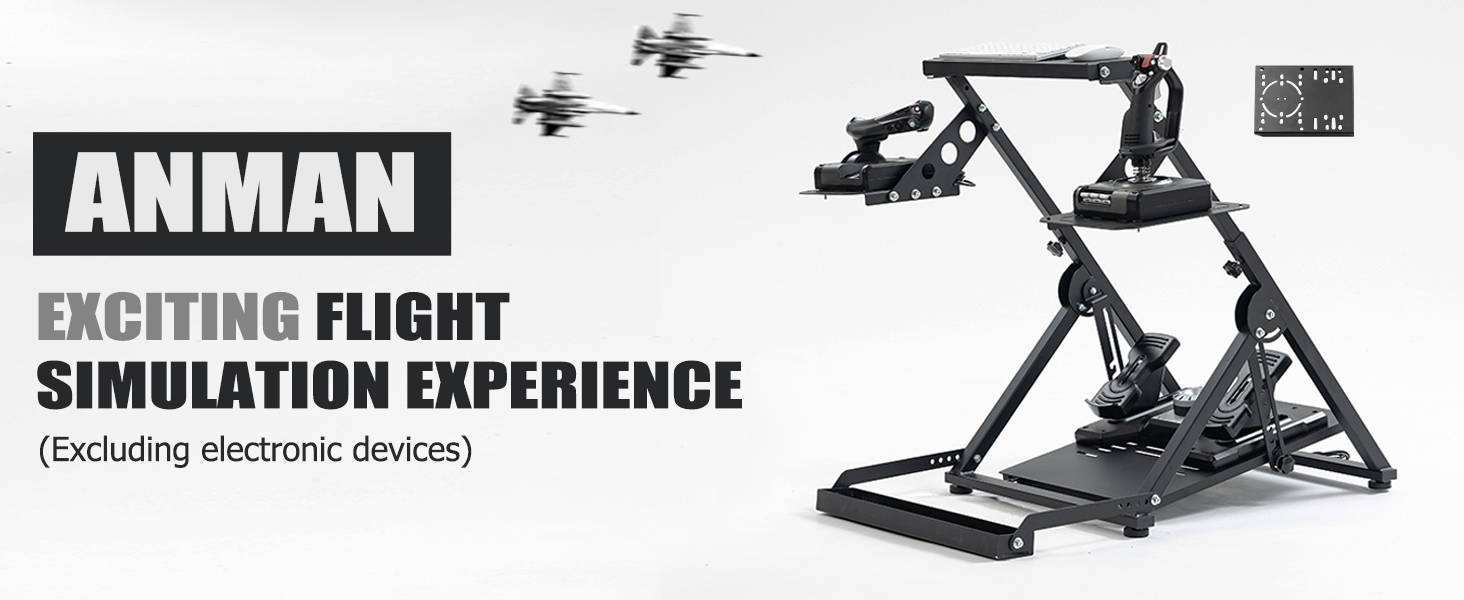
Image 1.2: Overview of key features including steering wheel platform adjustment, foldable design, flight rudder platform adjustment, and seat card slot.
2. Safety Information
Please read and understand all safety instructions before assembling and using the Anman Foldable Flight Simulation Cockpit 3.0. Failure to follow these instructions may result in injury or damage to the product or connected equipment.
- Ensure all bolts and fasteners are securely tightened before use. Regularly check for loose connections.
- Do not exceed the recommended weight limits for mounted peripherals. The stand is designed for simulation equipment; avoid placing excessively heavy items on it.
- Keep hands and fingers clear of moving parts during adjustment and folding operations to prevent pinching.
- Place the stand on a stable, level surface to prevent tipping.
- When folding or unfolding, ensure sufficient clear space around the stand.
3. Setup and Assembly
The Anman Foldable Flight Simulation Cockpit 3.0 arrives approximately 80% pre-installed, simplifying the assembly process. Necessary mounting tools, nuts, and bolts are included.
Unpacking:
- Carefully remove all components from the packaging.
- Verify that all parts listed in the packing list are present. Contact customer support if any parts are missing or damaged.
General Assembly Steps:
- Unfold the main frame of the stand and secure any pre-installed locking mechanisms.
- Attach the pedal platform and ensure it is securely fastened.
- Mount the steering wheel platform and the side shifter/joystick panels using the provided hardware.
- Utilize the included tools to tighten all connections. Do not overtighten.
Mounting Peripherals:
The stand features pre-drilled holes and includes various nuts and bolts to accommodate a wide range of flight and racing simulation equipment. Refer to your peripheral's manual for specific mounting patterns.
- Flight Equipment: Compatible with Logitech G X52/X56, Thrustmaster Hotas Warthog/TCA Captain Pack X Airbus Edition/TCA Yoke Boeing Edition, Honeycomb Aeronautical Alpha, and other similar devices.
- Racing Equipment: Compatible with Logitech G29/G920/G923, Thrustmaster T-GTII/T300/T248/T128/TMX PRO, Moza R3, PXN V900/V9/V99, and other similar devices.

Image 3.1: The stand configured for flight simulation, showing compatibility with various joysticks and throttles.

Image 3.2: The stand configured for racing simulation, demonstrating compatibility with various steering wheels and pedals.
4. Operating Instructions
Adjusting the Stand:
The Anman Flight Simulation Cockpit 3.0 offers multiple adjustment points to customize your setup for optimal comfort and performance.
- Pedal Angle Adjustment: The pedal platform can be adjusted from 10° to 45° to suit your preference. Loosen the adjustment bolts, set the desired angle, and re-tighten securely.
- Steering Wheel Angle Adjustment: The steering wheel platform allows for an adjustment of ±4°. Adjust the angle by loosening the relevant fasteners, positioning the platform, and then re-tightening.
- Shifter/Joystick Panel Position: The side panels can be adjusted for height and distance to place your shifters or joysticks in an ergonomic position.

Image 4.1: Illustration of the multi-angle adjustment capabilities for the pedal and steering wheel platforms.
Folding for Storage:
The stand is designed for quick and easy folding to save space when not in use.
- Remove any attached peripherals that might obstruct the folding mechanism.
- Locate the adjustable bottom bolt lift pedal.
- Engage the folding mechanism, allowing the stand to collapse into a compact size. Ensure all locking pins or bolts are secured in the folded position.

Image 4.2: The stand in its folded state, demonstrating its space-saving design.
Using the Seat Card Slot:
The integrated seat card slot is designed to hold your gaming chair's wheels, preventing unwanted movement during intense gameplay. Simply roll your chair into the slot to secure it.
5. Maintenance
Regular maintenance will ensure the longevity and optimal performance of your Anman Foldable Flight Simulation Cockpit 3.0.
Cleaning:
- Wipe down the stand with a soft, damp cloth. Avoid abrasive cleaners or solvents that could damage the double black spray paint finish.
- Ensure the stand is dry before storing or using.
Inspection:
- Periodically inspect all bolts, nuts, and connections for tightness. Re-tighten as necessary.
- Check for any signs of wear, damage, or corrosion on the alloy steel frame.
- Ensure that the folding mechanisms operate smoothly and lock securely.

Image 5.1: Close-up of the durable alloy steel construction and double black spray paint finish.
6. Troubleshooting
This section addresses common issues you might encounter with your Anman Foldable Flight Simulation Cockpit 3.0.
Stability Issues:
- Problem: The stand feels wobbly or unstable during use.
- Solution: Ensure all assembly bolts are fully tightened. Verify the stand is placed on a flat, even surface. If using a gaming chair, ensure its wheels are properly seated in the integrated seat card slot.
Peripheral Mounting Difficulties:
- Problem: Peripherals do not align with pre-drilled holes or cannot be securely mounted.
- Solution: Check the compatibility list in Section 3. Some peripherals may require specific adapters or alternative mounting methods not included with the stand. Ensure you are using the correct size bolts and washers from the provided hardware kit.
Folding Mechanism Sticking:
- Problem: The stand is difficult to fold or unfold.
- Solution: Ensure no cables or peripherals are obstructing the mechanism. Check for any debris in the joints. A small amount of silicone lubricant can be applied to pivot points if necessary.
If you encounter issues not covered here, please refer to the Warranty and Support section for contact information.
7. Specifications
| Feature | Specification |
|---|---|
| Model Number | Racing Wheel Stand 3.0 |
| Product Dimensions (Play Size) | 37.5 x 38.4 x 28.3 inches (approx.) |
| Product Dimensions (Storage Size) | 26 x 22.44 x 6 inches (approx.) |
| Item Weight | 40.1 pounds |
| Material | Alloy Steel (30mm x 30mm circular tube) |
| Finish | Double Black Spray Paint |
| Pedal Angle Adjustment | 10°–45° |
| Steering Wheel Angle Adjustment | ±4° |
| Compatibility | Logitech G29/G920/G923, Thrustmaster T16000, Airbus Rocker & Throttle, A10C, Velocity One flight system, THRUSTMASTER TMX racing wheel, Direct-drive wheels under 8nm, and many other devices. |

Image 7.1: Detailed dimensions of the stand in both play and storage configurations.
8. Warranty and Support
Anman products are manufactured to high-quality standards. While specific warranty details are not provided in this manual, please retain your proof of purchase for any warranty claims.
Customer Support:
For technical assistance, missing parts, or warranty inquiries, please contact Anman customer support through the retailer where the product was purchased or visit the official Anman website for support contact information.
Please have your product model number (Racing Wheel Stand 3.0) and purchase date available when contacting support.
Related Documents - Racing Wheel Stand 3.0
 |
GS75 Racing Simulator Stand Assembly Manual Assembly instructions for the GS75 Racing Simulator Stand, detailing the steps to connect base brackets, connecting tubes, cross member supports, and the monitor mounting bracket using provided hardware. |
 |
Minneer GS56 Racing Simulator Stand: Assembly Manual and Instructions Detailed assembly instructions for the Minneer GS56 Racing Simulator Stand, providing step-by-step guidance and a comprehensive parts list for building your gaming cockpit. |
 |
Insignia Racing Wheel Stand NS-URSS22: Quick Setup Guide and Warranty Information Comprehensive quick setup guide and one-year limited warranty details for the Insignia NS-URSS22 Racing Wheel Stand, compatible with major gaming wheels from Logitech, Thrustmaster, and Fanatec. |
 |
PXN-A10 Foldable Racing Wheel Stand User Manual Comprehensive user manual for the PXN-A10 Foldable Racing Wheel Stand, detailing assembly, installation, specifications, and compatibility with various racing peripherals. Includes step-by-step instructions and safety warnings. |
 |
GS18 Racing Simulator Stand Assembly Manual Step-by-step assembly guide for the GS18 Racing Simulator Stand, detailing all parts and assembly processes for a complete racing cockpit setup. |
 |
GS20 Racing Simulator Stand Assembly Manual This manual provides step-by-step instructions for assembling the GS20 Racing Simulator Stand, including a detailed list of accessories and assembly processes. |
Ask a question about this manual
Ask about setup, troubleshooting, compatibility, parts, safety, or missing instructions. Manuals+ will review the question and use this page’s manual context to help answer it.