
Introduction
Thank you for choosing the JETech Protective Folio Case for your iPad Pro 11-Inch. This manual provides essential information on how to properly use and maintain your new case, ensuring optimal protection and functionality for your device.
This case is designed for iPad Pro 11-Inch 4th/3rd/2nd generation (2022/2021/2020 Models). It features a premium PU leather exterior and a soft TPU inner back for comprehensive protection against scratches and drops. Key functionalities include auto wake/sleep, a built-in pencil holder, multi-angle viewing, and additional storage options.

Image: The JETech Protective Folio Case in black, showcasing its sleek design and protective features.
Compatibility
This case is specifically designed for the following iPad Pro 11-Inch models:
- iPad Pro 11-Inch (2022 Model): A2759, A2435, A2761, A2762
- iPad Pro 11-Inch (2021 Model): A2377, A2459, A2301, A2460
- iPad Pro 11-Inch (2020 Model): A2228, A2068, A2230, A2231
Please verify your iPad model number before installation to ensure proper fit and functionality. The model number is typically found on the back of your iPad.

Image: A visual guide to identifying your iPad Pro 11-Inch model number and confirming compatibility with the case.
Setup
To install your iPad Pro 11-Inch into the JETech Protective Folio Case:
- Gently align your iPad with the TPU inner back shell of the case.
- Press firmly around the edges of the iPad until it securely snaps into place within the shell. Ensure all corners are properly seated.
- Close the front cover. The case supports an auto wake/sleep function, which will automatically turn your iPad screen on when opened and off when closed.
The built-in pencil holder on the right side allows for secure storage and charging of your Apple Pencil 2nd Generation (Pencil not included).
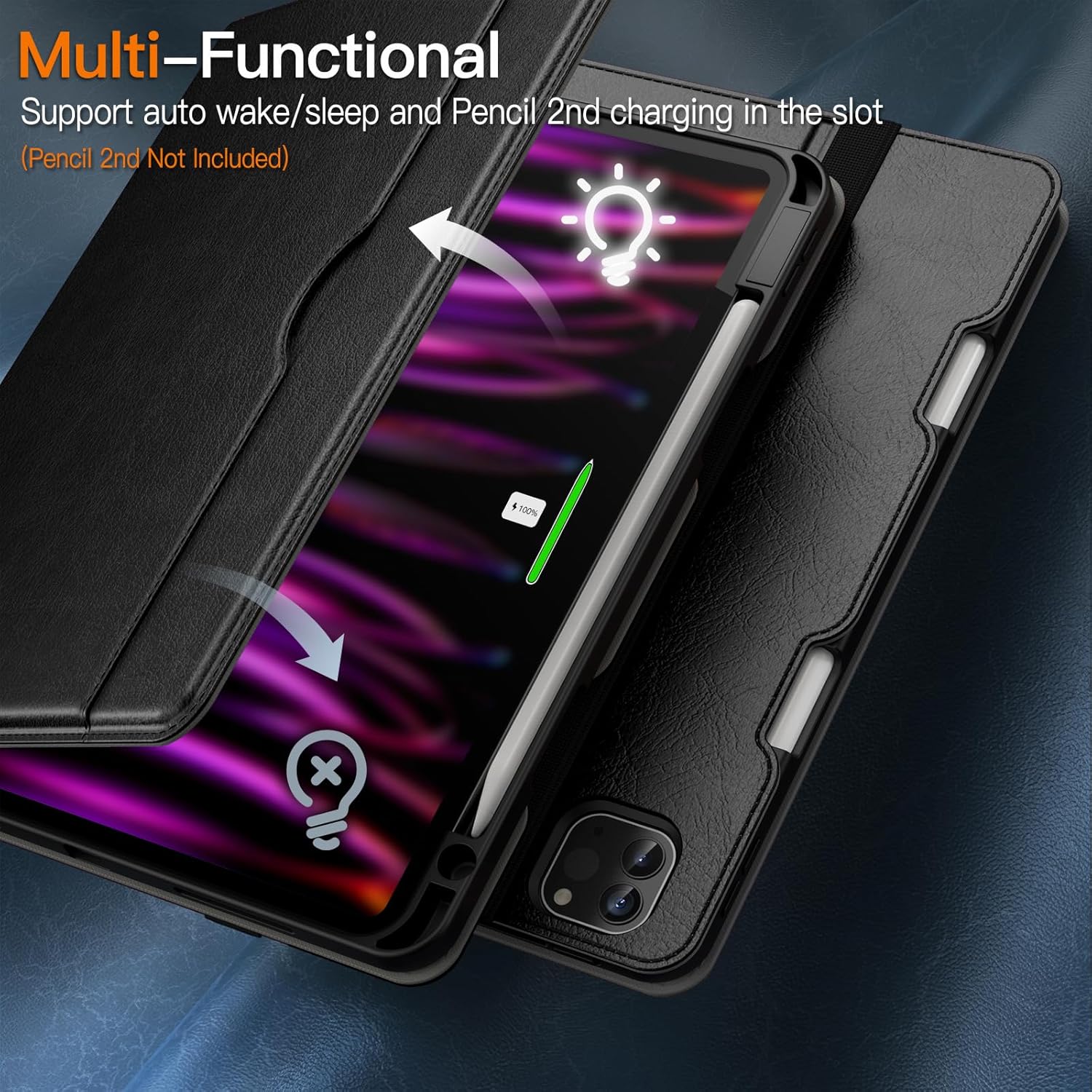
Image: The multi-functional design of the case, highlighting the auto wake/sleep feature and the integrated Apple Pencil 2nd Generation charging slot.
Operating Features
The JETech Folio Case offers several features to enhance your iPad experience:
- Multi-Angle Viewing: The leather case allows you to adjust your iPad to multiple stable viewing angles for typing, watching videos, or browsing. Simply fold the front cover into the desired triangular stand position.
- Hand Strap: An adjustable inner hand strap helps you firmly hold your iPad, providing security and comfort during use.
- Front Pocket: A large front pocket is included for convenient storage of cards, cash, notes, or other small documents.
- Elastic Strap: An exterior elastic strap helps to fix the iPad tightly to the case, providing extra security when closed.

Image: The case propped up in two stable viewing angles, illustrating its adjustable stand functionality.

Image: The thoughtful design of the case, featuring a large front pocket for storage and an elastic hand strap for secure holding.
Product Video
Video: An official product video from JE Products US demonstrating the features and functionality of the JETech PU Leather Business Folio Case for iPad, including its adjustable angles, thoughtful strap design, and drop protection.
Maintenance
To ensure the longevity and appearance of your JETech case:
- Cleaning: Wipe the exterior PU leather with a soft, damp cloth. Avoid using harsh chemicals or abrasive cleaners, as these can damage the material.
- Protection: While the case offers significant protection against drops and scratches, avoid exposing it to extreme temperatures, direct sunlight for prolonged periods, or sharp objects.
- Storage: When not in use, store the case in a cool, dry place.
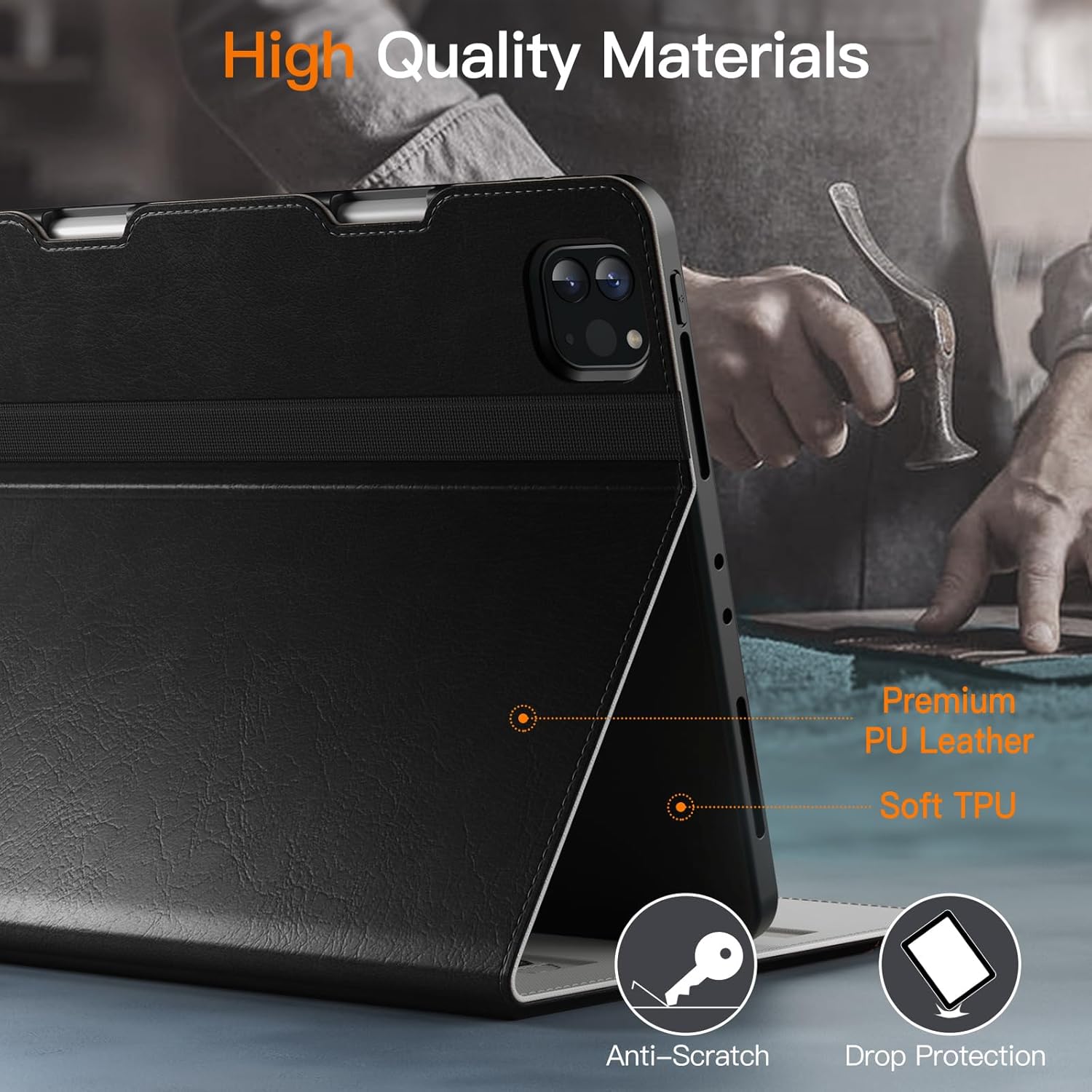
Image: A detailed view of the case's construction, highlighting the premium PU leather exterior and soft TPU inner back, designed for anti-scratch and drop protection.
Troubleshooting
If you encounter any issues with your JETech case, consider the following:
- iPad not fitting: Double-check your iPad model number against the compatibility list in this manual. Ensure the iPad is correctly aligned and gently pressed into the TPU shell.
- Auto wake/sleep not working: Ensure the front cover is fully closed and that your iPad's settings for 'Lock/Unlock' are enabled (Settings > Display & Brightness > Lock/Unlock).
- Pencil not charging: Verify that your Apple Pencil 2nd Generation is correctly placed in the designated slot and that your iPad's Bluetooth is enabled.
For further assistance, please refer to the 'Warranty and Support' section.
Specifications
| Brand | JETech |
| Model Number | 5023- |
| Color | Black |
| Compatible Devices | iPad Pro 11-Inch (2022/2021/2020 Model) |
| Form Factor | Case |
| Shell Type | Soft |
| Compatible Device Size Maximum | 11 Inches |
| Additional Features | Auto Sleep/Wake, Magnetic Closure, Stylus Holder |
| Pattern | Solid |
| Enclosure Material | Polyurethane, Thermoplastic Polyurethane |
| Item Dimensions | 10.02 x 7.64 x 0.91 inches |
| Item Weight | 401 Grams |
Warranty and Support
JETech products are designed for quality and durability. For information regarding product warranty, returns, or technical support, please visit the official JETech store or contact their customer service directly.
JETech Store: https://www.amazon.com/stores/JETech/page/953D6EEF-C142-40EA-B58A-42C09DAFE362
Please retain your purchase receipt for warranty claims.