
1. Introduction
This manual provides essential information for the installation, operation, and maintenance of your Tapa Inverter Module. This module is designed as a replacement component specifically for certain Champion 2500W Dual Fuel Inverter Generators. Please read this manual thoroughly before attempting any installation or service to ensure proper function and safety.
2. Important Safety Information
Always observe the following safety precautions when handling or installing the inverter module:
- Disconnect Power: Before beginning any work, ensure the generator is completely shut down, cooled, and disconnected from all fuel sources and electrical loads. Remove the spark plug cap to prevent accidental starting.
- Personal Protective Equipment (PPE): Wear appropriate safety gear, including safety glasses and gloves, to protect against potential hazards.
- Electrical Hazard: Inverter modules contain capacitors that can store electrical charge even after power is disconnected. Exercise caution and avoid touching internal components unless specifically instructed.
- Qualified Personnel: If you are unsure about any step, consult a qualified technician. Improper installation can lead to damage to the module, generator, or personal injury.
- Original Generator Manual: Always refer to your Champion generator's original owner's manual for specific safety procedures and component locations.
3. Compatibility
This Tapa Inverter Module is only compatible with the following Champion 2500W Dual Fuel Inverter Generator models:
- 100899
- 200961
- 200962
- 201122
- 201183
Important: This module is not compatible with other Champion 2500W inverter generators not listed above. While other modules may appear similar, their internal programming differs, making them incompatible. Verify your generator's model number carefully before proceeding.
4. What's in the Box
Your package should contain:
- One (1) Tapa Inverter Module for Champion 2500W Inverter Generator
5. Setup and Installation
This section outlines the general steps for replacing the inverter module. Always refer to your specific Champion generator's service manual for detailed instructions and diagrams.
5.1. Preparation
- Ensure the generator is turned off, cooled down, and all fuel lines are closed or disconnected.
- Remove the spark plug cap to prevent accidental engine start-up.
- Gather necessary tools, which may include screwdrivers, wrenches, and a multimeter.
5.2. Locating the Inverter Module
The inverter module is typically located within the generator's housing, often behind a service panel. Consult your generator's manual for the exact location.
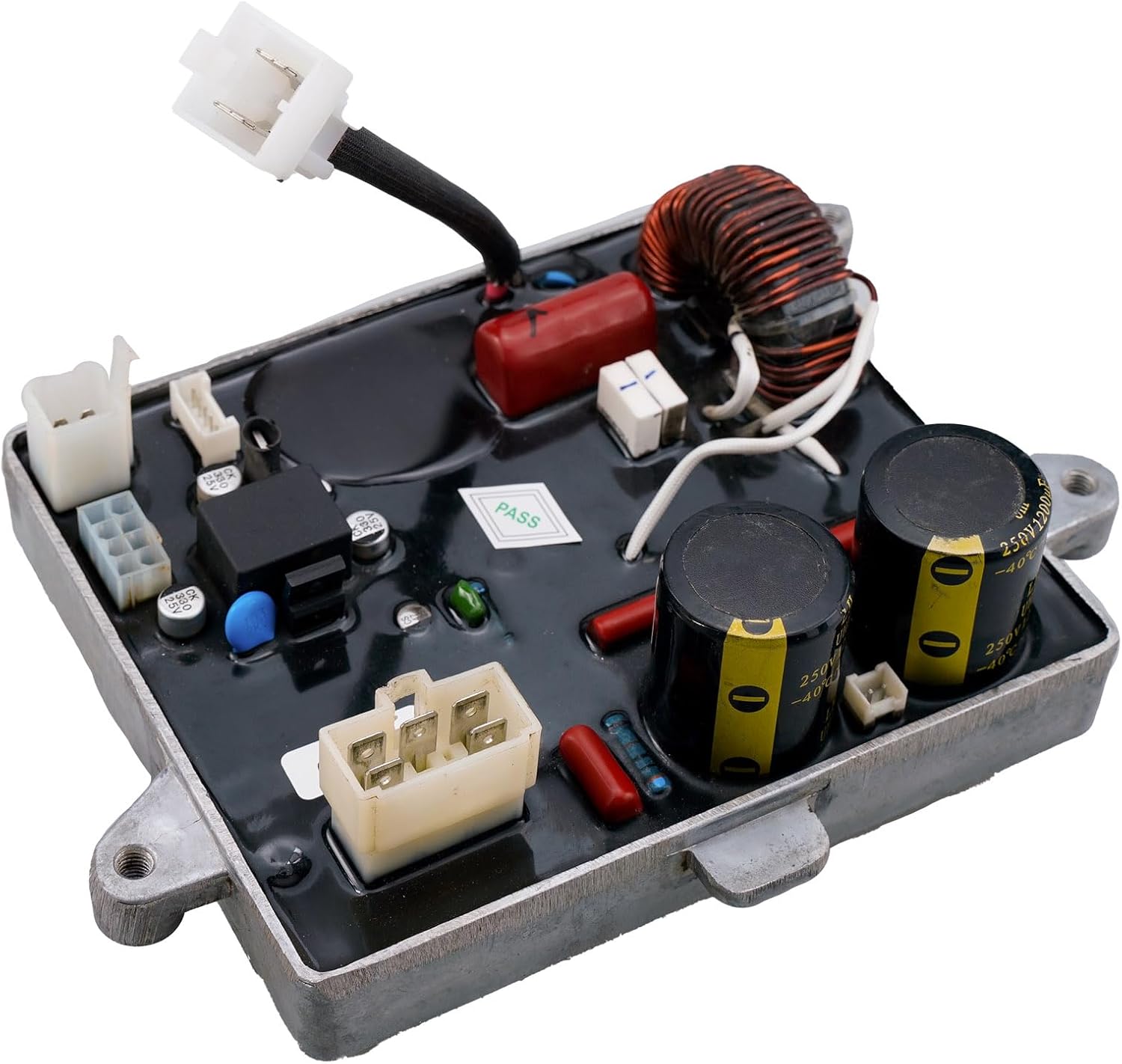
Image 1: Top view of the Tapa Inverter Module, showing various electronic components and connectors. This view helps in identifying the module's overall layout.
5.3. Disconnecting the Old Module
- Carefully disconnect all wiring harnesses and cables connected to the existing inverter module. Note the position and orientation of each connector, perhaps by taking photos, to ensure correct reassembly.
- Unscrew any mounting bolts or fasteners securing the old module to the generator frame.
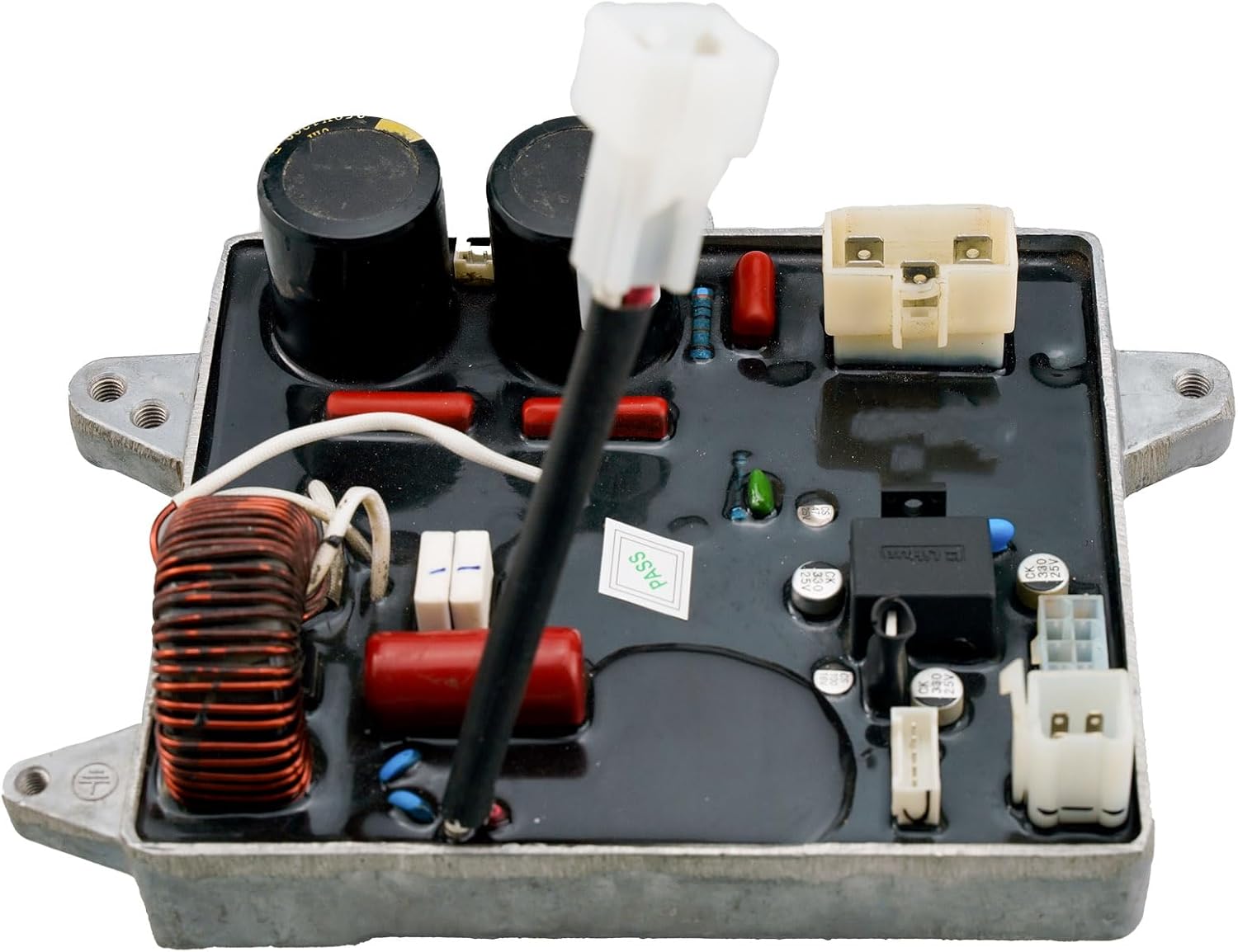
Image 2: Angled view of the Tapa Inverter Module, highlighting the various electrical connectors and their positions. This perspective is useful for understanding wiring connections.
5.4. Installing the New Module
- Position the new Tapa Inverter Module in the same location as the old one.
- Secure the module using the original mounting bolts or fasteners. Ensure it is firmly seated.
- Reconnect all wiring harnesses and cables to their corresponding ports on the new module. Double-check each connection for security and correct orientation.
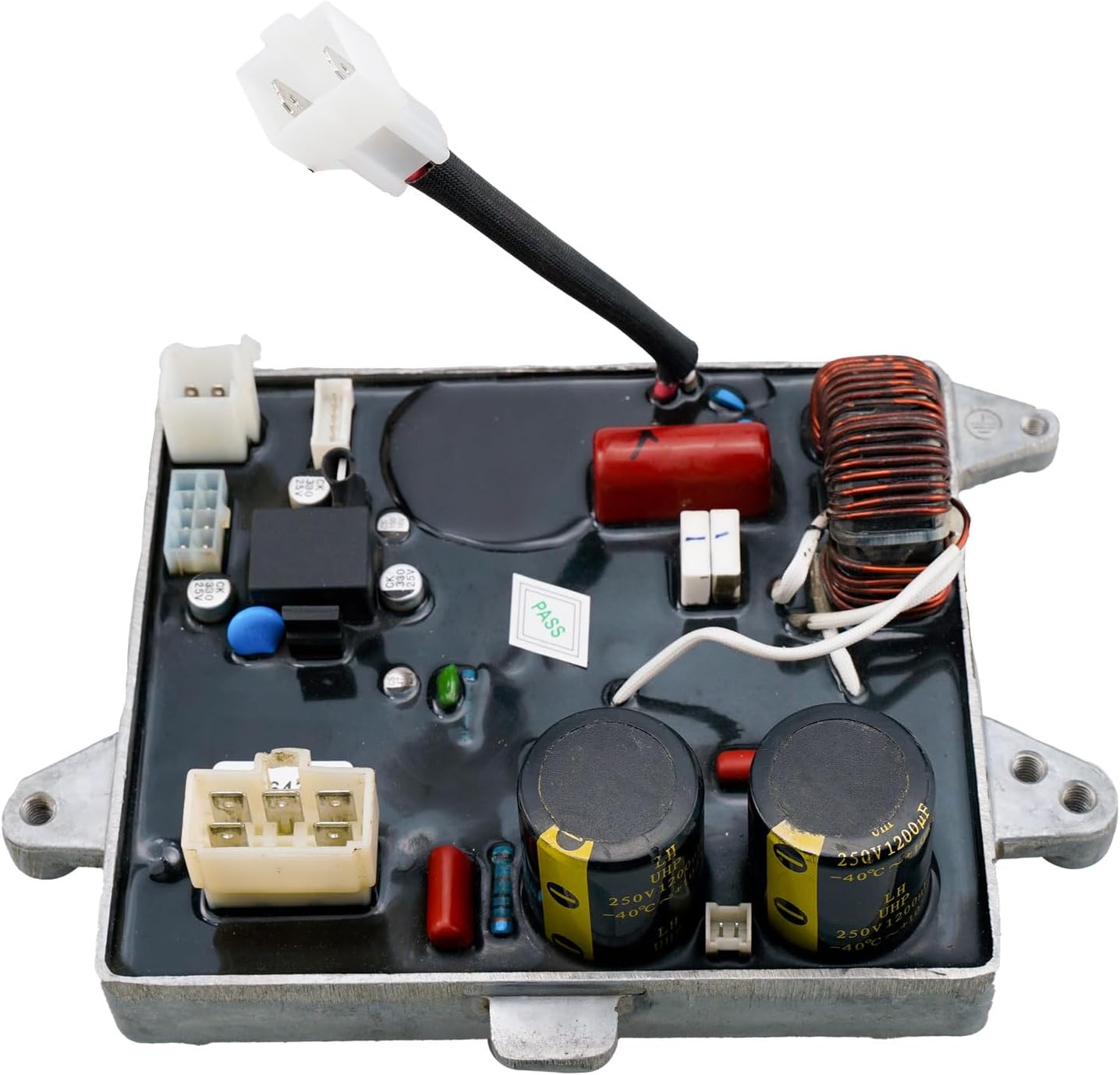
Image 3: A different angled view of the Tapa Inverter Module, providing another perspective on its physical layout and connection points.

Image 4: Bottom view of the Tapa Inverter Module, revealing the heatsink fins designed for thermal dissipation. This part typically faces the generator's interior.
5.5. Post-Installation Check
- Visually inspect all connections to ensure they are secure and correctly routed.
- Replace any removed service panels or covers.
- Reconnect the spark plug cap.
- Follow your generator's manual for initial startup procedures after component replacement.
6. Operating
The Tapa Inverter Module is a core component of your generator's electrical system. Once correctly installed, its operation is integrated with the generator's overall function. For instructions on starting, running, and shutting down your Champion 2500W Dual Fuel Inverter Generator, please refer to the original owner's manual provided with your generator.
7. Maintenance
The inverter module itself requires minimal maintenance. However, to ensure its longevity and optimal performance:
- Keep Clean: Periodically inspect the area around the module for dust, dirt, or debris accumulation. Gently clean with a soft, dry cloth if necessary. Ensure the generator is off and cooled before cleaning.
- Environmental Protection: Ensure the generator is stored in a dry, well-ventilated area, protected from extreme temperatures and moisture, which can affect electronic components.
- Connection Checks: During routine generator maintenance, visually inspect the wiring connections to the inverter module for any signs of looseness or corrosion.
8. Troubleshooting
If your generator experiences issues after replacing the inverter module, consider the following troubleshooting steps:
- No Power Output:
- Verify all electrical connections to the inverter module are secure and correctly seated.
- Check the generator's circuit breakers or fuses.
- Ensure the generator engine is running smoothly and at the correct RPM.
- Irregular Power Output:
- Re-check all wiring connections for proper contact.
- Ensure the generator is not overloaded.
- Generator Not Starting:
- While the inverter module is primarily for power conversion, ensure no wiring was disturbed that affects engine starting.
- Refer to your generator's manual for engine starting troubleshooting.
- General Issues: If problems persist, consult the original Champion 2500W Dual Fuel Inverter Generator owner's manual for comprehensive troubleshooting guides or contact a certified service technician.
9. Specifications
| Feature | Detail |
|---|---|
| Product Model Number | TM402CP2501 |
| Compatible Generator Wattage | 2500 watts |
| Product Dimensions | 7.6 x 5.7 x 2.9 inches |
| Item Weight | 2.75 pounds |
| Manufacturer | Tapa |
| Power Source (Generator) | Fuel-powered |
10. Support
For further assistance, questions regarding compatibility, or if you require a different inverter module for a Champion 2500W generator model not listed in this manual, please contact the seller or manufacturer directly. Providing your generator's exact model number will help expedite support.