
Introduction
This user manual provides comprehensive instructions for the operation and maintenance of your BAOFENG UV-10R Two Way Radio. Please read this manual thoroughly before using the device to ensure proper function and safety. The UV-10R is a versatile communication device featuring long-range capabilities, USB-C charging, NOAA weather alerts, and 999 programmable channels, designed for reliable two-way communication.
Package Contents
Upon opening the package, please verify that all the following items are included:
- Portable Radio
- 18.89-inch Tactical Antenna
- Type-C Cable
- Battery
- High Gain Antenna
- Charger Base
- Belt Clip
- Hand Strap
- User's Manual (this document)

Image: All components included in the BAOFENG UV-10R Two Way Radio package.
Product Overview
The BAOFENG UV-10R is equipped with several features for enhanced communication and utility. Key components and their functions are detailed below:
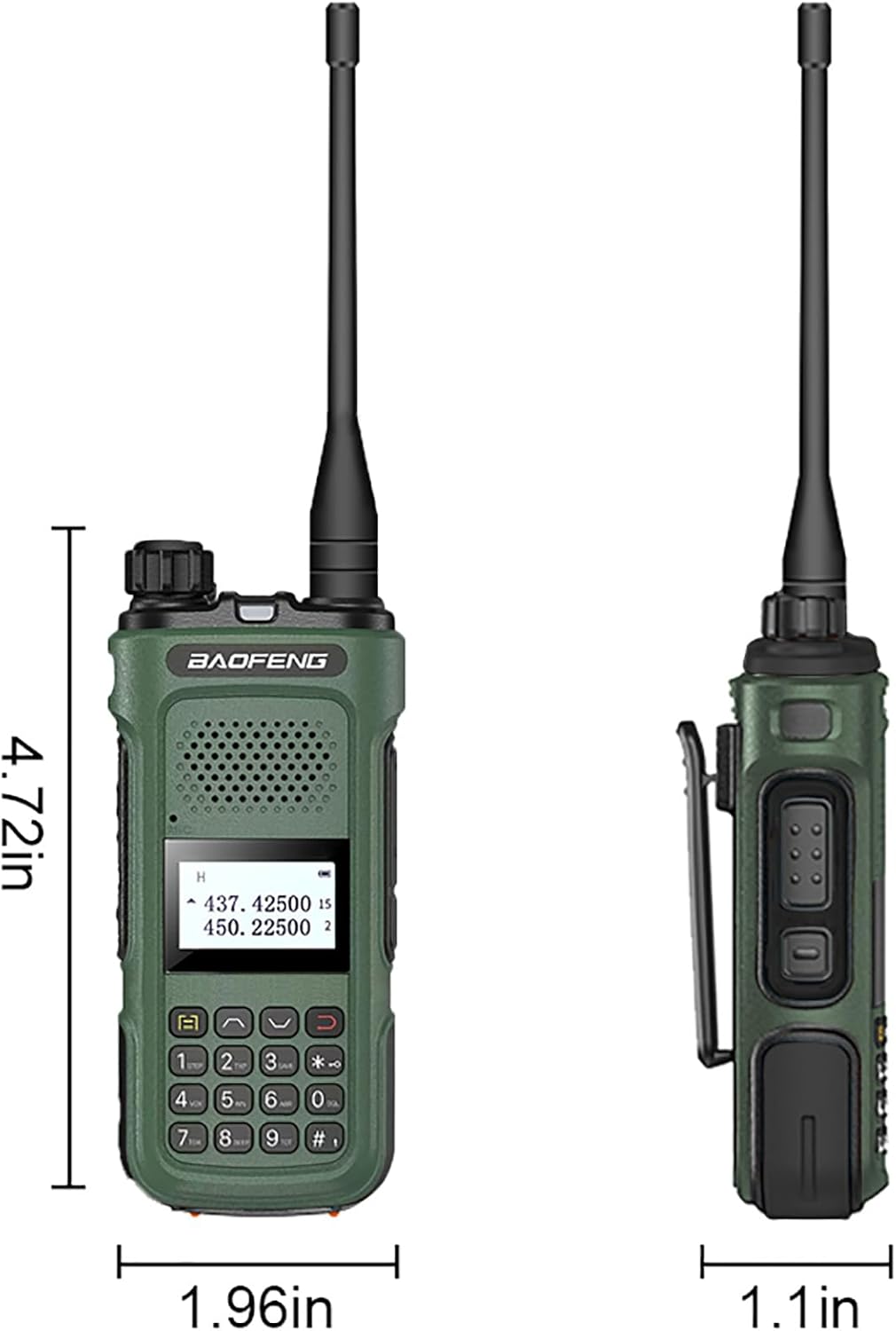
Image: Labeled diagram of the BAOFENG UV-10R Two Way Radio, highlighting its various parts.
- Power/Volume Knob: Rotates to turn the radio on/off and adjust audio volume.
- Antenna: Connects to the radio for transmitting and receiving signals.
- Indicator: LED light indicating transmission (red) or reception (green).
- Flashlight: Built-in LED light for illumination.
- Mic (Microphone): Captures your voice for transmission.
- PTT (Push-to-Talk) Button: Press and hold to transmit, release to receive.
- 2pin K Jack: Port for connecting external audio accessories like headsets or programming cables.
- LED Screen: Displays channel information, frequency, battery status, and menu options.
- Menu Button: Accesses the radio's settings menu.
- Exit Button: Used to exit menu options or cancel selections.
- Keypad: Numeric and function keys for direct frequency input, channel selection, and feature activation.
Setup
Battery Installation
- Ensure the radio is powered off.
- Align the battery pack with the grooves on the back of the radio.
- Slide the battery pack upwards until it clicks securely into place.
- To remove, press the battery release latch (if present) and slide the battery downwards.
Antenna Attachment
- Screw the antenna clockwise into the connector on the top of the radio until it is finger-tight. Do not overtighten.
Charging the Battery
The BAOFENG UV-10R supports both USB-C direct charging and charging via the included charger base.
- USB-C Direct Charging: Insert the Type-C cable into the USB-C port on the side of the radio. Connect the other end to a compatible USB power source (e.g., power bank, PC, car charger, laptop). The charging indicator will illuminate.
- Charger Base Charging: Place the radio into the charger base. Ensure the charging contacts on the radio align with those on the base. Connect the charger base to a power outlet. The indicator light on the charger base will show the charging status.

Image: The BAOFENG UV-10R radio demonstrating its USB-C direct charging capability.
Operating
Power On/Off and Volume Adjustment
Rotate the Power/Volume knob clockwise to turn the radio on. Continue rotating clockwise to increase the volume. Rotate counter-clockwise to decrease the volume and turn the radio off.
Channel Selection and Frequency Input
The UV-10R supports 999 channels. You can select channels using the Up/Down arrow keys or directly input frequencies using the keypad. The radio operates within the frequency ranges of 144-148MHz and 420-450MHz.
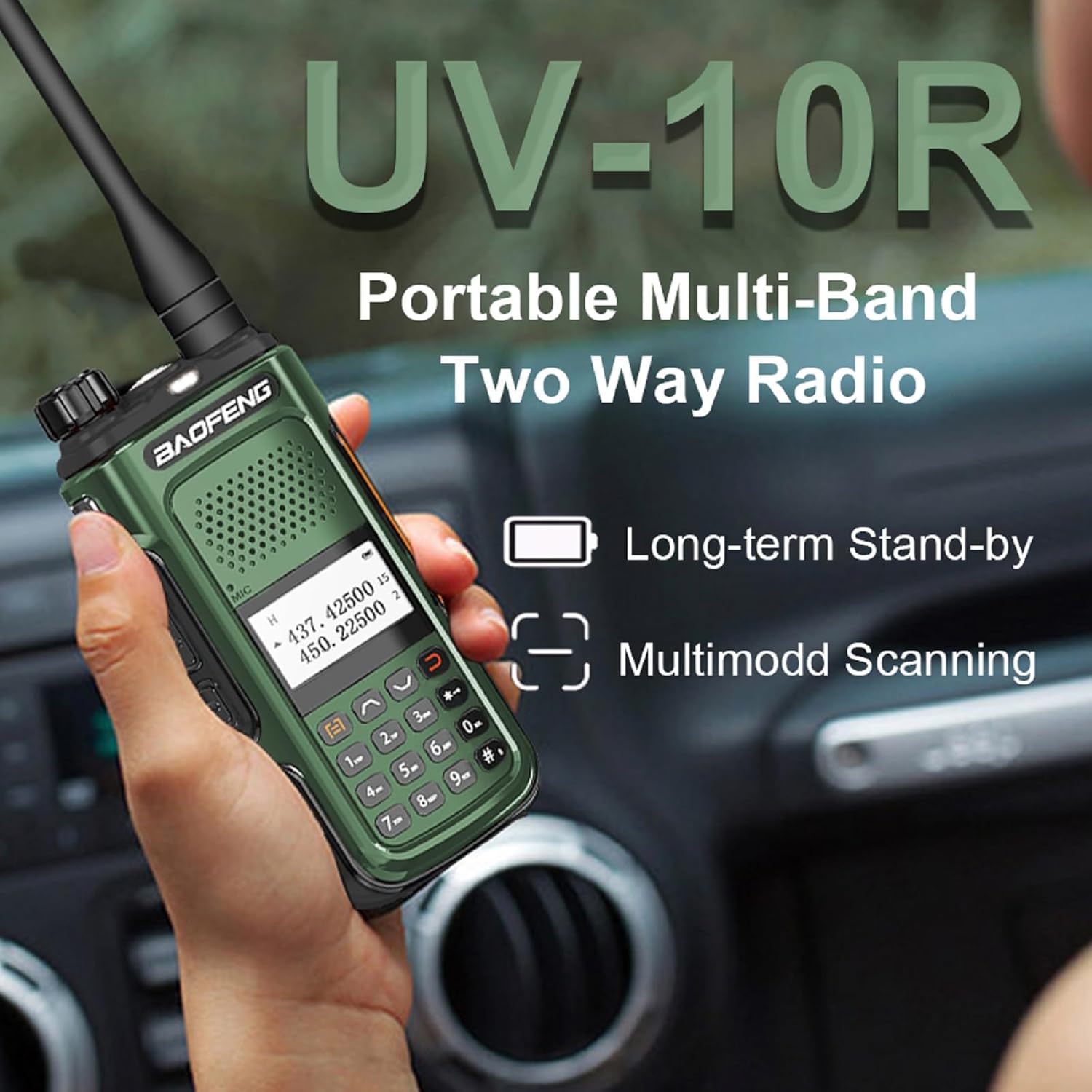
Image: Operating the BAOFENG UV-10R, showing the display and keypad for frequency and channel selection.
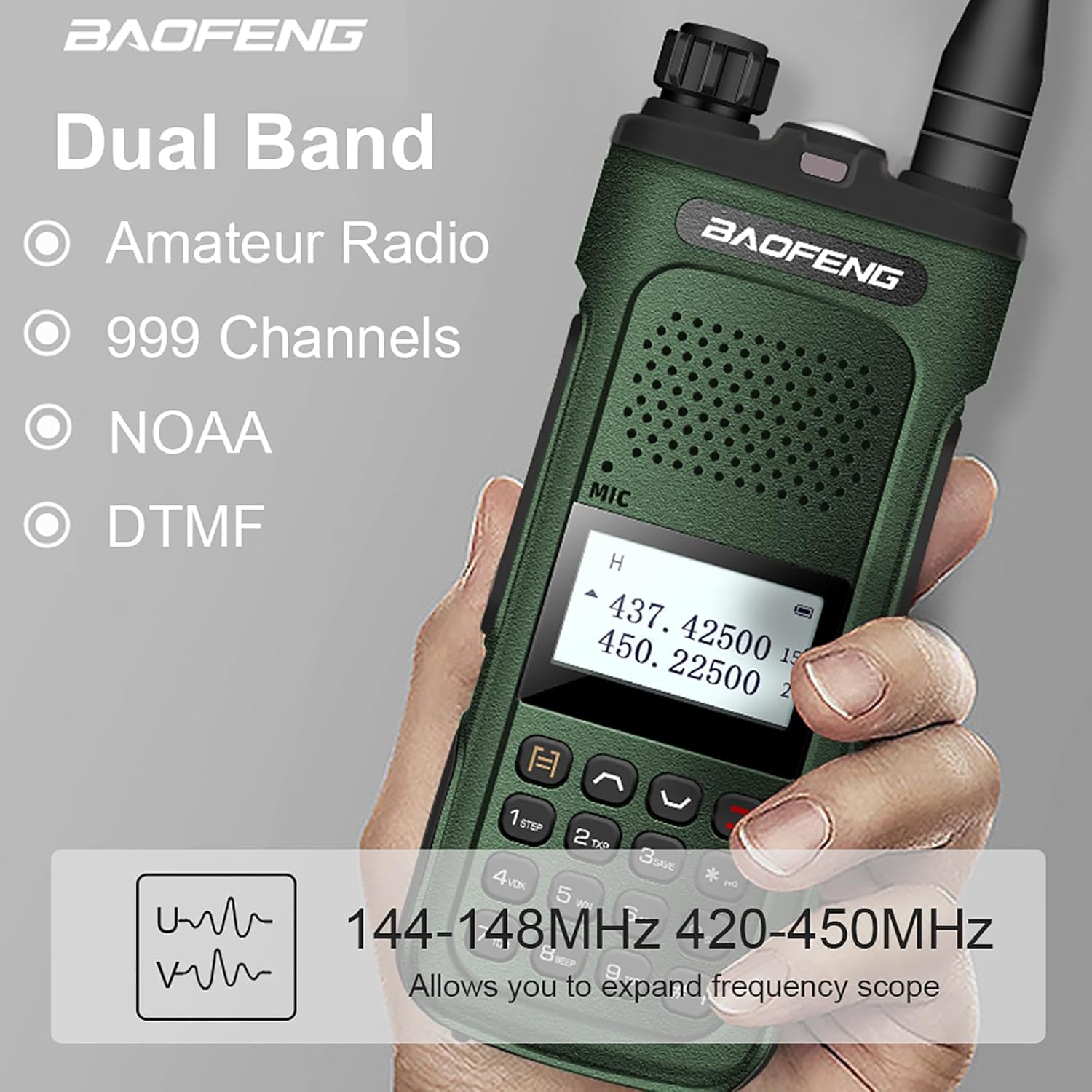
Image: Key features of the BAOFENG UV-10R, including dual-band operation and channel capacity.
Push-to-Talk (PTT) Operation
To transmit, press and hold the PTT button on the side of the radio. Speak clearly into the microphone. Release the PTT button to return to receive mode.
Multimode Scanning
The radio supports multimode scanning to monitor active channels. Refer to the detailed menu instructions for activating and configuring scanning modes.
VOX Function
Voice Operated Exchange (VOX) allows for hands-free transmission. When VOX is enabled, the radio will automatically transmit when it detects your voice. Adjust VOX sensitivity in the menu.
NOAA Weather Alert
The UV-10R can receive NOAA weather alerts, providing timely information on severe weather conditions. Activate this feature through the radio's menu.
DTMF (Dual-Tone Multi-Frequency)
DTMF signaling is supported for various functions, including remote control and selective calling. Consult the advanced features section of the full manual for programming DTMF codes.
LED Strong Flashlight
The built-in LED flashlight can be activated for illumination in low-light conditions. Refer to the keypad functions for flashlight activation.

Image: The BAOFENG UV-10R's integrated LED flashlight providing illumination.
Maintenance
Cleaning
Wipe the radio's surface with a soft, damp cloth. Do not use harsh chemicals or abrasive cleaners. Ensure the radio is powered off and dry before cleaning.
Battery Care
To prolong battery life, avoid fully discharging the battery frequently. Charge the battery when the low battery indicator appears. Store the radio and battery in a cool, dry place when not in use for extended periods.
Storage
When storing the radio for a long time, remove the battery. Store the radio and accessories in a clean, dry environment, away from direct sunlight and extreme temperatures.
Troubleshooting
If you encounter issues with your BAOFENG UV-10R, refer to the following common problems and solutions:
| Problem | Possible Cause | Solution |
|---|---|---|
| Radio does not power on | Battery is low or not installed correctly. | Charge the battery or re-install it securely. |
| Cannot transmit or receive | Incorrect frequency/channel, antenna loose, or PTT button not pressed correctly. | Verify frequency/channel settings. Ensure antenna is securely attached. Press PTT firmly. |
| Poor audio quality | Volume too low/high, interference, or microphone obstruction. | Adjust volume. Move away from sources of interference. Ensure microphone is clear. |
| Battery drains quickly | Frequent transmission, high power setting, or aging battery. | Reduce transmission time. Use lower power setting if possible. Consider replacing battery if old. |
Specifications
Detailed technical specifications for the BAOFENG UV-10R Two Way Radio:
- Item Weight: 1.48 pounds
- Product Dimensions: 1.1 x 1.96 x 4.72 inches
- Item Model Number: BF-UV10/UV-10R
- Batteries: 1 Lithium Ion battery required
- Display Type: LED
- Number of Channels: 999
- Special Feature: Weather Alert (NOAA)
- Frequency Range: 144-148MHz, 420-450MHz
- Talking Range Maximum: 3.1 Mile
- Tuner Technology: UHF/VHF
- Input Voltage: 7.4 Volts (DC)
- Water Resistance Level: Not Water Resistant

Image: Dimensions of the BAOFENG UV-10R Two Way Radio.
Warranty
The BAOFENG UV-10R Two Way Radio comes with a 1-year warranty. This warranty is provided exclusively through "Shiqun Electronics Co., Ltd." Please retain your proof of purchase for warranty claims.
Support
For further assistance, technical support, or warranty inquiries, please contact the manufacturer or the authorized seller, Shiqun Electronics Co., Ltd. Refer to your purchase documentation for specific contact details.