
Logitech G G435
Logitech G435 Lightspeed Wireless Gaming Headset + Litra Beam Premium LED Gaming Key Light User Manual
Model: G435
1. Introduction
This manual provides essential information for the setup, operation, maintenance, and troubleshooting of your Logitech G435 Lightspeed Wireless Gaming Headset and Litra Beam Premium LED Gaming Key Light. Please read this guide thoroughly to ensure optimal performance and longevity of your devices.
2. Product Overview
The Logitech G435 Lightspeed Wireless Gaming Headset offers versatile connectivity and lightweight comfort for extended gaming sessions. Paired with the Litra Beam Premium LED Gaming Key Light, this bundle provides both immersive audio and professional-grade lighting for your gaming or streaming setup.

Figure 2.1: Logitech G435 Lightspeed Wireless Gaming Headset and Litra Beam Premium LED Gaming Key Light.
Key Features:
- Logitech G435 Headset:
- LIGHTSPEED Wireless and Bluetooth Connectivity: Seamlessly switch between PC, smartphones, PlayStation, and Nintendo Switch.
- Lightweight Design: Weighs only 5.8 oz (165 g) for all-day comfort.
- Breathable Fabric Earcup: Keeps ears cool during long play sessions.
- Integrated Dual Beamforming Microphones: Reduces background noise without a boom arm.
- Litra Beam Key Light:
- TrueSoft Technology: Delivers balanced, full-spectrum LED light with cinematic color accuracy.
- Adjustable Design: Shape and direct light for customized illumination.
- Slim Form Factor: Designed to fit into various desktop setups.
3. Setup
3.1. Logitech G435 Headset Setup
- Charging: Before first use, fully charge the headset using the included USB-C cable. Connect the cable to the headset's charging port and a USB power source. The LED indicator will show charging status.
- LIGHTSPEED Wireless Connection (PC/PlayStation):
- Insert the included USB-A LIGHTSPEED receiver into an available USB port on your PC or PlayStation console.
- Power on the G435 headset by pressing and holding the power button until the LED lights up.
- The headset should automatically connect to the receiver. The LED on the headset will turn solid cyan when connected via LIGHTSPEED.
- Bluetooth Connection (Smartphones/Nintendo Switch):
- With the headset powered on, press and hold the mute button for 3 seconds to enter Bluetooth pairing mode. The LED will flash blue rapidly.
- On your device (smartphone, Nintendo Switch), go to Bluetooth settings and select "G435" from the list of available devices.
- Once paired, the headset LED will turn solid blue.
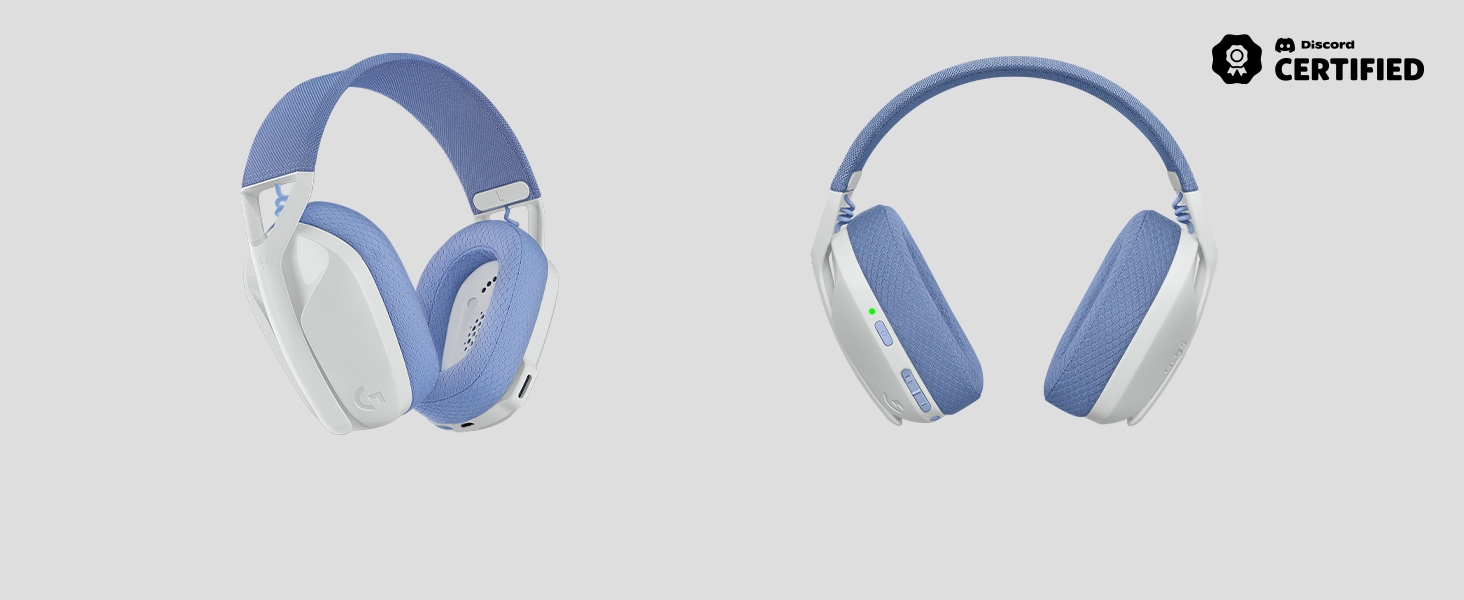
Figure 3.1: Front and side view of the Logitech G435 Headset, highlighting its design.
3.2. Litra Beam Key Light Setup
- Power Connection: Connect the Litra Beam to a power source using the provided USB-C cable.
- Placement: Position the Litra Beam on your desk or mounting surface. Its slim design allows for flexible placement.
- Adjustment: Adjust the angle and height of the light to achieve your desired illumination.
4. Operating Instructions
4.1. Logitech G435 Headset Operation
- Power On/Off: Press and hold the power button for 1.5 seconds to turn the headset on or off.
- Volume Control: Use the volume up (+) and volume down (-) buttons located on the left earcup to adjust audio levels.
- Microphone Mute/Unmute: Press the dedicated mute button on the left earcup to toggle the microphone on or off.
- Switching Connectivity: Press and hold the mute button for 3 seconds to switch between LIGHTSPEED and Bluetooth modes. The LED indicator will change color to reflect the active connection (cyan for LIGHTSPEED, blue for Bluetooth).
- Comfort: The breathable fabric earcups and lightweight design ensure comfort during prolonged use.
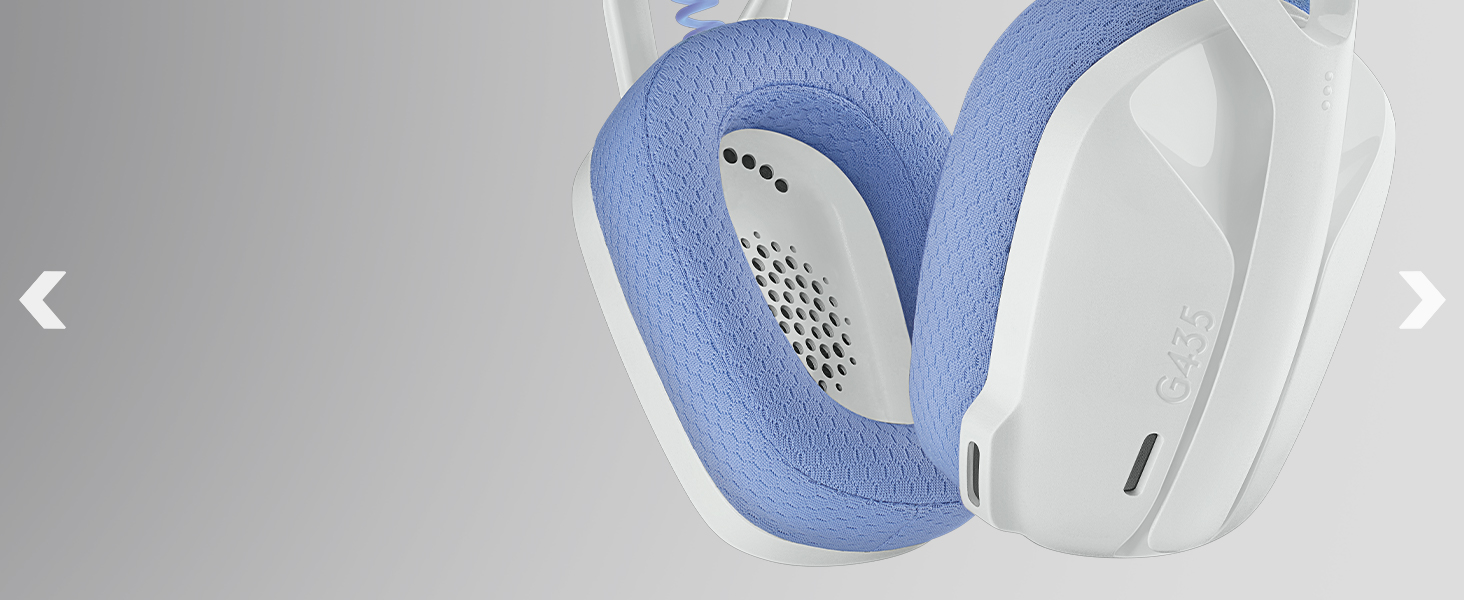
Figure 4.1: Close-up view of the Logitech G435 earcup, showing the breathable fabric and internal components.
4.2. Litra Beam Key Light Operation
- Power On/Off: Use the power button on the light to turn it on or off.
- Brightness Adjustment: Adjust the brightness levels using the controls on the light or via compatible Logitech G software (if applicable).
- Color Temperature: The Litra Beam utilizes TrueSoft technology for natural, balanced light. Fine-tune the color temperature for optimal visual appearance.
5. Maintenance
To ensure the longevity and optimal performance of your Logitech G435 Headset and Litra Beam Key Light, follow these maintenance guidelines:
- Cleaning: Use a soft, dry, lint-free cloth to clean the surfaces of both devices. Avoid abrasive cleaners, solvents, or aerosol sprays.
- Storage: When not in use, store the devices in a cool, dry place away from direct sunlight and extreme temperatures.
- Cable Care: Handle USB cables gently. Avoid sharp bends or kinks that could damage the internal wires.
- Earcup Care: The fabric earcups can be gently wiped with a damp cloth if necessary, but avoid saturating them with liquid.
6. Troubleshooting
6.1. Headset Troubleshooting
- No Audio/Microphone Not Working:
- Ensure the headset is powered on and fully charged.
- Verify the correct input/output device is selected in your computer's or console's sound settings.
- For LIGHTSPEED, ensure the USB receiver is securely plugged in. Try a different USB port.
- For Bluetooth, ensure the headset is paired and connected to your device. Try unpairing and re-pairing.
- Check if the microphone is muted on the headset.
- Connectivity Issues:
- Move closer to the LIGHTSPEED receiver or Bluetooth device to reduce interference.
- Ensure no other wireless devices are causing interference.
- Restart the headset and the connected device.
6.2. Litra Beam Troubleshooting
- Light Not Turning On:
- Ensure the USB-C power cable is securely connected to both the light and the power source.
- Try a different USB power adapter or port.
- Press the power button firmly.
- Light Flickering/Inconsistent Brightness:
- Ensure the power source provides sufficient and stable power.
- Check for any physical damage to the cable or light.
7. Specifications
| Feature | Specification |
|---|---|
| Model Name | G435 |
| Connectivity Technology | Wireless (LIGHTSPEED, Bluetooth) |
| Wireless Communication Technology | Bluetooth 5.0 |
| Bluetooth Range | 10 Meters |
| Frequency Range (Headset) | 100Hz-8KHz |
| Battery Life (Headset) | 18 Hours |
| Charging Time (Headset) | 1.5 Hours |
| Weight (Headset) | 165 g (5.8 oz) |
| Compatible Devices | PC, Smartphones, PlayStation, Nintendo Switch |
| Ear Placement | Over Ear |
| Color | Black |
| Manufacturer | Logitech G |
8. Warranty and Support
Logitech G products are designed for durability and performance. For information regarding warranty coverage, please refer to the warranty card included with your product or visit the official Logitech G website. For technical support, product registration, or to access additional resources, please visit the Logitech G support page:
Please have your product model number (G435) and serial number ready when contacting support.
Related documentsG435


Ask a question about this manual
Ask about setup, troubleshooting, compatibility, parts, safety, or missing instructions. Manuals+ will review the question and use this page’s manual context to help answer it.