Introduction
This manual provides detailed instructions for the safe and efficient operation of your BAOFENG UV-10R Two Way Radio. Please read this manual thoroughly before using the device to ensure proper functionality and to prevent damage.
Package Contents
Verify that all items listed below are included in your package:
- Portable Radio
- Type-C Cable
- Headset
- Battery
- High Gain Antenna
- Charger Base
- Belt Clip
- Hand Strap
- User's Manual (this document)

Image: The BAOFENG UV-10R radio displayed with its complete set of accessories, including the headset, USB-C cable, antenna, battery, charger base, belt clip, and hand strap.
Product Overview
Familiarize yourself with the components of your BAOFENG UV-10R radio:
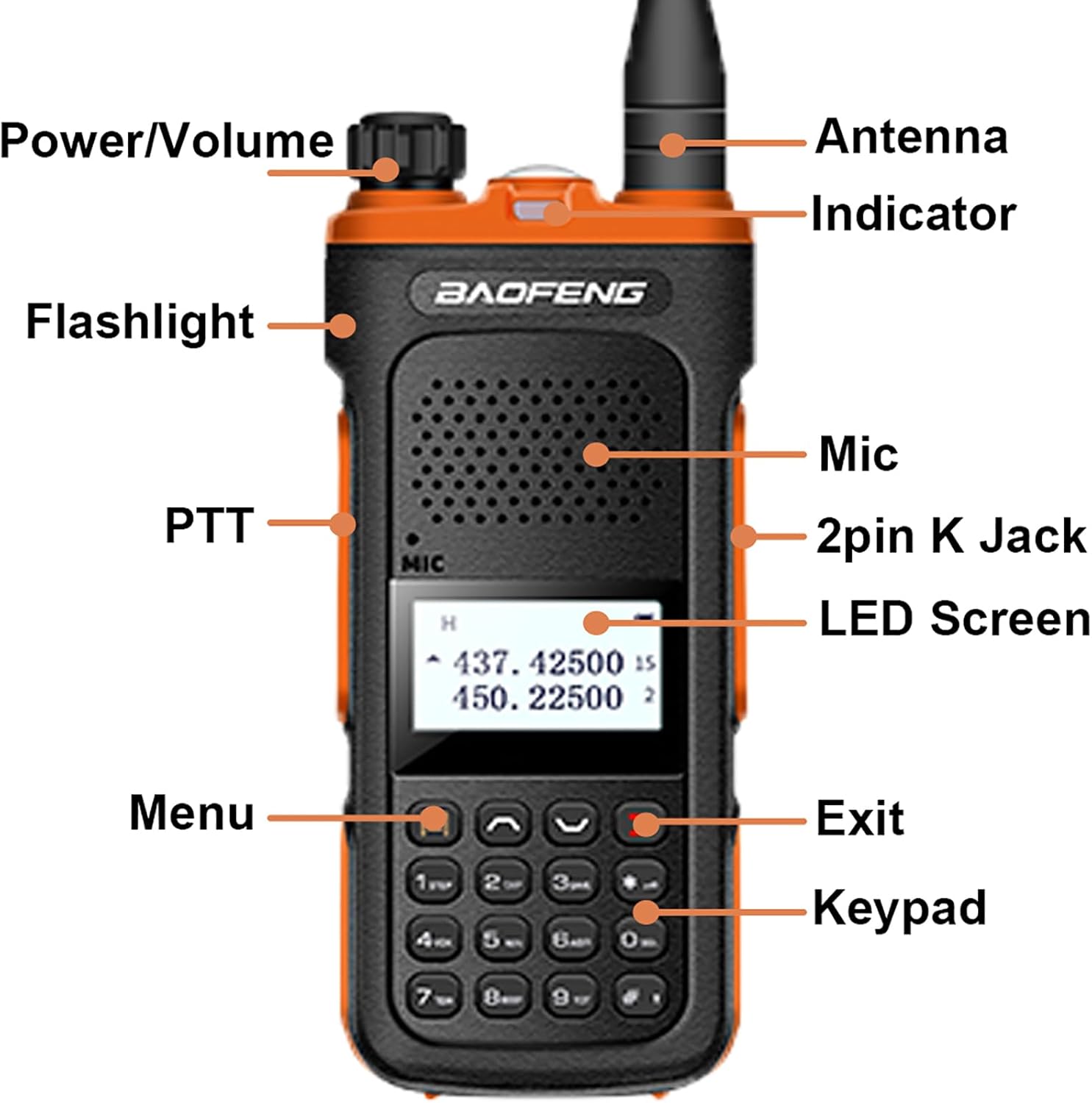
Image: A detailed diagram of the BAOFENG UV-10R radio, pointing out key components such as the Power/Volume knob, Antenna, Indicator LED, Flashlight, PTT button, Microphone, 2-pin K Jack, LED Screen, Menu button, Exit button, and Keypad.
- Power/Volume Knob: Rotates to turn the radio on/off and adjust volume.
- Antenna: For transmitting and receiving signals.
- Indicator: LED light indicating radio status (e.g., transmit, receive, charging).
- Flashlight: Activates the built-in LED light.
- PTT (Push-to-Talk) Button: Press and hold to transmit, release to receive.
- Mic: Built-in microphone for voice input.
- 2-pin K Jack: Port for connecting external audio accessories like the included headset.
- LED Screen: Displays channel, frequency, and other operational information.
- Menu Button: Accesses radio settings and functions.
- Exit Button: Exits menus or cancels operations.
- Keypad: For direct frequency input, channel selection, and function activation.
Setup
1. Battery Installation
- Ensure the radio is powered off.
- Align the battery pack with the grooves on the back of the radio.
- Slide the battery pack upwards until it clicks into place.
- To remove, press the battery release latch and slide the battery downwards.
2. Antenna Attachment
- Screw the antenna clockwise into the connector on the top of the radio until it is finger-tight. Do not overtighten.
3. Charging the Battery
The UV-10R offers two charging methods:
- USB-C Direct Charging: Connect the provided Type-C cable directly to the USB-C port on the side of the radio and to a compatible USB power source (e.g., power bank, PC, car charger, wall adapter).
- Charger Base: Place the radio (with battery installed) into the charger base. Ensure the charging contacts align. The indicator light on the charger will show charging status.

Image: The BAOFENG UV-10R radio connected to a USB-C cable for direct charging, illustrating its compatibility with various USB power sources like car chargers, power banks, and PCs. The radio can also be charged via its dedicated charger base.
4. Headset Connection
- Insert the 2-pin plug of the headset into the 2-pin K Jack on the side of the radio.
- Ensure the connection is secure for optimal audio performance.
Operating Instructions
1. Power On/Off and Volume Adjustment
- To power on, rotate the Power/Volume knob clockwise until you hear a click.
- Continue rotating clockwise to increase volume; rotate counter-clockwise to decrease volume.
- To power off, rotate the Power/Volume knob counter-clockwise until you hear a click.
2. Channel Selection and Frequency Range
The UV-10R supports 999 channels and operates within the frequency ranges of 144-148MHz and 420-450MHz.
- Use the keypad to directly input frequencies or channel numbers.
- Utilize the up/down arrow keys to navigate through channels or frequencies.
- Press the 'Menu' button to access settings for frequency expansion if desired.

Image: The BAOFENG UV-10R radio screen showing active frequencies, with text highlighting its Dual Band, 999 Channels, NOAA, DTMF features, and frequency range of 144-148MHz and 420-450MHz.
3. Push-to-Talk (PTT)
- To transmit, press and hold the PTT button on the left side of the radio. Speak clearly into the microphone.
- Release the PTT button to stop transmitting and return to receive mode.
4. Multimode Scanning
The radio supports multimode scanning to find active channels or frequencies.
- Refer to the user manual's specific section on scanning for detailed instructions on activating and configuring scan modes.

Image: A user holding the BAOFENG UV-10R radio, with text overlays emphasizing its long-term standby capability and multimode scanning feature.
5. NOAA Weather Alert
The UV-10R includes NOAA Weather Alert functionality to receive critical weather broadcasts.
- Access the NOAA Weather Alert feature through the radio's menu system. Consult the detailed menu guide in the full user manual for activation steps.
6. VOX Function
VOX (Voice Operated Exchange) allows hands-free transmission when enabled.
- To activate VOX, navigate to the VOX setting in the menu and select your desired sensitivity level.
- When VOX is active, the radio will transmit automatically when it detects your voice.
7. LED Strong Flashlight
The radio is equipped with a built-in LED flashlight for illumination.
- Press the dedicated flashlight button (if available, refer to Product Overview) or access it via the menu to turn the flashlight on or off.
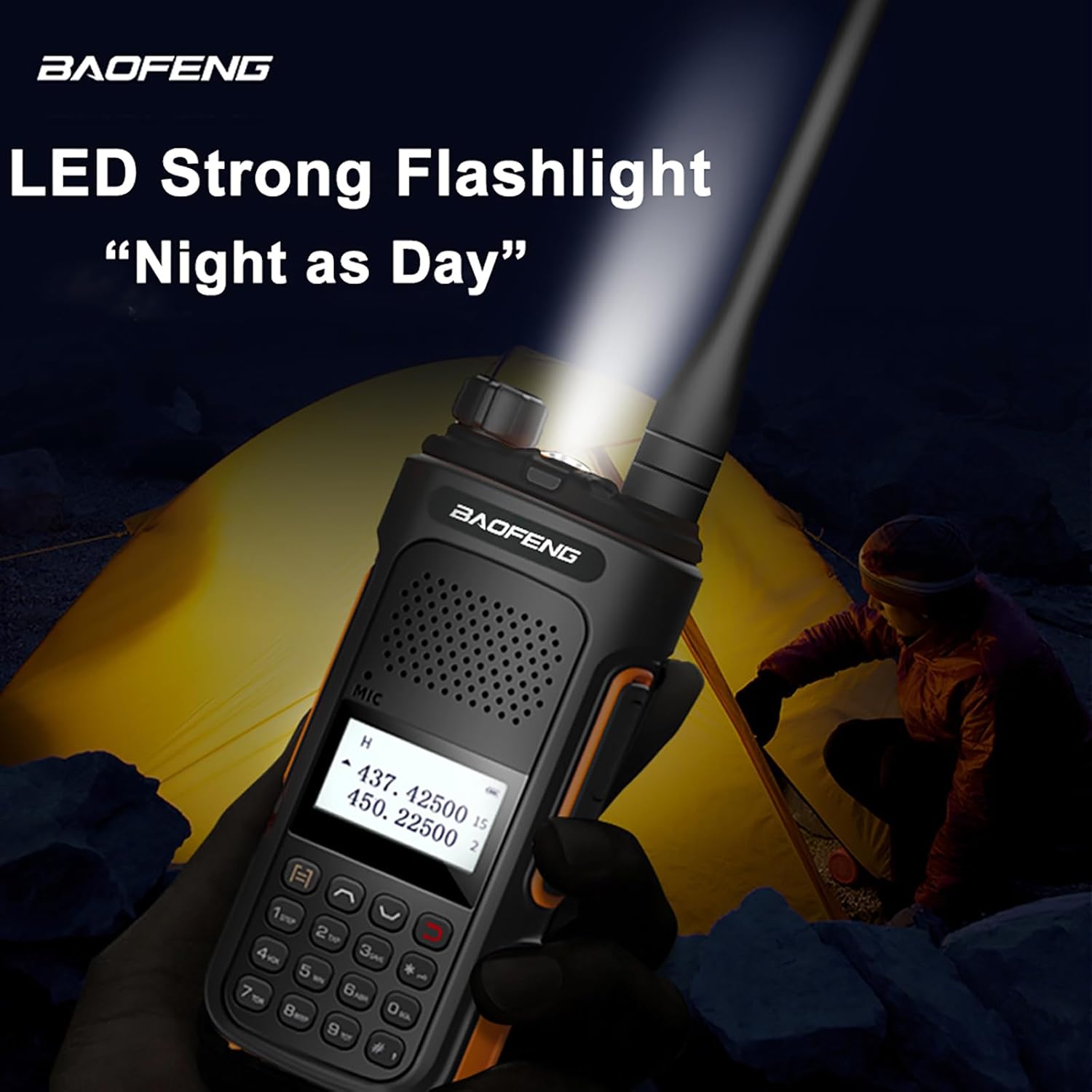
Image: The BAOFENG UV-10R radio's LED flashlight is shown actively illuminating a dark outdoor scene, demonstrating its utility as a light source.
8. DTMF
DTMF (Dual-Tone Multi-Frequency) signaling is supported for various functions, such as remote control or selective calling.
- Consult the advanced features section of the comprehensive user manual for programming and using DTMF tones.
Maintenance
General Care
- Keep the radio dry. Avoid exposure to rain, moisture, or liquids that may corrode electronic circuits.
- Do not store the radio in dusty or dirty areas.
- Avoid extreme temperatures. High temperatures can shorten the life of electronic devices and warp or melt certain plastics.
- Handle the radio gently. Dropping or rough handling can damage internal circuit boards and fine mechanics.
Cleaning
- Clean the radio's exterior with a soft, damp cloth. Do not use harsh chemicals, cleaning solvents, or strong detergents.
- Ensure the charging contacts on both the radio and the charger base are clean and free of debris for efficient charging.
Troubleshooting
If you encounter issues with your BAOFENG UV-10R, refer to the following common problems and solutions:
| Problem | Possible Cause | Solution |
|---|---|---|
| Radio does not power on | Battery is depleted or not installed correctly. | Charge the battery. Ensure the battery is securely attached. |
| Cannot transmit or receive | Incorrect frequency/channel, antenna not attached, or out of range. | Verify frequency/channel settings. Ensure antenna is securely attached. Move closer to the other radio. |
| Poor audio quality | Low battery, antenna issue, or headset connection problem. | Charge the battery. Check antenna connection. Re-seat the headset plug. |
| Battery not charging | Charger/cable faulty, poor contact, or battery issue. | Try a different USB-C cable/power source or charger base. Clean charging contacts. Ensure battery is properly seated. |
Specifications
Key technical specifications for the BAOFENG UV-10R Two Way Radio:
- Model Number: BF-UV10/UV-10R
- Frequency Range: 144-148MHz, 420-450MHz
- Number of Channels: 999
- Max Range: Approximately 3.1 miles (5 km)
- Input Voltage: DC 7.4V
- Antenna Impedance: 50 Ω
- Battery Type: Lithium Ion (1 required)
- Item Weight: Approximately 22.04 ounces (625 grams)
- Product Dimensions: 1.1"D x 1.96"W x 4.72"H (2.79cm D x 4.98cm W x 11.99cm H)
- Special Feature: Type-C Charging

Image: A visual representation of the BAOFENG UV-10R radio's dimensions, indicating a height of 4.72 inches, width of 1.96 inches, and depth of 1.1 inches.
Warranty and Support
Your BAOFENG UV-10R Two Way Radio comes with a warranty and support information:
- Warranty: A 1-year warranty is provided exclusively through "Shiqun Electronics Co., Ltd".
- For warranty claims or technical support, please contact the seller or manufacturer directly. Refer to your purchase documentation for contact details.


