
Fractal Design FD-C-NOR1X-02
Fractal Design North XL User Manual
Model: FD-C-NOR1X-02
1. Introduction
The Fractal Design North XL is a full-tower PC case designed to blend seamlessly into any living space while providing exceptional performance and cooling capabilities for high-end gaming and workstation builds. Its generous form factor and intuitive interior layout offer flexibility for ambitious building aspirations.

Figure 1.1: Front-side view of the Fractal Design North XL PC Case.
2. Key Features
- Elegant Design: Features FSC-certified wood panels (walnut or oak) and sleek brass or steel details for a sophisticated aesthetic.
- Optimized Airflow: Fine-patterned mesh ventilation on the front and top panels ensures excellent cooling performance.
- Spacious Interior: Supports E-ATX, ATX, mATX, and mITX motherboards.
- Extensive GPU Support: Accommodates graphics cards up to 413 mm in length (380 mm with a 420 mm front radiator).
- Versatile Cooling Options: Compatible with front radiators up to 420 mm and top radiators up to 360 mm.
- Pre-installed Fans: Includes three 140 mm Aspect PWM fans for immediate cooling performance.
- Easy Access: Integrated tab for convenient access to the top panel.

Figure 2.1: Exploded view showing the various components of the North XL case.
3. Setup and Installation
3.1 Unboxing and Initial Inspection
Carefully remove the case from its packaging. Inspect for any signs of damage during transit. The case is well-protected with foam inserts.
Video 3.1: Product Overview - Demonstrates the unboxing and initial features of the Fractal Design North XL.
3.2 Removing Panels
To access the interior, remove the side panels. The tempered glass side panel is secured with captive thumbscrews at the rear. The mesh top panel can be easily removed by pulling the integrated leather tab at the back.
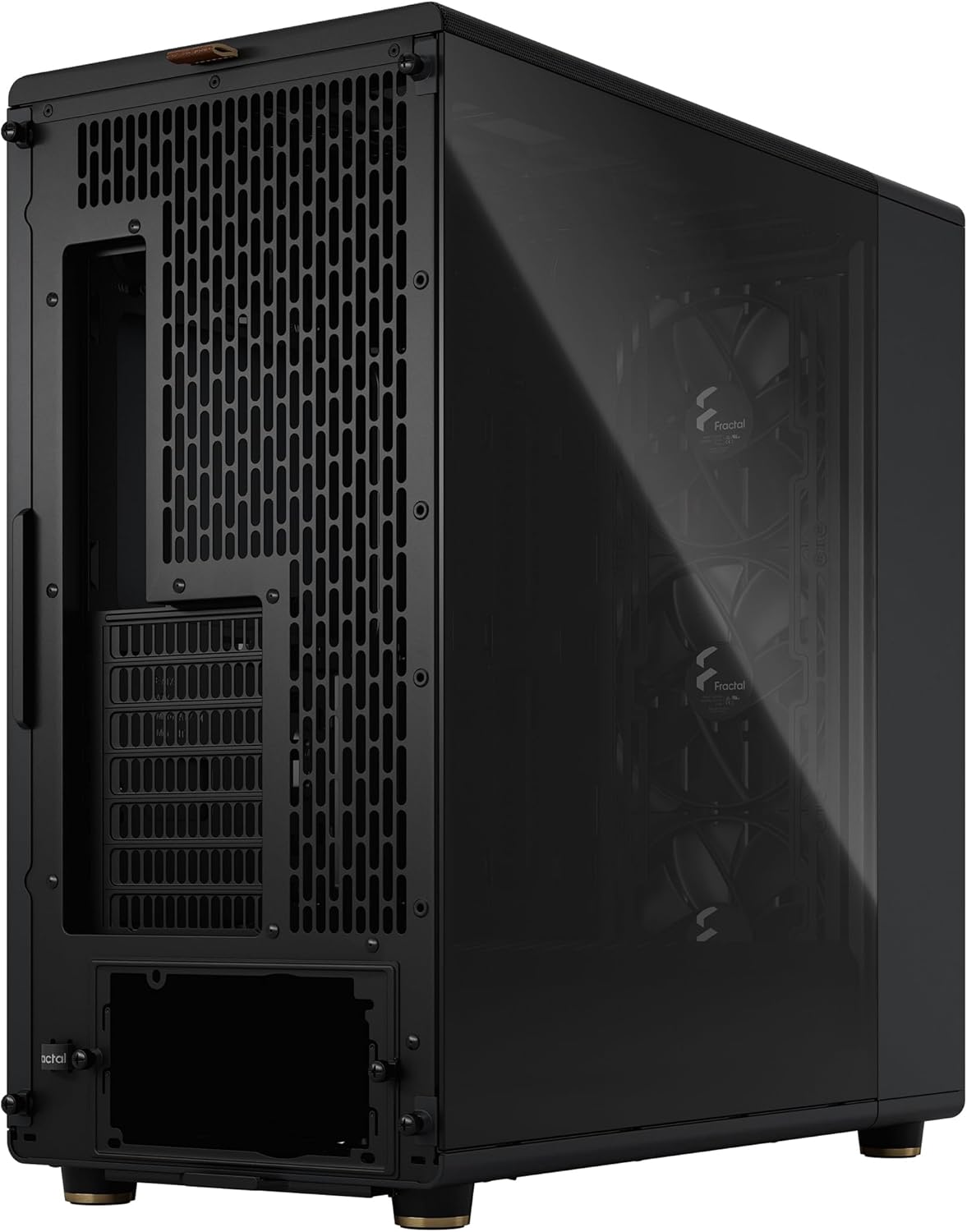
Figure 3.1: Side view of the case, showing the tempered glass panel.
3.3 Motherboard Installation
Install your E-ATX, ATX, mATX, or mITX motherboard onto the pre-installed standoffs. Ensure all necessary cables are routed through the rubber grommets for clean cable management.
3.4 Component Installation
- Graphics Card: Install your GPU. The case supports cards up to 413 mm. For longer cards or front radiators, ensure adequate clearance.
- Storage Drives: Utilize the drive trays located in the PSU shroud for 2.5" or 3.5" drives. Additional 2.5" SSD brackets are available behind the motherboard tray.
- Power Supply: Install your ATX power supply into the dedicated compartment at the bottom rear of the case.
4. Operating Your PC Case
4.1 Front I/O Panel
The front I/O panel, located on the top of the case, provides convenient access to essential ports and controls:
- Power Button
- Headphone Jack
- Microphone Jack
- 2 x USB 3.0 Ports
- 1 x USB 3.2 Gen 2 Type-C Port

Figure 4.1: Close-up of the top I/O panel with various ports and buttons.
4.2 Airflow and Cooling
The North XL is designed for optimal airflow. The pre-installed Aspect PWM fans provide excellent intake, and the mesh panels allow for efficient heat dissipation. Ensure proper cable routing to avoid obstructing airflow paths.
5. Maintenance
5.1 Dust Filter Cleaning
Regularly clean the dust filters to maintain optimal airflow and prevent dust buildup inside your PC. The front mesh panel and the bottom PSU filter are easily removable for cleaning.
- Front Filter: Gently pull the front wood panel to detach it, then remove the mesh filter for cleaning.
- Bottom Filter: Slide out the filter located beneath the power supply area at the bottom of the case.
5.2 General Cleaning
Wipe down the exterior of the case with a soft, damp cloth. Avoid abrasive cleaners that could damage the finish or wood panels.
6. Troubleshooting
| Problem | Possible Cause | Solution |
|---|---|---|
| PC not powering on | Loose power connections, faulty power supply, incorrect front panel header connection. | Check all power cables (24-pin, CPU, GPU, PSU). Verify front panel header connections to the motherboard. Test PSU if possible. |
| Poor airflow/high temperatures | Blocked dust filters, obstructed fan paths, insufficient fan configuration. | Clean all dust filters. Ensure no cables or components block fan intake/exhaust. Consider adding more fans or optimizing fan curves. |
| Front I/O ports not working | Loose internal USB/audio header connections. | Verify that the USB 3.0, USB Type-C, and audio headers from the front panel are securely connected to the motherboard. |
7. Technical Specifications
- Model Name: North XL
- Model Number: FD-C-NOR1X-02
- Dimensions (LxWxH): 19.8 x 9.4 x 20 inches (503 x 240 x 509 mm)
- Weight: 20.9 pounds (9.48 kg)
- Motherboard Support: E-ATX, ATX, mATX, mITX
- GPU Length Limit: 413 mm (380 mm with 420 mm front radiator)
- CPU Cooler Height Limit: 185 mm
- Front Radiator Support: Up to 420 mm
- Top Radiator Support: Up to 360 mm
- Pre-installed Fans: 3 x 140 mm Aspect PWM fans (front)
- Drive Bays: 2 x 3.5"/2.5" (adjustable), 2 x 2.5" (behind motherboard)
- Front I/O: 1x Power, 1x Headphone, 1x Microphone, 2x USB 3.0, 1x USB 3.2 Gen 2 Type-C
- Materials: Steel, Tempered Glass, Wood (FSC-certified)
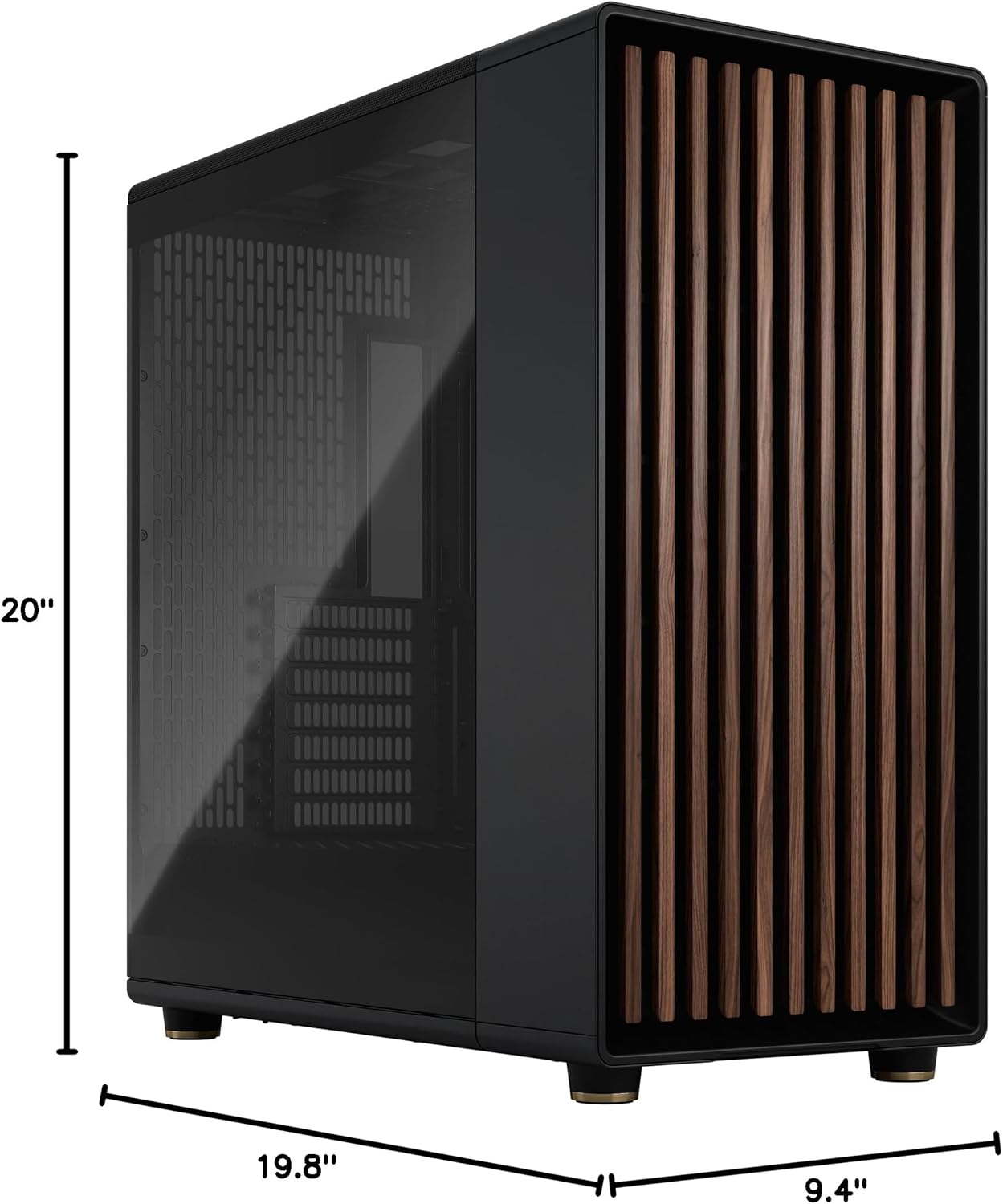
Figure 7.1: Detailed dimensions of the Fractal Design North XL case.
8. Warranty and Support
For detailed warranty information and technical support, please visit the official Fractal Design website or contact their customer service. Keep your proof of purchase for warranty claims.
Official Website: www.fractal-design.com
Related documentsFD-C-NOR1X-02


Ask a question about this manual
Ask about setup, troubleshooting, compatibility, parts, safety, or missing instructions. Manuals+ will review the question and use this page’s manual context to help answer it.