
Daxiongmao BIC-G50-SJT
Daxiongmao Endoscope Camera with Light User Manual
Model: BIC-G50-SJT
Introduction
This manual provides comprehensive guidance for the Daxiongmao Endoscope Camera with Light (Model BIC-G50-SJT), a versatile 5-inch dual-lens 1080P HD borescope designed for detailed inspections in various environments, including sewer/drain pipes and automotive systems. Please read this manual carefully before operation to ensure proper use and longevity of the device.
What's in the Box
- 5-inch IPS screen endoscope camera with light * 1
- 5M semi-rigid cable * 1
- User manual * 1
- Type-C cable * 1
- 6PCS accessories: magnet * 1, hook * 1, mirror * 1, fixing buckle * 3

Figure 1: Contents of the product package, including the main unit, cable, and various attachments.
Key Features
- 5-inch Dual-Lens Industrial Endoscope: Features a 5" IPS color screen with 1920P HD resolution and a 170° wide viewing angle for flexible and precise inspections. Note: Manual adjustment of distance is required as the camera does not support autofocus. An SD card is not included.
- Dual-Lens Camera System: Includes a primary lens (2-10 cm focal range) and a secondary lens (2-4 cm working distance) for enhanced magnification and detailed close-up examinations. This system simplifies usage by eliminating the need for external apps or devices.
- 8+1 Adjustable LED Lights: Equipped with 8 LEDs on the front camera and 1 on the side camera, offering three adjustable brightness levels for clear visuals in low-light conditions.
- IP67 Waterproof Semi-Rigid Cable: The camera and its 16.5ft (5M) semi-rigid cable are IP67 waterproof, allowing effective operation in wet or underwater environments. The robust material is wear- and corrosion-resistant, ideal for hard-to-reach areas.
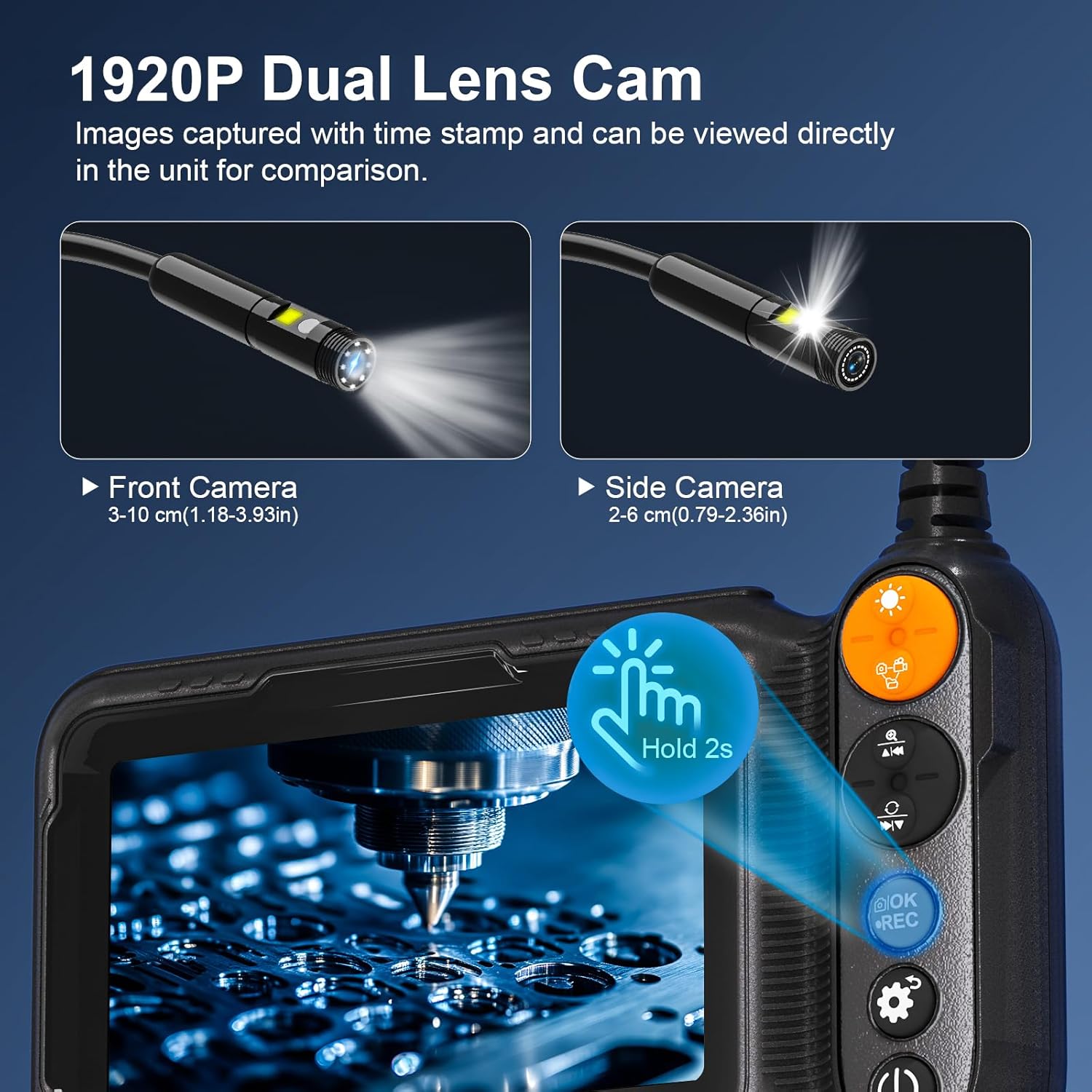
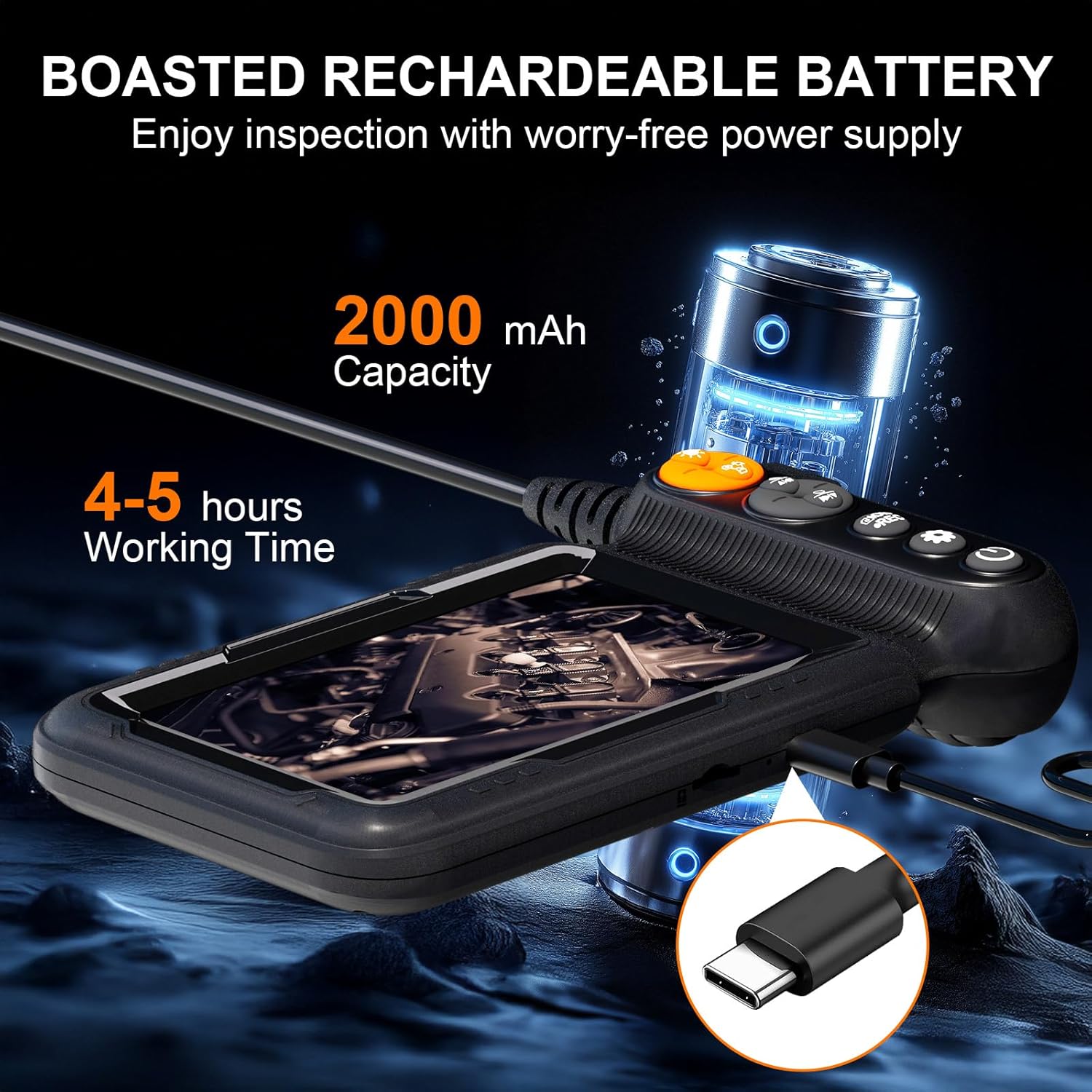
Figure 2: Illustration of the dual-lens system and adjustable LED lighting for optimal visibility.
Setup
- Charging the Device: Connect the provided Type-C cable to the endoscope and a suitable USB power adapter (not included). The battery indicator on the screen will show charging status. A full charge provides 4-5 hours of working time.
- Inserting an SD Card (Optional): For capturing photos and videos, insert a TF (micro SD) card into the designated slot. Ensure the card is inserted correctly to avoid damage. An SD card is not included and must be purchased separately.
- Attaching Accessories: The endoscope comes with a magnet, hook, and mirror. These can be attached to the camera head for retrieving small objects or viewing at different angles.
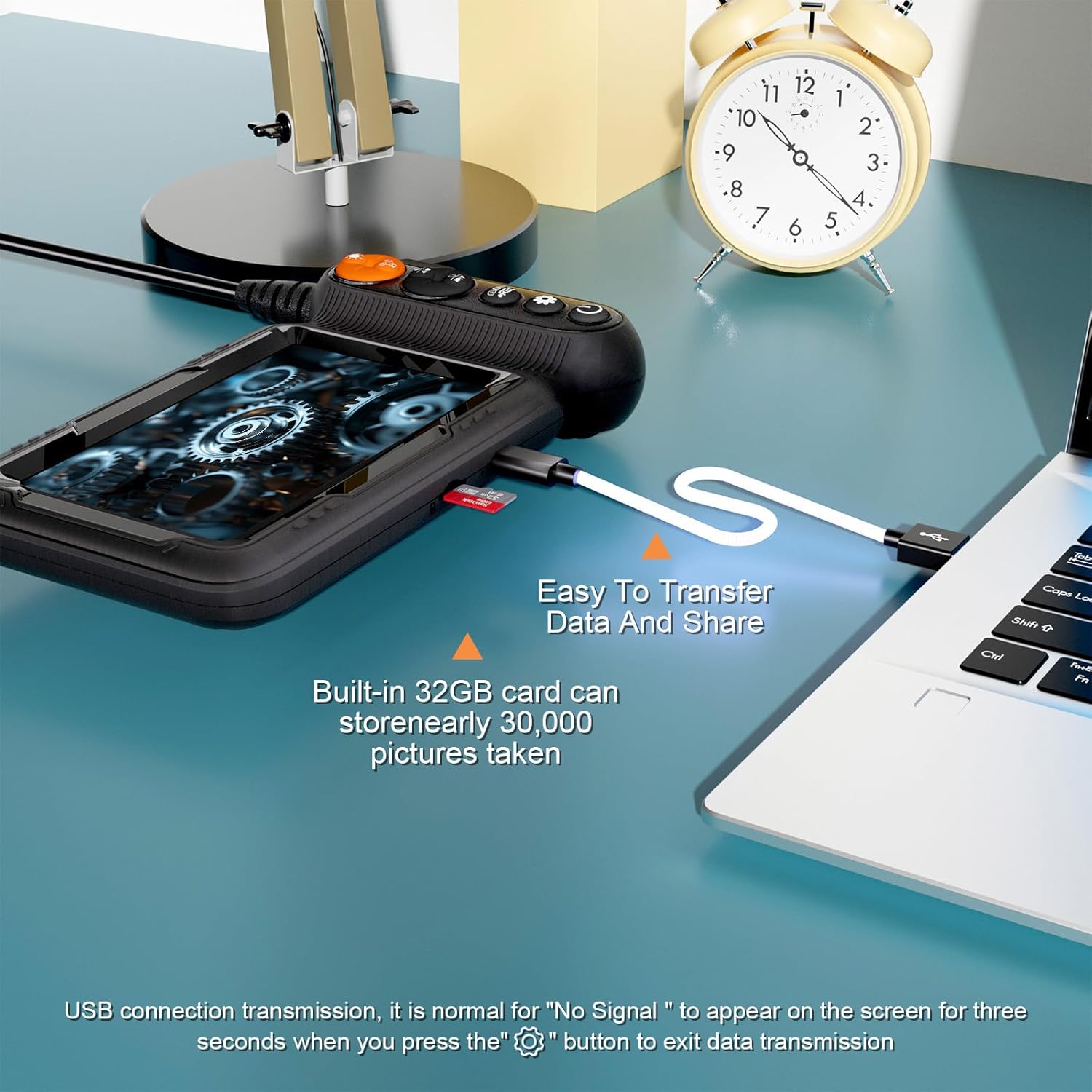

Figure 3: Charging the endoscope and connecting it for data transfer.
Operating Instructions
- Power On/Off: Press and hold the power button (usually located on the side or bottom of the main unit) for 3 seconds to turn the device on or off.
- Adjusting LED Brightness: Use the dedicated light adjustment buttons (often marked with a sun or lightbulb icon) to cycle through three brightness levels for optimal illumination in various environments.
- Switching Lenses: The dual-lens system allows switching between the front and side cameras. Refer to the device's buttons for the specific lens-switching function (often a dedicated button or a long-press action).
- Capturing Photos/Videos: Press the "OK/REC" button to take a photo or start/stop video recording. Ensure an SD card is inserted to save media.
- Focal Range: For the clearest image, maintain a distance of approximately 2-10 cm for the primary lens and 2-4 cm for the secondary lens from the object being inspected. Adjust the camera's position as needed.
Video 1: Demonstration of the endoscope's operation, including light adjustment and image clarity.
Video 2: Detailed view of the endoscope camera with light in action, showcasing its dual-lens capabilities.
Video 3: Practical application of the 5-inch dual-lens 1080P HD borescope for various inspection tasks.
Maintenance
- Cleaning: After each use, especially in dirty or wet environments, wipe the camera lens and cable with a soft, damp cloth. Ensure no debris is left on the lens to maintain clear image quality.
- Storage: Store the endoscope in a cool, dry place away from direct sunlight and extreme temperatures. Coil the semi-rigid cable neatly to prevent kinks or damage.
- Battery Care: To prolong battery life, avoid fully discharging the device frequently. Charge it regularly, even if not in use for extended periods.

Figure 4: The endoscope is suitable for various scenarios, emphasizing its versatility and ease of use.
Troubleshooting
| Problem | Possible Cause | Solution |
|---|---|---|
| No image on screen | Device is off; low battery; cable not connected properly. | Press power button to turn on; charge the device; ensure cable is securely connected. |
| Blurry image | Object too close/far; dirty lens. | Adjust distance to object (2-10cm for front, 2-4cm for side); clean the camera lens. |
| Cannot record/save | No SD card; SD card full/corrupted. | Insert a compatible TF (micro SD) card; format or replace the SD card. |
| LED lights not working | Brightness set to minimum; malfunction. | Increase LED brightness using the dedicated buttons; contact support if issue persists. |
Specifications
| Feature | Detail |
|---|---|
| Product Dimensions | 1.14 x 5.91 x 3.03 inches |
| Item Weight | 1.08 pounds |
| Model Number | BIC-G50-SJT |
| Batteries | 1 Lithium Ion battery (included) |
| Video Capture Resolution | 1080p |
| Macro Focus Range (Secondary Lens) | 2-4 cm |
| Waterproof Rating | IP67 |
| Cable Length | 16.5ft (5M) |
| Screen Size | 5-inch IPS |
Warranty and Support
If you have any questions or encounter issues with your Daxiongmao Endoscope Camera, please refer to the contact information provided with your purchase or visit the official Daxiongmao store on Amazon. The manufacturer offers 24-hour after-sales service to assist you.
Protection plans are available for purchase separately to extend coverage beyond the standard warranty. Please check Amazon for details on 2-Year and 3-Year Protection Plans.
Ask a question about this manual
Ask about setup, troubleshooting, compatibility, parts, safety, or missing instructions. Manuals+ will review the question and use this page’s manual context to help answer it.