
1. Introduction
This manual provides detailed instructions for the safe and effective use of your Daxiongmao LERS-01 Boroscope Endoscope Camera. Please read this manual thoroughly before operating the device and keep it for future reference. The Daxiongmao LERS-01 is a versatile inspection tool designed for various industrial and household applications, featuring a 1080p HD camera, IP67 waterproof rating, and a 4.3-inch IPS color display.
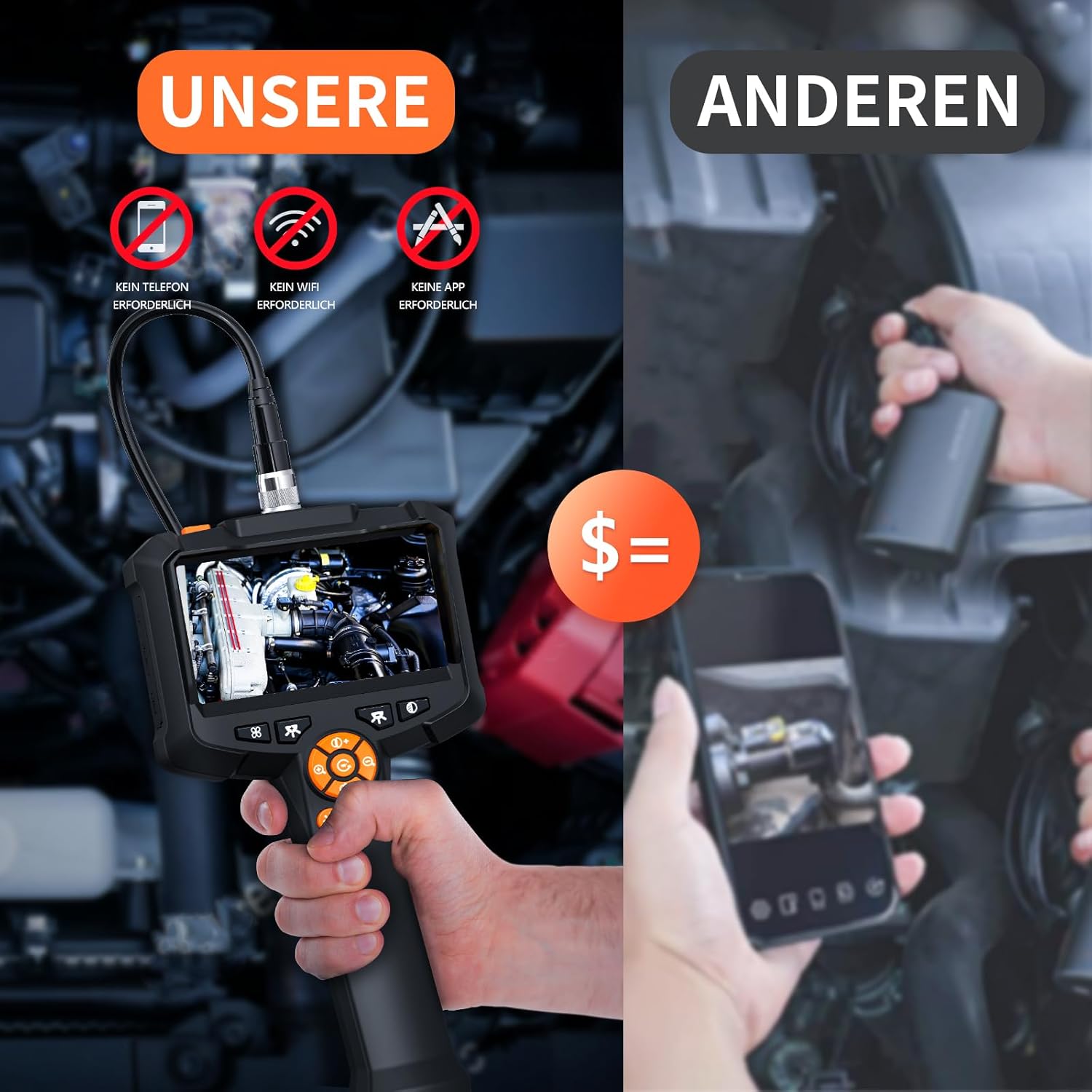
Figure 1: Daxiongmao LERS-01 Boroscope Endoscope Camera.
2. Safety Information
- Do not use the device in environments with flammable or explosive gases.
- Ensure the camera probe is clean before and after each use.
- The camera probe is IP67 waterproof; however, the main display unit is not. Avoid exposing the display unit to water or excessive moisture.
- Do not attempt to disassemble or modify the device. Repairs should only be performed by authorized personnel.
- Keep the device out of reach of children.
- Charge the device using the provided USB-C cable and a compatible power adapter.
3. Package Contents
Please check the package contents upon receipt. If any items are missing or damaged, contact your retailer.
- Daxiongmao LERS-01 Endoscope Camera (Main Unit with 4.3" IPS Display)
- Flexible Semi-Rigid Camera Cable (16.4 ft / 5 meters)
- USB-C Charging Cable
- Hook Attachment
- Magnet Attachment
- Side Mirror Attachment
- User Manual (this document)

Figure 2: Practical multifunction accessories.
4. Product Features
- High-Definition Display: Equipped with a 4.3-inch IPS color display for clear and vibrant images.
- 1080p HD Camera: Provides high-resolution video and still images for detailed inspections.
- IP67 Waterproof Probe: The camera probe is rated IP67, making it suitable for use in wet or submerged environments.
- Adjustable LED Lights: Features 8 adjustable LED bulbs on the camera tip to illuminate dark inspection areas.
- Semi-Rigid Cable: A 16.4 ft (5-meter) flexible yet semi-rigid cable allows for easy navigation through tight spaces.
- Long Battery Life: Integrated 2000mAh rechargeable battery provides extended operating time.
- Direct Operation: No Wi-Fi, mobile phone, or app required for operation, offering a standalone inspection solution.
- Multifunctional Accessories: Includes hook, magnet, and side mirror attachments for enhanced utility.

Figure 3: HD 4.3-inch IPS Color Display.
5. Setup
- Charge the Device: Before first use, fully charge the endoscope camera using the provided USB-C cable and a standard USB power adapter (not included). The charging indicator will show the charging status.
- Attach Camera Cable: Connect the flexible camera cable to the main display unit by aligning the connector and screwing it securely into place.
- Insert Micro SD Card (Optional): If you intend to record photos or videos, insert a Micro SD card (not included) into the designated slot on the main unit. Ensure the card is inserted correctly.
- Attach Accessories (Optional): If needed, screw the hook, magnet, or side mirror attachment onto the tip of the camera probe.

Figure 4: IP67 Waterproof Camera Probe.
6. Operating Instructions
- Power On/Off: Press and hold the power button (usually marked with a power symbol) to turn the device on or off. The display will light up.
- Adjust LED Brightness: Use the dedicated light adjustment buttons (often marked with a light bulb icon or +/-) to increase or decrease the brightness of the LED lights on the camera tip.
- Navigate the Camera: Carefully guide the flexible camera cable into the inspection area. The semi-rigid nature of the cable allows it to retain its shape for easier maneuvering.
- Take Photos: Press the photo button (often marked with a camera icon) to capture a still image. Images will be saved to the inserted Micro SD card.
- Record Videos: Press the video button (often marked with a video camera icon) to start recording. Press it again to stop recording. Videos will be saved to the inserted Micro SD card.
- Review Media: Use the menu or playback buttons to access and review captured photos and videos on the display.

Figure 5: Endoscope camera in various inspection applications.
7. Maintenance
- Cleaning: After each use, gently wipe the camera probe with a soft, damp cloth. For stubborn dirt, a mild detergent can be used, ensuring no liquid enters the main unit.
- Storage: Store the endoscope camera and its accessories in a cool, dry place, away from direct sunlight and extreme temperatures.
- Battery Care: To prolong battery life, avoid fully discharging the battery frequently. If storing for an extended period, charge the battery to approximately 50% every few months.
- Cable Care: Do not bend the semi-rigid cable excessively or sharply, as this may damage internal wiring. Coil it loosely for storage.
8. Troubleshooting
| Problem | Possible Cause | Solution |
|---|---|---|
| Device does not power on. | Battery is discharged. | Charge the device for at least 2-3 hours. |
| No image on display. | Camera cable not securely connected. | Ensure the camera cable is firmly screwed into the main unit. |
| Image is blurry or dark. | LED lights are off or too dim; camera lens is dirty. | Adjust LED brightness. Clean the camera lens with a soft cloth. |
| Cannot save photos/videos. | No Micro SD card inserted; SD card is full or corrupted. | Insert a Micro SD card. Check if the SD card has sufficient space or try a different card. Ensure the card is formatted correctly (FAT32). |
9. Specifications
| Feature | Detail |
|---|---|
| Model Number | LERS-01 |
| Manufacturer | Daxiongmao |
| Display | 4.3-inch IPS Color Display |
| Video Resolution | 1080p |
| Water Resistance (Probe) | IP67 |
| Camera Lights | 8 Adjustable LED Lights |
| Cable Length | 16.4 ft (5 meters) |
| Battery Capacity | 2000mAh (Rechargeable) |
| Connectivity | Standalone (No Wi-Fi, Phone, or App Required) |
| Macro Focus Range | 1-10 cm |
| Media Storage | Micro SD Card (not included) |
10. Warranty and Support
Specific warranty information for the Daxiongmao LERS-01 Boroscope Endoscope Camera is not provided in the product details. Please refer to the retailer's return policy or contact Daxiongmao customer support directly for warranty claims and technical assistance.