1. Introduction
Thank you for choosing the NICRON B71 UV LED Flashlight. This versatile and durable flashlight is designed for various applications, offering both powerful white light and a specialized UV light function. Its compact design, 90-degree adjustable head, and magnetic base make it an indispensable tool for professionals and enthusiasts alike. Please read this manual carefully before use to ensure proper operation and maintenance.

Image: The NICRON B71 UV LED Flashlight, showcasing its unique 90-degree adjustable head and compact form factor. The head can pivot to direct light precisely where needed.
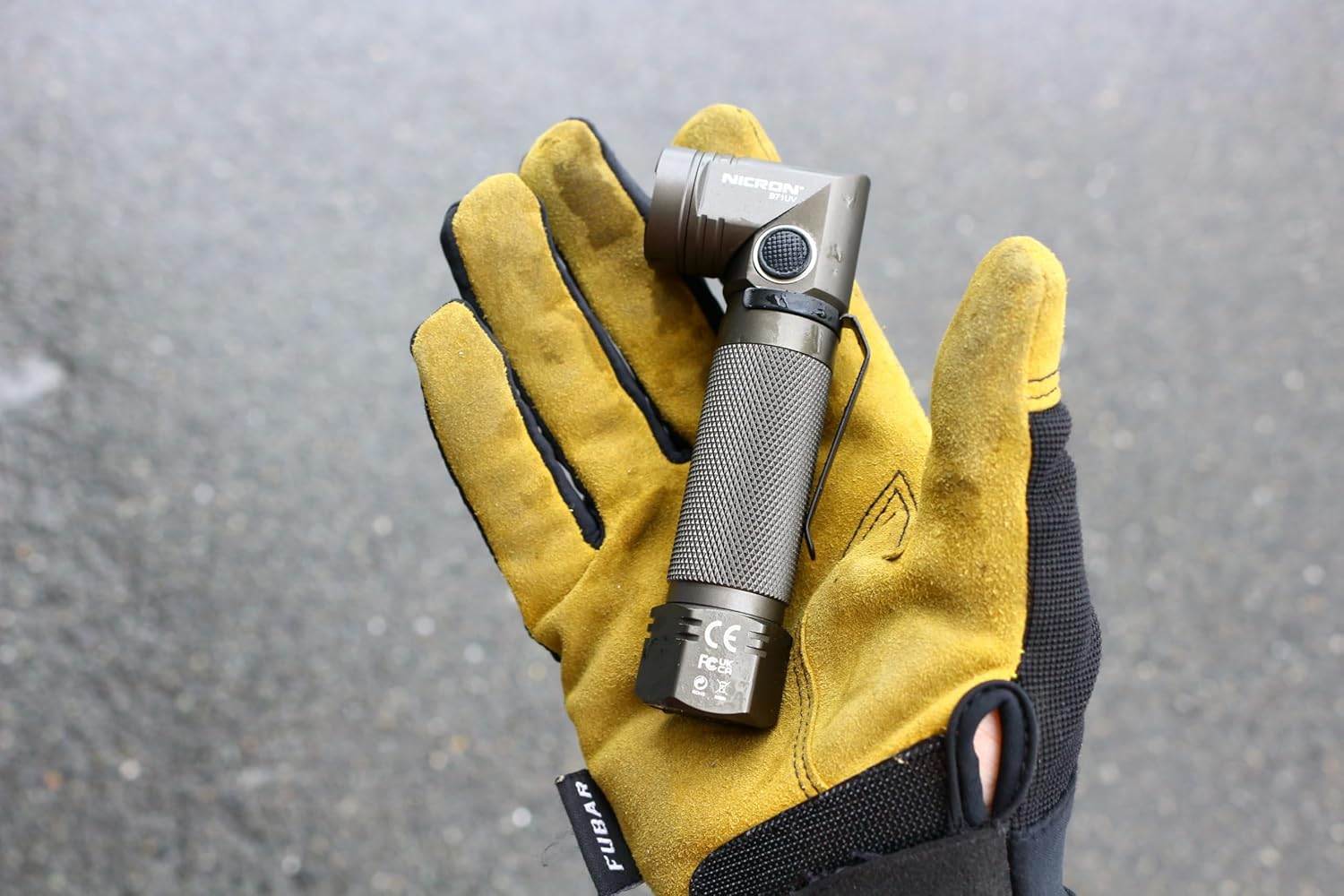
Image: A hand holding the NICRON B71 flashlight, providing a real-world perspective on its compact and portable size, suitable for easy handling and carrying.
2. Package Contents
Please check the package for the following items:
- NICRON B71 UV LED Flashlight
- USB Type-C Charging Cable
- Instruction Manual / Warranty Card
- Built-in 18650 Lithium-Ion Rechargeable Battery (2600mAh)

Image: An illustration highlighting the key features of the B71 flashlight, including its dual white and UV light capabilities, adjustable head, integrated clip, and magnetic base. It also indicates the 1000 lumen white light output and 395nm UV light wavelength.
3. Setup and Charging
3.1 Initial Charge
Before first use, fully charge the flashlight. The B71 comes with a built-in rechargeable lithium-ion battery.
- Locate the USB Type-C charging port on the flashlight.
- Connect the provided USB Type-C cable to the flashlight.
- Connect the other end of the USB cable to a compatible USB power source (e.g., computer, wall adapter).
- The indicator light will show charging status (refer to the flashlight's specific indicator behavior, usually red for charging, green for full).
- Charging time may vary depending on the power source.

Image: Visual representation of the USB Type-C charging feature, emphasizing its convenience and reversible connector design.
4. Operation
4.1 Power On/Off and Brightness Adjustment
The flashlight features multiple brightness modes and a UV light function.
- Power Button: Press the power button to cycle through brightness modes: Max (1000lm) → High (500lm) → Medium (80lm) → Low (10lm) → Off.
- UV Light: Press and hold the power button to activate the UV light. Press and hold again to turn off the UV light.
- Strobe/SOS Mode: Rapidly press the power button three times to activate Strobe mode. Press again for SOS mode. (Note: Some product descriptions may vary on activation; refer to actual product behavior if different).
4.2 Adjustable Head and Magnetic Base
The B71 features a 90-degree adjustable head and a strong magnetic base for versatile lighting options.
- Head Adjustment: Gently pivot the flashlight head up to 90 degrees to direct the beam as needed.
- Magnetic Base: The strong magnet at the tail cap allows you to attach the flashlight to metal surfaces for hands-free operation.
- Pocket Clip: The integrated clip allows for secure attachment to pockets, belts, or gear.

Image: This diagram illustrates the various lighting modes available on the B71 flashlight, including white light brightness levels and UV light. It also provides a table detailing the lumen output, corresponding runtime, and beam distance for each white light mode, along with a visual of the 90-degree rotating head.

Image: A visual demonstration of the flashlight's dual functionality, showing a broad area illuminated by its powerful white light and a specific example of its UV light capability highlighting a scorpion.
5. Maintenance
5.1 Cleaning
To maintain optimal performance, keep the flashlight clean.
- Wipe the body with a soft, damp cloth.
- Do not use abrasive cleaners or solvents.
- Clean the lens gently with a lens cloth to avoid scratches.
5.2 Storage
When not in use for extended periods, store the flashlight in a cool, dry place. It is recommended to charge the battery every 3-6 months to prolong its lifespan.
5.3 Water and Dust Resistance
The B71 flashlight is rated IP65 for water and dust resistance. This means it is protected against dust ingress and low-pressure water jets from any direction. It is not designed for submersion.

Image: The flashlight shown in a simulated rainy environment, visually confirming its IP65 rating for protection against water and dust.
6. Specifications
| Feature | Detail |
|---|---|
| Model | B71UV |
| Light Source | Samsung LED (White Light), UV LED (395nm) |
| Max Output (White Light) | 1000 Lumens |
| Beam Distance | Up to 100 meters |
| Max Light Intensity | 2500 cd |
| Runtime (White Light) | Max: 7h, High: 11h, Med: 40h, Low: 100h |
| Battery Type | 18650 Lithium-Ion (2600mAh, built-in) |
| Charging Port | USB Type-C |
| Water/Dust Resistance | IP65 |
| Drop Resistance | 1 meter |
| Dimensions | 1.8 x 1.8 x 6.9 cm (approx.) |
| Weight | 200 g (approx.) |
| Body Material | Hardened Aluminum |

Image: A detailed chart outlining the flashlight's performance metrics according to ANSI FL1 standards, including brightness levels, battery life, beam distance, light intensity, drop resistance, and IP65 water/dust resistance.

Image: A size comparison of the B71 flashlight next to an iPhone 11, providing a clear sense of its compact dimensions. Key components such as the lens, power button, 360-degree rotating clip, anti-slip handle, strong magnet, and USB Type-C port are labeled.
7. Troubleshooting
If you encounter issues with your NICRON B71 flashlight, please refer to the following common problems and solutions:
| Problem | Possible Cause | Solution |
|---|---|---|
| Flashlight does not turn on. | Low battery or battery not charged. | Charge the flashlight fully using the provided USB Type-C cable. |
| Light output is dim. | Low battery. | Recharge the battery. |
| UV light not working. | Incorrect activation method. | Ensure you are pressing and holding the power button to activate UV mode. |
| Charging indicator not lighting up. | Cable or power source issue; flashlight already fully charged. | Try a different USB cable or power source. Check if the flashlight is already fully charged. |
If the problem persists after trying these solutions, please contact customer support.
8. Warranty and Support
The NICRON B71 UV LED Flashlight comes with a 1-year warranty from the date of purchase. This warranty covers manufacturing defects and material flaws under normal use.
The warranty does not cover:
- Damage caused by misuse, abuse, or improper operation.
- Damage caused by unauthorized repair or modification.
- Normal wear and tear.
- Damage due to battery leakage or improper battery installation (if applicable).
For warranty claims or technical support, please contact your retailer or NICRON customer service with your proof of purchase.


