
VOCA TA002
Contents
VOCA TA002 Telephone Ringer Amplifier with Flashing Light
Instruction Manual
Model: TA002 | Brand: VOCA
1. Introduction
The VOCA TA002 Telephone Ringer Amplifier is designed to enhance the ringing notification for landline phones. It provides an amplified audible alert up to 105 dB and a bright flashing LED light, making it ideal for individuals with hearing impairments or for use in noisy environments. This device operates without external power, drawing current directly from your phone line, ensuring simple and eco-friendly operation.

Image 1.1: Front view of the VOCA TA002 Telephone Ringer Amplifier.
2. Key Features
- Powerful Ringer: Amplifies telephone ringing sound up to 105 dB, ensuring calls are heard in loud or busy settings.
- Flashing LED Light: Provides a bright visual alert when the phone rings, suitable for quiet environments or for users who prefer visual notification.
- Simple Installation: Plug-and-play setup with the included RJ11 cable, requiring no additional adapters or complex wiring.
- Wide Compatibility: Works with all analog phones and modem-connected devices. Note: Not compatible with digital systems (PABX).
- Eco-Friendly Operation: Powered directly by the phone line, eliminating the need for batteries or external power outlets.
- Volume Control: Features a switch for adjusting the ringer volume between High (HI) and Low (LO) settings.
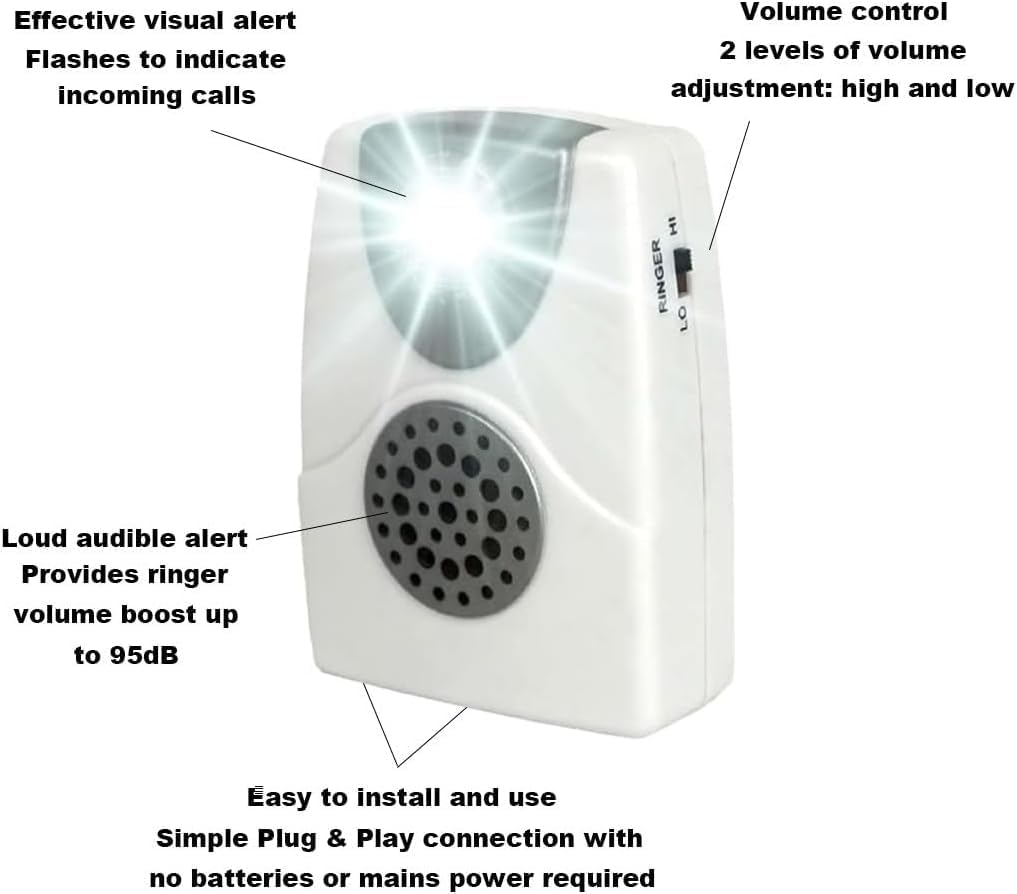
Image 2.1: VOCA TA002 highlighting its key features including the flashing light, loud ringer, and volume control.
3. Package Contents
Please check the package for the following items:
- VOCA TA002 Telephone Ringer Amplifier Unit
- RJ11 Telephone Cable
- Mounting Screws and Wall Plugs (for optional wall mounting)

Image 3.1: Contents of the VOCA TA002 package, including the amplifier, RJ11 cable, and mounting accessories.
4. Setup and Installation
Follow these steps to install your VOCA TA002 Telephone Ringer Amplifier:
- Locate Phone Jack: Identify the telephone wall jack where your landline phone is currently connected.
- Disconnect Phone: Unplug the telephone cable from your landline phone that connects to the wall jack.
- Connect to Wall Jack: Take the included RJ11 cable. Plug one end into the port labeled "LINE" on the VOCA TA002 amplifier. Plug the other end of this cable into your telephone wall jack.
- Connect Phone: Take the telephone cable that was originally connected to your phone and the wall jack. Plug one end into the port labeled "TEL" on the VOCA TA002 amplifier. Plug the other end into your landline phone.
- Test Functionality: Make a test call to your landline number. The amplifier should ring loudly and the LED light should flash.
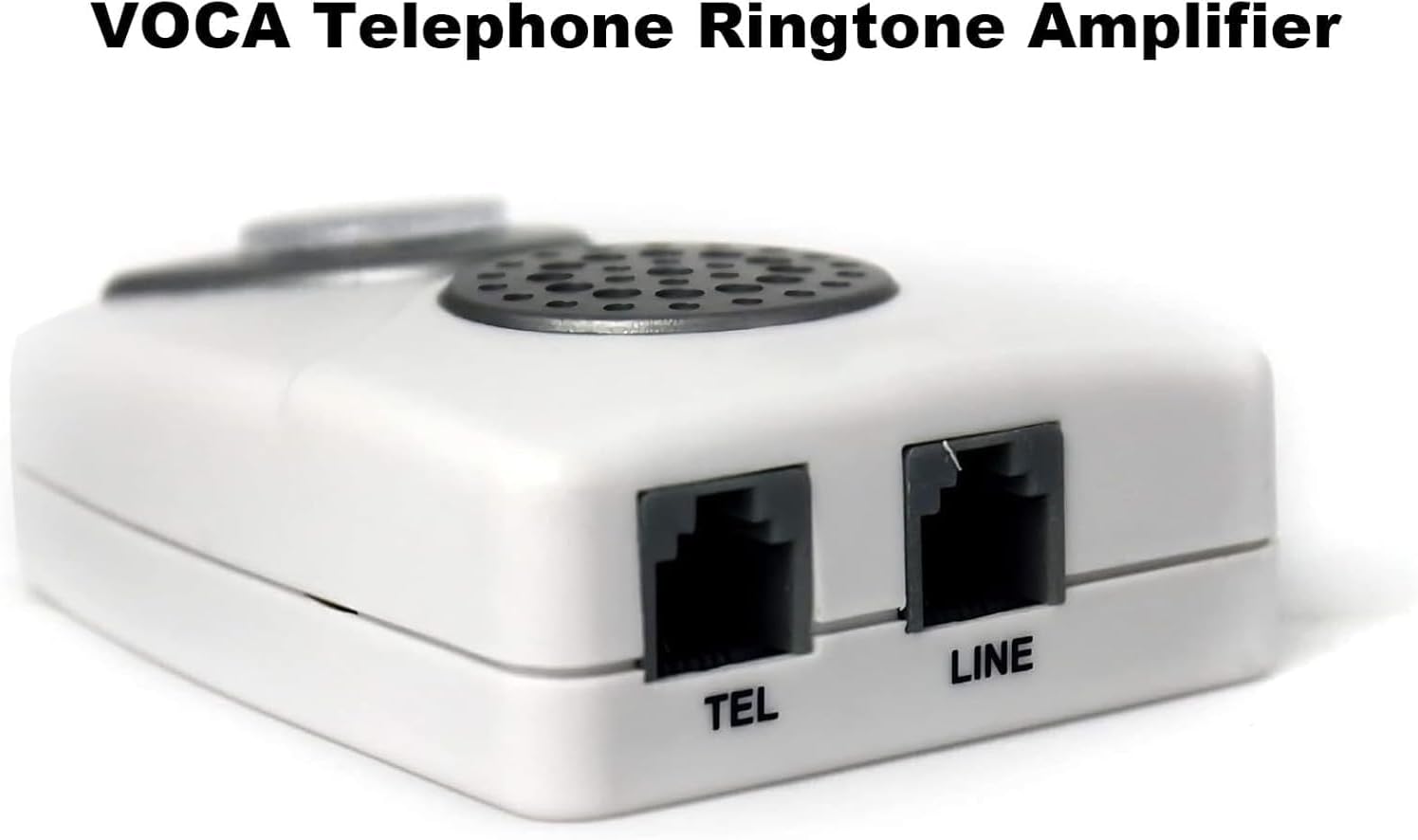
Image 4.1: Detail of the "TEL" and "LINE" ports on the VOCA TA002 amplifier.
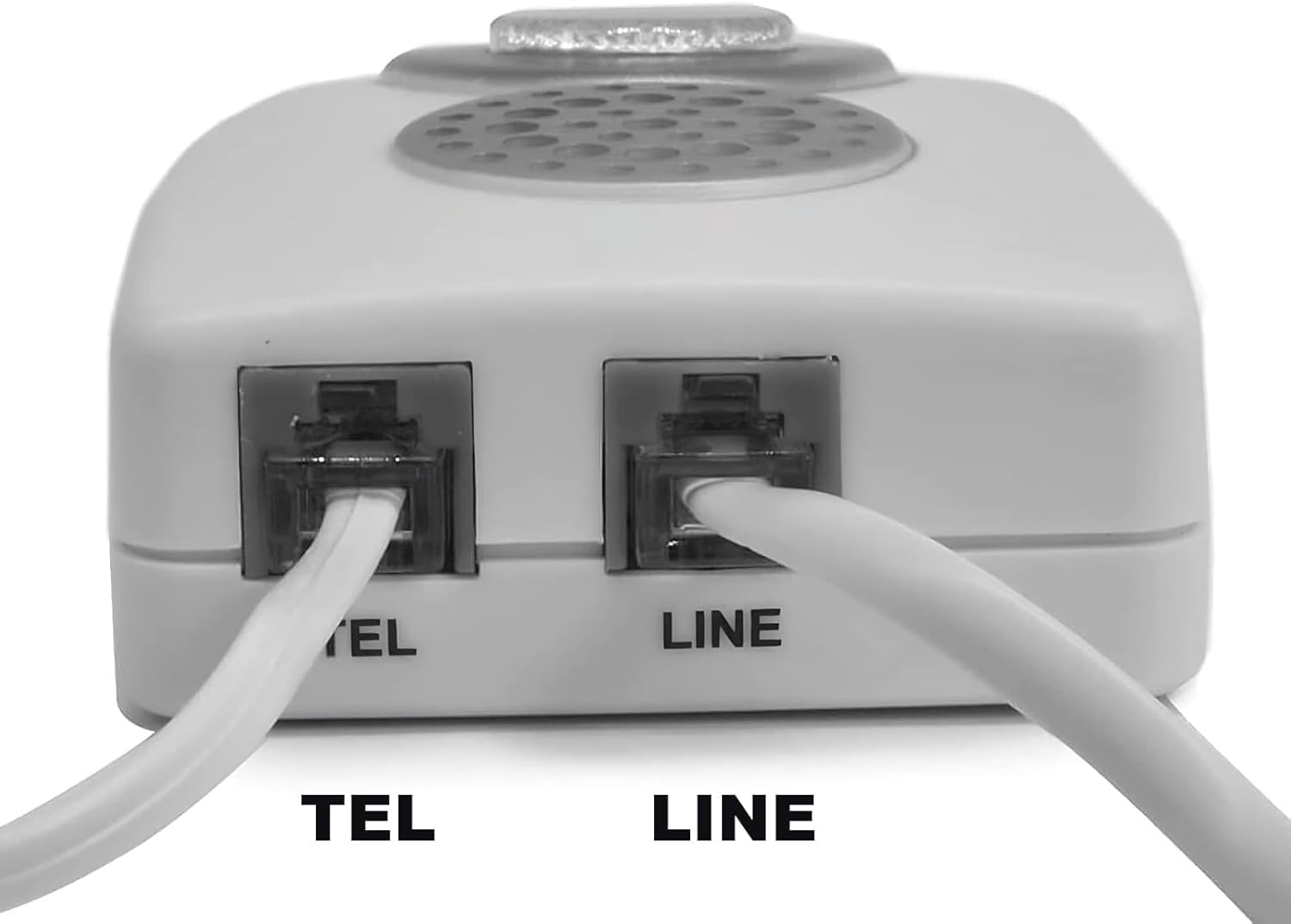
Image 4.2: The VOCA TA002 amplifier connected between a landline phone and the wall jack.
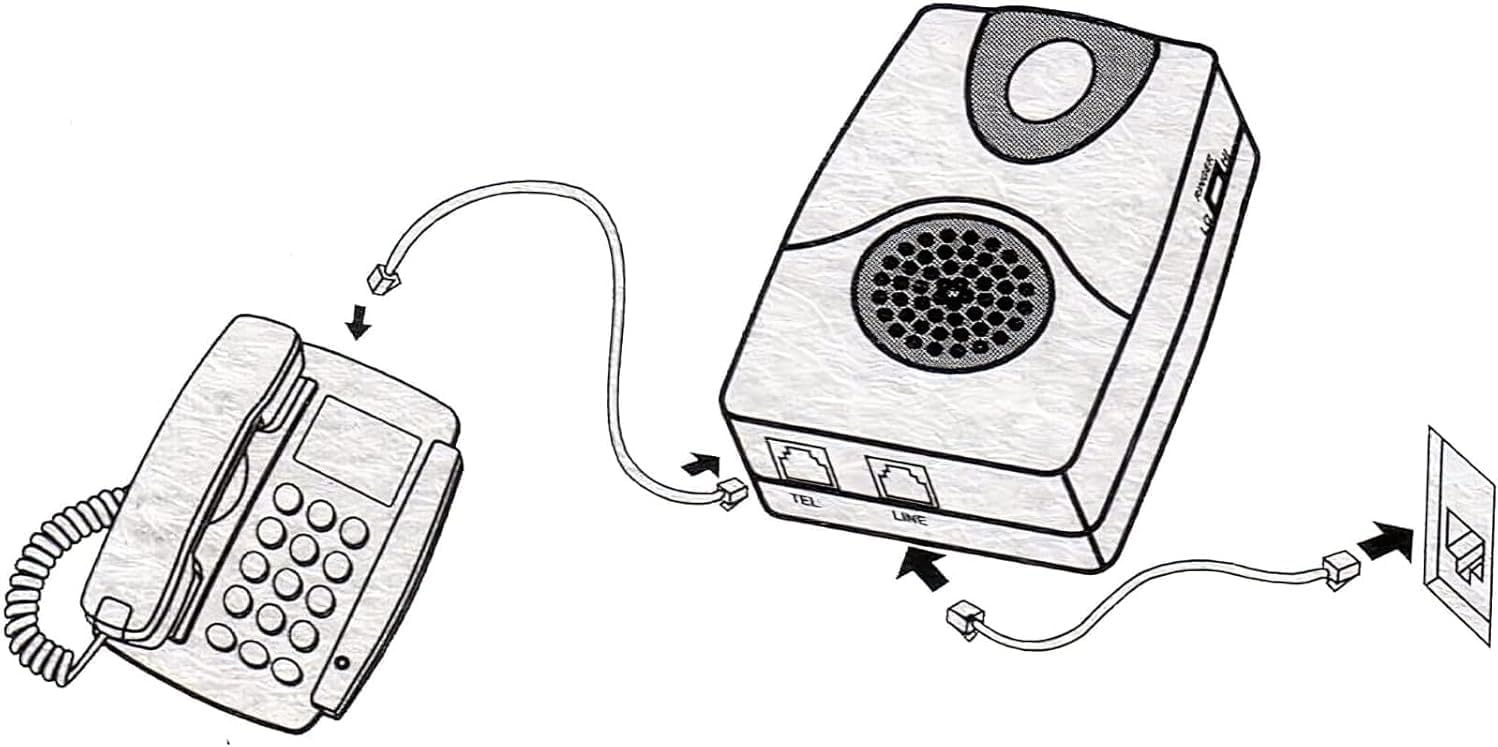
Image 4.3: Connection diagram for the VOCA TA002 amplifier.
Setup Video Guide
Video 4.1: An official video demonstrating the VOCA Ringer's features and setup. This video provides a visual guide to understanding the product and its installation.
5. Operation
Once installed, the VOCA TA002 operates automatically when an incoming call is detected on your landline.
- Audible Ringer: The unit will emit a loud ringing sound simultaneously with your phone's ringer.
- Flashing Light: The bright LED light on the top of the unit will flash in sync with the ringing sound.
- Volume Adjustment: Use the "RINGER" switch located on the side of the unit to select your preferred volume level:
- HI: For maximum amplification (up to 105 dB).
- LO: For a slightly reduced, but still amplified, ringing sound.
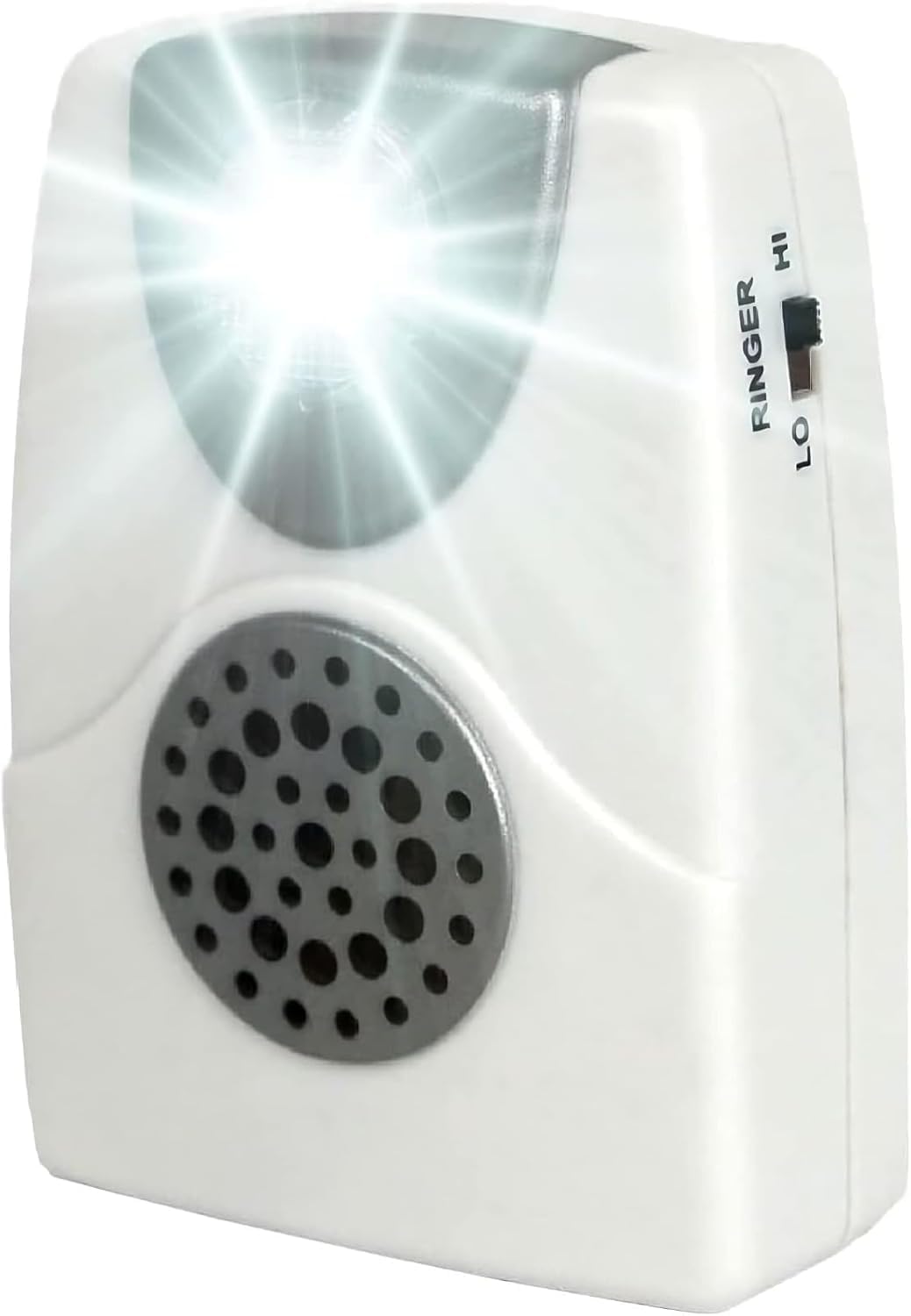
Image 5.1: Side view of the VOCA TA002, illustrating the RINGER HI/LO switch and the flashing light.
6. Maintenance
The VOCA TA002 requires minimal maintenance.
- Cleaning: Wipe the unit with a soft, dry cloth. Do not use liquid cleaners or abrasive materials.
- Storage: If storing the unit for an extended period, disconnect it from the phone line and store it in a cool, dry place.
- No Batteries Required: The device is powered by the phone line, so no battery replacement is necessary.
7. Troubleshooting
| Problem | Possible Cause | Solution |
|---|---|---|
| No sound or flashing light when phone rings. |
|
|
| Ringer sound is too low or too high. | Volume switch setting. | Adjust the "RINGER" switch on the side of the unit to "HI" for louder sound or "LO" for a slightly lower volume. |
| Flashing light works, but no sound. | Internal component issue. | Contact customer support for assistance. |
8. Specifications
- Model: TA002
- Brand: VOCA
- Ringer Amplification: Up to 105 dB
- Alert Type: Audible Ringer, Flashing LED Light
- Compatibility: Analog landline phones and modem-connected devices (Not compatible with PABX digital systems)
- Power Source: Phone line powered (no external power or batteries required)
- Connectors: 2 x RJ11 ports (LINE, TEL)
- Dimensions: 4.25 x 3.98 x 1.46 inches (approximate)
- Weight: 2.46 ounces (approximate)
9. Warranty and Support
VOCA products are manufactured with quality and reliability in mind. For specific warranty information, please refer to the warranty card included with your purchase or visit the official VOCA website. If you encounter any issues or have questions regarding the VOCA TA002 Telephone Ringer Amplifier, please contact VOCA customer support for assistance.
Contact Information: Please refer to your product packaging or the VOCA official website for the most current customer support contact details.
Ask a question about this manual
Ask about setup, troubleshooting, compatibility, parts, safety, or missing instructions. Manuals+ will review the question and use this page’s manual context to help answer it.