
1. Product Overview
The Aceele USB 3.2 Gen 2 Hub is designed to expand your computer's connectivity by adding two USB-A 3.2 ports and two USB-C 3.2 ports. This hub supports high-speed data transfer up to 10Gbps, making it ideal for transferring large files quickly. It features a durable design and a 4-foot long cable for flexible placement.

Image: The Aceele USB 3.2 Gen 2 Hub, showcasing its compact design and integrated cable with USB-A connector.
2. Key Features
- 10Gbps USB 3.2 Gen 2 Data Transfer: Expands one USB-A port to two USB-A 3.2 and two USB-C 3.2 ports, sharing a 10 Gbps bandwidth for rapid data transfer. Ensure both input and output devices support 10Gbps for optimal performance.
- Stable USB-C Power Port: Includes a 10W, 5V 3A USB-C power port to provide stable power when connecting high-power devices like SSDs or HDDs, ensuring stable data transfer. Note: This port does not charge laptops or mobile phones, nor does it support data transfer or video output. Power cable is not included.
- 4-foot Long Cable: An extended 4-foot (120cm) cable allows for flexible placement of the hub, reaching ports beneath desks or on all-in-one PCs. Includes Velcro fasteners for cable management.
- Wide Compatibility: Compatible with Windows, Mac OS, and Android operating systems. Plug-and-play functionality requires no additional drivers.
- Compact and Portable Design: Slim and elegant design for easy portability.

Image: A diagram illustrating the 5-in-1 USB 3.2 Hub with its two USB-C 3.2 ports, two USB-A 3.2 ports, and a Type-C power port, noting that data ports do not support charging or video output.

Image: Visual comparison of data transfer speeds, highlighting the 10Gbps speed of USB 3.2 compared to USB 3.0 (5Gbps) and USB 2.0 (480Mbps).
3. Setup and Connection
- Connect to Host Device: Plug the integrated USB-A connector of the Aceele USB 3.2 Gen 2 Hub into an available USB-A port on your computer (laptop, iMac, PC, etc.).
- Optional Power Connection: If connecting high-power devices such as SSDs or HDDs, connect a 5V 3A Type-C power adapter (not included) to the dedicated USB-C power port on the hub. This ensures stable data transfer.
- Plug and Play: The hub is plug-and-play, meaning no drivers are required for most compatible operating systems. Your system should automatically recognize the hub.

Image: The Aceele USB Hub connected to a desktop computer, demonstrating the flexibility provided by its 4-foot extended cable for convenient placement.

Image: The Aceele USB Hub connected to a laptop and an external SSD, with an arrow indicating the optional 5V power input for an upgraded stable connection.
Video: A short demonstration clarifying that the 5V Type-C power port on the hub is for power supply to the hub itself, not for charging devices like laptops or mobile phones.
4. Operating Instructions
Once the Aceele USB 3.2 Gen 2 Hub is connected to your computer, you can begin using its expanded ports:
- Data Transfer: Connect your USB-A or USB-C devices (e.g., external hard drives, USB flash drives, card readers) to the corresponding ports on the hub. Data transfer will occur at speeds up to 10Gbps, provided your devices and computer's USB port support this speed.
- Peripheral Connection: Use the available ports to connect various peripherals such as printers, keyboards, mice, or USB fans.
- Cable Management: Utilize the included Velcro fasteners to keep any surplus cable organized and maintain a tidy workspace.
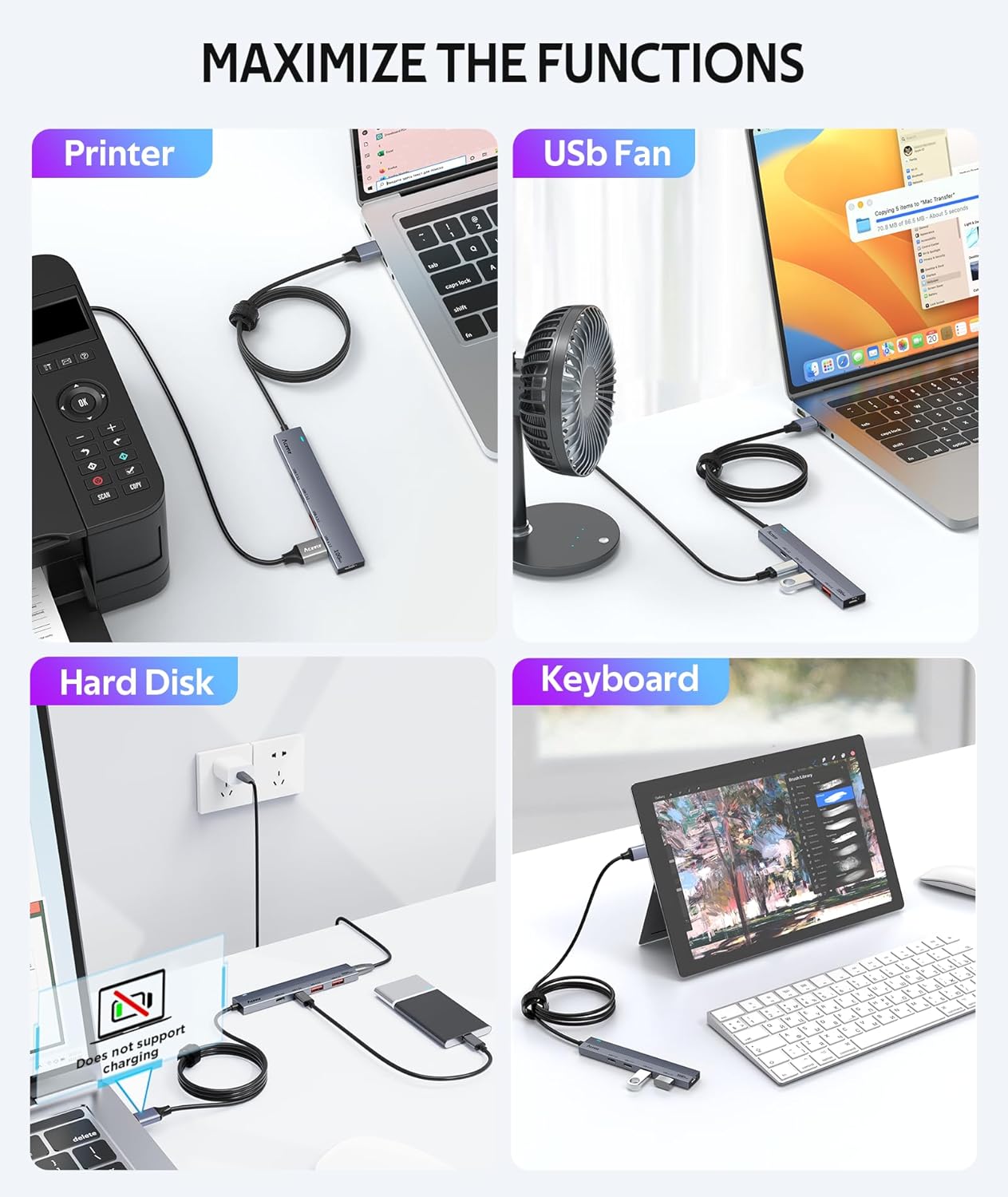
Image: Examples of how the Aceele USB Hub can maximize functions by connecting devices such as a printer, USB fan, hard disk, and keyboard.
Video: A detailed overview of the Aceele 10Gbps USB 3.2 Gen 2 Hub, demonstrating its features and high-speed capabilities.
5. Compatibility
The Aceele USB 3.2 Gen 2 Hub offers broad compatibility with various operating systems and devices:
- Operating Systems: Windows, Mac OS, Android, Chrome OS, Linux.
- Compatible Devices: Laptops, iMacs, PCs, Desktops, Hard Disk Drives, Printers, USB Flash Drives, Card Readers, Keyboards, Mice, USB Fans.

Image: A visual guide to the universal compatibility of the Aceele USB Hub, showing various host devices (laptops, iMacs, PCs) and peripherals (card readers, flash drives, keyboards, hard disk boxes, printers, mice, USB fans) across different operating systems.
6. Specifications
| Feature | Detail |
|---|---|
| Brand | Aceele |
| Model Number | AC01-00065 |
| Ports | 2 x USB-A 3.2, 2 x USB-C 3.2, 1 x USB-C (5V 3A) Power Port |
| Data Transfer Speed | Up to 10Gbps (shared bandwidth) |
| Cable Length | 4 feet (120cm) |
| Power Input | 5V 3A (10W) via USB-C port (power cable not included) |
| Dimensions (LxWxH) | 4.45 x 0.79 x 0.31 inches |
| Item Weight | 2.11 ounces |
| Color | Gray |
| Compatible OS | Windows, Mac OS, Android, Chrome OS, Linux |
7. Maintenance
- Keep the hub in a dry environment to prevent moisture damage.
- Avoid exposing the hub to extreme temperatures.
- Clean the exterior with a soft, dry cloth. Do not use liquid cleaners.
- Handle the cable and connectors gently to prevent bending or breaking.
8. Troubleshooting
- Device Not Recognized: Ensure the hub is securely plugged into your computer's USB-A port. Try connecting to a different USB-A port on your computer.
- Slow Data Transfer: Verify that both your computer's USB port and the connected device support 10Gbps speeds. If connecting high-power devices, ensure the optional 5V 3A USB-C power adapter is connected to the hub.
- Intermittent Connection: Check all cable connections for looseness. Ensure there are no kinks or damage to the hub's integrated cable.
- Power Port Not Charging Devices: The dedicated USB-C power port is designed to supply power to the hub for stable data transfer with high-power peripherals, not to charge host devices like laptops or mobile phones.
9. Warranty and Support
Aceele provides the following support for this product:
- Warranty: 2-year quality guarantee.
- Support: 24-hour email support is available to answer your questions.