
Introduction
Thank you for choosing the K&F CONCEPT NP-W235 Battery. This manual provides essential information for the safe and effective use of your new battery. The K&F CONCEPT NP-W235 is a 2400mAh rechargeable lithium-ion battery designed for compatible Fujifilm cameras, featuring a convenient USB-C charging port for direct charging.

Image: Two K&F CONCEPT NP-W235 batteries, showcasing their design and capacity.
Setup
Inserting the Battery
- Ensure your camera is powered off before inserting or removing the battery.
- Locate the battery compartment on your camera. This is typically on the bottom of the camera body.
- Open the battery compartment cover.
- Align the K&F CONCEPT NP-W235 battery with the battery slot, ensuring the contacts on the battery match the contacts in the camera.
- Gently push the battery into the compartment until it clicks into place.
- Close the battery compartment cover securely.
Compatible Camera Models
The K&F CONCEPT NP-W235 batteries are compatible with the following Fujifilm camera models:
- Fujifilm X-T5
- Fujifilm X-T4
- Fujifilm X-S20
- Fujifilm X-H2
- Fujifilm X-H2S
- Fujifilm GFX 100S
- Fujifilm GFX 50S II

Image: Visual representation of compatible Fujifilm camera models.
Operating Instructions
Charging the Battery
The K&F CONCEPT NP-W235 battery offers two primary charging methods:
- USB-C Direct Charging: Connect a standard USB-C charging cable to the USB-C port on the battery. Connect the other end of the cable to a compatible USB power source (e.g., USB wall charger, car charger, power bank, or laptop). The battery can be fully charged in approximately 2.5 hours.
- Conventional Charger: The battery is also compatible with standard NP-W235 battery chargers. Insert the battery into a compatible charger according to the charger's instructions.
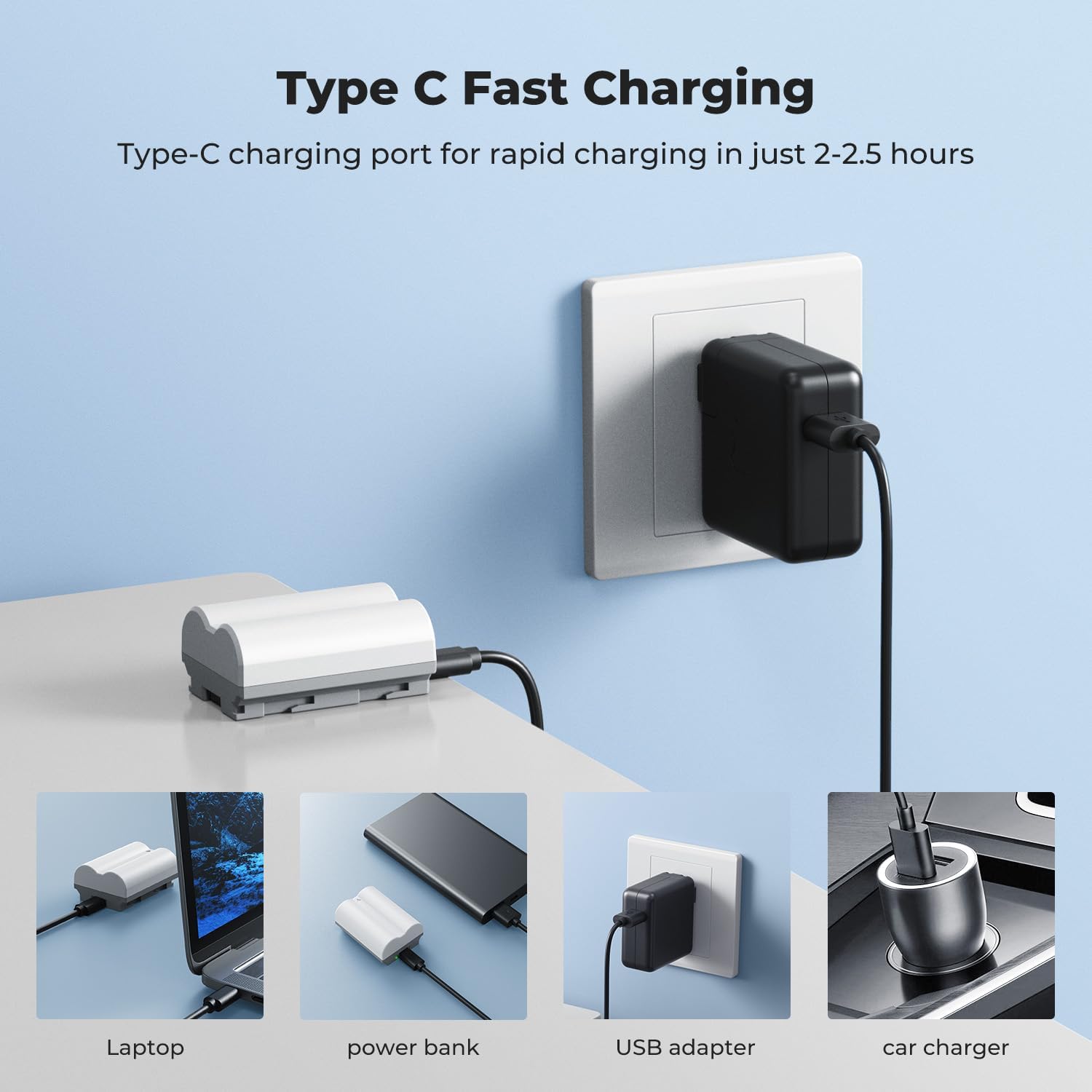
Image: Multiple charging options for the NP-W235 battery via USB-C.
LED Charging Indicator
The battery features an intelligent LED indicator light to show the charging status:
- A Red Light indicates the battery is currently charging.
- A Green Light indicates the battery is fully charged.
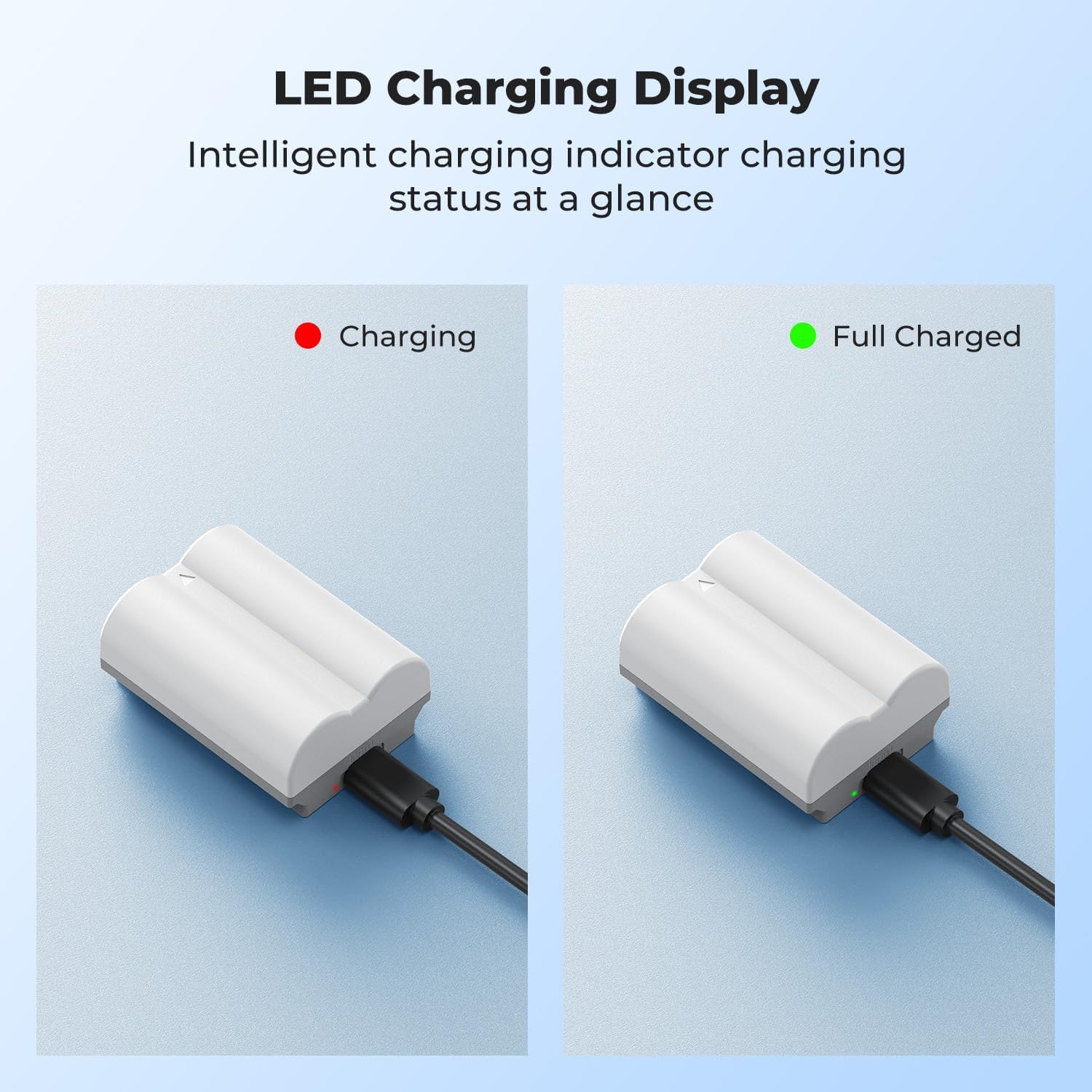
Image: LED indicator showing charging (red) and fully charged (green) status.
Product Video
Video: An overview of the K&F Concept USB-C camera battery, demonstrating its compatibility, insertion into a camera, and charging capabilities.
Maintenance
General Care and Storage
- Store batteries in a cool, dry place away from direct sunlight and extreme temperatures.
- Avoid fully discharging the battery for extended periods. It is recommended to store lithium-ion batteries with a partial charge (around 50%).
- Clean the battery contacts periodically with a dry, soft cloth to ensure optimal connection with the camera or charger.
- Do not expose batteries to water or moisture.
Safety Precautions
The K&F CONCEPT NP-W235 battery incorporates multiple protection mechanisms for safe operation:
- Temperature Protection: Prevents overheating during charging and discharging.
- Over-voltage Protection: Safeguards against excessive voltage input.
- Over-discharge Protection: Prevents the battery from being discharged too deeply.
- Over-current Protection: Protects against excessive current flow.
- Over-charge Protection: Prevents the battery from being overcharged.
- Short-circuit Protection: Automatically cuts off power in case of a short circuit.

Image: Visual representation of the battery's integrated safety features.
Troubleshooting
Battery Not Charging
- Check Cable Connection: Ensure the USB-C cable is securely connected to both the battery and the power source.
- Verify Power Source: Confirm that the USB power adapter, car charger, power bank, or laptop is functioning correctly and providing power. Try a different power source if available.
- Inspect LED Indicator: If the LED does not light up red when connected, there might be an issue with the cable, power source, or the battery itself.
- Clean Contacts: Ensure the USB-C port on the battery is free of debris.
Battery Not Powering Camera
- Correct Insertion: Double-check that the battery is inserted correctly into the camera's battery compartment and the cover is securely closed.
- Battery Level: Ensure the battery is sufficiently charged. Refer to the LED indicator or your camera's battery level display.
- Camera Compatibility: Confirm that your camera model is listed as compatible with the NP-W235 battery.
Short Battery Life
- Environmental Factors: Extreme cold temperatures can reduce battery performance.
- Camera Settings: High power consumption settings (e.g., continuous shooting, video recording, high screen brightness, Wi-Fi/Bluetooth usage) will drain the battery faster.
- Battery Age: Over time, all rechargeable batteries experience a decrease in capacity.
Specifications
| Model Number | 0025S1-US |
| Battery Type | Lithium Ion |
| Battery Capacity | 2400 mAh (17.2 Wh) |
| Charging Interface | USB-C (direct charging) and conventional NP-W235 charger |
| Charging Time (USB-C) | Approximately 2.5 hours |
| Operating Temperature (Charging) | 0°C to 45°C (32°F to 113°F) |
| Operating Temperature (Discharge) | -10°C to 60°C (14°F to 140°F) |
| Product Dimensions | 0.4 x 0.22 x 0.16 inches |
| Item Weight | 8.8 ounces |
What's in the Box
- 2 x 2400mAh NP-W235 Batteries
- 2 x USB-C Charging Cables
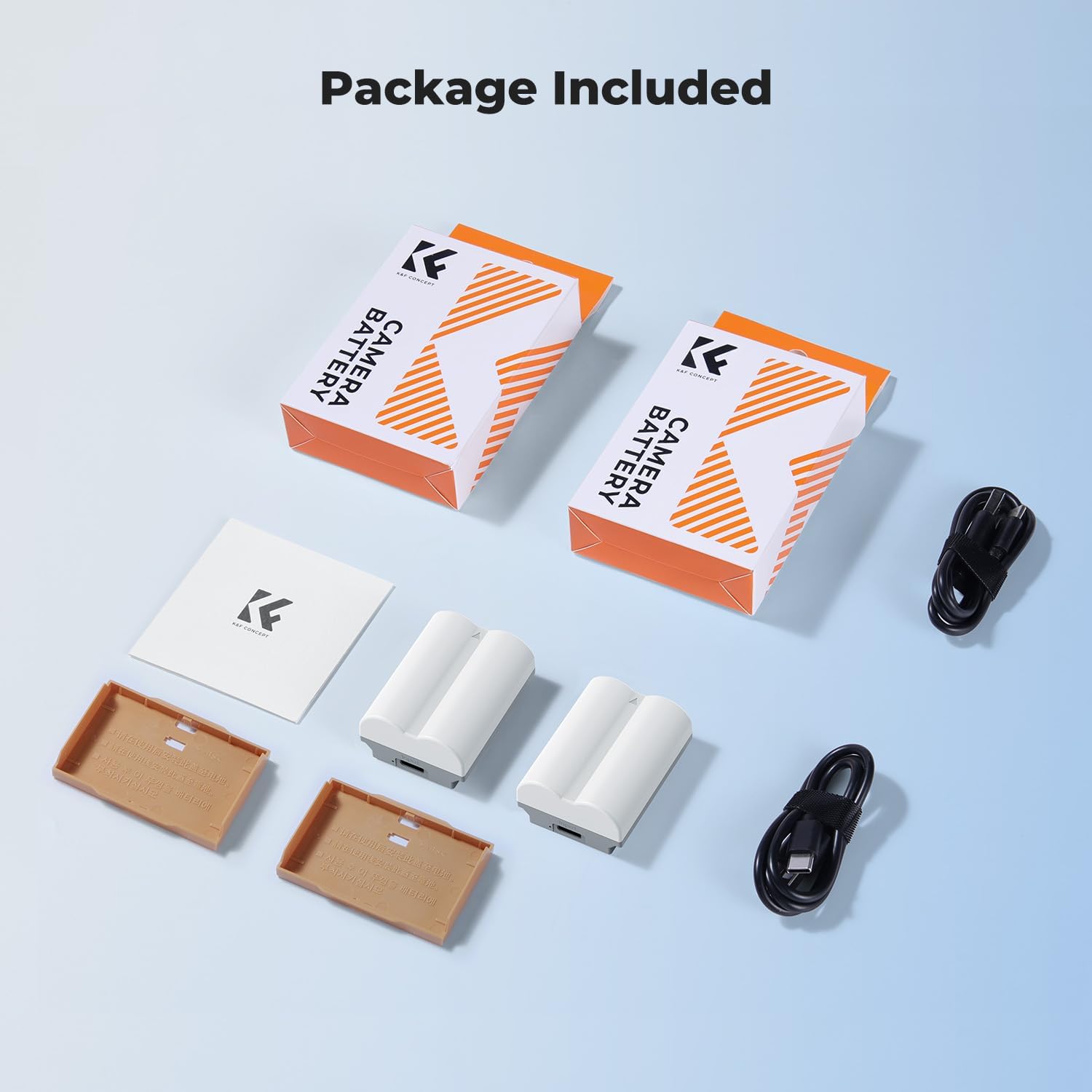
Image: Contents of the K&F CONCEPT NP-W235 battery package.
Warranty and Support
For warranty information or technical support, please refer to the documentation included with your product or visit the official K&F CONCEPT website. If you encounter any issues not covered in this manual, please contact K&F CONCEPT customer service for assistance.
You can find more information and support at the K&F CONCEPT Store on Amazon.