
DEWIN IRAYIYERB-GS109498-02DEWZZQ-02
DEWIN VFD Speed Controller 380V Three-Phase (2.2kW) Instruction Manual
1. Introduction
This manual provides essential information for the safe and efficient operation of your DEWIN Variable Frequency Drive (VFD) Speed Controller, model IRAYIYERB-GS109498-02DEWZZQ-02 (2.2kW). This device is designed to control the speed of three-phase motors by varying the frequency and voltage of the power supply. Please read this manual thoroughly before installation, operation, or maintenance.

Figure 1: Front view of the DEWIN VFD Speed Controller, showing the digital display and control panel.
2. Safety Information
WARNING: Improper installation or operation can lead to serious injury or equipment damage. Always adhere to the following safety guidelines:
- May cause injury or electric shock. Ensure power is disconnected before any installation or maintenance.
- Please wait at least 10 minutes until DC Bus capacitors discharge after power-off before touching any internal components.
- Follow all safety instructions provided in this manual before installation or operation.
- Use proper grounding techniques as specified in local electrical codes.
- Do not connect power to the output terminals (U, V, W).
- Only qualified personnel should install, operate, and maintain this equipment.
3. Product Overview
The DEWIN VFD Speed Controller is engineered for high performance and reliability, featuring advanced control technology for precise motor speed regulation.
Key Features:
- High Performance: Utilizes a dual-layer intelligent design (power board + motherboard) and a unique control method to achieve high torque, high precision, and a wide speed regulation range.
- Integrated PID: Built-in PID functionality enables closed-loop process control for pressure, temperature, and flow applications. Optimized PWM control technology ensures low noise and minimal electromagnetic interference.
- Robust Design: Features excellent anti-tripping performance and adaptability to varying power supplies, temperatures, humidity, and interference. Equipped with a large heat sink for enhanced cooling and stability.
- Professional Construction: Incorporates IPM and IGBT modules for improved efficiency, high output, low heat generation, automatic protection, and stable quality.
- User-Friendly: Compact size for easy installation. Wiring connections are made via convenient screw terminals. The control panel is detachable for flexible use in various scenarios.

Figure 2: DEWIN VFD highlighting key features such as energy saving, 485 communication, multiple protection, and ease of use.

Figure 3: The 380V Variable Frequency Drive is suitable for various equipment including fans, water pumps, oil pumps, compressors, conveyor belts, injection molding machines, crushers, mixers, and ball mills.
4. Setup and Installation
4.1 Physical Installation
The VFD is designed for wall-mounted installation. Ensure the mounting surface is stable and capable of supporting the unit's weight. Allow adequate space around the unit for ventilation and heat dissipation.

Figure 4: The control panel can be removed for flexible installation and wiring, connecting to cables via screw terminals.
4.2 Wiring Connections
All wiring should be performed by a qualified electrician. Ensure power is disconnected before making any connections. The VFD uses screw terminals for secure cable connections.
- Input Power: Connect the three-phase 380V power supply to the designated input terminals.
- Motor Output: Connect the three-phase motor to the output terminals (U, V, W).
- Grounding: Ensure the VFD is properly grounded according to local regulations.
- RS485 Communication: The VFD supports RS485 communication for external control and monitoring. Refer to the wiring diagram for specific connections.

Figure 5: Close-up view of the RS485 communication terminals, offering 8 adjustable segments for communication functions.
4.3 Environmental Requirements
- Ambient Temperature: -10°C to +40°C. For ambient temperatures between 40°C and 50°C, derating of the VFD's capacity is required.
- Ambient Humidity: 20% to 90% RH, non-condensing.
- Surrounding Environment: Indoor use only. Avoid direct sunlight, corrosive substances, flammable gases, oil fumes, and excessive dust.
- Altitude: For altitudes above 1000 meters, derate the VFD's capacity by 10% for every additional 1000 meters.
5. Operating Instructions
5.1 Control Panel Overview
The VFD features an intuitive control panel for easy operation. Key elements include:
- Multi-function Display: Shows real-time voltage, current, and frequency.
- PRG Button: Program mode entry.
- FUNC Button: Function selection.
- RUN Button: Starts motor operation.
- STOP Button: Stops motor operation.
- Directional Arrows (Up/Down): Used for parameter adjustment.
- Rotary Knob: For stepless speed regulation.
- ENTER Button: Confirms selections.
5.2 Speed Adjustment
The motor speed can be adjusted precisely using the rotary knob on the control panel. This allows for stepless speed regulation from 0 to 3000Hz, providing flexibility for various motor applications.
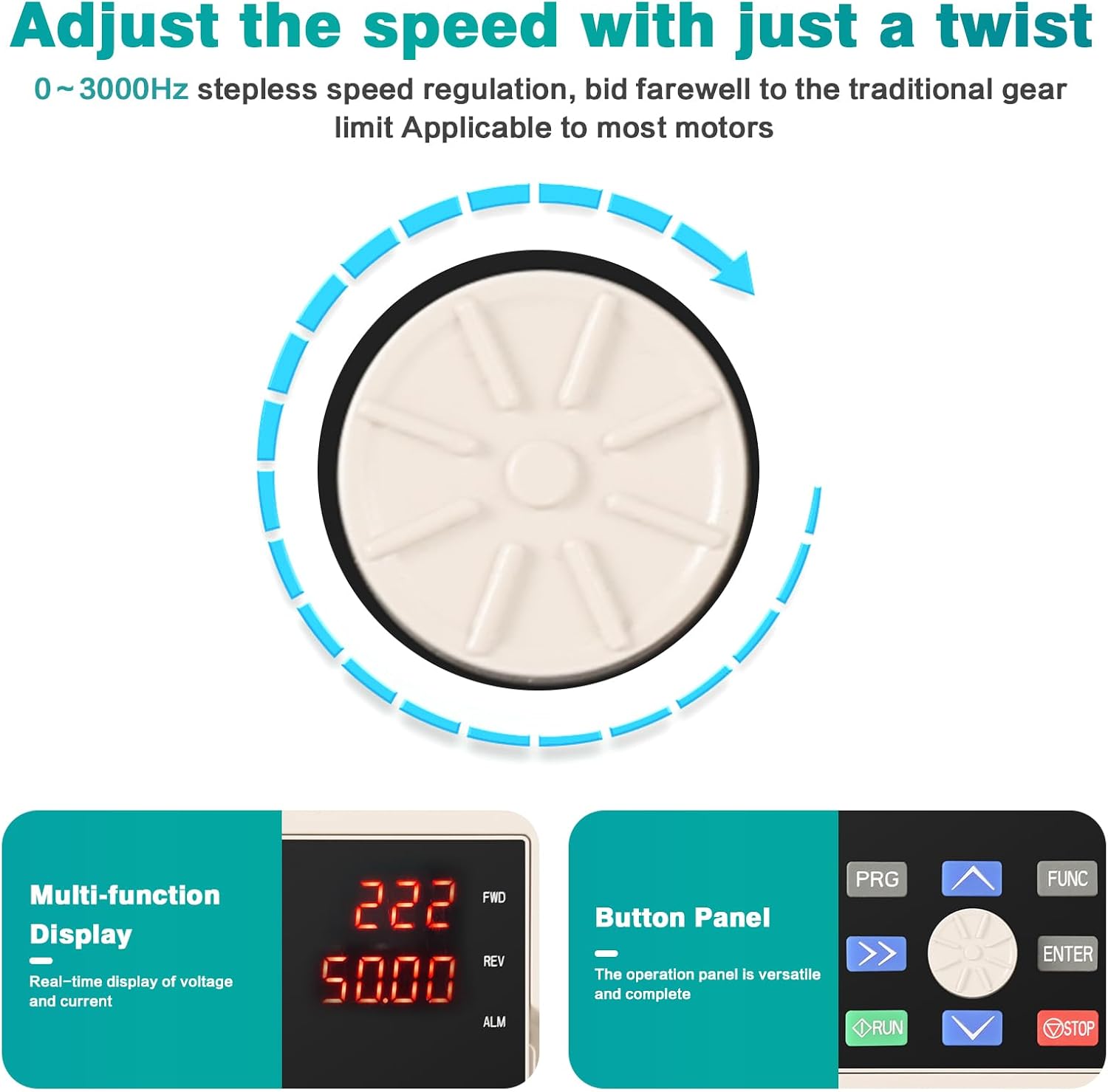
Figure 6: Adjust the speed with a simple twist of the rotary knob, offering 0-3000Hz stepless speed regulation, applicable to most motors.
6. Maintenance
Regular maintenance helps ensure the longevity and optimal performance of your VFD. Always disconnect power before performing any maintenance.
- Keep the unit clean and free from dust and debris.
- Periodically check all electrical connections for tightness.
- Ensure proper ventilation and that cooling fans are operating correctly.
- Inspect for any signs of damage or overheating.
7. Troubleshooting
If you encounter issues with your VFD, consider the following general troubleshooting steps:
- No Power: Check the input power supply and all connections. Ensure circuit breakers are not tripped.
- Motor Not Running: Verify motor connections, VFD settings, and ensure the RUN command is active. Check for any fault codes on the display.
- Overload/Overheat: Reduce motor load, check for proper ventilation, and ensure the VFD is not operating in an excessively hot environment.
- Unusual Noise: Inspect motor and VFD for loose components or wiring issues.
For persistent issues or complex problems, consult a qualified technician or contact DEWIN customer support.
8. Specifications
| Feature | Specification |
|---|---|
| Brand | DEWIN |
| Model Number | IRAYIYERB-GS109498-02DEWZZQ-02 |
| Rated Power | 2.2KW |
| Rated Input Voltage | Three-phase 380V |
| Rated Input Frequency | 50/60Hz |
| Rated Output Voltage | Three-phase 380V |
| Rated Output Current | 5.5A |
| Output Frequency Range | Low frequency mode: 0-300Hz, High frequency mode: 0-3000Hz |
| Material | Flame-retardant ABS plastic |
| Color | White |
| Installation Method | Wall-mounted |
| Dimensions (H x W x D) | 180mm x 95mm x 150mm (approximate, based on image) |
| Weight | 1.12 kg |
| Cooling Method | Air-cooled, with fan control |
| Protection Class | IP20 |
| Communication Function | RS485 |
| Country of Origin | China |
9. Warranty and Support
For warranty information, technical support, or service inquiries, please refer to the documentation included with your purchase or contact DEWIN customer service directly. Keep your purchase receipt as proof of purchase.
Related documentsIRAYIYERB-GS109498-02DEWZZQ-02

Ask a question about this manual
Ask about setup, troubleshooting, compatibility, parts, safety, or missing instructions. Manuals+ will review the question and use this page’s manual context to help answer it.