
Introduction
This manual provides essential instructions for the safe and efficient use of your BAOFENG UV-17R series desktop charger. Please read this manual thoroughly before operation and retain it for future reference.
Safety Information
- Use only with specified BAOFENG UV-17R series batteries and radios.
- Do not expose the charger to water or moisture.
- Do not disassemble or modify the charger.
- Ensure proper ventilation during charging.
- Unplug the charger from the power outlet when not in use or before cleaning.
- Keep out of reach of children.
Product Overview
The BAOFENG UV-17R series desktop charger is designed for convenient and safe charging of compatible two-way radio batteries. It features indicator lights for charging status and built-in protection mechanisms.
Key Features:
- Indicator Light: Red for rapid charging, Green for full charge.
- Automatic Recharge: Detects battery self-discharge and initiates recharging.
- Safety Protections: Includes overcurrent, leakage, temperature, short-circuit, and overcharge protection.
- Compatibility: Designed for BAOFENG UV-17R series and other specified models.
Compatible Models:
This charger is compatible with the following BAOFENG two-way radio models:
- UV-17R
- UV-17 V2
- UV-17 Pro
- UV-21 Pro
- UV-21 Pro V2
- UV-21R
- UV18i
- UV-i
- UV-18L
- UV-G28
- UV-G28 Pro
- UV-G28 Pro V2
- UV18H
- UV18 Pro
- UV18 Pro Max
- UV18 Pro GPS

Figure 1: Compatible Models List. This image displays the various BAOFENG radio models that are compatible with this desktop charger.
Setup
- Place the charger on a stable, flat surface in a well-ventilated area.
- Connect the charger's power cord to a standard electrical outlet (Input: DC10V).
- Ensure the power connection is secure.

Figure 2: Integrated Charger. This image illustrates the charger unit with its attached power cable and plug.
Operating Instructions
- Insert Battery/Radio: Carefully place the compatible BAOFENG radio (with battery attached) or the battery alone into the charging slot of the desktop charger. Ensure it is seated correctly.
- Charging Indicator:
- A red light indicates that the battery is currently charging.
- A green light indicates that the battery is fully charged.
- Automatic Recharge: The charger is designed to detect when a battery's charge level drops due to self-discharge and will automatically initiate a recharge cycle to maintain optimal battery health.
- Remove Battery: Once the green light appears, the battery is fully charged. Carefully remove the radio or battery from the charging slot.
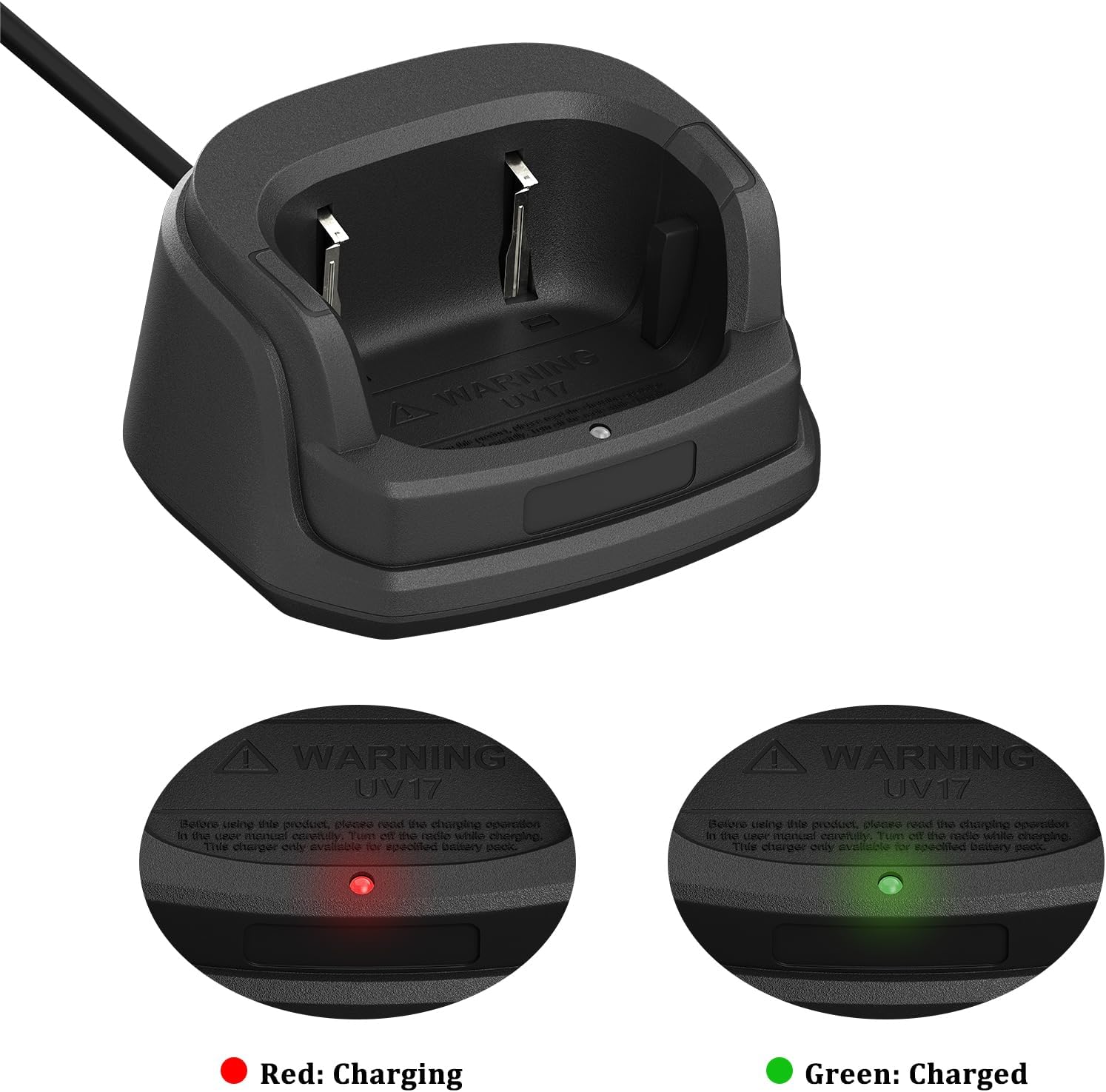
Figure 3: Charging Indicator Lights. This image displays the charger's indicator lights, showing red for charging and green for a full charge.
Maintenance
- Cleaning: Disconnect the charger from the power source before cleaning. Use a soft, dry cloth to wipe the exterior. Do not use liquid cleaners or solvents.
- Storage: Store the charger in a cool, dry place away from direct sunlight and extreme temperatures when not in use.
- Inspection: Periodically inspect the power cord and charger for any signs of damage. If damage is found, discontinue use and contact support.
Troubleshooting
| Problem | Possible Cause | Solution |
|---|---|---|
| Charger light not on. | No power supply; charger not plugged in; faulty outlet. | Check power connection; try a different outlet. |
| Red light not appearing when battery inserted. | Battery not seated correctly; battery fully charged; incompatible battery; faulty battery. | Reseat battery; check if battery is already charged (green light); ensure battery is compatible; try a different battery. |
| Green light not appearing after extended charging. | Faulty battery; charger malfunction. | Try charging a different compatible battery; contact support if issue persists. |
Specifications
- Brand: BAOFENG
- Model: UV-17R Charger
- Input Voltage: DC 10V
- Output Voltage: DC 8.4V
- Product Dimensions: Approximately 9.5 cm (3.7 in) x 8.2 cm (3.2 in) x 4.8 cm (1.87 in)
- Weight: Approximately 190g (6.8 ounces)
- Color: Black
- Protection Features: Overcurrent protection, Leakage protection, Temperature protection, Short-circuit protection, Overcharge protection.

Figure 4: Charger Dimensions. This image provides the physical measurements of the charger unit.

Figure 5: Protection Features. This image highlights the safety features integrated into the charger.
Warranty and Support
This product is provided with a 3-month warranty by Shiqun Electronics Co., Ltd. This warranty covers manufacturing defects and malfunctions under normal use.
For warranty claims, technical support, or any questions regarding product compatibility or operation, please contact Shiqun Electronics Co., Ltd. directly. Contact information may be found on your purchase receipt or the product packaging.